GeezerVisonThe World Wide Web, restored to 800 pixels of glory. |
| Home|About|Gaming cabinet|Archives|How it works|Starter sites |
GeezerVison is showing apps.kde.org — digiKam  digiKamCategories: Graphics 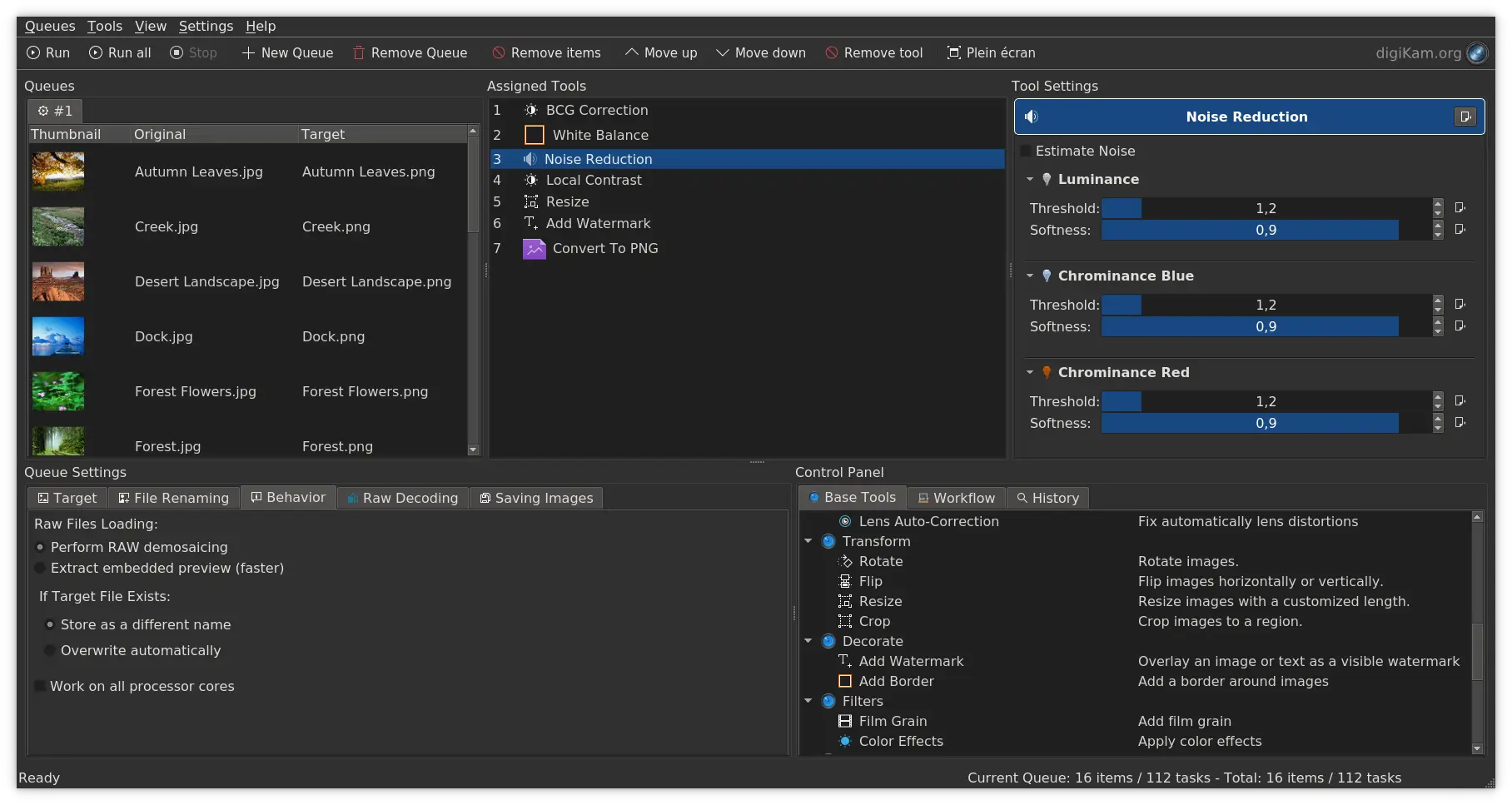 digiKam Batch Queue Manager 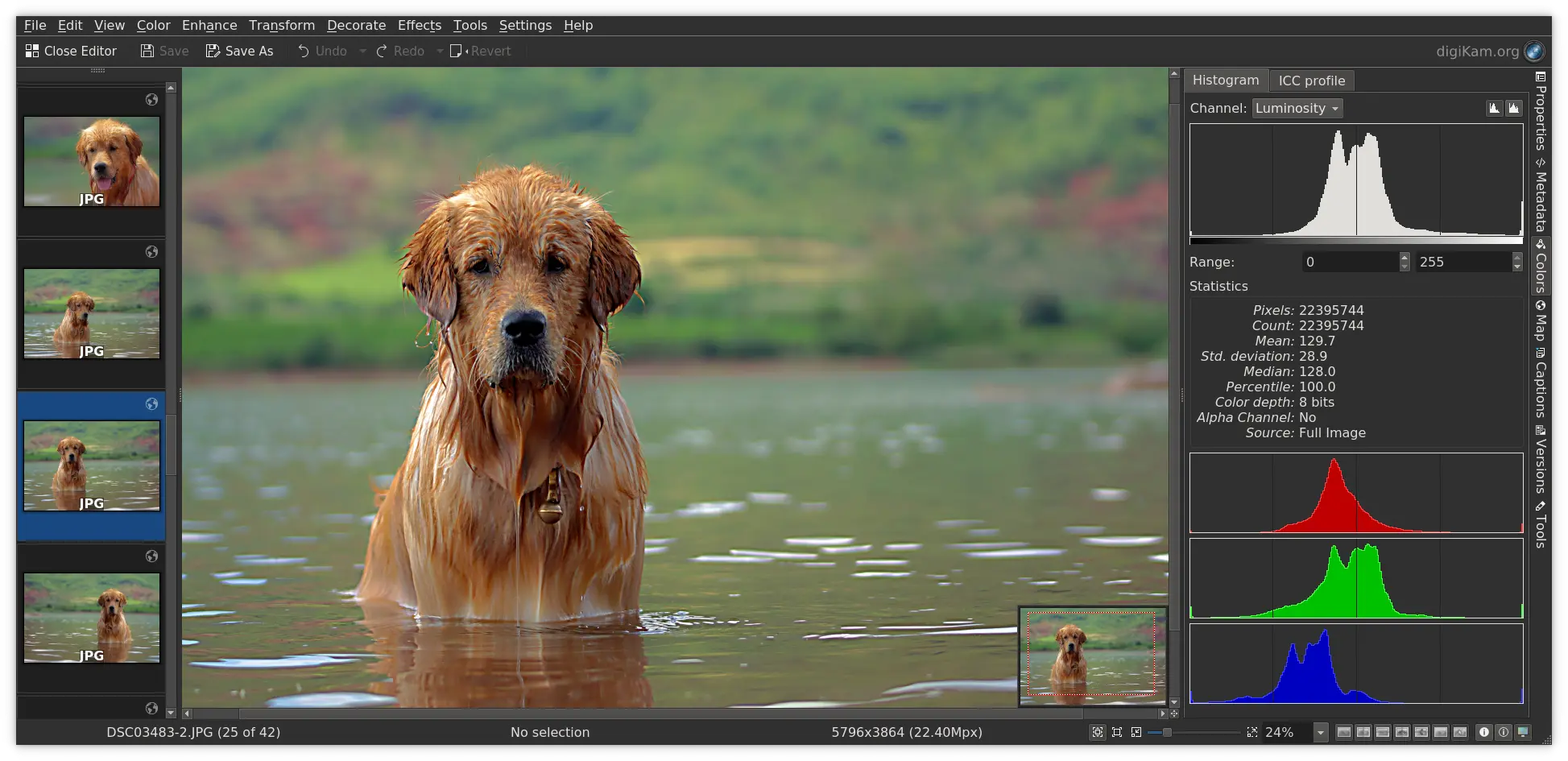 digiKam Image Editor 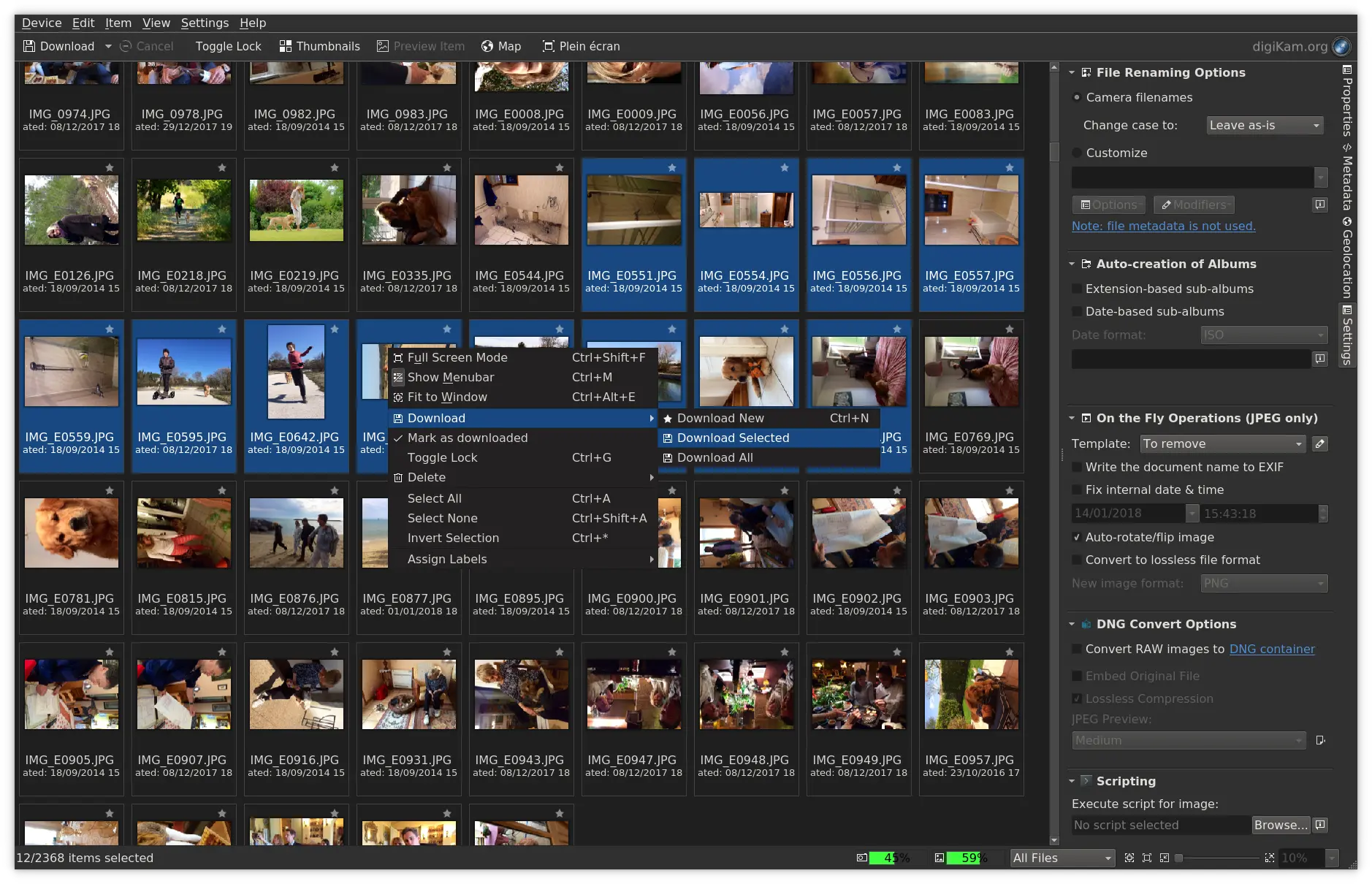 digiKam Import From Camera 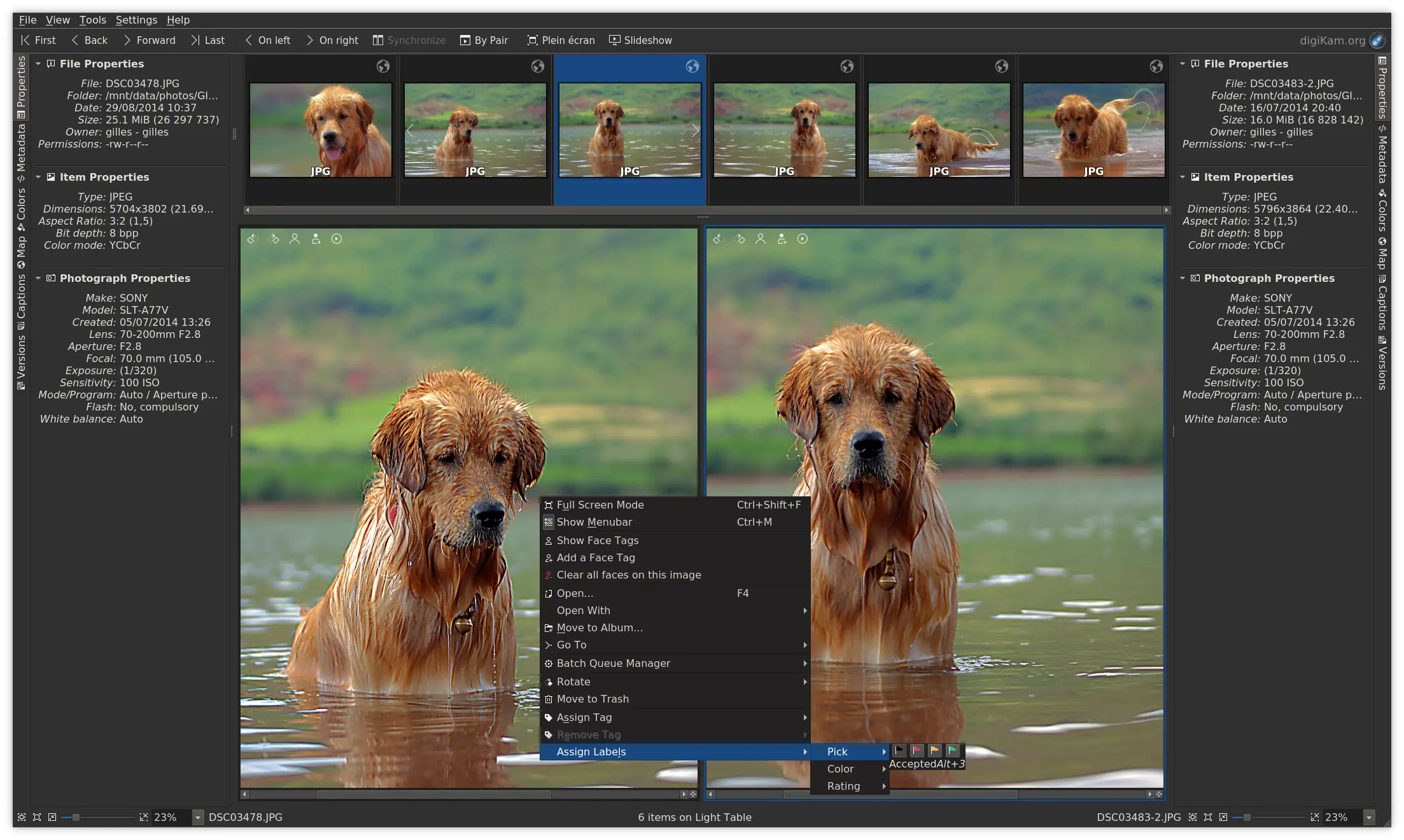 digiKam Light Table 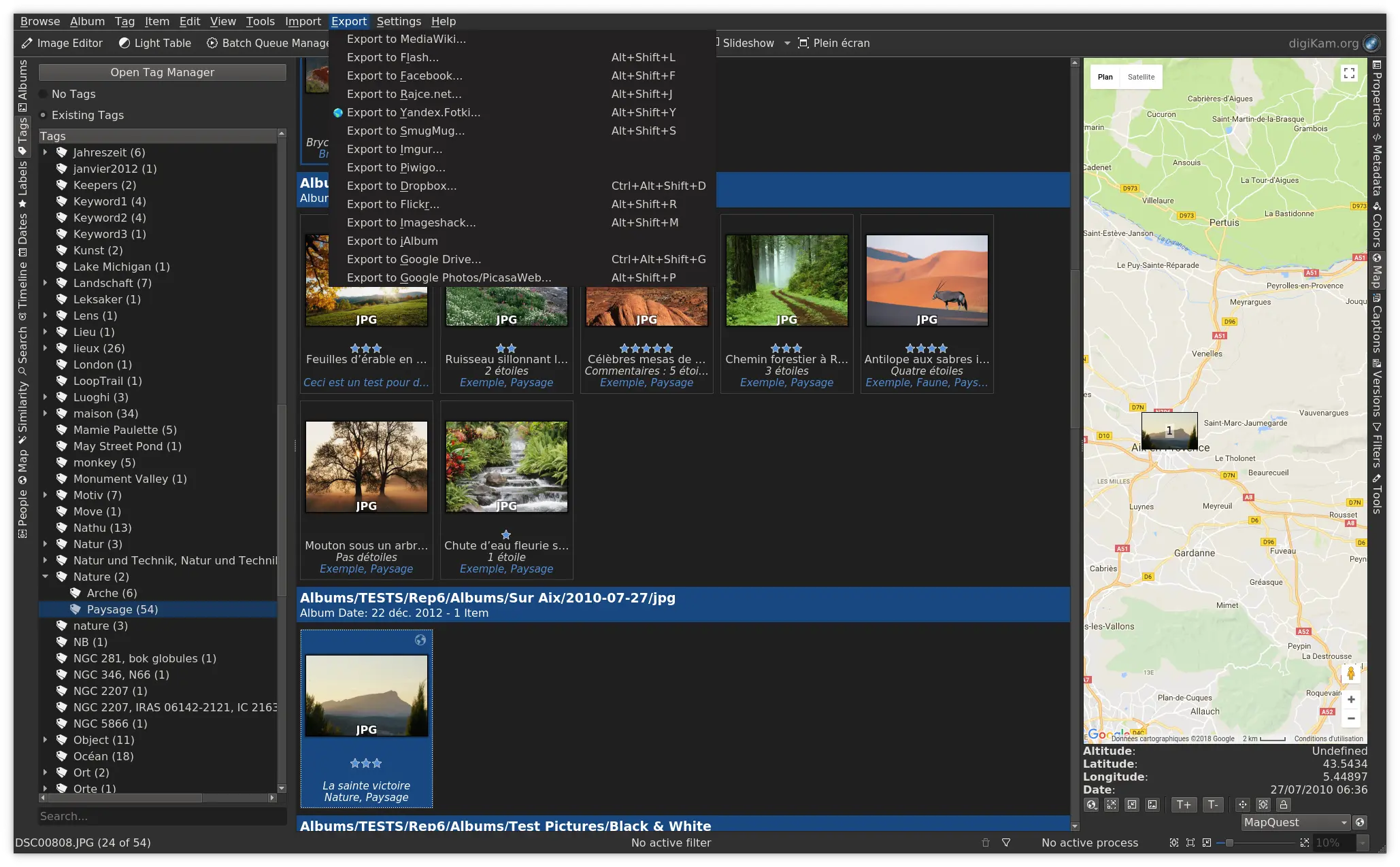 digiKam Tags View digiKam is an advanced open-source digital photo management application that runs on Linux, Windows, and MacOS. The application provides a comprehensive set of tools for importing, managing, editing, and sharing photos and raw files. You can use digiKam’s import capabilities to easily transfer photos, raw files, and videos directly from your camera and external storage devices (SD cards, USB disks, etc.). The application allows you to configure import settings and rules that process and organize imported items on-the-fly. digiKam organizes photos, raw files, and videos into albums. But the application also features powerful tagging tools that allow you to assign tags, ratings, and labels to photos and raw files. You can then use filtering functionality to quickly find items that match specific criteria. In addition to filtering functionality, digiKam features powerful searching capabilities that let you search the photo library by a wide range of criteria. You can search photos by tags, labels, rating, data, location, and even specific EXIF, IPTC, or XMP metadata. You can also combine several criteria for more advanced searches. digiKam rely on Exiv2 library and ExifTool to handle metadata tag contents from files to populate the photo library. digiKam can handle raw files, and the application uses the excellent LibRaw library for decoding raw files. The library is actively maintained and regularly updated to include support for the latest camera models. digiKam can also manage video files for cataloging purpose, and the application uses the FFmpeg backends to extract metadata and play media. The application provides a comprehensive set of editing tools. This includes basic tools for adjusting colors, cropping, and sharpening as well as advanced tools for, curves adjustment, panorama stitching, and much more. A special tool based on Lensfun library permit to apply lens corrections automatically on images. The famous Gmic-Qt plugin is also available with more than 600 filters to extend your creativity. All editing operations in digiKam are versioned. Extended functionality in digiKam is implemented via a set of tools based of plugins mechanism (named DPlugins for digiKam Plugins). Plugins can be written to import and export contents to remote web-services, add new features to edit image, and batch process photo. Features:
Install onLinuxThis button only works with Discover and other AppStream application stores. You can also use your distribution’s package manager.  Releases RSS9.1.0
2026-06-07 9.0.0
2026-03-08 8.8.0
2025-10-19 8.7.0
2025-06-29 8.6.0
2025-03-16 8.5.0
2024-11-16 8.4.0
2024-07-14 8.3.0
2024-03-17 8.2.0
2023-12-03 8.1.0
2023-07-09 8.0.0
2023-04-16 7.10.0
2023-03-12 7.9.0
2022-12-04 7.8.0
2022-09-04 7.7.0
2022-06-26 7.6.0
2022-03-06 7.5.0
2022-01-16 7.4.0
2021-12-18 7.3.0
2021-07-11 7.2.0
2021-03-22 7.1.0
2020-09-06 7.0.0
2020-07-19 6.4.0
2019-11-09 6.3.0
2019-09-08 6.2.0
2019-08-04 6.1.0
2019-04-14 6.0.0
2019-02-10 5.9.0
2018-03-25 5.8.0
2018-01-12 5.7.0
2017-08-27 5.6.0
2017-06-11 5.5.0
2017-03-12 5.4.0
2017-01-08 5.3.0
2016-11-06 5.2.0
2016-09-18 5.1.0
2016-08-07 5.0.0
2016-07-03 4.14.0
2015-10-11 4.13.0
2015-08-30 4.12.0
2015-07-26 4.11.0
2015-06-14 4.10.0
2015-05-10 4.9.0
2015-04-05 4.8.0
2015-02-22 4.7.0
2015-01-25 4.6.0
2014-12-14 4.5.0
2014-11-09 4.4.0
2014-10-06 4.3.0
2014-09-08 4.2.0
2014-08-03 4.1.0
2014-06-22 4.0.0
2014-05-11 3.5.0
2013-09-29 3.4.0
2013-09-01 3.3.0
2013-08-04 3.2.0
2013-05-12 3.1.0
2013-03-10 3.0.0
2013-02-06 2.9.0
2012-09-02 2.8.0
2012-08-05 2.7.0
2012-07-08 2.6.0
2012-05-06 2.5.0
2012-01-08 2.4.0
2011-12-04 2.3.0
2011-11-06 2.2.0
2011-10-02 2.1.0
2011-09-04 2.0.0
2011-07-24 1.9.0
2011-02-19 1.8.0
2011-01-23 1.7.0
2010-12-19 1.6.0
2010-11-22 1.5.0
2010-10-10 1.4.0
2010-08-22 1.3.0
2010-06-07 1.2.0
2010-03-28 1.1.0
2010-01-31 1.0.0
2009-12-20 0.10.0
2009-05-30 0.9.5
2009-03-15 0.9.4
2008-07-16 0.9.3
2007-12-23 0.9.2
2007-06-13 0.9.1
2007-03-04 0.9.0
2006-12-18 0.8.0
2006-07-10 0.7.0
2005-05-21 0.6.0
2003-12-08 0.5.0
2002-10-03 0.4.0
2002-05-10 0.3.0
2002-06-07 0.2.0
2002-03-03 0.1.0
2001-12-24 |
| You are visitor 01402503 — GeezerVison does not store the pages you look up. Best viewed with Netscape Navigator 4.7 or Internet Explorer 6 at 800×600. No cookies required. |
