GV

GeezerVison

The World Wide Web, restored to 800 pixels of glory.

Home|About|Gaming cabinet|Archives|How it works|Starter sites

On this site

  • What's new in Avalonia 12
  • Dev ToolsVisual debugging & inspection
  • ParcelEasy app packaging
  • Hot ReloadNewLive XAML & C# editing
  • PDF ViewerNewView, search & annotate PDFs
  • ChartsInteractive data visualization
  • Rich Text EditorWYSIWYG text editing
  • Tree Data GridPowerful data grid
  • Markdown ViewerRender markdown content
  • Media PlayerVideo & audio player
  • On Screen KeyboardVirtual keyboard
  • XPF
  • Enterprise
  • Showcase

This view

  • Original page
  • New address

GeezerVison is showing avaloniaui.net — Avalonia UI: The Cross-Platform .NET UI Framework for Desktop, Mobile and Web

The future of .NET UI

Build cross-platform desktop, mobile, and web apps with shared XAML and C#, trusted by teams at Unity, JetBrains, and NASA

Get started
What's new in 12.0
Expenzo expense-tracking mobile app built with Avalonia
OutSystems low-code platform built with Avalonia
UXDivers app built with Avalonia
OutSystems low-code platform built with Avalonia
Avalonia media player control showing video playback UI
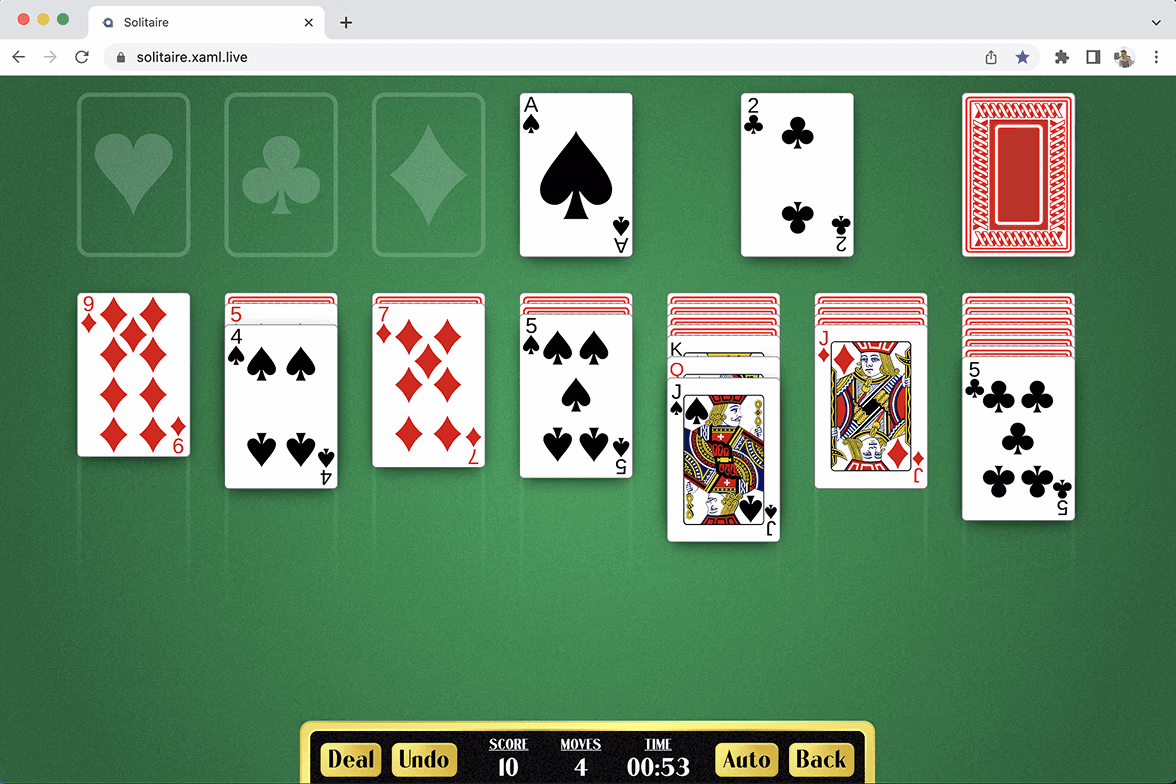
Solitaire game running in the browser via Avalonia WebAssembly
Expenzo expense-tracking mobile app built with Avalonia
UXDivers app built with Avalonia
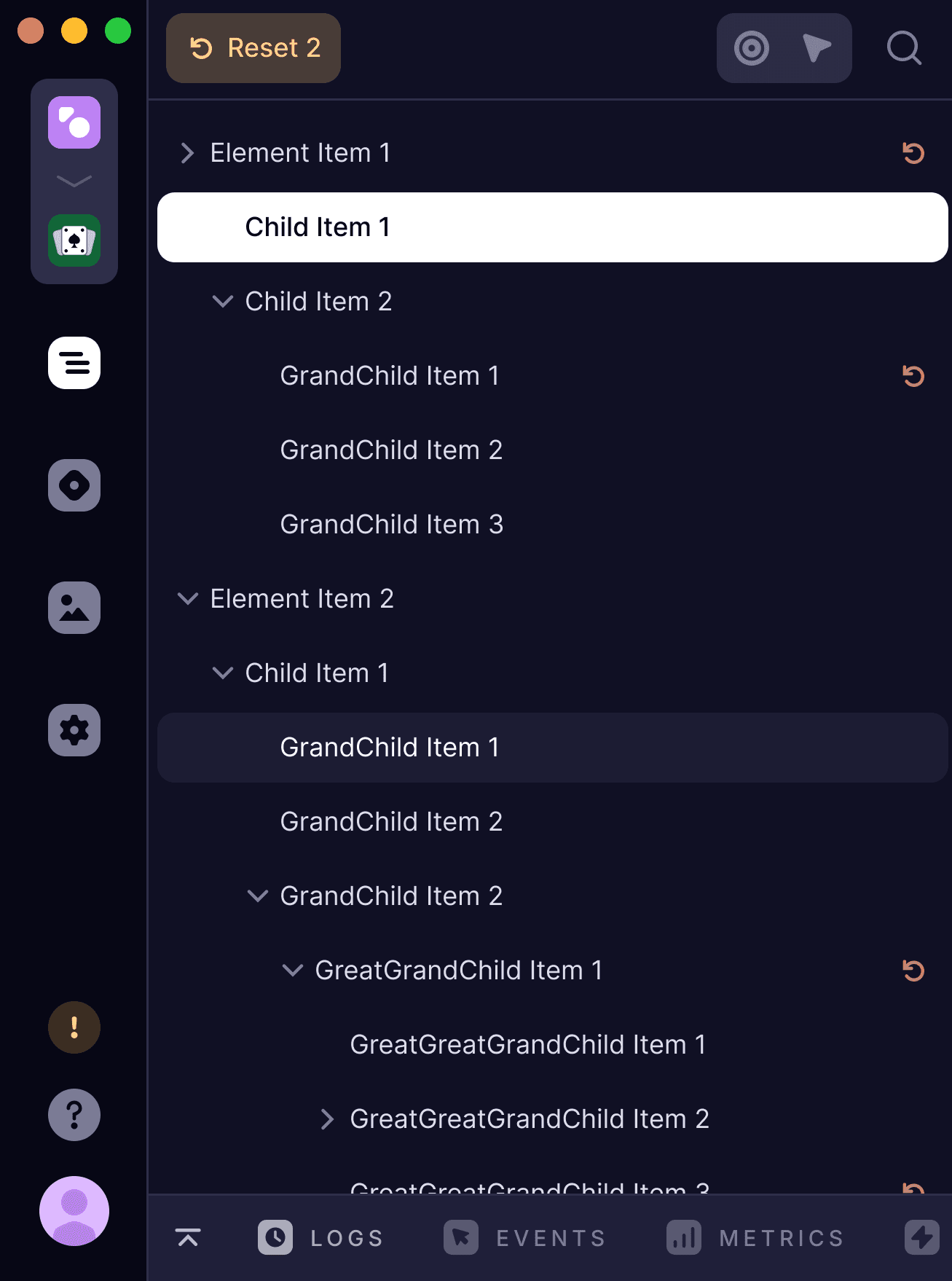
Avalonia DevTools inspecting a running application
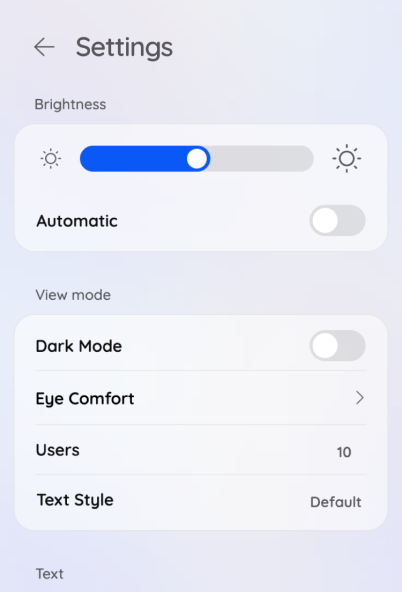
Avalonia mobile app settings screen on a device

Framework

A cross-platform UI framework built on .NET

Avalonia uses XAML for layout, C# for logic, and MVVM for structure. If your team already builds with WPF, WinUI, or other .NET UI stacks, the patterns and skills transfer directly.

Unlike frameworks that wrap native controls, Avalonia draws its own UI with Skia, giving you pixel-identical rendering on every target. One codebase produces native applications for desktop, mobile, and web without platform-specific workarounds.

Get started
Windows
macOS
Linux
iOS
Android
WebAssembly

Trusted by .NET teams around the world

MIT licensed

Built on open source, trusted in production

Avalonia is used in production by teams at organisations including Autodesk, JetBrains, and Devolutions. The framework is MIT-licensed and commercially backed by AvaloniaUI: the engineers who build it support it directly through Avalonia Enterprise. It’s maintained with a growing open-source community, with contributions from Microsoft, JetBrains, Stripe, and Avanade.

Contributions from

MicrosoftJetBrainsStripeAvanade
Sustainable open source
Enterprise support
GitHub stars

Frame pace stream

Each dot is a rendered frame. Horizontal position = render time.

Skia
JIT causes jank spikes
Impeller
AOT shaders, steady 60fps
Compiling shaders...
0ms
16.6ms
80ms
Skia
Steady 60 fps
0ms
16.6ms
80ms
Impeller
Time

Rendering

Skia by default, partnered with Google on Impeller

Avalonia ships with Skia as the default rendering backend, delivering consistent visual fidelity across all platforms. Working in partnership with Google’s Flutter engineering team, we’re bringing Impeller to Avalonia. Impeller uses precompiled shaders and a hardware-accelerated pipeline to eliminate jank and reduce frame times on GPU-intensive workloads.

Flutter partnership

Performance

Rendering that scales to massive visual trees

Avalonia 12.0 delivers up to 1,867% increase in FPS on complex layouts, tested against scenes with 350,000 unique visual elements. These gains are the result of significant investment in the rendering pipeline, including deferred composition and optimised dirty-rect tracking.

Optimise rendering performance
Avalonia 11
Avalonia 12
0 fps
0 fps
1,867% faster
David Hervieux, CEO of Devolutions
“Avalonia gives us the performance and flexibility to build robust, cross-platform PAM solutions without compromise.”

David Hervieux

CEO

Devolutions logo

Strategic

Extend your .NET investment across every platform

Your team’s XAML, C#, and MVVM skills carry directly into Avalonia. If you’re building with WPF, WinForms, or WinUI today, Avalonia gives you a path to a single codebase across Windows, macOS, Linux, mobile, and WebAssembly without discarding what you’ve already built.

Dedicated migration guides for WPF and WinForms map the specific differences, and Avalonia XPF provides binary compatibility for teams that need to run existing WPF applications on new platforms before a full port.

WPF migration
WinForms migration

WinForms

Windows Only

WPF

Windows Only

WinUI

Windows Only

Avalonia

One XAML codebase

Windows
macOS
Linux
iOS
Android
WebAssembly
XPF 3D logo
Commercial

Cross-platform WPF,
built for enterprise.

XPF brings high WPF compatibility to every platform, so you can run most of your existing .NET desktop apps on Windows, macOS, Linux, iOS, Android, and WebAssembly with GPU-accelerated rendering and pixel-perfect fidelity.

Start an evaluation
Learn more
XPF 3D logo

Tooling & components

Ship faster with professional tooling

IDE extensions, production-grade UI components, and AI-assisted development for .NET teams building with Avalonia.

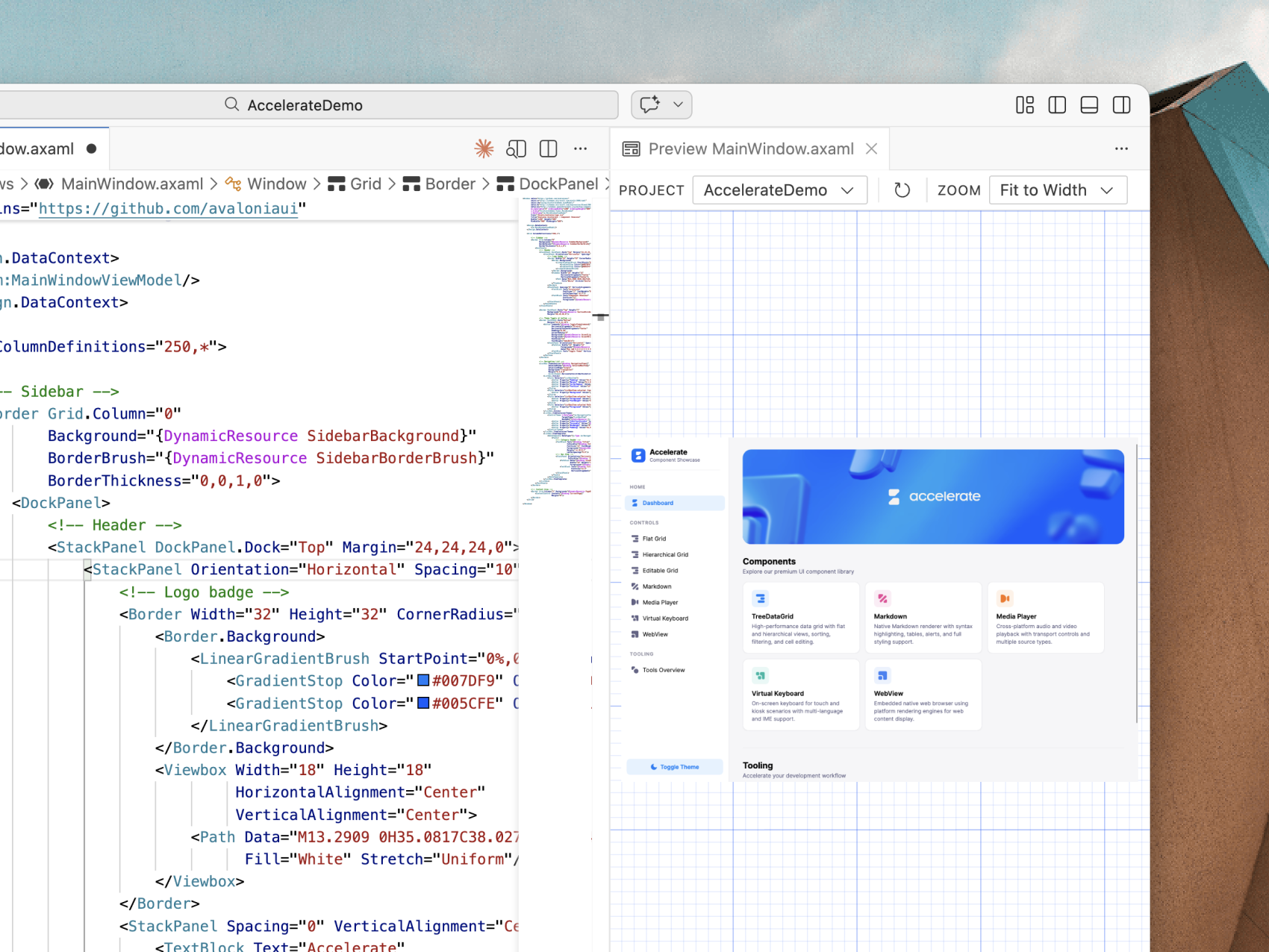
Visual Studio showing Avalonia XAML editor with live preview

Developer experience

Professional tooling

The Avalonia for VS Code extension is free and fully featured: no account required, no limitations. Get XAML previewing, IntelliSense, and project templates out of the box.

Visual Studio, Dev Tools for runtime inspection, and Parcel for one-click packaging complete the toolchain. Hot Reload and XAML diagnostics work across all target platforms.

Visual Studio Code
Visual Studio
Dev Tools
Parcel
Hot Reload

Components

A complete suite of UI controls

Avalonia ships with 70+ free, open-source controls covering everything from buttons, tabs, and menus through to complex controls like navigation, data grids, and a cross-platform WebView.

Avalonia Pro adds 7 premium controls, including a PDF viewer, media player, virtual keyboard, rich text editor and markdown viewer, plus 70+ chart types for data visualisation. From essentials to enterprise, the full stack is covered.

Charts
PDF Viewer
Rich Text Editor
Tree Data Grid
Markdown Viewer
Media Player
On Screen Keyboard
Media Player component
CoPilot
Avalonia DevTools

AI-ready development

Give AI agents direct access to your Avalonia UI through the Model Context Protocol (MCP). Works with VS Code, Claude Code, GitHub Copilot CLI, and Codex.

  • Generate pixel-perfect XAML from screenshots or design specs
  • Inspect and modify live UI properties at runtime
  • Navigate visual and logical element trees for contextual debugging
  • Capture screenshots of any element to verify layout changes
Learn more

Implement UIs from screenshots

Provide a screenshot or mockup. Your AI agent inspects the live visual tree via MCP and generates production-ready XAML that matches the design.

Chat with AI that understands your app

AI agents read your live UI properties, styles, and application state in real time. Guidance is specific to your project, not generic documentation.

Quick start guide

Create and run your first Avalonia app in three commands. Your app opens on screen after the final step.

Prerequisite: .NET 8 SDK or later. Download .NET

1
Install the templates
dotnet new install Avalonia.Templates
2
Create your first app
dotnet new avalonia.app -o MyApp
3
Run your app
dotnet run

Get started

One codebase. Every platform.

Avalonia is a free, open-source .NET UI framework. Use the XAML and C# skills your team already has to ship production apps across desktop, mobile, and web.

Read the docs
Steven Kirk

Steven Kirk

@grokys

Jason Jarvis

Jason Jarvis

@jazzay

Jeremy Koritzinsky

Jeremy Koritzinsky

@jkoritzinsky

Tim

Tim

@timunie

Dmitry Zhelnin

Dmitry Zhelnin

@DmitryZhelnin

Nikita Tsukanov

Nikita Tsukanov

@kekekeks

Ivan Kochurkin

Ivan Kochurkin

@KvanTTT

Sergey Mikolaytis

Sergey Mikolaytis

@Mikolaytis

Josua Jäger

Josua Jäger

@JaggerJo

Simon Cropp

Simon Cropp

@SimonCropp

SuperJMN

SuperJMN

@SuperJMN

Lighto

Lighto

@adirh3

Marc-André Moreau

Marc-André Moreau

@awakecoding

Matthijs ter Woord

Matthijs ter Woord

@mterwoord

★★★★★
2.1M projects trust Avalonia

Join the community and start building today

Get started
Steven Kirk

Steven Kirk

Jason Jarvis

Jason Jarvis

Jeremy Koritzinsky

Jeremy Koritzinsky

Tim

Tim

Dmitry Zhelnin

Dmitry Zhelnin

Nikita Tsukanov

Nikita Tsukanov

You are visitor 01402503 — GeezerVison does not store the pages you look up.
Best viewed with Netscape Navigator 4.7 or Internet Explorer 6 at 800×600. No cookies required.