A terminal dashboard for every repo on your machine
Stop cd-ing.
Start coding.
Git-Scope helps busy developers instantly find, filter, and manage their entire git universe so you
can stay in your flow state without endlessly cd-ing through nested directories.
~/code — git-scope
Why git-scope
Stop manually cd-ing everywhere.
Do you have 50+ git repos scattered across ~/code, ~/projects, and
~/work? Finding that one side-project from 3 months ago shouldn't take 5 minutes.
Features
Your whole workspace, one screen.
01
Fuzzy search
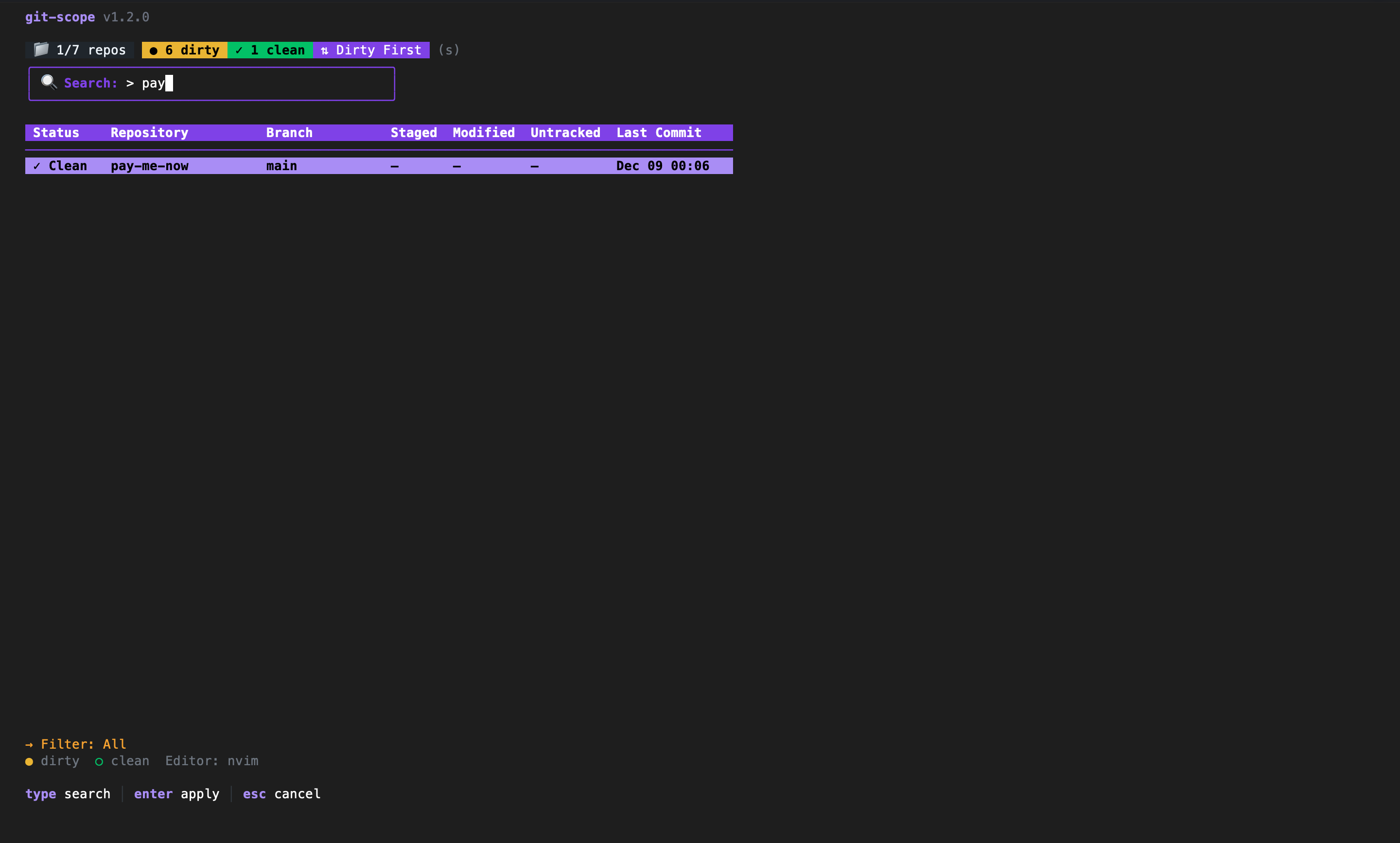
Lost a repo? Press / to search by name in real-time. Git-Scope indexes your
entire workspace in milliseconds, so you can jump to any project instantly.
02
Dirty radar
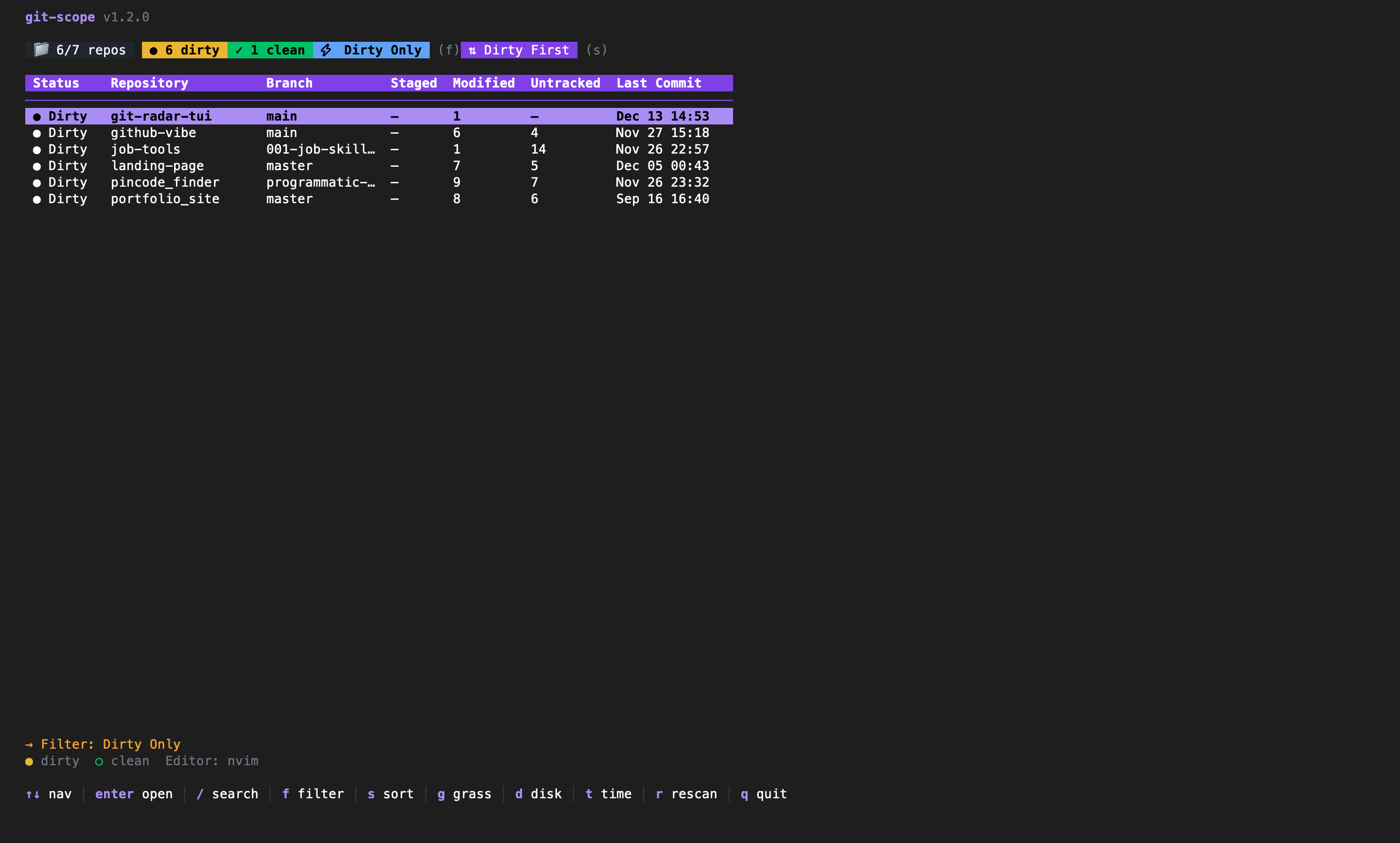
Press f to filter by status. Instantly see which repos have uncommitted changes
or unpushed commits. Never leave code behind again.
03
Stats & visuals
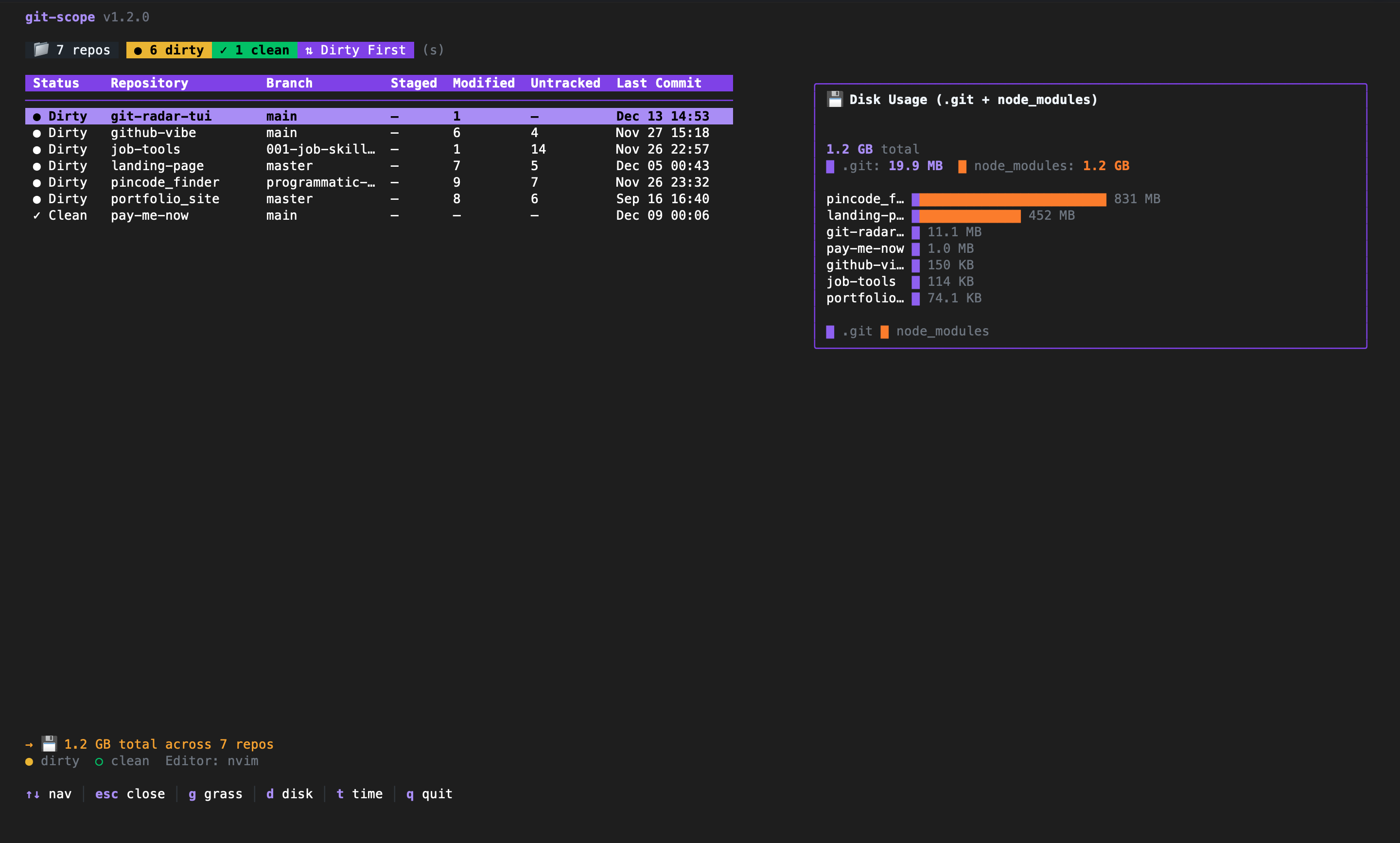
Spot disk-hogging node_modules and visualize your coding activity. Press
d for disk usage and g for your contribution heat map.
Keyboard first
Vim-style efficiency.
Every action is one keystroke away. Your hands never leave the home row.
Search shortcuts…
- ↕Move down / upjk
- ⌕Search/
- ●Filter dirty reposf
- ⇅Sorts
- ⌂Switch workspacew
- ▦Contribution graphg
- ✕Clear filtersc
- ↗Open in editorEnter
Quit q
Open ↵
Planned
Background watcher
Daemon mode to watch filesystem changes in real-time without manual rescans.
In progress
Quick actions
Pull, push, and sync repositories directly from the dashboard.
Planned
Team dashboards
Shared configuration and status views for engineering teams.
From the blog
Resources & guides