What is Active Assist
Active Assist refers to the portfolio of tools used in Google Cloud to generate recommendations and insights to help you optimize your Google Cloud projects. This includes recommenders that generate recommendations and insights and analysis tools.
Recommenders and Recommendations
Recommenders generate recommendations that fall into six value categories that can help you optimize your cloud in a variety of ways.
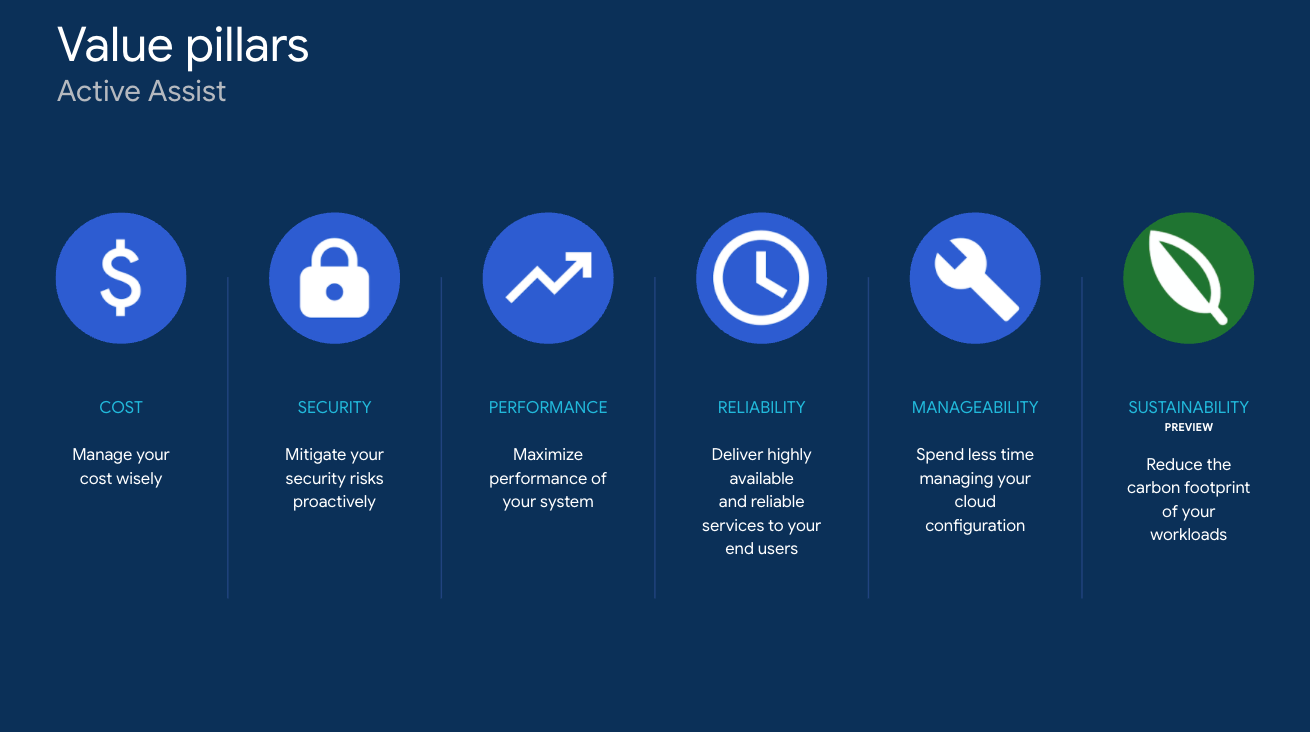
See Recommendations and Recommenders for a detailed explanation of these concepts.
Grant permissions to view and update recommendations and insights
Each recommender and insight type has specific roles and permissions to control access to its recommendations and insights. In order to enable users to review and assess these recommendations and insights, they will include some metadata about resources. Granting these permissions provides users with a partial view of the resource's metadata. This partial view of data is particularly important to consider if you are using custom roles to grant permissions.
For example, the Identity and Access Management recommender provides recommendations about
permissions. Members that have the recommender.iamPolicyRecommendations.get
and recommender.iamPolicyRecommendations.list permissions can also see
information about your IAM policy bindings.
Ensure that you have the necessary roles and permissions to view recommendations.
Find recommendations and insights
Each recommender lets you view and manage its recommendations and insights using the REST API and Google Cloud CLI. Some recommenders also let you view and manage their recommendations and insights using one or more of the following options:
- Active Assist
- FinOps hub, which provides cost-optimization recommendations for billing account managers.
- The Optimization page in Cloud Hub, which provides cost-optimization recommendations for developers and platform administrators.
- In context using the service's user interface (UI) in the Google Cloud console
For details about recommenders and supported clients, see Recommenders.
View recommendations in Active Assist
Certain recommendations such as the IAM Recommendation require different levels of permissions to view. For more information, see the guide for the specific Recommendation that you are looking for.
Manage recommendations and insights
In Active Assist, you can choose to apply or dismiss the recommendations. Some recommendations can be applied automatically, while other recommendations require additional steps to complete. Any additional steps will appear in the details panel.
Apply recommendations
Recommender provides information on direct impacts in areas such as cost, performance, or security. Recommendation reviewers should have a holistic understanding of your infrastructure and processes so that other business-specific impacts are considered.
Get started with recommendations
Recommendations are an easy way to optimize your cloud to help you maintain a secure and cost effective workspace. Use the Active Assist quickstart guide to get started with the Active Assist.
Alternatively, you can follow the In Context quickstart guide to find recommendations directly in your service pages. Recommendations can also be reviewed and applied or dismissed using the Google Cloud CLI or REST API.
Intelligence Centers and Tools
Active Assist offers intelligent tools that helps you proactively monitor and manage your cloud. We offer tools such as the Network Intelligence Center and Policy Simulator to simplify and automate your management experience on Google Cloud. Read the following documentation pages for more information on how our products can help you optimize your cloud experience.
- Network Intelligence Centers
- Policy Simulator
- Policy Analyzer
- Policy Troubleshooter
- Firewall Insights