GeezerVisonThe World Wide Web, restored to 800 pixels of glory. |
| Home|About|Gaming cabinet|Archives|How it works|Starter sites |
GeezerVison is showing developer.ring.com — Ring Developer — Build for the Ring Appstore Create apps that transform Ring footage and data into powerful, actionable intelligence for millions of Ring customers.1 The opportunity to create solutions is limitless. Ring Developer Appstore - OverviewRing Developer enables third-party developers to build, test, launch, monetize, and reach millions of Ring customers through the new Ring Appstore. Developers can access core Ring capabilities, including live video (such as WebRTC, RTSP), motion events, doorbell presses, device status, and event history, via Ring APIs or the Ring MCP Server. With Ring MCP, developers can leverage AI-assisted coding tools like Kiro and Cursor, as well as vibe coding tools such as Lovable and Replit, to accelerate development and bring integrations to market faster.
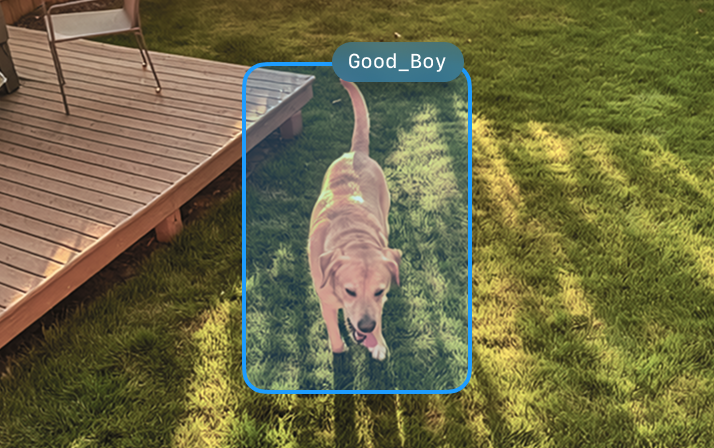
 Business Intelligence & Operations Event-based notifications, workflow automation, customer traffic analysis.  Elderly Care Monitoring Motion analysis, activity alerts, daily summaries.  Pet Wellness Assessment Behavior pattern analysis, health insights, mood detection.  Home Analytics Pool condition monitoring, package theft detection. 1 Compatible Ring subscription required. Certain apps may require third-party developer subscription. Why you should build for the Ring Appstore.Build easilyAI-assisted development enables rapid iteration, and our tools and support help you stay focused on building. Step 1: Install Ring MCP Server Step 1 of 5: Step 1: Install Ring MCP Server  Kiro NameInstallDescription RingReal-time motion detection and smart home camera integration AWS DocumentationAccess to AWS documentation, search capabilities, and content AzureInteract with Azure services and resources Launch fastMove from prototype to production with self-serve sandbox environments, real-time validation, and streamlined certification. Our unified APIs and compliance workflows reduce integration steps and shorten time to launch. Draft Testing Certification Beta Rollout Prod Rollout Live Reach millionsThe Ring Appstore connects your apps with Ring's established customer base to unlock new monetization opportunities. See it in action.It's easy to build applications that integrate with Ring devices and publish them in the Ring Appstore. 01Connect to Ring APIs After a user authorizes your app in the Ring App, exchange the authorization code for a Bearer token to access devices, streams, and events.02Listen for Events Configure your webhook endpoint in the Ring Developer Portal to receive real-time motion alerts. Each event includes HMAC signatures for verification and classification data like human, animal, or vehicle.03Stream Video Open a WebRTC session via WHEP to pull a live video feed from the camera that detected motion. Video only — no audio.04Add Computer Vision (CV) or AI Models Ring provides the pixels — add your own CV or AI models to detect what matters. Pet recognition, package detection, anything you build.05Track & Alert Save detection events, apply your own rules based on which devices triggered, and send alerts accordingly. Build a history of patterns over time.Powerful tools for any workflow.Whether you're training an AI model to detect specific objects or building a custom dashboard, Ring Appstore APIs give you real-time access and rock-solid reliability.  Model Context Protocol Ring's MCP server provides configuration snippets for your preferred AI coding assistant. Add the config to your IDE, and your AI can search Ring Appstore API references, retrieve integration guides, and generate working code — without leaving your editor.  01// Ask your AI assistant about Ring APIs 02prompt: "How do I stream live video from a Ring camera?" 03 04// AI calls Ring Appstore MCP server... 05Calling tool: search_docs 06{ query: "live video streaming WHEP WebRTC" } 07 08// Results from Ring documentation 09 10// Stream live video via WebRTC/WHEP 11const whepUrl = `https://api.amazonvision.com 12 /v1/devices/${deviceId}/media/streaming/whep/sessions`; 13 14// 1. Create peer connection with ICE servers 15const pc = new RTCPeerConnection({ 16 iceServers: [{ urls: 'stun:stun.l.google.com:19302' }] 17}); 18 19// 2. Set up event handlers BEFORE createOffer 20pc.ontrack = (event) => { 21 const videoEl = document.getElementById('video'); 22 videoEl.srcObject = event.streams[0] 23 || new MediaStream([event.track]); 24 videoEl.play().catch(err => console.warn('Autoplay:', err)); 25}; 26 27pc.onconnectionstatechange = () => { 28 if (pc.connectionState === 'failed') 29 console.error('WebRTC connection failed'); 30}; 31 32// 3. Video only — do NOT add audio 33pc.addTransceiver('video', { direction: 'recvonly' }); 34 35// 4. Create and set local SDP offer 36const offer = await pc.createOffer(); 37await pc.setLocalDescription(offer); 38 39// 5. Wait for ICE gathering to complete 40await new Promise((resolve) => { 41 if (pc.iceGatheringState === 'complete') resolve(); 42 else pc.addEventListener('icegatheringstatechange', () => { 43 if (pc.iceGatheringState === 'complete') resolve(); 44 }); 45}); 46 47// 6. Send complete SDP offer to WHEP endpoint 48const res = await fetch(whepUrl, { 49 method: 'POST', 50 headers: { 'Authorization': `Bearer ${token}`, 51 'Content-Type': 'application/sdp' }, 52 body: pc.localDescription.sdp 53}); 54 55// 7. Process SDP answer and store session URL 56if (res.status === 201) { 57 const sdpAnswer = await res.text(); 58 await pc.setRemoteDescription({ type: 'answer', sdp: sdpAnswer }); 59 const sessionUrl = res.headers.get('Location'); 60} else { 61 pc.close(); 62 throw new Error(`WHEP failed (${res.status})`); 63} Universal MCP SupportBring your own IDE.No proprietary web builders. Ring's MCP server provides configuration snippets you can add to your preferred IDE. Your AI coding assistant can then search Ring Appstore API references, retrieve integration guides, and generate working code — all from within your existing workflow. .kiro/settings/mcp.json 01// .kiro/settings/mcp.json 02{ 03 "mcpServers": { 04 "ring-appstore-knowledge-mcp-server": { 05 "type": "streamable-http", 06 "url": "https://knowledge.appstore-mcp.ring.amazon.dev/mcp" 07 } 08 } 09} What developers are saying.“Integrating with Ring lets us turn cameras that families already own into a caregiving tool. We can deliver activity summaries and safety alerts without asking anyone to install new hardware or change their routine.”  Brandon SmithFounder, Beside Care “Working with Ring allows us to scale faster, reduce onboarding friction, and empower businesses of all sizes—especially small and mid-sized operations—to achieve higher safety standards with the cameras they already have.”  Harsh MurariCTO, Visionify (Safety AI) “By integrating Lumeo's video-intelligence capabilities directly with Ring cameras, we can deliver powerful, scalable solutions to small and medium businesses and pro-sumers, while expanding our reach through an ecosystem grounded in security, innovation, and customer trust.”  Devarshi ShahFounder and CEO, Lumeo |
| You are visitor 01402503 — GeezerVison does not store the pages you look up. Best viewed with Netscape Navigator 4.7 or Internet Explorer 6 at 800×600. No cookies required. |