GeezerVisonThe World Wide Web, restored to 800 pixels of glory. |
| Home|About|Gaming cabinet|Archives|How it works|Starter sites |
GeezerVison is showing developer.mydatahelps.org — Embedding MyDataHelps in Custom Apps - MyDataHelps™ Developer Center Embedding MyDataHelps in Custom AppsWith MyDataHelps Embeddables, you can leverage the power of the MyDataHelps platform in your custom web or mobile application without your participants ever creating a MyDataHelps account or using a MyDataHelps app directly. Contents Introduction to EmbeddablesWhat makes Embeddables different from the other MyDataHelps experiences like Views or Web View steps is that they operate outside of MyDataHelps. Embeddables are ideal when you have your own web page or native app, but want to incorporate specific MyDataHelps SDK functionality such as:
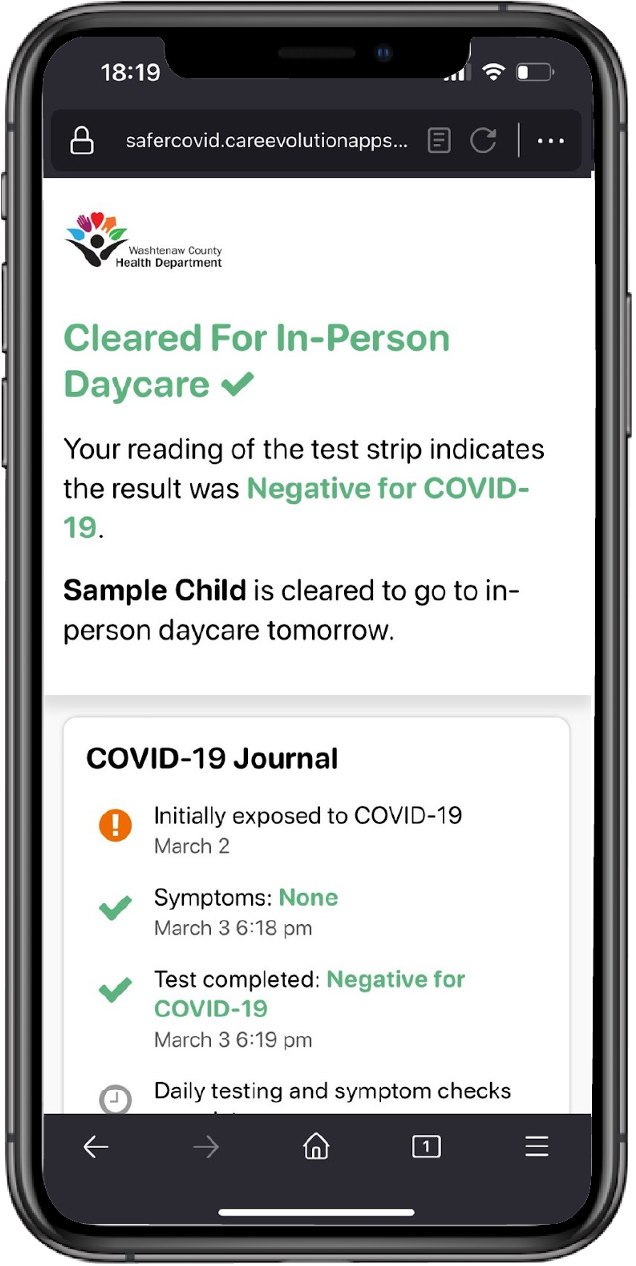
For some examples of how you can use MyDataHelps Embeddables, see the following case studies: 

PrerequisitesBefore using MyDataHelps in a custom application, you will need to have a MyDataHelps Designer account and create a project. You will also need to set up a service account for your project to access the MyDataHelps REST API and generate access tokens for your participants. Getting StartedIntegrating the MyDataHelps Embeddables with your own custom application involves three steps:
Managing ParticipantsCustom applications using MyDataHelps Embeddables will often have their own user accounts independent of MyDataHelps. For example, you might embed MyDataHelps within a web application that has a pre-existing account system. However, to use the MyDataHelps SDK outside the MyDataHelps application, you will need to create MyDataHelps participant entities to mirror the users in your application. The MyDataHelps participant entity will then be the surrogate for your application user for all related activities. When your application client wants to initiate a feature that uses the MyDataHelps SDK, it should communicate with your application server, which then uses the MyDataHelps REST API to create or locate the corresponding MyDataHelps participant. Once the participant is obtained, you can then generate a participant access token that grants the appropriate permissions for the application client. 
You are responsible for maintaining the mapping between the users in your application and the MyDataHelps participants you create for them. The recommended way to do this is to set the MyDataHelps Tip
Depending on your use case, it may not be necessary to create a MyDataHelps participant in advance for every user in your application. You may wait to create the participant entity until the user needs to access a feature requiring the MyDataHelps SDK. Managing Participant Access TokensTo guard against unauthorized use, MyDataHelps requires an access token. When using MyDataHelps within your own application (outside of MyDataHelps), you will need to manage the participant’s access token yourself. To retrieve a participant’s access token, your application server will first identify the appropriate MyDataHelps participant using the participant identification mapping described in Managing Participants. If the participant is authorized, the server will request a participant access token from the MyDataHelps REST API, specifying the required scope of access of features and actions that the participant can take. Once the participant access token is obtained, the application server will pass it on to the application client to authenticate to the MyDataHelps SDK for the participant. See Participant Access Tokens for details. Using SDK FeaturesYour custom application can be a web page or native app. To leverage MyDataHelps features, you will need to embed the MyDataHelps SDK within your application. The SDK is available on several platforms:
Follow the platform-specific installation instructions to include the SDK within your application. Once you have a participant access token, you can utilize MyDataHelps SDK features within your application. The specific features will vary by platform, so consult the platform-specific SDK documentation for details. Examples of things you can do include:
Have questions about MyDataHelps? Contact us. © 2026 CareEvolution®, LLC 
|
| You are visitor 01402775 — GeezerVison does not store the pages you look up. Best viewed with Netscape Navigator 4.7 or Internet Explorer 6 at 800×600. No cookies required. |