Tiny Core Linux is a 16 MB graphical Linux desktop. It is based on a recent Linux kernel, BusyBox, Tiny X, Fltk, and Flwm. The core runs entirely in memory and boots very quickly. The user has complete control over which applications and/or additional hardware to have supported, be it for a desktop, a nettop, an appliance or server; selectable from the project's online repository.
To compare the software in this project to the software available in other distributions, please see our Compare Packages page.
Notes: In case where multiple versions of a package are shipped with a distribution, only the default version appears in the table. For indication about the GNOME version, please check the "nautilus" and "gnome-shell" packages. The Apache web server is listed as "httpd" and the Linux kernel is listed as "linux". The KDE desktop is represented by the "plasma-desktop" package and the Xfce desktop by the "xfdesktop" package.
Colour scheme:green text = latest stable version, red text = development or beta version. The function determining beta versions is not 100% reliable due to a wide variety of versioning schemes.
TUXEDO
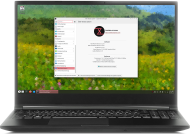
TUXEDO Computers - Linux Hardware in a tailor made suite Choose from a wide range of laptops and PCs in various sizes and shapes at TUXEDOComputers.com. Every machine comes pre-installed and ready-to-run with Linux. Full 24 months of warranty and lifetime support included!
Learn more about our full service package and all benefits from buying at TUXEDO.
NovaCustom
NovaCustom PrivacyGuard Laptops - Escape from Big Tech
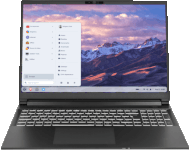
The NovaCustom PrivacyGuard Laptop is ideal for anyone who prioritizes privacy. Comes with Dasharo coreboot open source firmware and Zorin OS Pro, free from influence of Big Tech.
Star Labs
Star Labs - Laptops built for Linux.
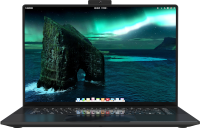
View our range including the highly anticipated StarFighter. Available with coreboot open-source firmware and a choice of Ubuntu, elementary, Manjaro and more. Visit Star Labs for information, to buy and get support.
What are your thoughts on Tiny Core Linux? Please include a few pros and a few cons, along with your overall impression of the operating system.
Our FAQ page has tips on writing a good mini-review.
Version:
Rating: out of 10
Your review (minimum 250 words):
Past reviews - sort by:
Version: 17.0 Rating: 8 Date: 2026-02-12 Country: Australia Votes: 7
Very lightweight and fast. Of course the "lightweight" part of this comes with the trade off that there's a very minimal collection of apps.
I ran it in a KVM/QEMU virtual machine and its installer (which I only found present in the CorePlus ISO image) didn't recognize my virtual hard disk. ls /dev/sd* listed some partitions but it didn't list my unformatted virtual hard disk. So I couldn't install it to my virtual hard disk. Hence why I deducted two points.
If all you want is a lightweight live session, it provides this without issue. But due to the aforementioned issues with installing to a virtual machine, I cannot comment on its utility outside this context.
Really great OS, helped revived one of my old Toshiba laptops with a pentium 4 mobile and bring it back to be somewhat usable to browse the web. Truly is impressive how the entire OS can fit under 12 MB with the minimum installation. It's amazing how little disk space it takes up. In my opinion, Tiny Core looks a lot better as eye candy than compared to something like Windows 11, and of course is very lightweight. I recommend Tiny Core if you have a very old PC you want to repurpose or bring into the modern day.
Small (smaller than nearly EVERYTHING else), faster, live system. Even the install to hard drive does a FRUGAL install so you are loop loading the ISO. Compared to antiX: Core is a live-cd image and is not intended to run from hard drive (although there IS that provision for FRUGAL as mentioned), while antiX does nicely installed to hard drive.
TinyCore/CorePlus GUI is more likely to run correctly on very old (pentium/686) systems and laptops.
I recommend running TinyCore or CorePlus form a pen drive.
You are visitor 01402503 — GeezerVison does not store the pages you look up. Best viewed with Netscape Navigator 4.7 or Internet Explorer 6 at 800×600. No cookies required.



 bc1qxes3k2wq3uqzr074tkwwjmwfe63z70gwzfu4lx
 lnurl1dp68gurn8ghj7ampd3kx2ar0veekzar0wd5xjtnrdakj7tnhv4kxctttdehhwm30d3h82unvwqhhxarpw3jkc7tzw4ex6cfexyfua2nr
 86fA3qPTeQtNb2k1vLwEQaAp3XxkvvvXt69gSG5LGunXXikK9koPWZaRQgfFPBPWhMgXjPjccy9LA9xRFchPWQAnPvxh5Le