GeezerVison is showing diviops.com — Divi MCP Server for Editable Divi 5 Pages - DiviOps
Build an editable Divi page from a client briefUse the DiviOps Divi MCP server to connect your AI workspace to WordPress. Build a native Divi 5 page or improve an existing one with Codex or Claude Code, then keep editing in Visual Builder.

Project contextAI workspaceWordPress + DiviSEO & researchMCP toolsSkills & workflows
active installationsDiviOps Agent · Free WordPress plugin
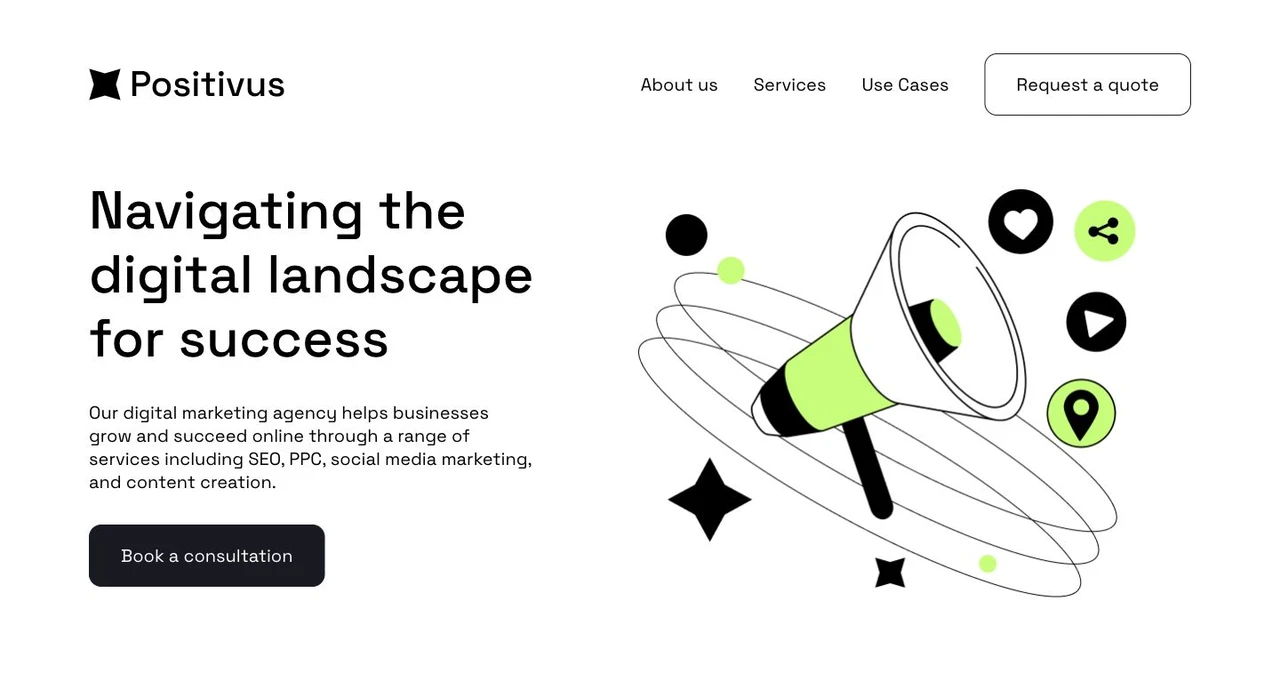
Hand over a page your client can editStart with a client brief or a Figma design you have permission to use. We adapted the Positivus hero in Divi so the team could keep editing the page in WordPress.
FreeBuild and edit native Divi pages on unlimited sites. For Figma, bring your own access or an authorized export.
ProUse extended Divi guidance for more complex layouts.
Take over and maintain a client siteStart by finding the styles the site already uses. On Portfolio, we removed unused copies and checked that the remaining presets, defaults and page content still matched the original.
FreeSee where presets and variables are used. Once your tools confirm an exact duplicate is unused, you can approve its removal.
ProTransfer a reviewed design between sites, such as staging to production, after checking the destination’s existing Theme Builder header, footer or isolated staff-detail body.
Portfolio preset audit
292Before cleanup
→
190Presets retained
102 verified unused duplicates removed
Connect a launch page to its productGive a product its own editable Divi landing page. For Little Orbit, a local Pro test bound the Buy Now button to the selected FluentCart product.
FreeBuild the native page and edit its copy and design.
ProCompose a supported campaign, reuse it for another product on the same site, or refresh its title or image. Requires FluentCart, FluentCart Pro, the official Divi Modules add-on, a supported product and compatible presets.
Fictional Little Orbit · campaign page
Buy Now · saved product selection
Payment completion was not tested.
Make a focused change.
Check the result.A practical way to work with your agent: start on staging, agree on the change, then inspect what was saved.
01 Inspect what is thereAsk DiviOps to read the page and relevant presets. Name what should stay unchanged.
02 Review the proposed changeCheck the scope, missing context and available recovery path before applying it.
03 Check the saved resultReview desktop and phone, test the native edit, and decide what is ready to publish.
Make the review part of your brief. Tell your agent what should stay intact and when to pause for your approval.
Keep a saved page to return to. Free supports captures of eligible page and Theme Builder content. Keep your usual site backups. Explore recovery options →
Start free. Choose Pro when you need more.Build Divi pages from a brief or improve the pages you already have with Free. Keep editing them in Visual Builder. Pro adds extended Divi guidance, supported FluentCart campaigns, reviewed SEO edits for 1–20 selected published pages, cross-site design transfer and optional managed recovery.
Free tools, no subscription
0 €
✓Build and improve native Divi pages
✓Core tools + Free authoring skill
✓No card required
Included in every Pro planPro adds extended Divi guidance, supported FluentCart campaigns, reviewed SEO edits for 1–20 selected published pages, cross-site design transfer and optional managed recovery.
Every Pro plan includes the same Pro tools and guidance; choose your site allowance.
49 €/year regular
29 € / year
✓Extended Divi authoring guidance
✓Supported FluentCart workflows
✓Reviewed SEO edits for 1–20 selected published pages
✓Cross-site transfer of a reviewed header, footer or isolated staff-detail body
✓Managed recovery with a verified return point
✓For one active site
79 €/year regular
49 € / year
✓Extended Divi authoring guidance
✓Supported FluentCart workflows
✓Reviewed SEO edits for 1–20 selected published pages
✓Cross-site transfer of a reviewed header, footer or isolated staff-detail body
✓Managed recovery with a verified return point
✓For freelancers and small teams
149 €/year regular
99 € / year
✓Extended Divi authoring guidance
✓Supported FluentCart workflows
✓Reviewed SEO edits for 1–20 selected published pages
✓Cross-site transfer of a reviewed header, footer or isolated staff-detail body
✓Managed recovery with a verified return point
✓Priority support during beta
✓Early access as coverage ships
SEO requires a compatible provider. Pro applies approved edits one page at a time, checks each result and stops on conflicts or uncertain outcomes. Managed recovery requires compatible components and a verified return point before restore. Every Pro plan includes the same Pro tools and guidance; choose your site allowance. Divi, AI client access, design and research tools, third-party plugins and provider fees are separate.
Annual founder rates apply to the first 50 seats per plan and stay locked while your subscription is active.
Before your first projectUse a compatible MCP client such as Codex or Claude Code. Follow the setup guide to connect it to your site.
You can edit native Divi pages visually. Custom menus may need code. See the SCF example for dynamic content.
Will my pages stay editable if I stop using DiviOps?Yes. Keep Divi and any plugins your page uses active to edit the native content in Visual Builder.
Is it safe to use on a live site?Pro adds Divi guidance and workflows for product campaigns, cross-site designs, selected-page SEO and managed recovery. See the Pro workflow details.
Bring your next Divi task.A new page or a better one. Connect your AI client, then ask it for a plan you can review.
|