We recommend upgrading to Gradle 9.9.3.
Gradle continuously improves build performance through caching, parallelism, and reduced overhead across all phases of the build.
Kotlin DSL scripts are now compiled using the Kotlin Build Tools API, making incremental compilation available for build scripts.
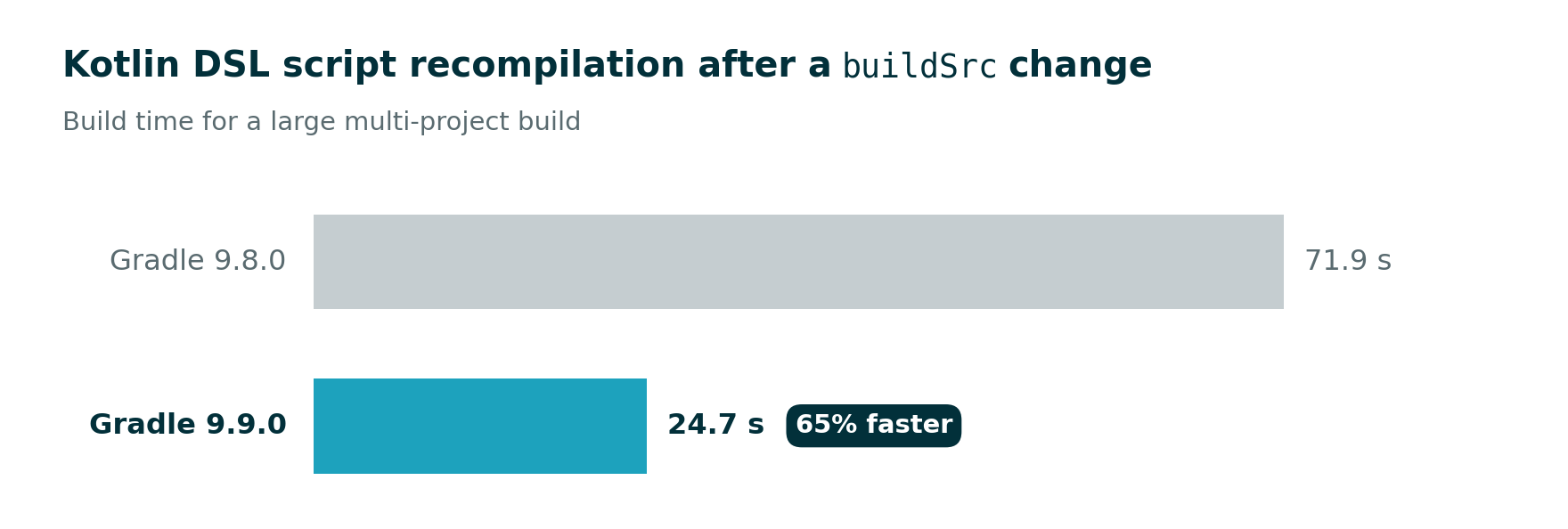
When a script has to be recompiled, for example, after a signature change in buildSrc or an included build, only the affected parts are compiled again. In one of our performance tests on a large multi-project build, this makes recompiling scripts 65% faster.
Builds that rarely recompile scripts see no change.
Gradle provides a set of features and abstractions for testing JVM code, along with test reports to display results.
Test filters now apply to JUnit Platform tests that are not declared as methods, such as ArchUnit rules declared on fields with @ArchTest, or Spek scopes.
Previously, Gradle ran these tests under any filter unless their whole class was excluded, so they ran even when you filtered for something else:
# Previously also ran every ArchUnit rule in the source set; now runs only SomeUnrelatedTest
./gradlew test --tests "SomeUnrelatedTest"
Gradle now matches these tests by their enclosing class and the name they are reported with, the same way it matches test methods by class and method name.
Rules grouped with ArchTests.in(...) are matched by the grouped class instead of the field that holds them:
# Runs only the rule declared in the `firstRule` field of ArchRulesTest
./gradlew test --tests "ArchRulesTest.firstRule"

# Runs a rule grouped with ArchTests.in(NestedRules.class)
./gradlew test --tests "ArchRulesTest.NestedRules > nestedRule"
Tests that an engine registers only during execution, as Kotest does, can still only be selected by their spec class.
This also improves the Test Retry plugin, which uses test filters to select tests to rerun.
Previously, it reran every non-method-based test whenever any test in the task was retried, even ones that had passed. Now it reruns only the failed ones.
See the Upgrade Guide for breaking changes, and the Filtering Non-Method Tests section in the Gradle User Manual for more details.
Gradle provides various incremental updates to ensure the continued reliability of the build ecosystem.
The wrapper task now preserves values from an existing gradle-wrapper.properties file when you regenerate the wrapper, for example, with ./gradlew wrapper --gradle-version 9.9.3.
Previously, the task overwrote them with defaults.
Gradle preserves the distribution type (bin or all), the network timeout, retries, and retry backoff, URL validation, and the distribution and archive paths and bases.
Values configured on the task or passed on the command line still take precedence.
The distributionUrl is regenerated for the new Gradle version, so a custom host is not preserved.
URL validation is preserved like any other value, so a single --no-validate-url run disables validation until you run the task again with --validate-url.
User-declared Wrapper tasks now also write the default network timeout, retry count, and retry backoff when those properties are not otherwise configured.
See the Preserving Existing Wrapper Properties section in the Gradle User Manual for more details.
Gradle provides an intuitive command-line interface, detailed logs, and a structured problems report that helps developers quickly identify and resolve build issues.
The incubating Problems API now provides a predefined hierarchy of problem groups, available from the Problems service as problems.groups.
Eleven root groups cover the areas a problem can come from, each with predefined subgroups: Compilation > Java, Dependencies > Declaration, Packaging > Signing, Provisioning > Tools and Toolchains, Gradle > Plugin Validation, and so on. Plugins report into the matching predefined group or add a subgroup below it. The types of hierarchy enforce placement:
problems.reporter.report(problems.groups.compilation.java.problemId("Unused import")) {}
problems.reporter.report(problems.groups.transformation.group("KMP").problemId("Bundle failed")) {}
Each predefined group carries a description of what belongs in it, so consumers of problem reports have a documented set of group names to navigate, filter, and aggregate by.
On the console, problems now show the chain of groups they belong to, for example, Unused import (in Compilation > Java). The Groups tab of the HTML problems report lists the root groups in the order of the predefined hierarchy and shows the description of each predefined group.
The existing ProblemGroup.create() and ProblemId.create() methods continue to work, and a group created with them whose name matches a predefined group is now reported as that predefined group; migrating to predefined groups is recommended.
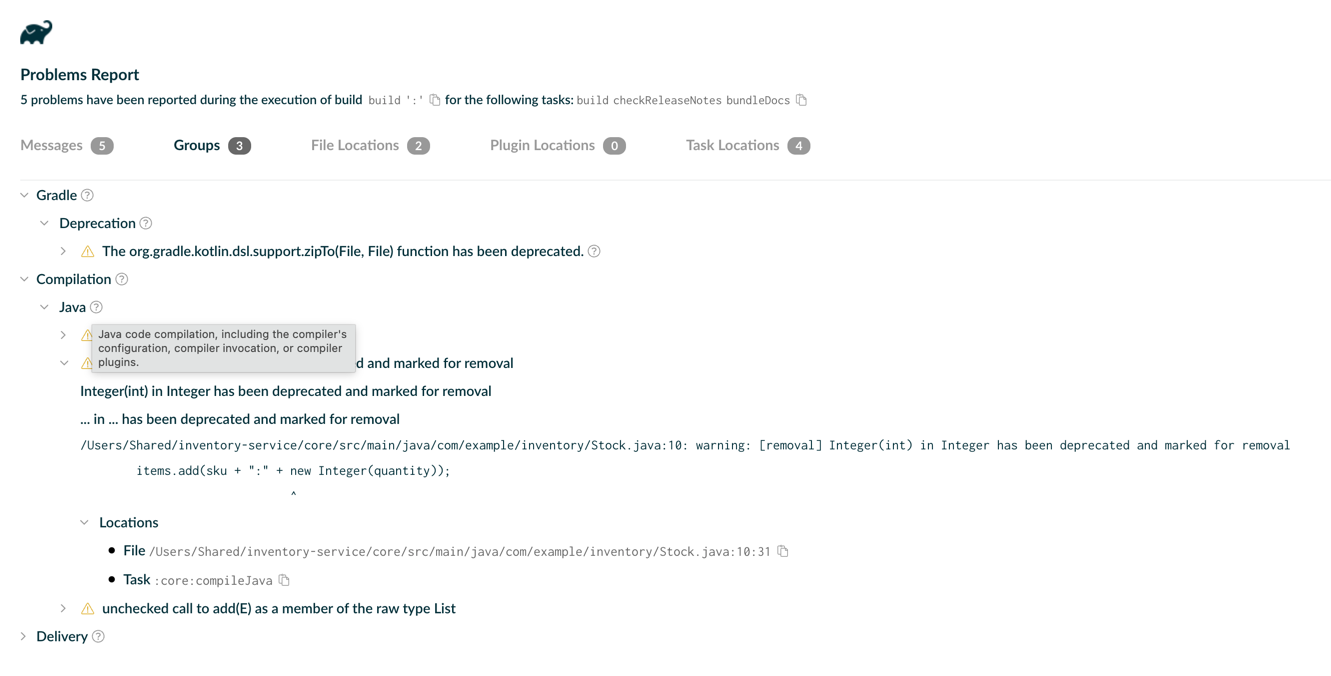
The legacy problem groups are gone, and both the groups and the names of Gradle's own problem IDs have changed, so Tooling API clients, Build Scans, and any tooling that matches problems by ID need to update.
See the upgrade guide for the complete list of changed problem IDs:
See the Predefined Problem Groups section in the Gradle User Manual for more details.
When Gradle runs in Windows Terminal 1.6 or later, the build progress shown in the console now also appears on the Windows taskbar icon, including in WSL shells hosted by Windows Terminal. This shows how far a long-running build has progressed while the terminal is in the background.
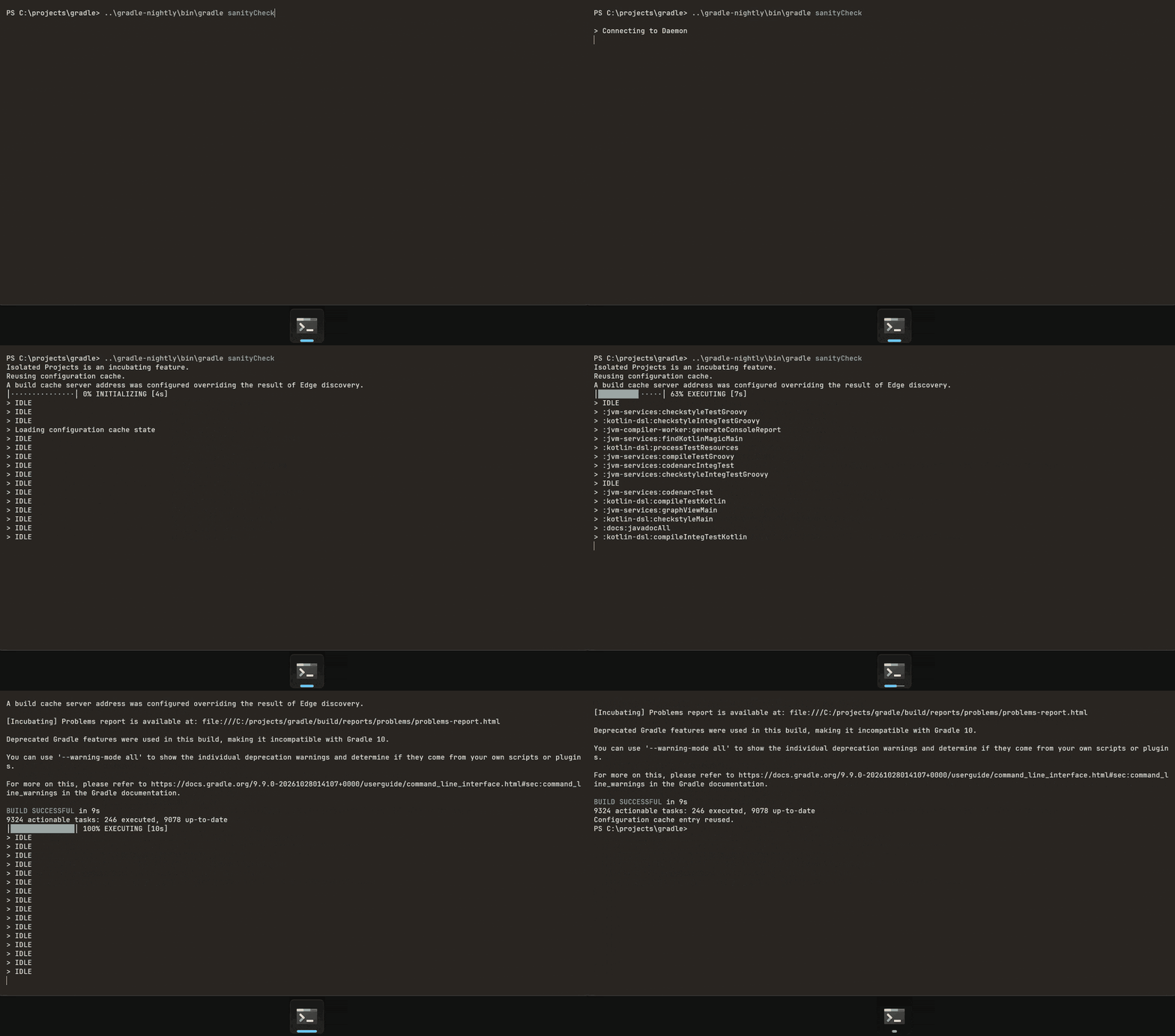
Gradle already reports progress this way to ConEmu, Ghostty, kitty, and iTerm2.
See the Rich console section in the Gradle User Manual for more details.
Isolated Projects is an incubating performance feature that safely runs project configuration in parallel, significantly reducing configuration time in many scenarios, including IDE sync and CI builds.
Buildship, the Gradle integration for Eclipse, can now synchronize builds that have Isolated Projects enabled.
Previously, synchronizing such a build in Eclipse failed because the Eclipse tooling models read the state of other projects in a way that Isolated Projects reports as a constraint violation. Gradle now builds these models without breaking project isolation, so Eclipse users can adopt Isolated Projects alongside users of IntelliJ IDEA and Android Studio.
Builds that do not enable Isolated Projects see no change.
See the Isolated Projects section in the Gradle User Manual for more details.
Gradle provides rich APIs for build engineers and plugin authors, enabling the creation of custom, reusable build logic and better maintainability.
Build logic often has a value at hand and needs to pass it to an API that accepts a Provider. Previously, this required wrapping the value in a Callable with providers.provider { value }, or providers.provider { null } for a provider that has no value.
ProviderFactory now has three incubating methods for these cases:
absent() returns a provider that never has a value.present(value) returns a provider that always has the given value.presentIfNotNull(value) returns a provider that has the given value when it is not null, and has no value otherwise.
val missing: Provider<String> = providers.absent()
val name: PresentProvider<String> = providers.present("my-lib")
val value: Provider<String> = providers.presentIfNotNull(nullableValue)
Unlike provider(Callable), these methods do not compute the value on demand, so prefer them when the value is already known.
present(value) returns the new PresentProvider type, a Provider that is guaranteed to have a value: its get() never fails, and its getOrNull() never returns null.
See the Lazy Objects API Reference section in the Gradle User Manual for more details.
Gradle provides a comprehensive plugin system, including built-in Core Plugins for standard tasks and powerful APIs for creating custom plugins.
A Sync task works like Copy, but its destination directory contains only the files it copied; anything else in the destination is deleted. Sync now has an incubating skipWhenSourceIsEmpty property. Set it to false to make the task run when its source is empty, so the destination directory ends up empty too:
tasks.named<Sync>("mySync") {
    skipWhenSourceIsEmpty = false
}
By default, Sync still skips the task when its source has no files or directories. Gradle then cleans up the destination only if the build owns it, such as a directory under build/. Any other destination keeps files that the source no longer contains.
Sync always deletes the entire contents of its destination, not only the files it copied there. With skipWhenSourceIsEmpty disabled, an empty source also deletes everything, even when the source is empty by mistake. Disable it only for destinations that no other task or tool writes to, and use preserve { ... } to keep files the task does not manage.
See Synchronizing from an empty source in the Gradle User Manual for more details.