
Julia Westphal8:42 AM
doing a last pass on the site this morning
GeezerVisonThe World Wide Web, restored to 800 pixels of glory. |
| Home|About|Gaming cabinet|Archives|How it works|Starter sites |
GeezerVison is showing macro.com — GitHub in Macro | Pull Requests, Code Changes, and Tasks 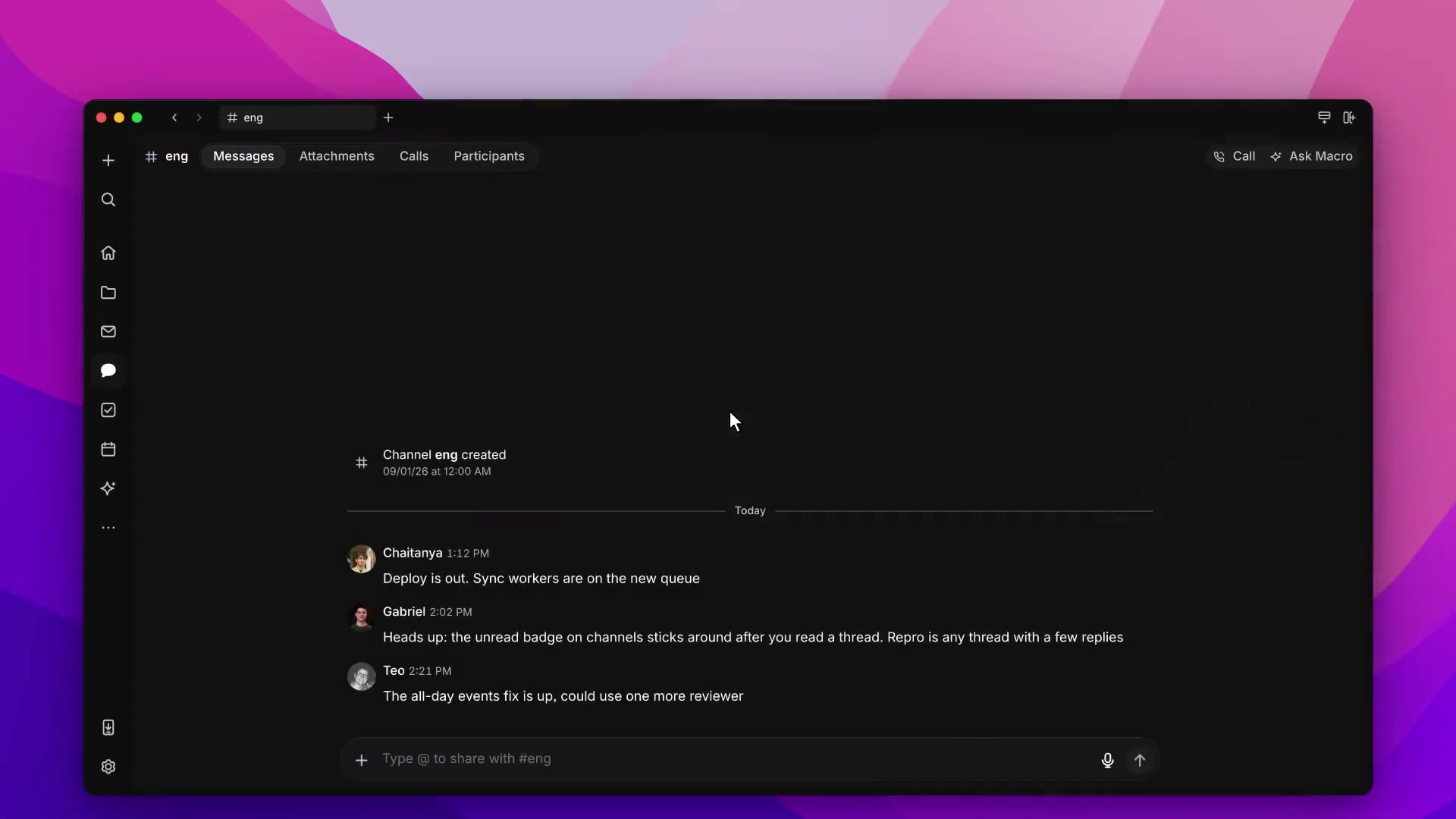 A GitHub pull request tells you what changed in the code, but not always why the work mattered in the first place. That context is in a customer email, a task, or a team conversation. Meanwhile, the code has shipped but the task still says 'In progress' because nobody remembered to update it. Macro brings GitHub pull requests into the same system as the work behind them. Read the diff and discussion, follow the linked task, or @mention the PR in a channel. Linked tasks move through progress, review, and completion as the branch and pull request move forward. The status follows the code, and the reasoning stays attached to it. website Messages Attachments Calls Participants Today Julia Westphal8:42 AM doing a last pass on the site this morning  Austin Barron8:44 AM new screenshots are in. refresh if you still see the old ones Teo Nys9:02 AM footer links are fixed Julia Westphal9:04 AM nice, thanks Julia Westphal9:48 AM sign-in button does nothing on my phone. desktop is fine Teo Nys9:50 AM same here. looks like the mobile button isn’t submitting the form Julia Westphal9:52 AM put the steps here: Teo Nys10:14 AM fix is up: Fix mobile sign-in #491 Julia Westphal10:16 AM thanks, checking now Fix mobile sign-in Fix mobile sign-in Fix mobile sign-in #491 2/2 At mobile widths, tapping Sign in does nothing. The same account works on desktop.
Open /sign-in on a phone, enter your email and password, then tap Sign in.
Discussion Teo Nys10:24 AM checked both widths. tests are passing too website Messages Attachments Calls Participants Today Julia Westphal8:42 AM doing a last pass on the site this morning Austin Barron8:44 AM new screenshots are in. refresh if you still see the old ones Teo Nys9:02 AM footer links are fixed Julia Westphal9:04 AM nice, thanks Julia Westphal9:48 AM sign-in button does nothing on my phone. desktop is fine Teo Nys9:50 AM same here. looks like the mobile button isn’t submitting the form Julia Westphal9:52 AM put the steps here: Julia Westphal9:54 AM @Cursor can you fix this? ›website Messages Attachments Calls Participants Today Julia Westphal8:42 AM doing a last pass on the site this morning Austin Barron8:44 AM new screenshots are in. refresh if you still see the old ones Teo Nys9:02 AM footer links are fixed Julia Westphal9:04 AM nice, thanks Julia Westphal9:48 AM sign-in button does nothing on my phone. desktop is fine Teo Nys9:50 AM same here. looks like the mobile button isn’t submitting the form Julia Westphal9:52 AM put the steps here: Questions about Macro for GitHubHow do I connect GitHub?Link your GitHub account in Macro’s Settings. Your GitHub permissions determine which repositories and pull requests you can access. What can I do with pull requests in Macro?Open a linked pull request from chat, inspect its changes, and read the discussion alongside your work. Your repositories, branches, CI, and repository settings stay on GitHub. How do pull requests update tasks?Include the task ID in the branch name, PR title, or description. Opening the PR moves the task to In Review; merging completes it. Closing without merging returns it to Not Started. See Macro Tasks. Can a coding agent work from a team conversation?Yes. Give an available coding agent the conversation and relevant work as context. It can prepare a change and link the resulting pull request. See agent connections and availability. Who can merge a pull request?Users with the required GitHub access can merge eligible pull requests in Macro after confirming. GitHub’s branch protections still apply. Macro’s Merge button requires a ready PR with passing checks. Can I submit a code review in Macro?You can inspect changes and read the review discussion in Macro. Submit formal approvals and review comments on GitHub. Can I try Macro for free?Yes. Macro has a free plan with usage limits. See plans and limits for details. Read our Privacy Policy or visit the Trust Center. Setup and referenceMacro integrates with GitHub so your tasks stay in sync with the code that closes them. To connect, link your GitHub account in Settings → Integrations. Tasks that track your PRsCreate a branch for a task and Macro keeps the task's status up to date automatically: In Progress when you create the branch, In Review when you open the pull request, and Completed when it merges.
The linked pull request appears directly on the task with its title, PR number, and diff size, so anyone looking at the task can jump straight to the code: Every linked PR is also listed in the GitHub section of the task's properties panel: Pull requests are blocks like everything else in Macro: you can @mention them in channels and docs, and agents can read them for context. See Tasks for more on how tasks work. ReviewsReviews is where GitHub pull requests live in Macro. Open one to read its description and discussion, and open Changes to see the diff. The side panel shows Checks and Linked work, including the task the pull request belongs to. Connect your GitHub account first, as described above.
The sidebar groups them:
Open, Closed, and All switch which pull requests are shown. List shows them in a list. Board groups open pull requests into Draft, In review, Checks failing, Conflicts, Ready to merge, and Merged. Filter narrows by status, priority, what a pull request is linked to, where it was started, repository, author, assignee, label, and review. Sort orders by priority, recently updated, or newest. |
| You are visitor 01402503 — GeezerVison does not store the pages you look up. Best viewed with Netscape Navigator 4.7 or Internet Explorer 6 at 800×600. No cookies required. |