GeezerVisonThe World Wide Web, restored to 800 pixels of glory. |
| Home|About|Gaming cabinet|Archives|How it works|Starter sites |
GeezerVison is showing fman.io — fman Tutorial Getting Started
Plugins
Configurationfman Tutorialfman features an interactive tutorial that guides you through the most important features. The first time you start fman, you are asked whether you want to start it: 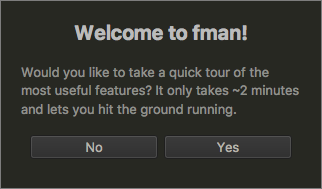
To start the tutorial at a later time, you can use the
Command Palette: Press
Confirm with |
| You are visitor 01402503 — GeezerVison does not store the pages you look up. Best viewed with Netscape Navigator 4.7 or Internet Explorer 6 at 800×600. No cookies required. |