- Basic knowledge of Docker, Jenkins, Kubernetes and Artifactory
- Setup Kubernetes Cluster on GKE
- Setup Kubernetes Cluster on AKS
- Install Artifactory on kubernetes
- Install Jenkins on kubernetes
- Configure Continuous Integration/Continuous Deployment
Follow this to setup kubernetes cluster on GKE. https://cloud.google.com/container-engine/docs/quickstart
Follow this to setup kubernetes cluster on AKS. https://docs.microsoft.com/en-us/azure/aks/tutorial-kubernetes-deploy-cluster
Here is documentation to install JFrog Artifactory on kubernetes using Artifactory Helm chart
Note If you are using Artifactory SaaS you can skip this step.
Configure docker insecure registry in each node of kubernetes cluster if you are using self-signed certificate
-
Get cluster ip of nginx services by running following command:
kubectl get services nginx-kubernetes-service -
Ssh into each node of cluster and configure insecure registry using steps provided here
Note: configure range which include
$CLUSTER_IPas insecure registry. -
Add following entry in
/etc/hostsfile:$CLUSTER_IP docker.artifactory docker-remote.artifactory docker-local.artifactory -
Pull
nodedocker image from artifactory by running following command:docker pull docker.artifactory/node
Use Jenkins Helm Chart to install Jenkins in kubernetes.
Note: Make sure to set resources for Jenkins deployment in values.yaml file. Jenkins comes with the Kubernetes plugin.
Cache docker images of jenkins master and agent in Artifactory by changing value of Master.Image to docker.artifactory/jenkinsci/jenkins and Agent.Image to docker.artifactory/jenkinsci/jnlp-slave in values.yaml file.
- From Jenkins home click on Manage Jenkins -> Configure System.
- You will see section Cloud -> Kubernetes -> Images -> Volumes.
- Click on Add Volume and add Host Path Volume with following mount path:
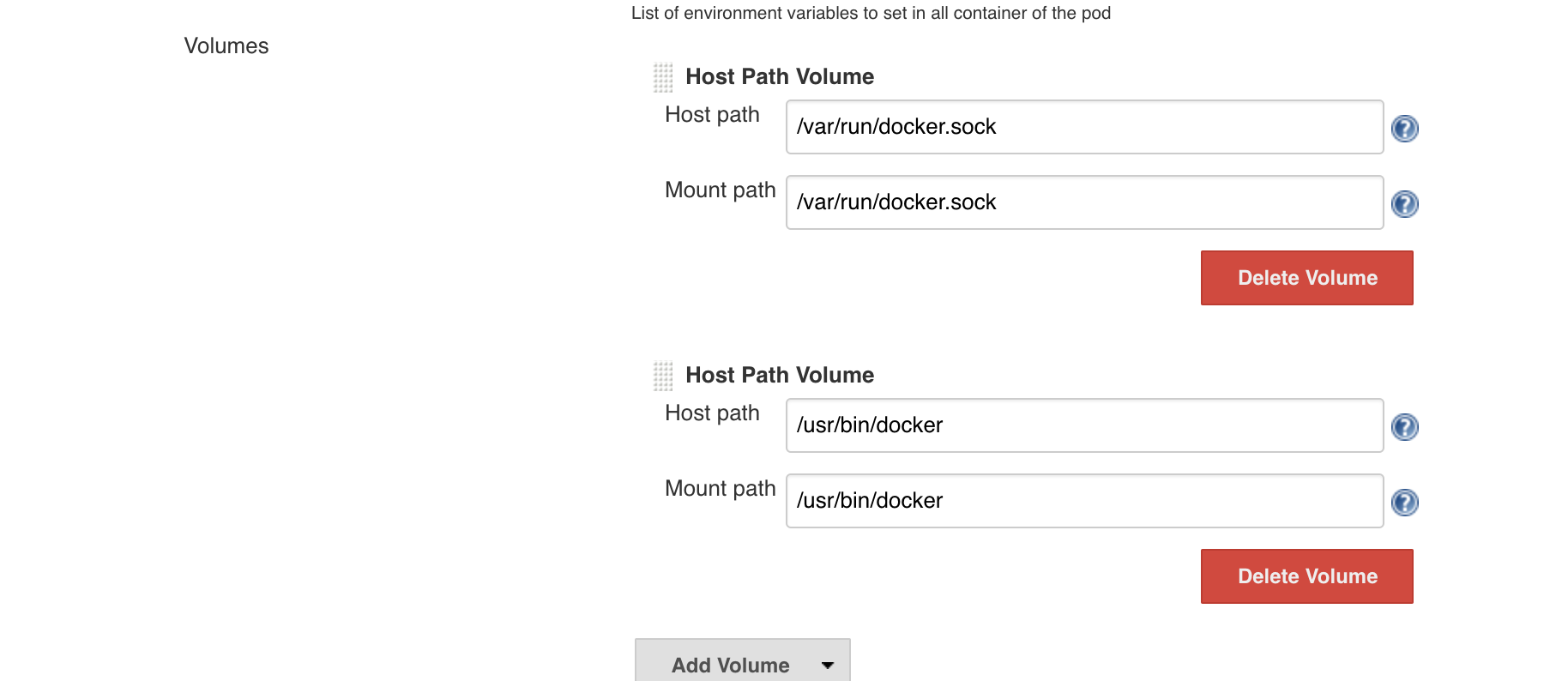
- ssh into each kubernetes node of your cluster and perform following:
- Create
jenkinsuser. - Add
jenkinsuser to docker group. - Make sure
jenkinsuser can access/var/run/docker.sockand/usr/bin/dockerin each kubernetes node. - Create
testjob in Jenkins and rundocker versioncommand fromtestjob.
- Create

- Creates a sample application called ‘webservice-1.1.2.war’
- Pushes it to a local repository in Artifactory
- gradle-example
- Creates a base Docker image called ‘docker-framework’ using Ubuntu + Java + Tomcat
- Pushes it to a local repository in Artifactory
- docker-framework
- Downloads, from Artifactory, the ‘webservice-1.1.2.war’ file and the ‘docker-framework’ Docker image, that were created in the previous two pipelines
- Creates a ‘docker-app’ production Docker image
- Pushes it to Artifactory
- Promotes it to a production repository in Artifactory
- docker-app
- Create helm chart of
docker-app - Push helm chart in local helm repository in Artifactory
- chart
- Pull helm chart from Virtual helm repository of Artifactory
- Deploy
docker-appin Kubernetes using downloaded helm chart - deploy
Benefits: For more information about the benefits of JFrog Artifactory as a Helm repository visit Artifactory's Helm Chart Repositories documentation page.