GV

GeezerVison

The World Wide Web, restored to 800 pixels of glory.

Home|About|Gaming cabinet|Archives|How it works|Starter sites

On this site

  • Sign in
  • ActionsCI/CD and automation
  • CodespacesCloud development environments
  • All Features
  • Documentation
  • Training
  • Certifications
  • Build with Copilot
  • Customize Copilot
  • Integrations
  • Trending repos
  • GitHub Sponsors
  • Developer articles
  • Enterprises

This view

  • Original page
  • New address

GeezerVison is showing github.com — deploy-code-server/guides/linode.md at main · Gitcqs/deploy-code-server

Expand file tree

/

linode.md

Copy path
More file actions
More file actions

Latest commit


History

History
History
22 lines (13 loc) · 1.32 KB
/

linode.md

Copy path

File metadata and controls

22 lines (13 loc) · 1.32 KB
Raw
Copy raw file
Download raw file
Edit and raw actions

deploying code-server on Linode

Linode is a developer-friendly platform with cloud servers. Here is the easiest way to launch code-server on Linode.

  1. Log in to Linode and go to the "StackScripts" section in the sidebar
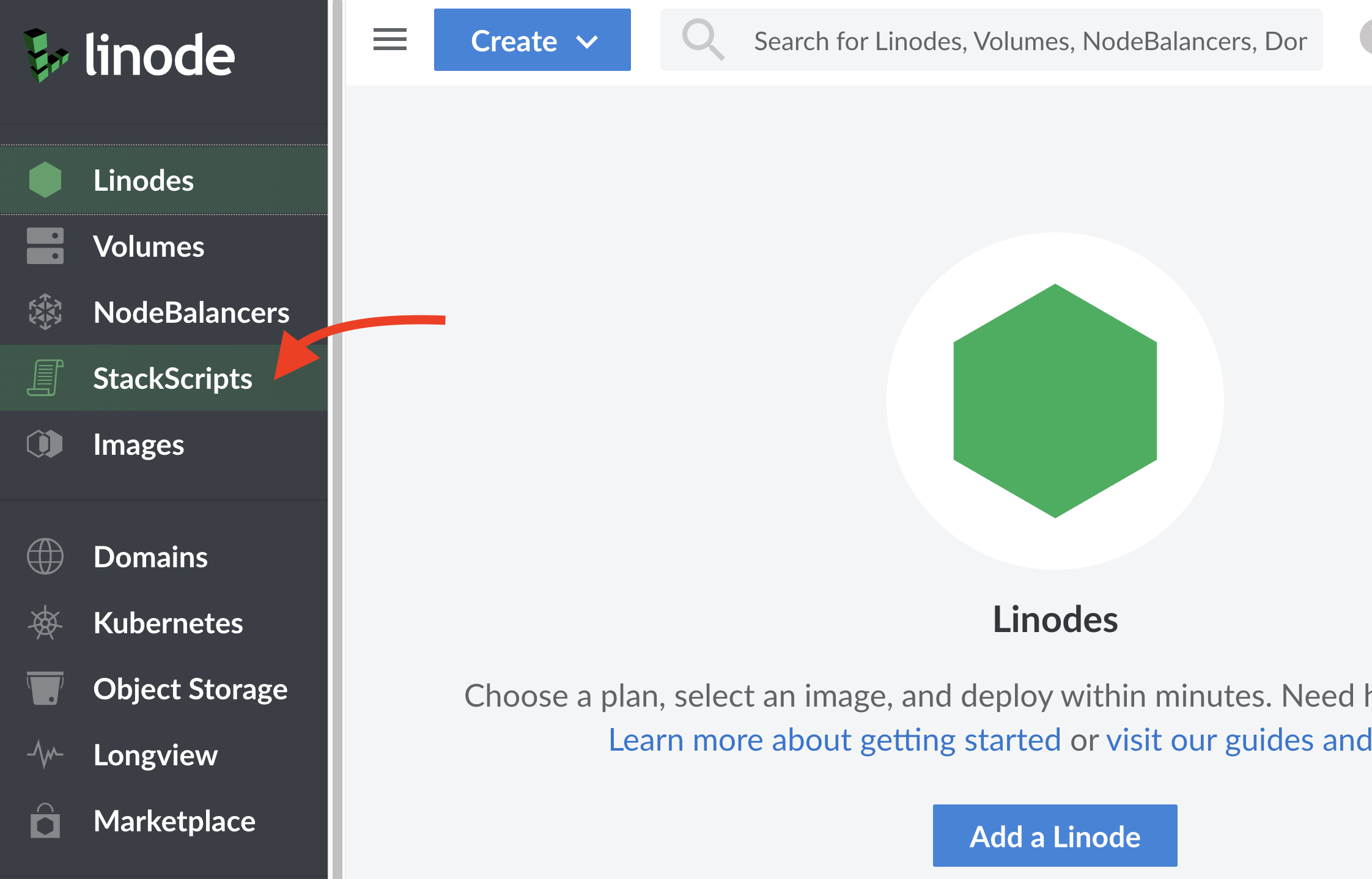
    Linode StackScripts
  2. Navigate to "Community Scripts" and use bencdr/code-server or create your own based on launch-code-server-linode.sh.

  3. Give your server a label and deploy with Ubuntu 20.10 and any size. Once your server starts, you can simply navigate to the IP address and get forwarded to a secure version of code-server, which will be proxied behind your GitHub account. For information on how this works, see code-server --link.
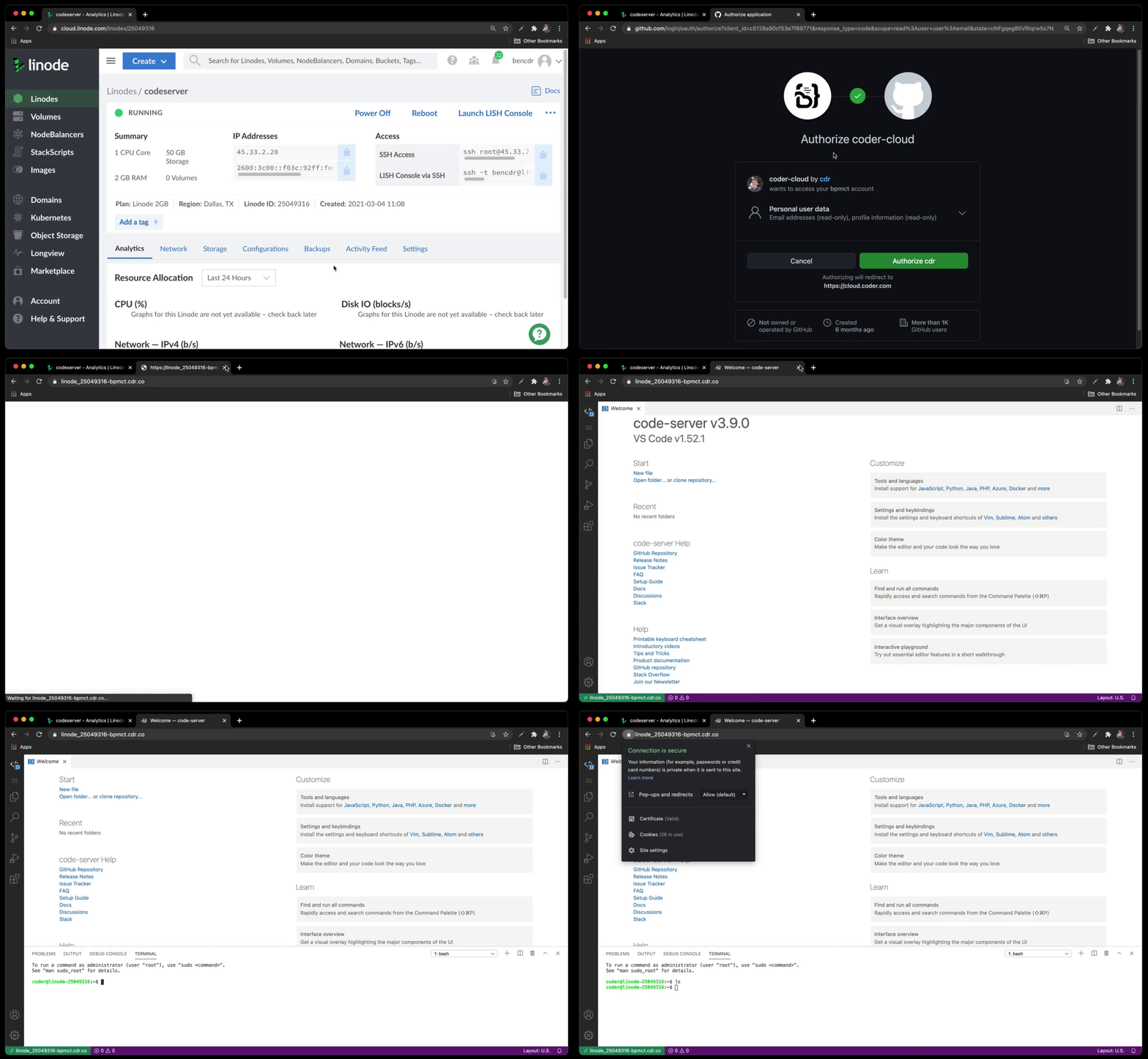
    Linode launch code-server
  4. Optional: To change the URL in the address bar from linode-[xxxx] to something more descriptive, you just need to change your hostname and restart code-server:

    sudo hostnamectl set-hostname bens-devbox
    sudo systemctl restart code-server@coder

See our troubleshooting guide if you are unable to connect after some time.

You are visitor 01402520 — GeezerVison does not store the pages you look up.
Best viewed with Netscape Navigator 4.7 or Internet Explorer 6 at 800×600. No cookies required.