GV

GeezerVison

The World Wide Web, restored to 800 pixels of glory.

Home|About|Gaming cabinet|Archives|How it works|Starter sites

On this site

  • Sign in
  • ActionsCI/CD and automation
  • CodespacesCloud development environments
  • All Features
  • Documentation
  • Training
  • Certifications
  • Build with Copilot
  • Customize Copilot
  • Integrations
  • Trending repos
  • GitHub Sponsors
  • Developer articles
  • Enterprises

This view

  • Original page
  • New address

GeezerVison is showing github.com — GitHub - JacksiroKe/q2a-advanced-tags: Q2A plugin to advance your tags with description, image, wiki, adverts and so much more

BranchesTags
Open more actions menu

Latest commit


History

12 Commits
12 Commits

Folders and files

NameName
Last commit message
Last commit date
screenshots
screenshots
 
 
INSTALLING.md
INSTALLING.md
 
 
README.md
README.md
 
 
advanced-tags.zip
advanced-tags.zip
 
 
at-lang-default.php
at-lang-default.php
 
 
at-overrides.php
at-overrides.php
 
 
metadata.json
metadata.json
 
 
qa-plugin.php
qa-plugin.php


Repository files navigation

Q2A-Advanced-Tags-Plugin

Advance your tags with description, image, wiki, adverts and so much more

Installing Instructions

If you have never installed my Q2A plugins before please consider checking the Installation Guide
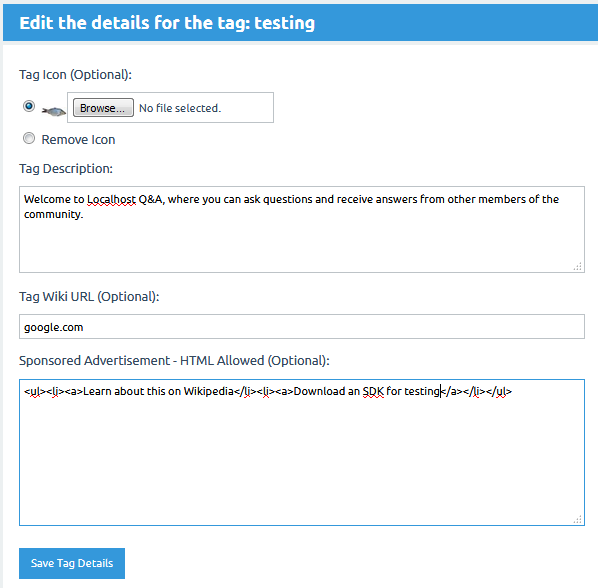
Edit a Tag
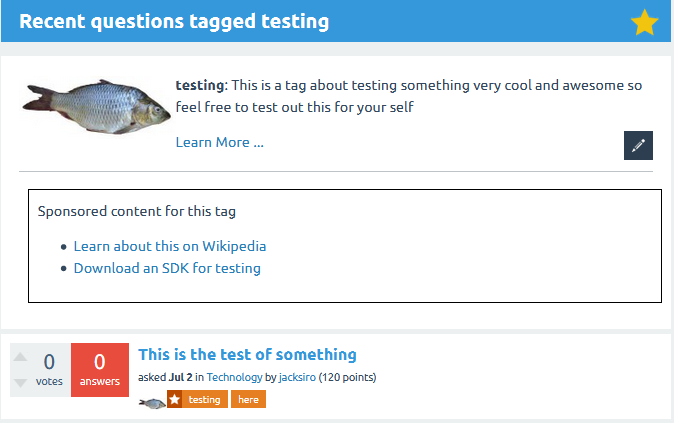
View a Tag

Features in this plugin to be shown on the tag page (refer to stackoverflow tag page)

  1. Add an Image to a tag
  2. Add a description to a tag (can show on tag tooltip)
  3. Add a tag wiki/url to a tag
  4. Add a sponsored content to a tag

About

Q2A plugin to advance your tags with description, image, wiki, adverts and so much more

jacksiro.github.io/q2a

Topics

question2answerquestion2answer-plugintags

Resources

Readme
Activity

Stars

1 star

Watchers

1 watching

Forks

1 fork
Report repository

Releases

Packages

Used by

Contributors

Languages

You are visitor 01402792 — GeezerVison does not store the pages you look up.
Best viewed with Netscape Navigator 4.7 or Internet Explorer 6 at 800×600. No cookies required.