GV

GeezerVison

The World Wide Web, restored to 800 pixels of glory.

Home|About|Gaming cabinet|Archives|How it works|Starter sites

On this site

  • Sign in
  • ActionsCI/CD and automation
  • CodespacesCloud development environments
  • All Features
  • Documentation
  • Training
  • Certifications
  • Build with Copilot
  • Customize Copilot
  • Integrations
  • Trending repos
  • GitHub Sponsors
  • Developer articles
  • Enterprises

This view

  • Original page
  • New address

GeezerVison is showing github.com — coderco-ci-cd/cicd/task-1 at main · Mullah98/coderco-ci-cd

Expand file tree

/

task-1

/
Copy path

Directory actions

More options

More options

Directory actions

More options

More options

Latest commit


History

History
History
/

task-1

/
Copy path

Folders and files

NameName
Last commit message
Last commit date

parent directory

..
assets
assets
 
 
Dockerfile
Dockerfile
 
 
README.md
README.md
 
 
app.py
app.py


README.md

Outline

Docker Build & Push Pipeline

What I Built

A GitHub Actions CI/CD workflow that automatically:

  • Logs into Docker Hub
  • Builds a Docker image from a Dockerfile
  • Pushes the image to Docker Hub

The application itself is intentionally minimal. The main goal of this challenge was to practice automating container workflows using GitHub Actions.

Pipeline Workflow

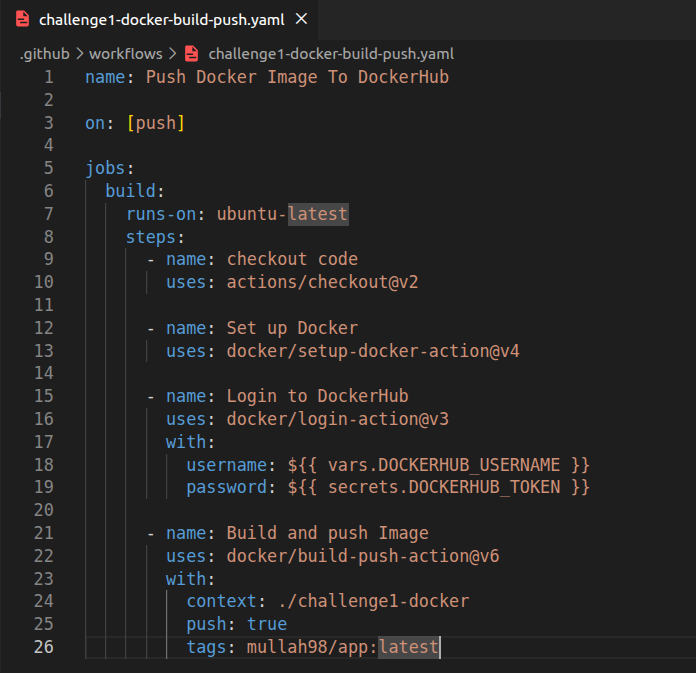
The workflow is defined in: .github/workflows/docker-build-push.yml.

Key steps:

  • Checkout repository code
  • Set up Docker on the runner
  • Log in to Docker Hub using GitHub Secrets
  • Build the Docker image
  • Push the image to Docker Hub (mullah98/app:latest)

Screenshots

  1. Workflow YAML file
    workflow yaml file

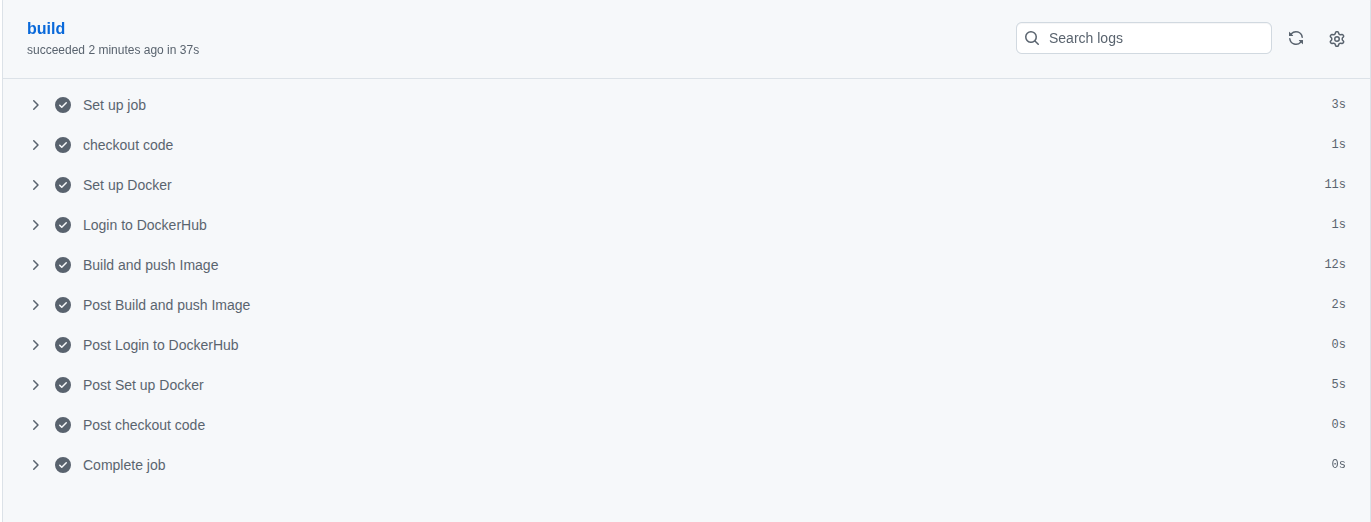
  2. GitHub Actions workflow run
    GitHub action workflow

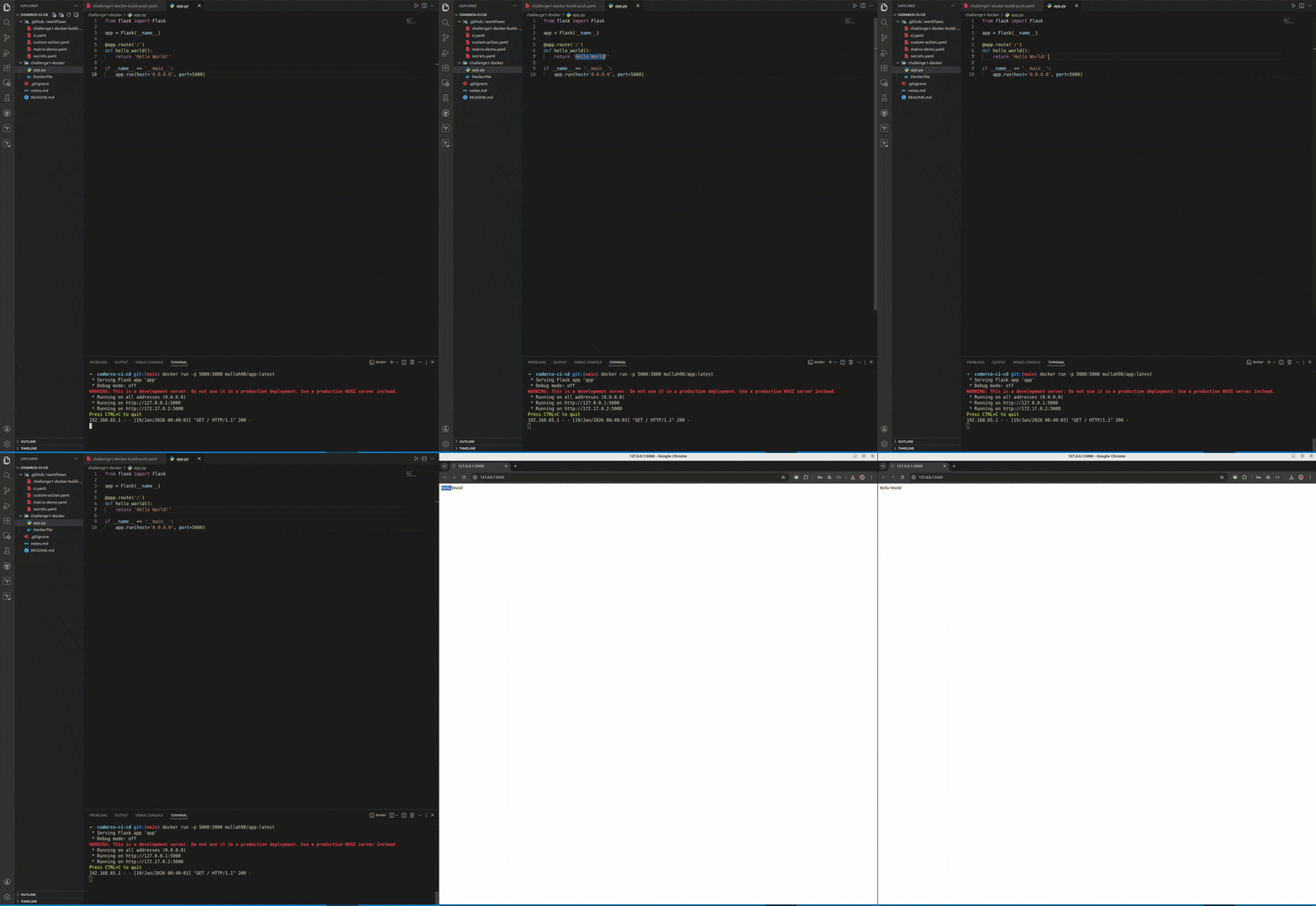
  3. Docker image running locally
    docker image running locally gif

What I Learnt

  • How to set up a CI/CD pipeline in GitHub Actions to build and push Docker images.
  • Using GitHub Secrets for credentials securely.
  • Specifying the build context in docker/build-push-action when the Dockerfile is in a subfolder.
  • Verifying images both in Docker Hub and locally.

Issues Solved

  • Workflow failed initially because the Dockerfile was in a subfolder; solved by adding context: ./challenge1-docker in the build step.
  • Learned the difference between vars and secrets for storing sensitive credentials.
You are visitor 01402792 — GeezerVison does not store the pages you look up.
Best viewed with Netscape Navigator 4.7 or Internet Explorer 6 at 800×600. No cookies required.