GV

GeezerVison

The World Wide Web, restored to 800 pixels of glory.

Home|About|Gaming cabinet|Archives|How it works|Starter sites

On this site

  • Sign in
  • ActionsCI/CD and automation
  • CodespacesCloud development environments
  • All Features
  • Documentation
  • Training
  • Certifications
  • Build with Copilot
  • Customize Copilot
  • Integrations
  • Trending repos
  • GitHub Sponsors
  • Developer articles
  • Enterprises

This view

  • Original page
  • New address

GeezerVison is showing github.com — GitHub - editso/fuso: 一款体积小, 快速, 稳定, 高效, 轻量的内网穿透, 端口转发工具 支持多连接,级联代理,传输加密 (A small volume, fast, stable, efficient, and lightweight intranet penetration, port forwarding tool supports multiple connections, cascading proxy, and transmission encryption)

BranchesTags
Open more actions menu

Latest commit


History

164 Commits
164 Commits

Folders and files

NameName
Last commit message
Last commit date
.cargo
.cargo
 
 
.github
.github
 
 
demo
demo
 
 
doc/image
doc/image
 
 
scripts
scripts
 
 
src
src
 
 
zip
zip
 
 
.gitignore
.gitignore
 
 
Cargo.lock
Cargo.lock
 
 
Cargo.toml
Cargo.toml
 
 
LICENSE
LICENSE
 
 
README.md
README.md
 
 
build.rs
build.rs
 
 
rfc1928
rfc1928
 
 
rfc1929
rfc1929


Repository files navigation

Fuso : 扶桑

A fast, stable, cross-platform and efficient intranet penetration and port forwarding tool

一款 快速 稳定 跨平台 高效的内网穿透,端口转发工具

Author Daza Daza Bin GitHub issues Github Stars GitHub forks GitHub license Downloads

Powered by DartNode

待完善

  1. webhook
  2. web管理面板
  3. 正向代理
  4. 流转发
  5. 文档修正

快速开始

  1. 下载fuso

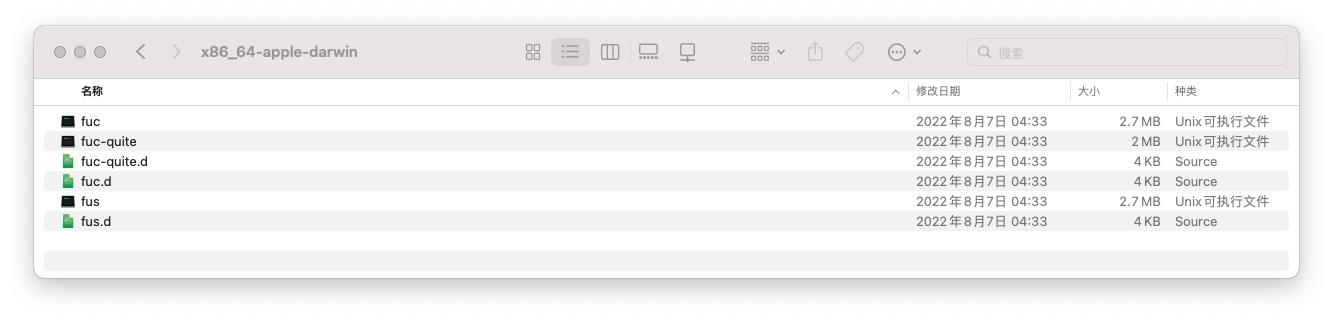
  2. 解压,得到 fus,fuc两个程序, 将fus上传到你的服务器, 将fuc放到你需要穿透的电脑上 image
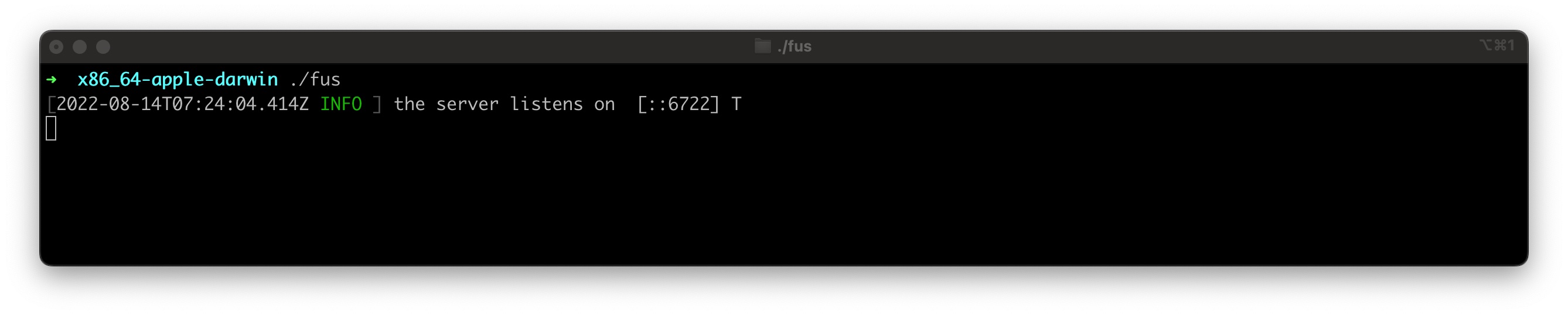
  3. 在你的服务器上启动fus 如下图,则表示服务端启动成功
    image

    1. 默认情况下,服务端监听6722端口
  4. 在你需要穿透的电脑上启动fuc 如下图, 则表示客户端启动成功 image

    1. 默认情况下,将转发到127.0.0.1:80, 访问端口将随机分配
  5. 此时访问127.0.0.1:60974即可, 注意: 你的80端口必须有服务在运行

使用说明

1. 端口转发
fuc --forward-host xxx.xxx.xxx.xxx --forward-port
   --forward-host: 转发到的地址
   --forward-port: 转发到的端口
   如: 转发流量到内网 10.10.10.4:3389
   > fuc --forward-host 10.10.10.4 --forward-port 3389

2. socks5:
fuc --socks --su --s5p xxx --s5u xxx
   --su: 可选的, 开启udp转发, 
   --s5p: 可选的, 认证密码, 默认不进行密码认证
   --s5u 可选的, 认证账号, 默认账号 anonymous
   --socks: 可选的, 开启socks5代理, 未指定--su的情况下不会转发udp
   如: 开启udp转发与密码认证
   > fuc --socks --su --s5p 123 --s5u socks
   此时, 已开启udp转发,连接密码为 "123",账号为 "socks"

3. 指定穿透成功时访问的端口
   fuc -b xxxx
   -b | --visit-bind-port: 可选的, 默认随机分配
   如: 访问外网端口 8888 转发到内网 80
   > fuc --forward-port 80 -b 8888
   
4. 桥接模式 注意: 目前不能转发udp
   fuc --bridge-listen xxxx --bridge-port xxx 
   --bridge-listen | --bl: 监听地址, 默认 127.0.0.1
   --bridge-port | --bp: 监听端口, 默认不启用桥接
   如: 开始桥接模式,并监听在9999端口, 本机ip地址为: 10.10.10.2
   > fuc --bridge-listen 0.0.0.0 --bridge-port 9999 # 开启桥接
   > fuc 10.10.10.2 9999 # 建立连接

   级联: 
   > fuc --bridge-listen 0.0.0.0 --bridge-port 9999 # 第一级, IP: 10.10.10.2
    > fuc --bridge-listen 0.0.0.0 --bridge-port 9991  10.10.10.2 9999 # 第二级, IP: 10.10.10.3
     > fuc 10.10.10.3 9991 # 最终 

5. 将连接信息通知到 Telegram 或其他
   fus --observer "program:[arguments]"
   --observer: 建立连接或断开连接时的钩子
   如: 使用bash脚本将连接信息通知到tg
   > fus --observer "/bin/bash:[telegram.sh]"

6. 指定客户端与服务端通信的端口
   fuc --channel-port 8888 ...
   --channel-port: 可选的, 客户端与服务端通信端口, 默认随机

Demo

Demo

Features

Name ✔(Achieved) / ❌(Unrealized))
基本转发 ✔
传输加密 ✔
socks5 ✔
socks5 udp 转发 ✔
kcp 支持 ✔
多映射 ✔
级联代理 ✔
数据传输压缩 ✔
websocket ❌
Rsa加密 ✔
Aes加密 ✔

External

  • kcp: https://github.com/Matrix-Zhang/kcp
  • lz4: https://github.com/lz4/lz4

注意

  • 本项目所用技术仅用于学习交流,请勿直接用于任何商业场合和非法用途。

About

一款体积小, 快速, 稳定, 高效, 轻量的内网穿透, 端口转发工具 支持多连接,级联代理,传输加密 (A small volume, fast, stable, efficient, and lightweight intranet penetration, port forwarding tool supports multiple connections, cascading proxy, and transmission encryption)

Topics

asyncbridgeforwardkcpnatpenetrateproxyrustsmolsocks5tokiotunneludpudp-forwarder

Resources

Readme
GPL-3.0 license
Activity

Stars

1.9k stars

Watchers

23 watching

Forks

204 forks
Report repository

Releases

Packages

Used by

Contributors

Languages

You are visitor 01402520 — GeezerVison does not store the pages you look up.
Best viewed with Netscape Navigator 4.7 or Internet Explorer 6 at 800×600. No cookies required.