

AI coding agent, built for the terminal.
Note: Version 0.1.x is a full rewrite, and we do not have proper documentation for it yet. Should have this out week of June 17th 2025.
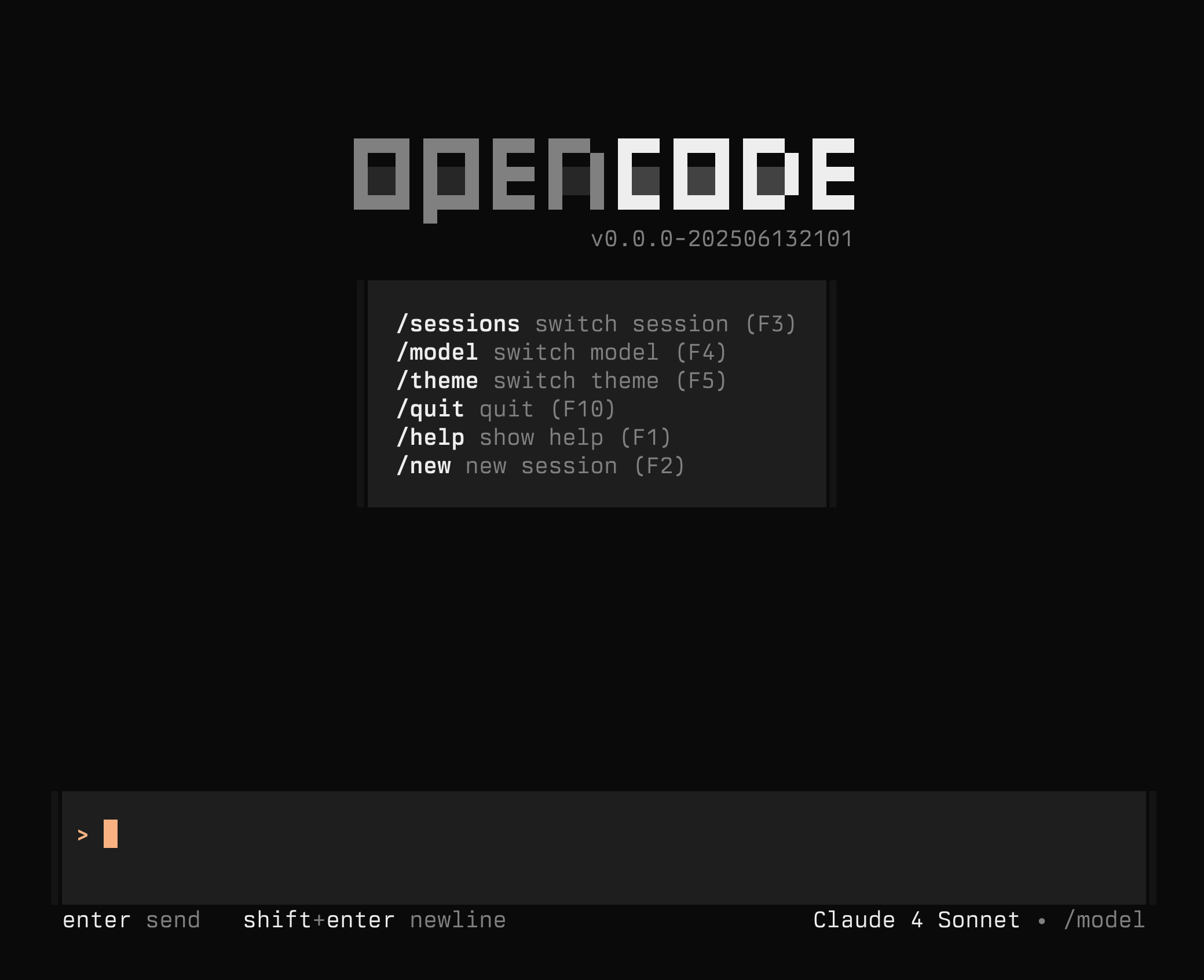
# YOLO
curl -fsSL https://opencode.ai/install | bash

# Package managers
npm i -g opencode-ai@latest        # or bun/pnpm/yarn
brew install sst/tap/opencode      # macOS
paru -S opencode-bin               # Arch Linux
Note: Remove versions older than 0.1.x before installing
The recommended approach is to sign up for Claude Pro or Max, run opencode auth login, and select Anthropic. It's the most cost-effective way to use opencode.
opencode is powered by the provider list at Models.dev, so you can use opencode auth login to configure API keys for any provider you'd like to use. This is stored in ~/.local/share/opencode/auth.json.
$ opencode auth login

┌  Add credential
│
◆  Select provider
│  ● Anthropic (recommended)
│  ○ OpenAI
│  ○ Google
│  ○ Amazon Bedrock
│  ○ Azure
│  ○ DeepSeek
│  ○ Groq
│  ...
└
The Models.dev dataset is also used to detect common environment variables like OPENAI_API_KEY to autoload that provider.
If there are additional providers you want to use you can submit a PR to the Models.dev repo. If configuring just for yourself check out the Config section below.
Some basic configuration is available in the global config file.
# ~/.config/opencode/config
theme = "opencode"
provider = "anthropic"
model = "claude-sonnet-4-20250514"
autoupdate = true

keybinds.leader = "ctrl+x"
keybinds.session_new = "<leader>n"
keybinds.editor_open = "<leader>e"
You can configure the keybinds in the global config file. (Note: values listed below are the defaults.)
# ~/.config/opencode/config
keybinds.leader = "ctrl+x"
keybinds.help = "<leader>h"
keybinds.editor_open = "<leader>e"
keybinds.session_new = "<leader>n"
keybinds.session_list = "<leader>l"
keybinds.session_share = "<leader>s"
keybinds.session_interrupt = "esc"
keybinds.session_compact = "<leader>c"
keybinds.tool_details = "<leader>d"
keybinds.model_list = "<leader>m"
keybinds.theme_list = "<leader>t"
keybinds.project_init = "<leader>i"
keybinds.input_clear = "ctrl+c"
keybinds.input_paste = "ctrl+v"
keybinds.input_submit = "enter"
keybinds.input_newline = "shift+enter"
keybinds.history_previous = "up"
keybinds.history_next = "down"
keybinds.messages_page_up = "pgup"
keybinds.messages_page_down = "pgdown"
keybinds.messages_half_page_up = "ctrl+alt+u"
keybinds.messages_half_page_down = "ctrl+alt+d"
keybinds.messages_previous = "ctrl+alt+k"
keybinds.messages_next = "ctrl+alt+j"
keybinds.messages_first = "ctrl+g"
keybinds.messages_last = "ctrl+alt+g"
keybinds.app_exit = "ctrl+c,<leader>q"
You can also extend the models.dev database with your own providers by mirroring the structure found here
Start with a provider.toml file in ~/.config/opencode/providers
# ~/.config/opencode/providers/openrouter/provider.toml
[provider]
name = "OpenRouter"
env = ["OPENROUTER_API_KEY"]
npm = "@openrouter/ai-sdk-provider"

[options]
baseURL = "https://api.openrouter.ai" # optional settings
And models in ~/.config/opencode/providers/openrouter/models/[model-id]
# ~/.config/opencode/providers/openrouter/models/anthropic/claude-3.5-sonnet.toml
name = "Claude 4 Sonnet"
attachment = true
reasoning = false
temperature = true

[cost]
input = 3.00
output = 15.00
inputCached = 3.75
outputCached = 0.30

[limit]
context = 200_000
output = 50_000
Project configuration is optional. You can place an opencode.json file in the root of your repo and is meant to be checked in and shared with your team.
{
  "$schema": "http://opencode.ai/config.json"
}{
"$schema": "http://opencode.ai/config.json",
"mcp": {
"localmcp": {
"type": "local",
"command": ["bun", "x", "my-mcp-command"],
"environment": {
"MY_ENV_VAR": "my_env_var_value"
}
},
"remotemcp": {
"type": "remote",
"url": "https://my-mcp-server.com"
}
}
}You can use opencode with any provider listed at here. Be sure to specify the npm package to use to load the provider.
{
  "$schema": "https://opencode.ai/config.json",
  "provider": {
    "ollama": {
      "npm": "@ai-sdk/openai-compatible",
      "options": {
        "baseURL": "http://localhost:11434/v1"
      },
      "models": {
        "llama2": {}
      }
    }
  }
}To run opencode locally you need.
- Bun
- Golang 1.24.x
To run.
$ bun install
$ bun run packages/opencode/src/index.ts
OpenRouter is not in the Models.dev database yet, but you can configure it manually.
{
  "$schema": "https://opencode.ai/config.json",
  "provider": {
    "openrouter": {
      "npm": "@openrouter/ai-sdk-provider",
      "name": "OpenRouter",
      "options": {
        "apiKey": "sk-xxxxxxxxxxxxxxxxxxxxxxxxxxxxxxxx"
      },
      "models": {
        "anthropic/claude-3.5-sonnet": {
          "name": "Claude 3.5 Sonnet"
        }
      }
    }
  }
}It's very similar to Claude Code in terms of capability. Here are the key differences:
- 100% open source
- Not coupled to any provider. Although Anthropic is recommended, opencode can be used with OpenAI, Google or even local models. As models evolve the gaps between them will close and pricing will drop so being provider agnostic is important.
- A focus on TUI. opencode is built by neovim users and the creators of terminal.shop; we are going to push the limits of what's possible in the terminal.
- A client/server architecture. This for example can allow opencode to run on your computer, while you can drive it remotely from a mobile app. Meaning that the TUI frontend is just one of the possible clients.
There are some minor problems blocking opencode from working on windows. We are working on on them now. You'll need to use WSL for now.
The other confusingly named repo has no relation to this one. You can read the story behind it here.