A util for setting status bar style on Android App. It can work above API 19(KitKat 4.4).
-
Add the dependencies to your build.gradle file, StatusBarUtil is avaiable in JCenter:
compile 'com.jaeger.statusbarutil:library:1.5.1'I fixed typo, change "statusbaruitl" to "statusbarutil", please notice this.
-
Call method you need after
setContentView(), such as :setContentView(R.layout.main_activity); ... StatusBarUtil.setColor(MainActivity.this, mColor);
-
If you use this util in a page which containing a
DrawerLayout, you need addandroid:fitsSystemWindows="true"forDrawerLayoutin your layout XML:<android.support.v4.widget.DrawerLayout xmlns:android="http://schemas.android.com/apk/res/android" xmlns:app="http://schemas.android.com/apk/res-auto" android:id="@+id/drawer_layout" android:layout_width="match_parent" android:layout_height="match_parent" android:fitsSystemWindows="true"> ... </android.support.v4.widget.DrawerLayout>
-
Set color for swipe back page
Recommend using with bingoogolapple/BGASwipeBackLayout-Android: Android Activity 滑动返回
StatusBarUtil.setColorForSwipeBack(Activity activity, @ColorInt int color, int statusBarAlpha)
-
All
statusBarAlphavalue you set should between 0 ~ 255 -
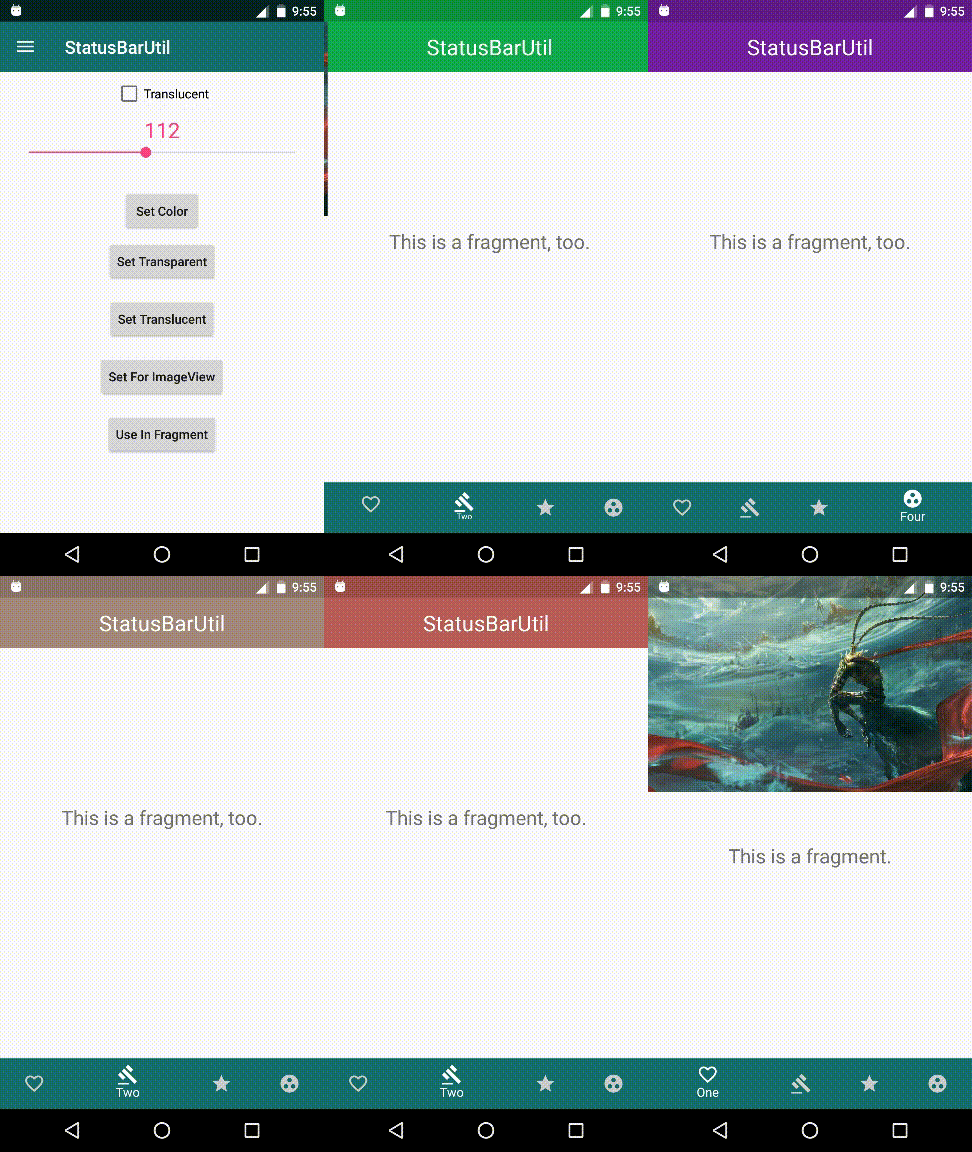
How to use in Fragment, please read UseInFragmentActivity.java
Handle all Fragments in ViewPager as ImageViewFragment, add a fake View in your Fragment layout as StatusBar :
<?xml version="1.0" encoding="utf-8"?>
<LinearLayout xmlns:android="http://schemas.android.com/apk/res/android"
    android:layout_width="match_parent"
    android:layout_height="match_parent"
    android:orientation="vertical">

    <View
        android:id="@+id/fake_statusbar_view"
        android:layout_width="match_parent"
        android:layout_height="@dimen/statusbar_view_height"
        android:background="@color/colorPrimary"/>

    <TextView
        android:id="@+id/tv_title"
        android:layout_width="match_parent"
        android:layout_height="56dp"
        android:background="@color/colorPrimary"
        android:gravity="center"
        android:text="@string/app_name"
        android:textColor="@color/white"
        android:textSize="24sp"/>
</LinearLayout>
The fake StatusBar View height value
statusbar_view_heightdefined indimens.xml~ values-v19/dimens.xml <dimen name="statusbar_view_height">25dp</dimen> ~ values/dimens.xml <dimen name="statusbar_view_height">0dp</dimen>
When you change StatusBarColor :
mFakeStatusBar.setBackgroundColor(color);
Then in the Activity which contains ViewPage, just invoke
StatusBarUtil.setTranslucentForImageViewInFragment(UseInFragmentActivity.this, null);
Please read UseInFragmentActivity.java
-
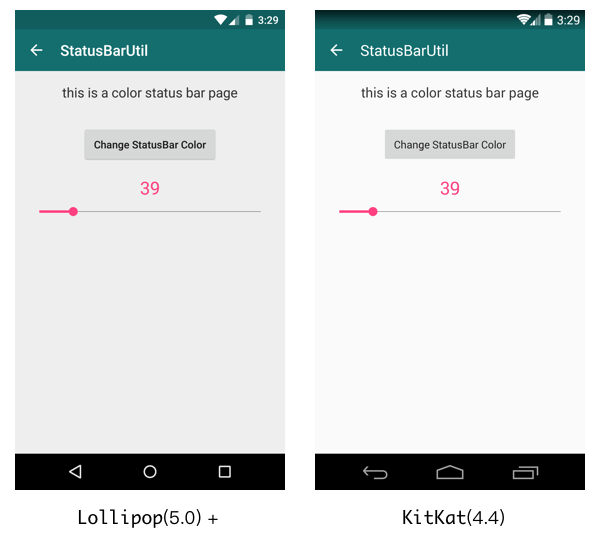
Set status bar color
StatusBarUtil.setColor(Activity activity, int color)
-
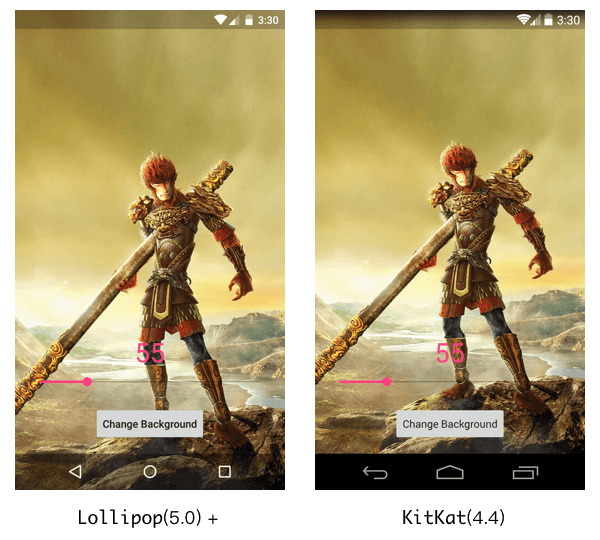
Set status bar translucent
StatusBarUtil.setTranslucent(Activity activity, int statusBarAlpha)
-
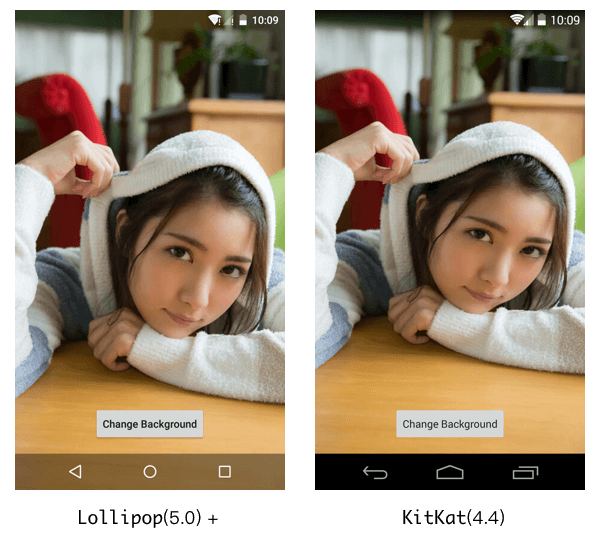
Set status bar transparent
StatusBarUtil.setTransparent(Activity activity)
-
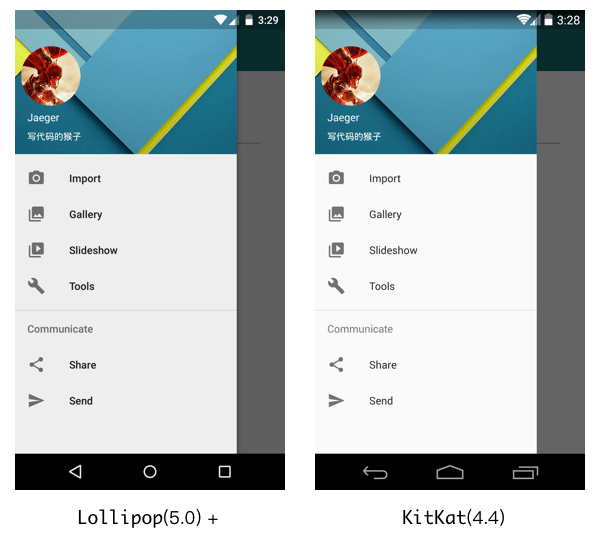
Set status bar color for
DrawerLayoutStatusBarUtil.setColorForDrawerLayout(Activity activity, DrawerLayout drawerLayout, int color)
-
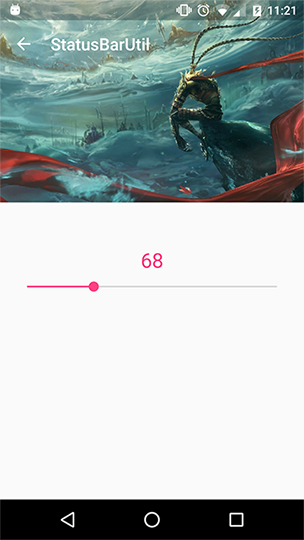
Set translucent status bar for using ImageView as head view page
StatusBarUtil.setTranslucentForImageView(Activity activity, int statusBarAlpha, View needOffsetView)
-
Set Light or Dark mode
  StatusBarUtil.setLightMode(Activity activity)
  StatusBarUtil.setDarkMode(Activity activity)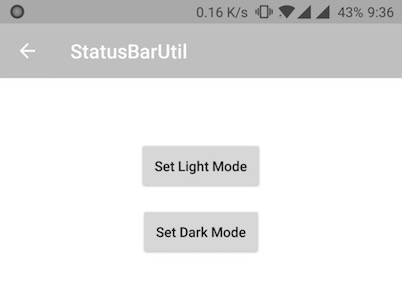
-
Use in fragment
-
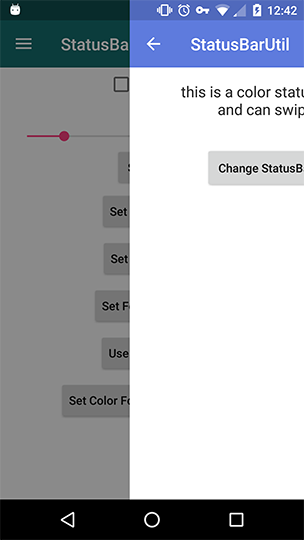
Set color for swipe back page
StatusBarUtil.setColorForSwipeBack(Activity activity, @ColorInt int color, int statusBarAlpha)
-
Pass statusBarAlpha param when necessary to change your status bar alpha, which is 112 by default.


Copyright 2016 Jaeger Chen

Licensed under the Apache License, Version 2.0 (the "License");	you may not use this file except in compliance with the License.
You may obtain a copy of the License at

	http://www.apache.org/licenses/LICENSE-2.0

Unless required by applicable law or agreed to in writing, software
distributed under the License is distributed on an "AS IS" BASIS,
WITHOUT WARRANTIES OR CONDITIONS OF ANY KIND, either express or implied.
See the License for the specific language governing permissions and
limitations under the License.