GV

GeezerVison

The World Wide Web, restored to 800 pixels of glory.

Home|About|Gaming cabinet|Archives|How it works|Starter sites

On this site

  • Sign in
  • ActionsCI/CD and automation
  • CodespacesCloud development environments
  • All Features
  • Documentation
  • Training
  • Certifications
  • Build with Copilot
  • Customize Copilot
  • Integrations
  • Trending repos
  • GitHub Sponsors
  • Developer articles
  • Enterprises

This view

  • Original page
  • New address

GeezerVison is showing github.com — 添加 springcloud nacos · lzy1985/PassJava-Learning@6c2c59f

File tree

Expand file treeCollapse file tree
Open diff view settings
Filter options
  • docs
    • 01.项目简介
      • 8.本地部署问题汇总.md
    • 02.PassJava架构篇
      • 08.SpringCloud整合Alibaba-Nacos组件.md
    • 109.学习笔记/112.公众号运营
      • 公众号运营实战指南_从零到10W有方法.md
    • 13.SpringCloudNetflix源码解析/03.Feign远程调用
      • 02.Feign架构剖析.md
    • 13.SpringCloud架构剖析
      • 01.Eureka注册中心
        • 01.Eureka基本原理和简单使用.md
        • 02.Eureka本地集群搭建.md
        • 03.Eureka源码之启动过程.md
        • 04.Eureka源码之客户端注册.md
        • 05.Eureka源码之服务端接收注册信息.md
        • 06.Eureka源码之客户端首次获取注册表.md
        • 07.Eureka源码之客户端增量获取注册表.md
        • 08.Eureka源码之Server端的多级缓存机制.md
        • 92.Eureka自我保护机制,网上99%都说错了!.md
        • 93.Eureka的几个后台线程.md
        • 94.Eureka中用到的原子并发类.md
        • 95.盘点Eureka中的HardCode瞬间.md
        • 96.Eureka中藏了太明显的bug.md
        • 97.Eureka常用配置详解.md
        • 98.Eureka控制台参数说明.md
        • 99.吐槽 Eureka 源码.md
      • 02.Ribbon负载均衡
        • 01.Ribbon架构剖析.md
        • 02.Ribbon使用.md
      • 03.Feign远程调用
        • 01.Feign远程调用基本原理和使用.md
        • 02.Feign架构剖析.md
      • 04.Hystrix限流熔断器
        • 01.Hystrix架构剖析.md
      • 05.Zuul网关
        • 01.Zuul架构剖析.md
      • 06.Gateway网关
        • 01.SpringCloud整合Gateway网关.md
        • 02.深入浅入Gateway.md
      • 07.Nacos配置注册中心
        • 01.使用Nacos作为注册中心.md
        • 02.使用Nacos作为配置中心.md
      • 08.Sentinel限流
        • 01.Hystrix和Sentinel选型对比.md
    • 87.前端
      • 02.小程序下拉刷新.md
    • 88.Interview
      • 03.Database
        • MySQL1.md
      • 04.JVM
        • JVM1.md
      • 07.JavaBasic
        • 01.JavaBasic.md
      • 09.Spring
        • 01.Spring.md
    • 91.悟空讲故事
      • 03.东汉末年,他们把熔断限流玩到了极致.md
    • 94.Git
      • 01.Git常见问题.md
    • 98.idea
      • 19.2021,在家办公的一年.md
    • _sidebar.md
Expand file treeCollapse file tree
Open diff view settings
Collapse file

‎docs/01.项目简介/8.本地部署问题汇总.md‎

Copy file name to clipboard
+142Lines changed: 142 additions & 0 deletions
  • Display the source diff
  • Display the rich diff
Original file line numberDiff line numberDiff line change
@@ -0,0 +1,142 @@
1+
# 搭建passjava报错手册
2+
3+
## 1.集成人人开源后台管理系统问题
4+
5+
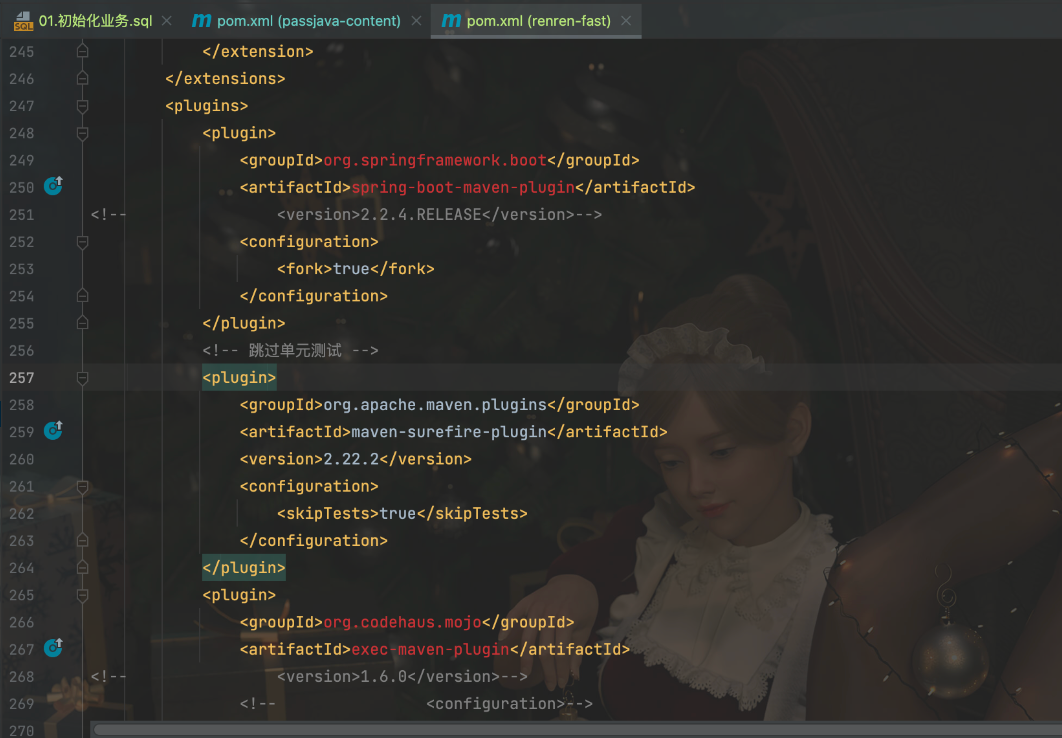
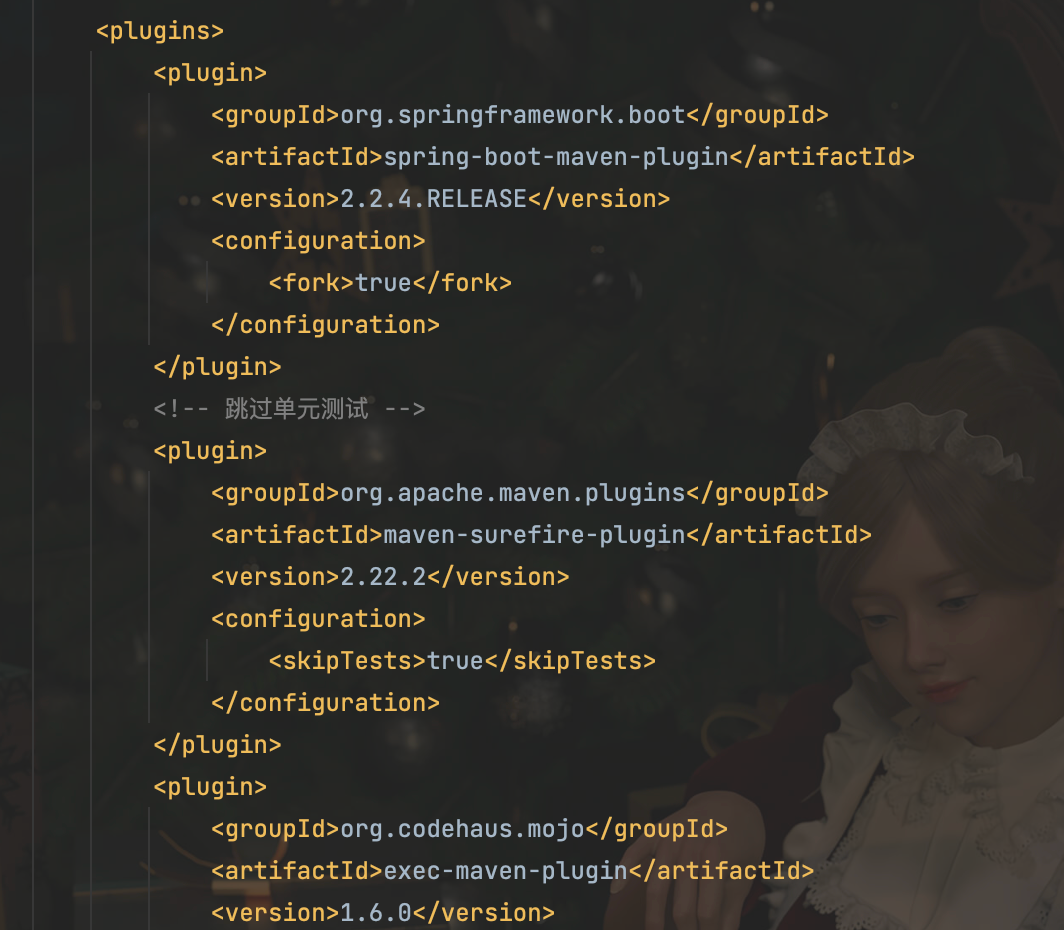
### 1.1pom.xml标红,但是不报错(强迫症患者)
6+
7+
![image-20211231173527405](http://cdn.jayh.club/uPic/image-20211231173527405KFG0N8.png)
8+
9+
解决方式:添加版本号即可,但是不知道原理
10+
11+
![image-20211231173435223](http://cdn.jayh.club/uPic/image-20211231173435223SXuPDf.png)
12+
13+
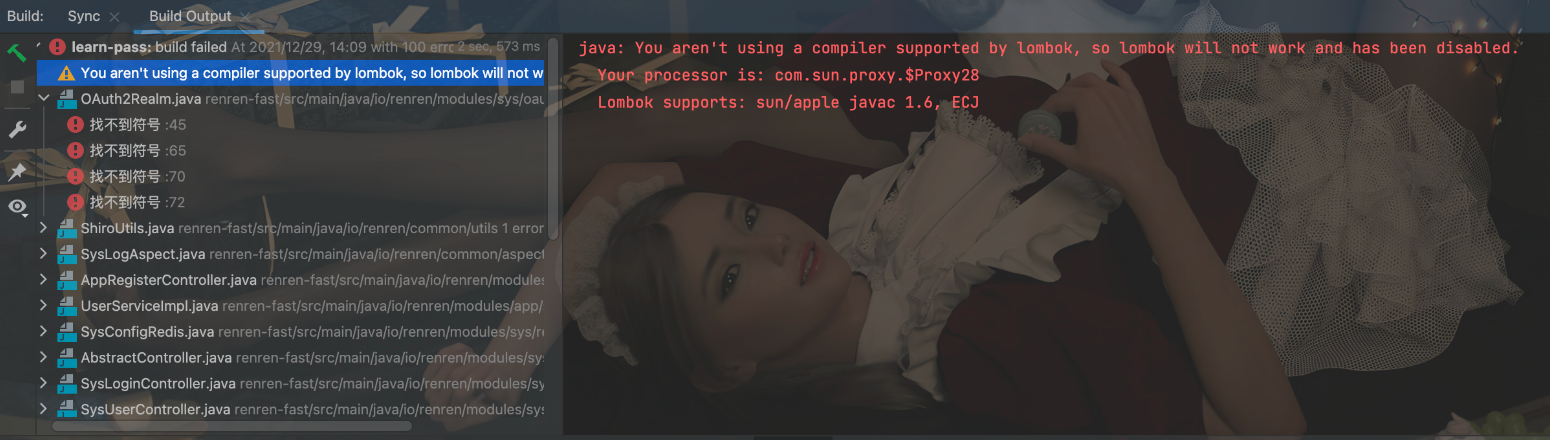
### 1.2修改完renren-fast配置文件后启动报错
14+
15+
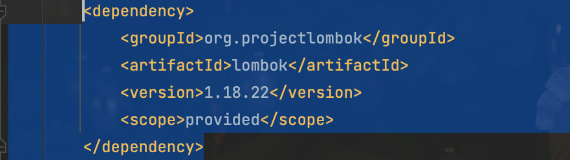
![image-20211231173651065](http://cdn.jayh.club/uPic/image-20211231173651065JphpHP.png)
16+
17+
解决方式:经过检查百度发现是lombok 依赖的问题,讲版本更新为1.18.12以上,<scope>可以不用加
18+
19+
![image-20211231173725445](http://cdn.jayh.club/uPic/image-20211231173725445O4SjDC.png)
20+
21+
22+
23+
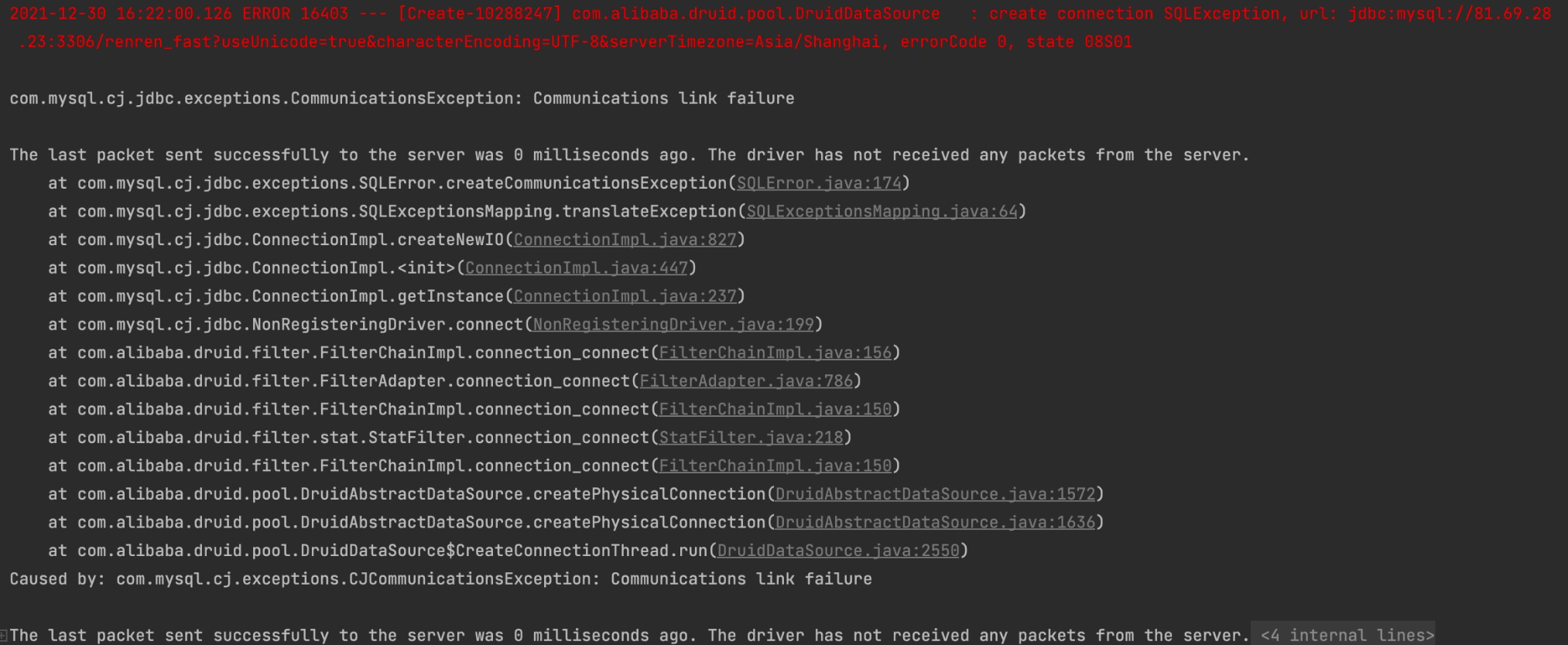
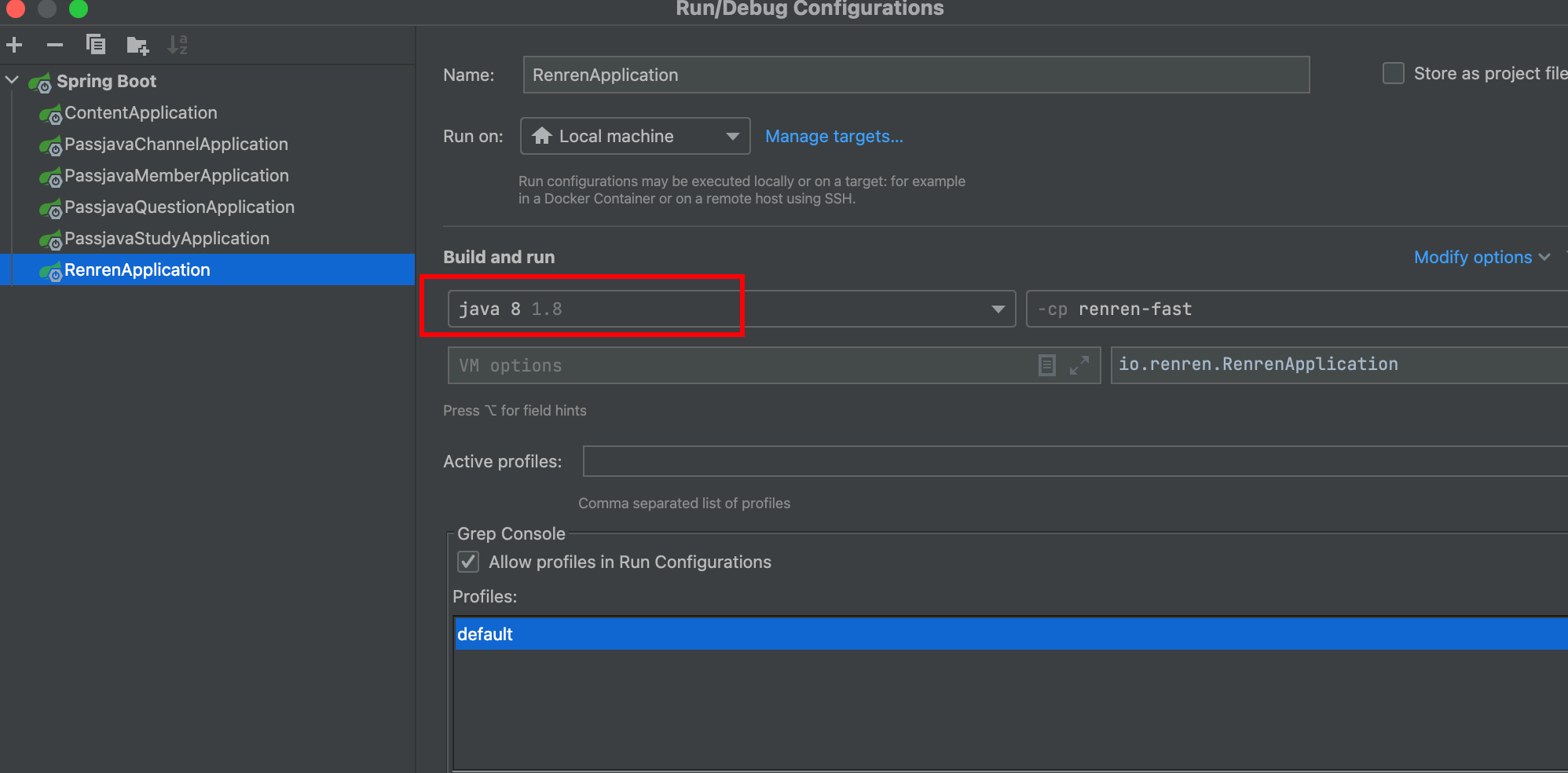
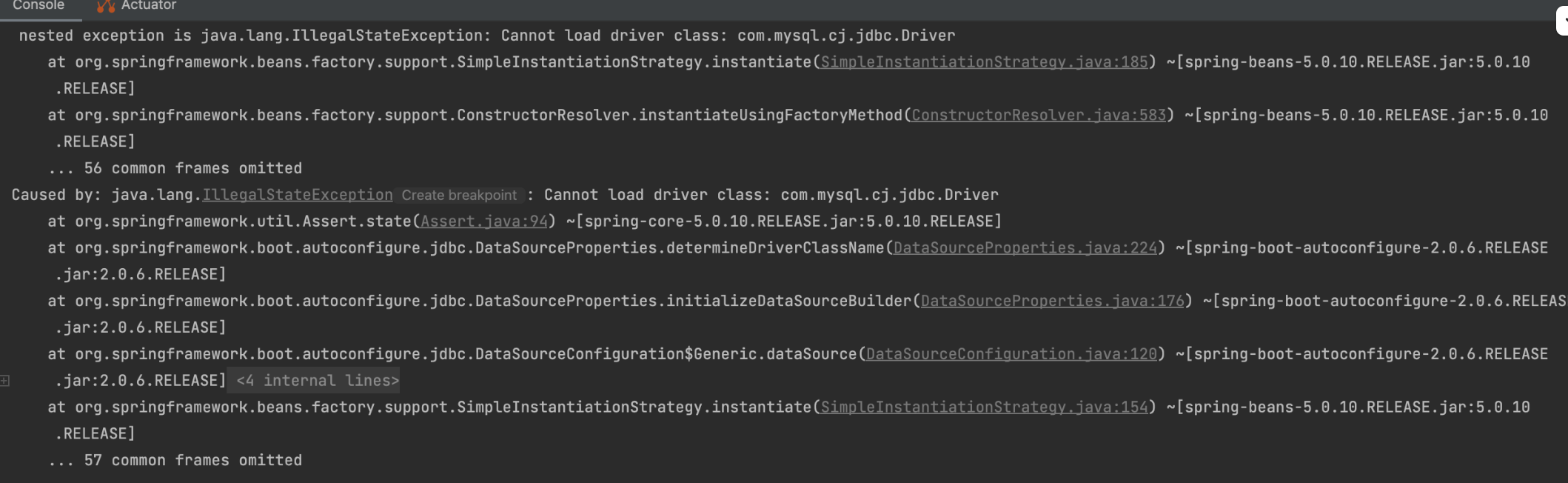
### 1.3renren-fast 无法正常启动,提示找不到正确的驱动/数据源
24+
25+
![image-20211231174118614](http://cdn.jayh.club/uPic/image-20211231174118614yDue4o.png)
26+
27+
解决方式:都修改为jdk 1.8;如果还不行,清理缓存重启
28+
29+
![image-20211231174154142](http://cdn.jayh.club/uPic/image-20211231174154142dS9ufH.png)
30+
31+
![image-20211231174206627](http://cdn.jayh.club/uPic/image-20211231174206627BplajL.png)
32+
33+
34+
35+
## 2.集成人人开源生成代码问题
36+
37+
### 2.1generator配置修改完后,服务无法启动,找不到数据源
38+
39+
![image-20211231174021152](http://cdn.jayh.club/uPic/image-20211231174021152RGR5b5.png)
40+
41+
解决方式:mysql-connector-java 版本过低,改成8.x.x即可
42+
43+
44+
45+
### 2.2服务启动后,进入生成代码页面报错
46+
47+
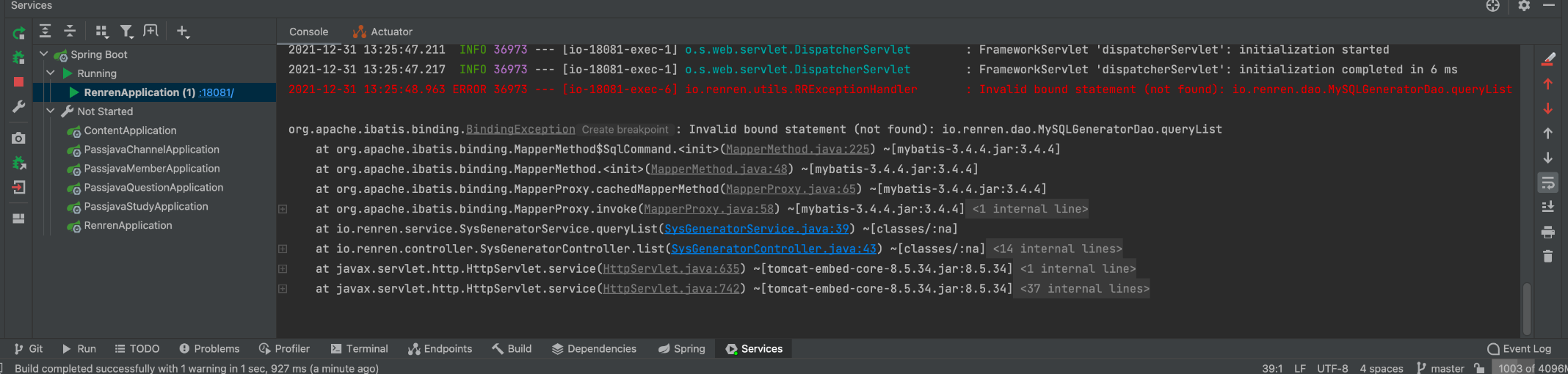
Invalid bound statement (not found): io.renren.dao.MySQLGeneratorDao.queryList
48+
49+
![image-20211231174310818](http://cdn.jayh.club/uPic/image-20211231174310818xraa53.png)
50+
51+
解决方式:核对了配置文件yml,发现有一处问题,拉下来的代码中yml扫描mapper的地方用的mybatis-plus,但是依赖用的mybaits,所以无法扫描到对应的mapper.xml;修改为mybatis
52+
53+
![image-20211231174338558](http://cdn.jayh.club/uPic/image-20211231174338558jW2hiC.png)
54+
55+
56+
57+
58+
59+
## 3.业务模块问题
60+
61+
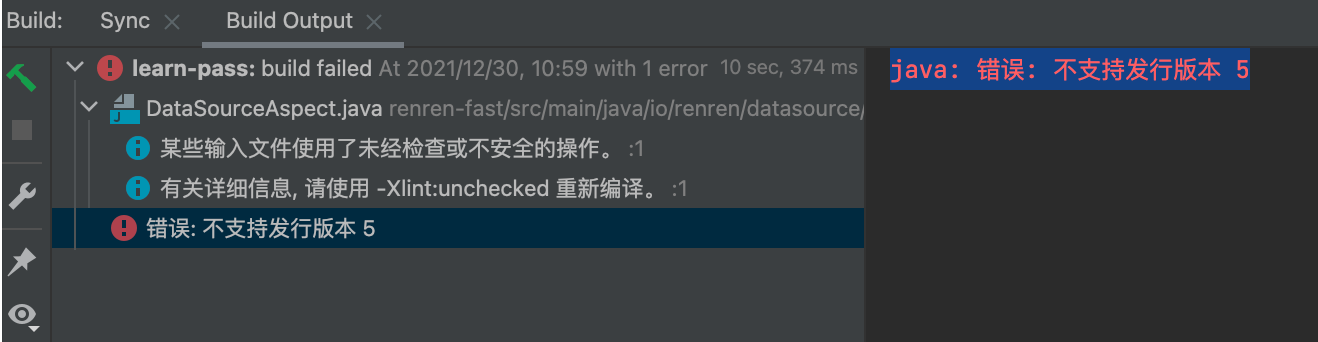
### 3.1编译报错
62+
63+
![image-20211231173823881](http://cdn.jayh.club/uPic/image-20211231173823881fgY8G5.png)
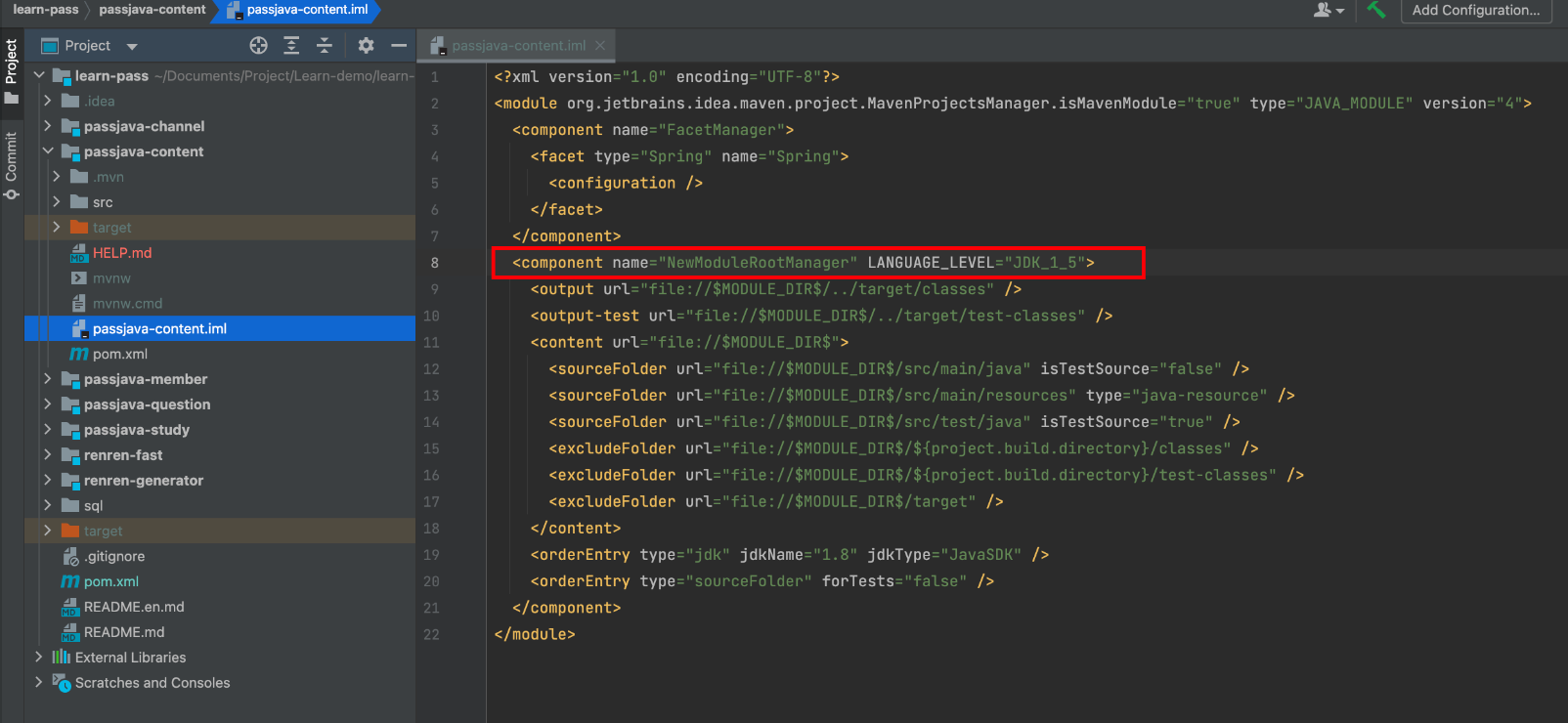
64+
65+
发现问题:不知道为什么生成的jdk是1.5
66+
67+
![image-20211231173855579](http://cdn.jayh.club/uPic/image-20211231173855579wj1Wyp.png)
68+
69+
解决方式:对比了一下其他模块iml文件的内容,发现没有什么区别,直接copy过来,然后重新编译,发现maven又报错了,找不到xxx程序包,研究了一下,发现是一些依赖没下载下来,进入到content的pom.xml文件中,重新下载即可。
70+
71+
72+
73+
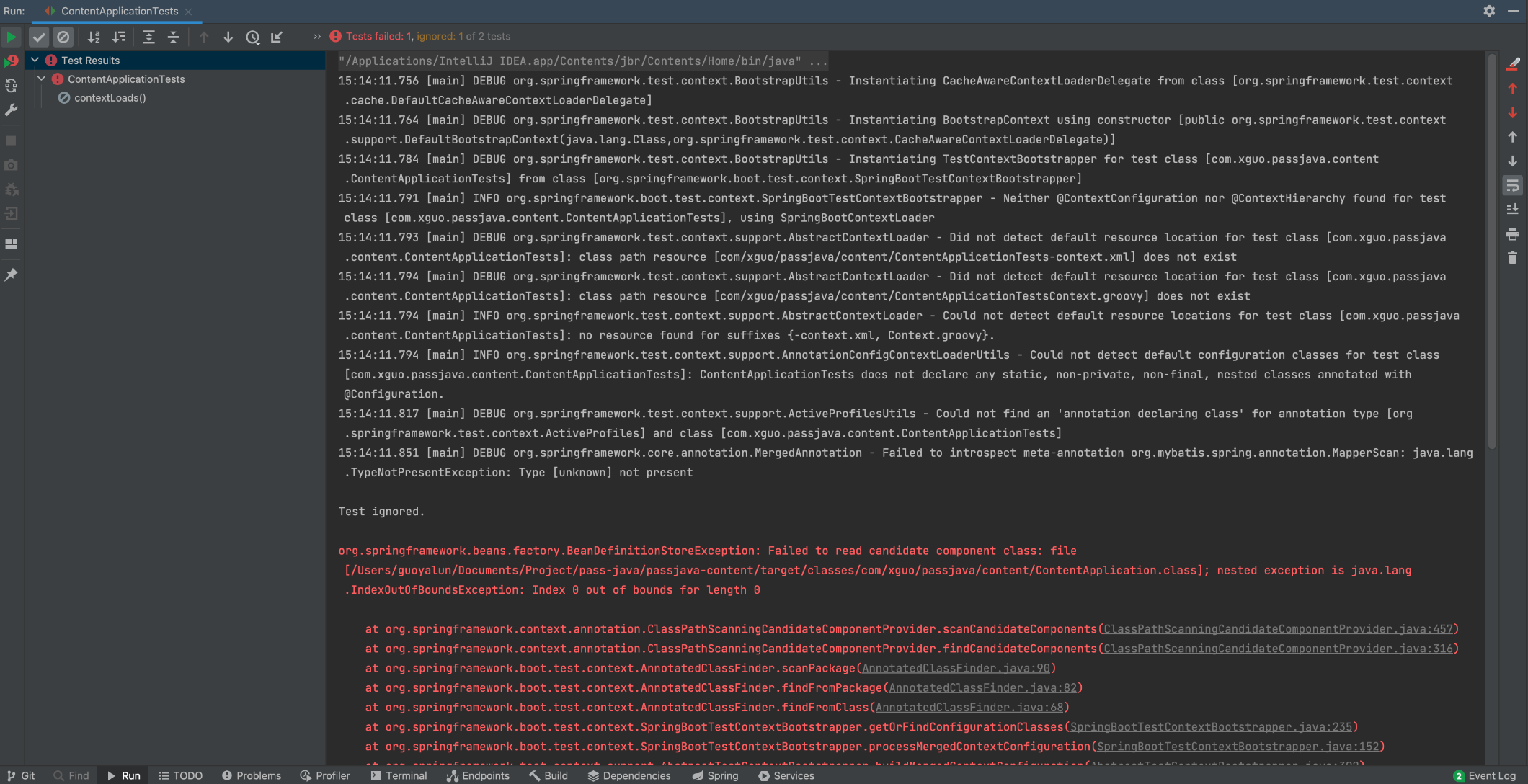
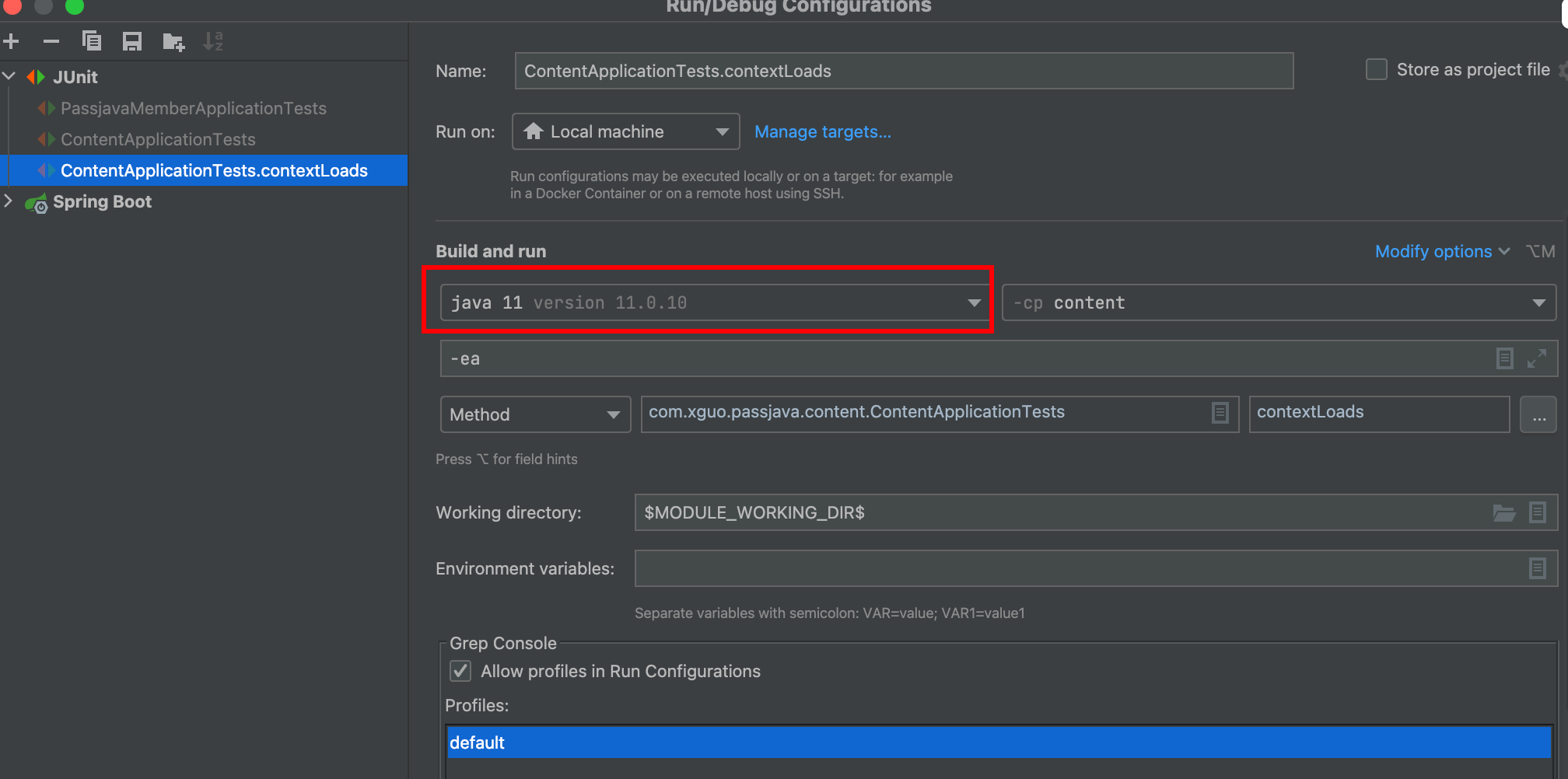
### 3.2代码测试报错
74+
75+
```java
76+
@SpringBootTest
77+
class PassJavaContentApplicationTests {
78+
@Test
79+
void contextLoads() {
80+
System.out.println("true = " + true);
81+
}
82+
}
83+
```
84+
85+
在PassJavaContentApplictionTests,直接打语句报错,本人一直把目光放在了这个错误上,结果后面经过仔细检查发现是没有导入mybatis-plus的依赖其实,在白色部分的代码已经提示我了,可惜我还没发觉【Failed to introspect meta-annotation org.mybatis.spring.annotation.MapperScan: java.lang.TypeNotPresentException: Type [unknown] not present】
86+
87+
![image-20211231174433900](http://cdn.jayh.club/uPic/image-20211231174433900rlQoBi.png)
88+
89+
解决方式:在该模块下添加mybatis-plus依赖
90+
91+
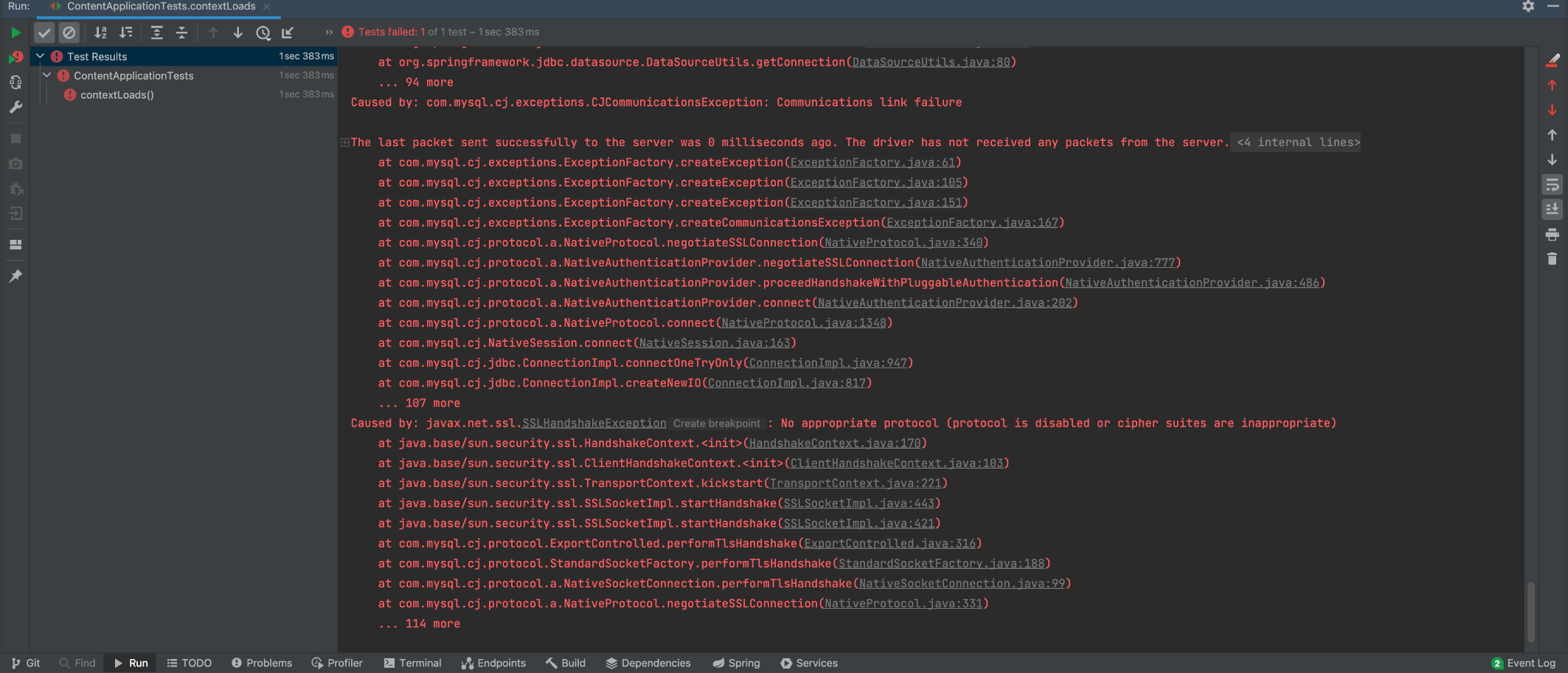
### 3.3测试mybatsi-plus的CURD方法报错
92+
93+
```java
94+
@SpringBootTest
95+
class PassJavaContentApplicationTests {
96+
97+
@Autowired
98+
NewsService newsService;
99+
100+
@Test
101+
void contextLoads() {
102+
NewsEntity entity = new NewsEntity();
103+
entity.setId(1L);
104+
entity.setTitle("题目1");
105+
if (newsService.save(entity)) {
106+
System.out.println("成功 = " + entity);
107+
}
108+
}
109+
110+
}
111+
```
112+
113+
![image-20211231174651147](http://cdn.jayh.club/uPic/image-202112311746511475ELlVU.png)
114+
115+
解决方式:熟悉的报错代码【No appropriate protocol (protocol is disabled or cipher suites are inappropriate)】,修改为1.8
116+
117+
![image-20211231174721423](http://cdn.jayh.club/uPic/image-20211231174721423FTUcOL.png)
118+
119+
120+
121+
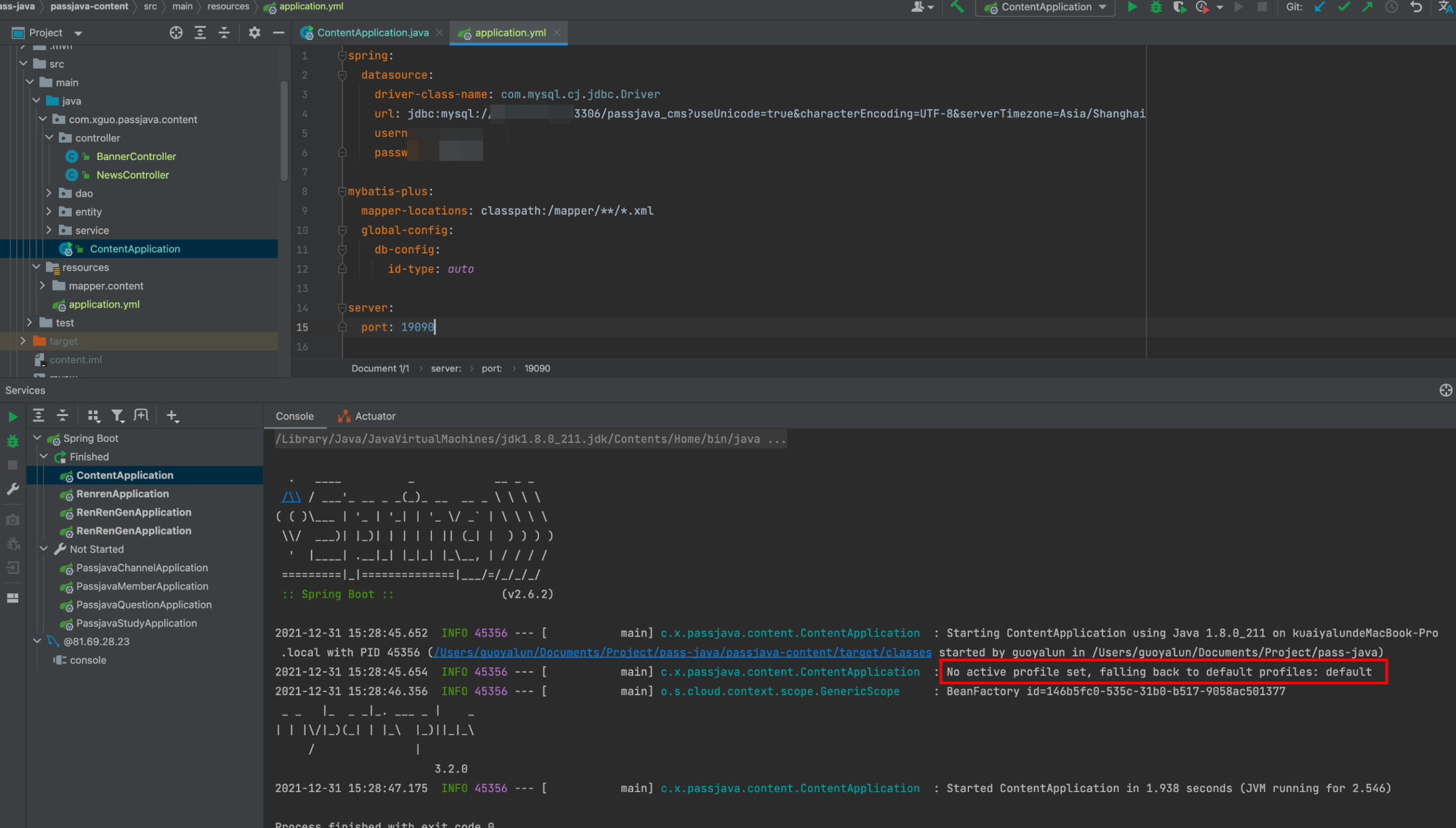
### 3.4添加yml,无法启动服务
122+
123+
![image-20211231174752233](http://cdn.jayh.club/uPic/image-20211231174752233lncz65.png)
124+
125+
解决方式:模块缺失依赖(低级错误)
126+
127+
```xml
128+
<dependency>
129+
<groupId>org.springframework.boot</groupId>
130+
<artifactId>spring-boot-starter-web</artifactId>
131+
</dependency>
132+
```
133+
134+
135+
136+
### 3.5Maven clean - install 报错
137+
138+
![image-20211231174907439](/Users/guoyalun/Library/Application Support/typora-user-images/image-20211231174907439.png)
139+
140+
解决方式:因为在content服务的测试类中添加测试代码,所以检测不通过,选中该按钮即可
141+
142+
![image-20211231175004714](/Users/guoyalun/Library/Application Support/typora-user-images/image-20211231175004714.png)
Collapse file

‎docs/02.PassJava架构篇/08.SpringCloud整合Alibaba-Nacos组件.md‎

Copy file name to clipboardExpand all lines: docs/02.PassJava架构篇/08.SpringCloud整合Alibaba-Nacos组件.md
+3-3Lines changed: 3 additions & 3 deletions
  • Display the source diff
  • Display the rich diff
Original file line numberDiff line numberDiff line change
@@ -50,7 +50,7 @@ windows执行startupm.cmd遇到问题:
5050

5151
启动成功:
5252

53-
<img src="http://cdn.jayh.club/blog/20200417/g2RCtpUpwFyF.png?imageslim" alt="nacos server启动结果" style="zoom:50%;" />
53+
![](http://cdn.jayh.club/blog/20200417/g2RCtpUpwFyF.png?imageslim)
5454

5555

5656
## 3.每个微服务都配置Nacos Server 地址
@@ -102,7 +102,7 @@ http://localhost:8848/nacos/index.html#/login
102102
103103
密码:nacos
104104
105-
<img src="http://cdn.jayh.club/blog/20200417/n8M8mic6VCrC.png?imageslim" alt="nacos server后台" style="zoom:67%;" />
105+
![](http://cdn.jayh.club/blog/20200417/n8M8mic6VCrC.png?imageslim)
106106
107107
- 查看已注册的服务
108108
@@ -114,7 +114,7 @@ http://localhost:8848/nacos/index.html#/login
114114
passjava-content 内容微服务
115115
```
116116

117-
<img src="http://cdn.jayh.club/blog/20200417/LQBRITAhS6eX.png?imageslim" alt="已注册的服务" style="zoom:67%;" />
117+
![](http://cdn.jayh.club/blog/20200417/LQBRITAhS6eX.png?imageslim)
118118

119119
## 代码地址
120120

0 commit comments

Comments
0 (0)
You are visitor 01402792 — GeezerVison does not store the pages you look up.
Best viewed with Netscape Navigator 4.7 or Internet Explorer 6 at 800×600. No cookies required.