GeezerVison is showing github.com — visualpython/docs/machine-learning/6.-classifier.md at main · visualpython/visualpython
/
6.-classifier.md
Copy path 156 lines (83 loc) · 6.24 KB
/
6.-classifier.md
Copy pathFile metadata and controls
156 lines (83 loc) · 6.24 KB
Copy raw file
Download raw file
Edit and raw actions
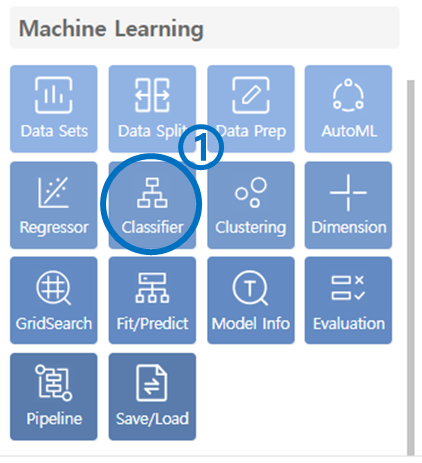
- Click on the Classifier under the Machine Learning category.
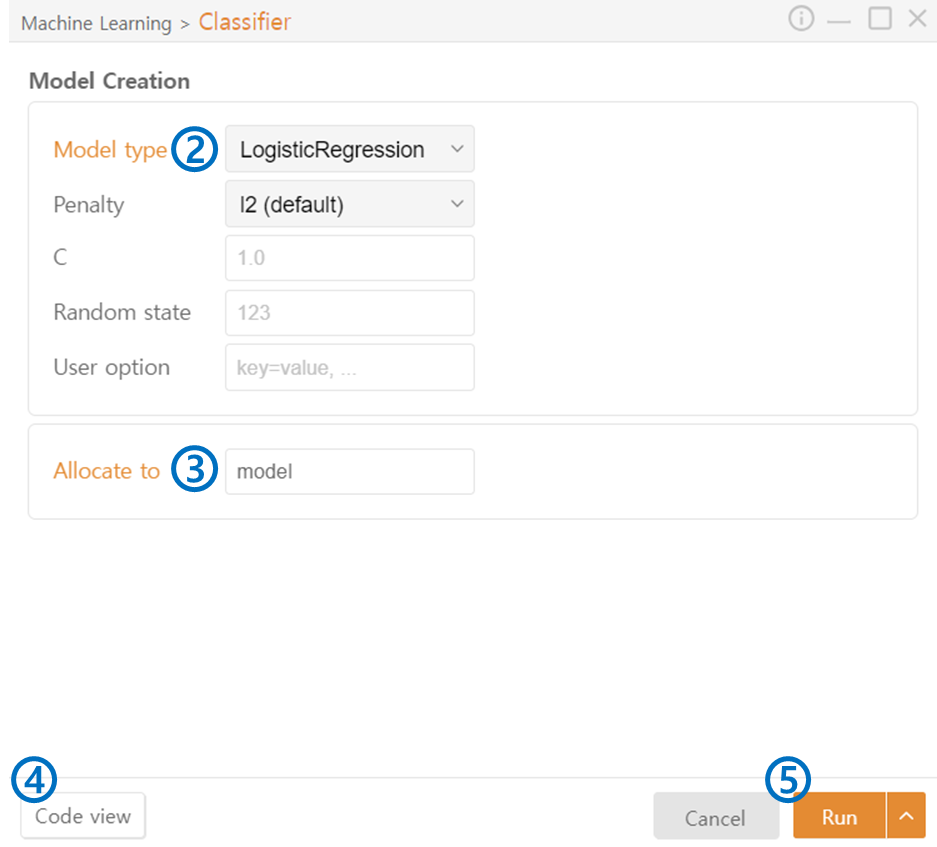
- Model Type: Select the Model Type of the classifier you want to use:
- Allocate to: Specify the variable name to assign to the model.
- Code View: Preview the generated code.
- Run: Execute the code.
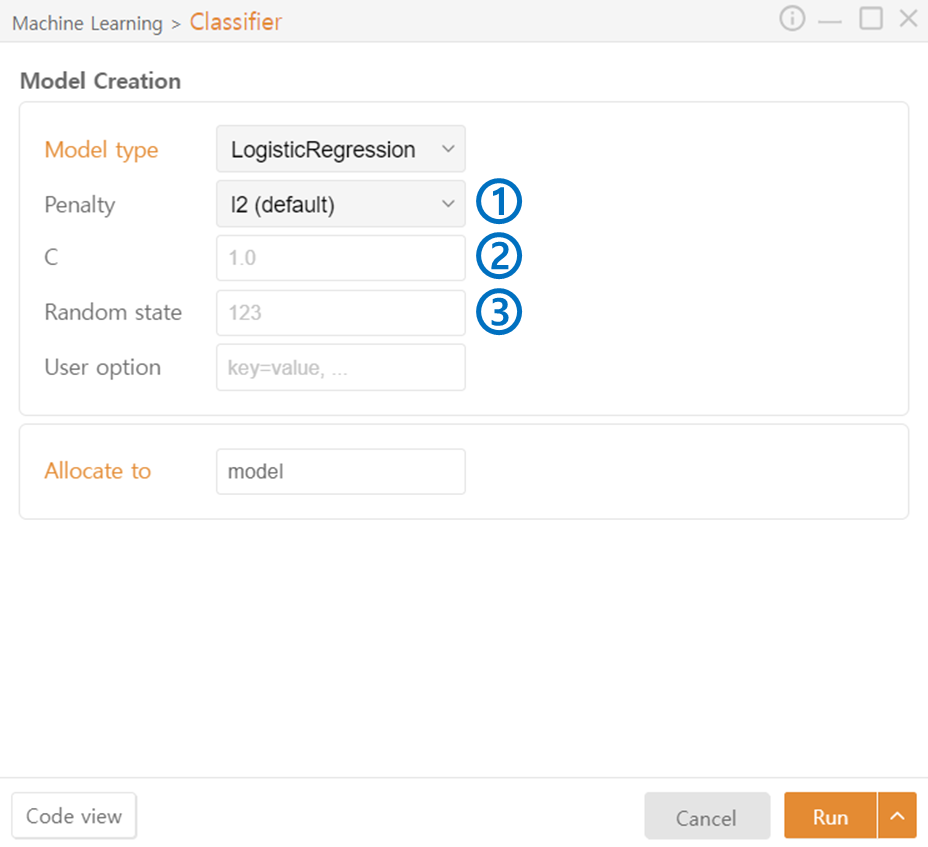
- Penalty: Specify the regularization method for the model. (l2 / l1 / elasticnet / none)
- C: Adjust the regularization strength.
- Random State: Set the seed value for the random number generator.
SupportVectorMachine Classifier
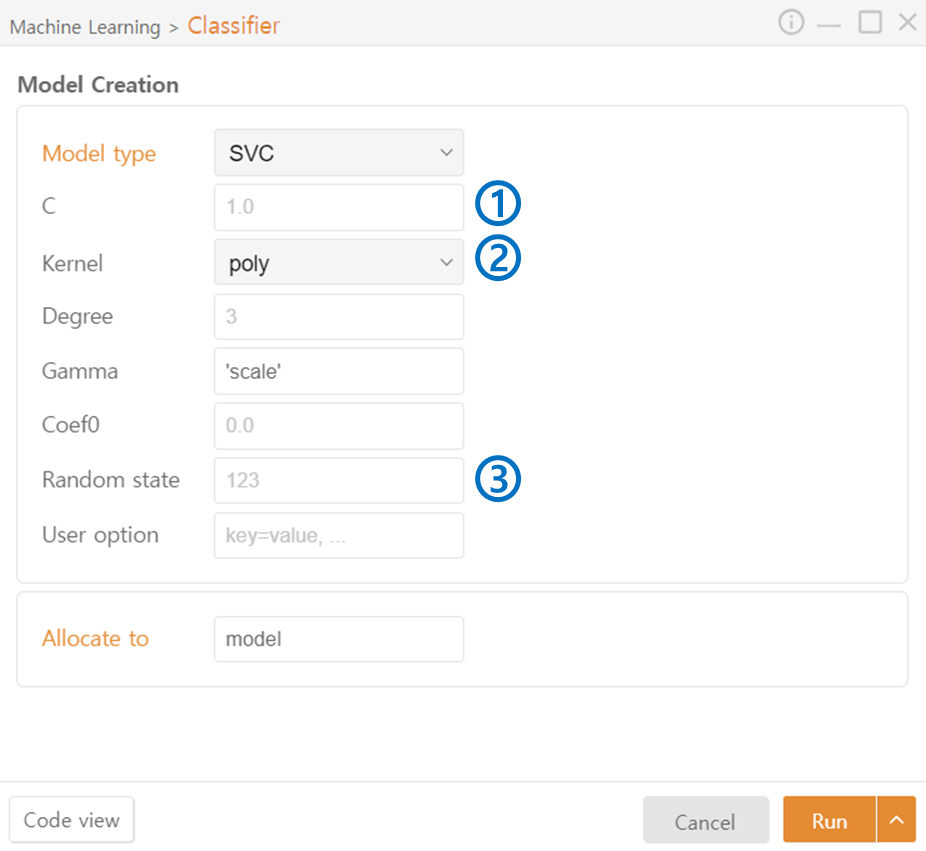
- C: C indicates the freedom of the model's regularization. A higher C value makes the model more complex to fit the training data.
- Kernel: A function that maps data into higher dimensions. You can control the complexity of the model by selecting the kernel type.
- Degree (Poly): Degree determines the degree of the polynomial. A higher degree increases the complexity of the model.
- Gamma (Poly, rbf, sigmoid): Gamma adjusts the curvature of the decision boundary. A higher value makes the model fit the training data more closely.
- Coef0 (Poly, sigmoid): An additional parameter for the kernel, controlling the offset of the kernel. A higher value makes the model fit the training data more closely.
- Random State: Set the seed value for the random number generator.
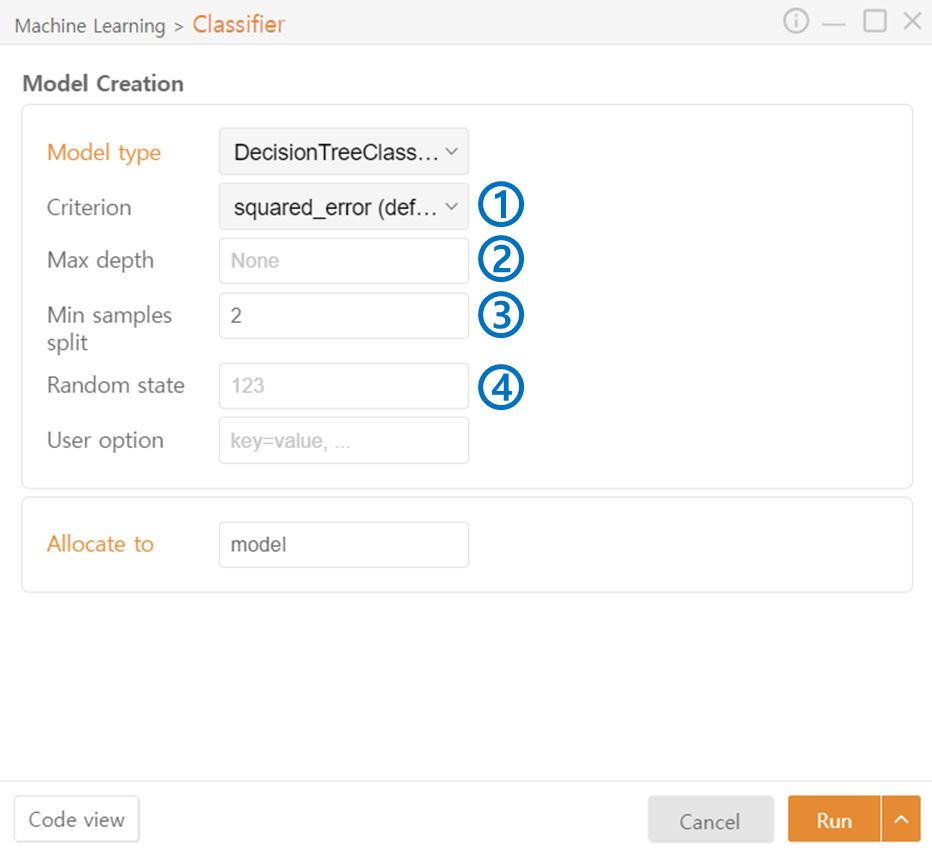
- Criterion: Specify the metric used to select the node split. (squared_error / friedman_mse / absolute_error / Poisson)
- Max Depth: Specify the maximum depth of the trees.
- Min Samples Split: Specify the minimum number of samples required to split a node to prevent excessive splitting.
- Random State: Set the seed value for the random number generator.
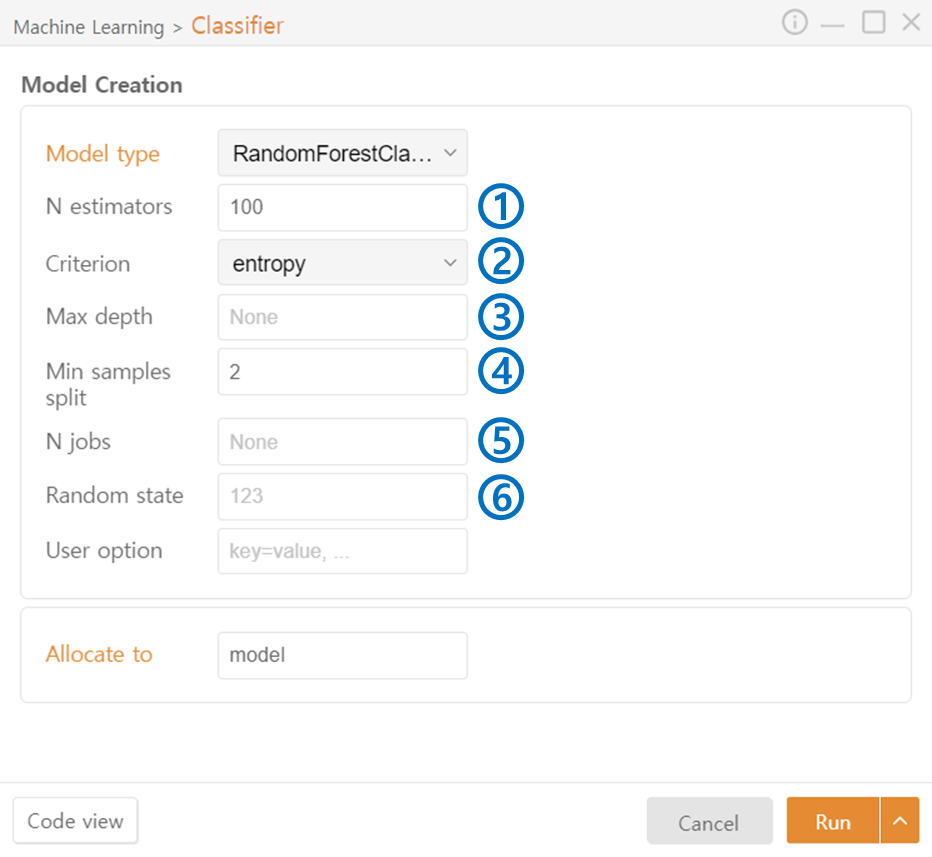
- N estimators: Specify the number of trees to include in the ensemble.
- Criterion: Specify the metric used to select the node split. Options include gini / entropy.
- Max Depth: Specify the maximum depth of the trees.
- Min Samples Split: Specify the minimum number of samples required to split a node to prevent excessive splitting.
- N jobs: Specify the number of CPU cores or threads to use during model training for parallel processing.
- Random State: Set the seed value for the random number generator.
GradientBoosting Classifier
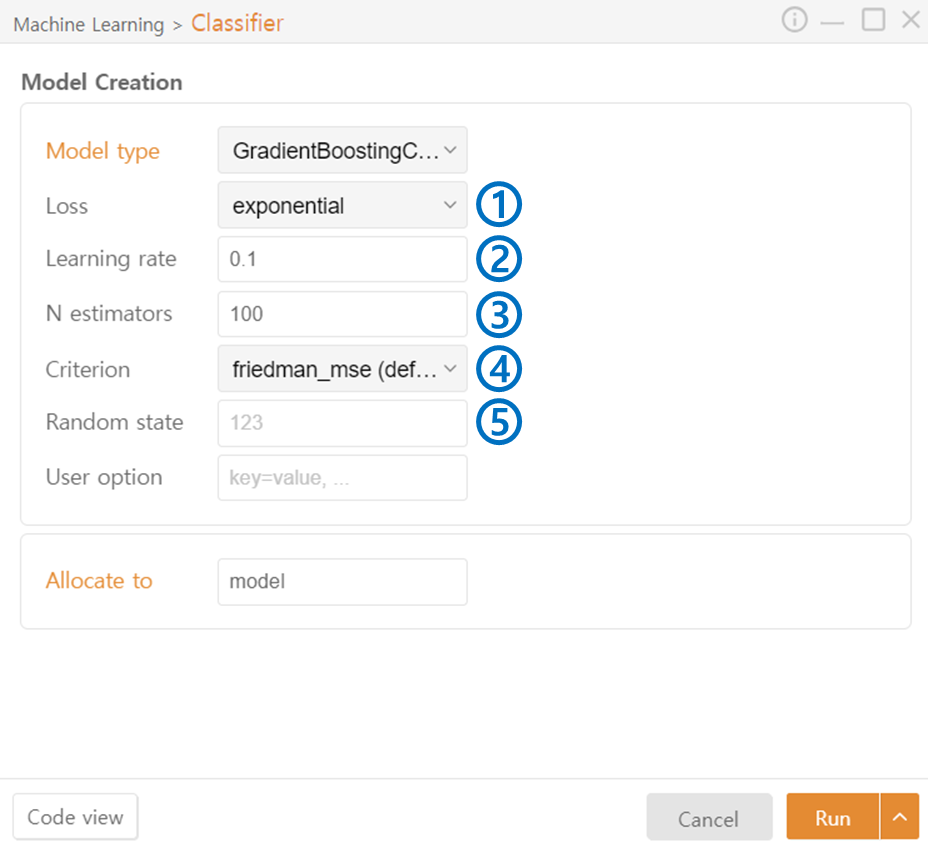
- Loss: Specify the loss function to be used. Options include deviance / exponential.
- Learning rate: Adjust the contribution of each tree and the degree to which the errors of previous trees are corrected. A large value may lead to non-convergence or overfitting, while a small value may increase training time.
- N estimators: Specify the number of trees to include in the ensemble.
- Criterion: Specify the metric used to select the node split. (friedman_mse / squared_error / mse / mae)
- Random State: Set the seed value for the random number generator.
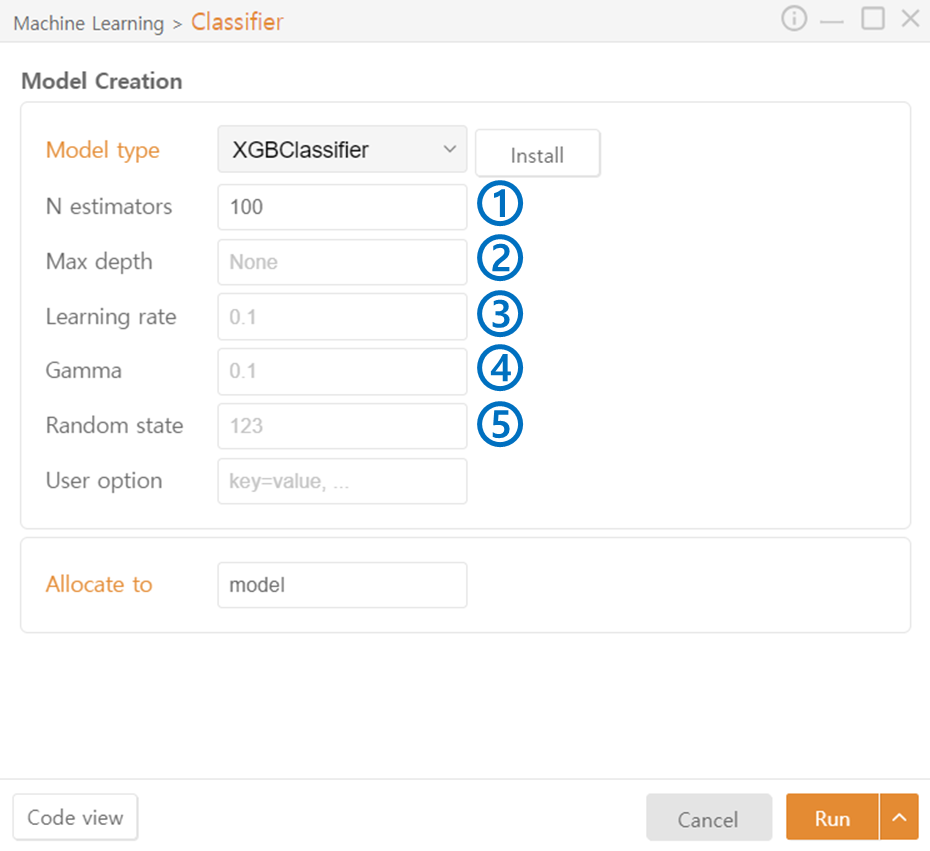
- N estimators: Specify the number of trees to include in the ensemble.
- Max Depth: Specify the maximum depth of the trees.
- Learning Rate: Adjust the contribution of each tree and the degree to which the errors of previous trees are corrected.
- Gamma: Adjust the curvature of the decision boundary. A higher value makes the model fit the training data more closely.
- Random State: Set the seed value for the random number generator.
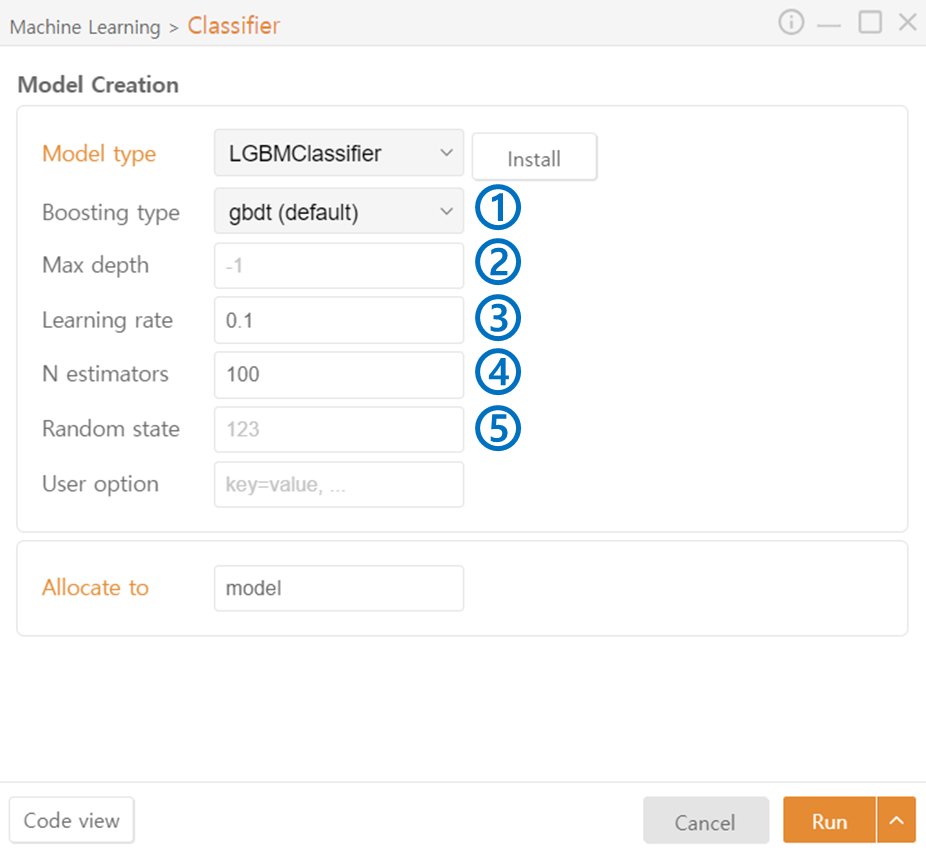
- Boosting type: Specify the boosting method used internally in the algorithm. (gbdt / dart / goss / rf (Random Forest))
- Max Depth: Specify the maximum depth of the trees.
- Learning rate: Adjust the contribution of each tree and the degree to which the errors of previous trees are corrected.
- N estimators: Specify the number of trees to include in the ensemble.
- Random State: Set the seed value for the random number generator.
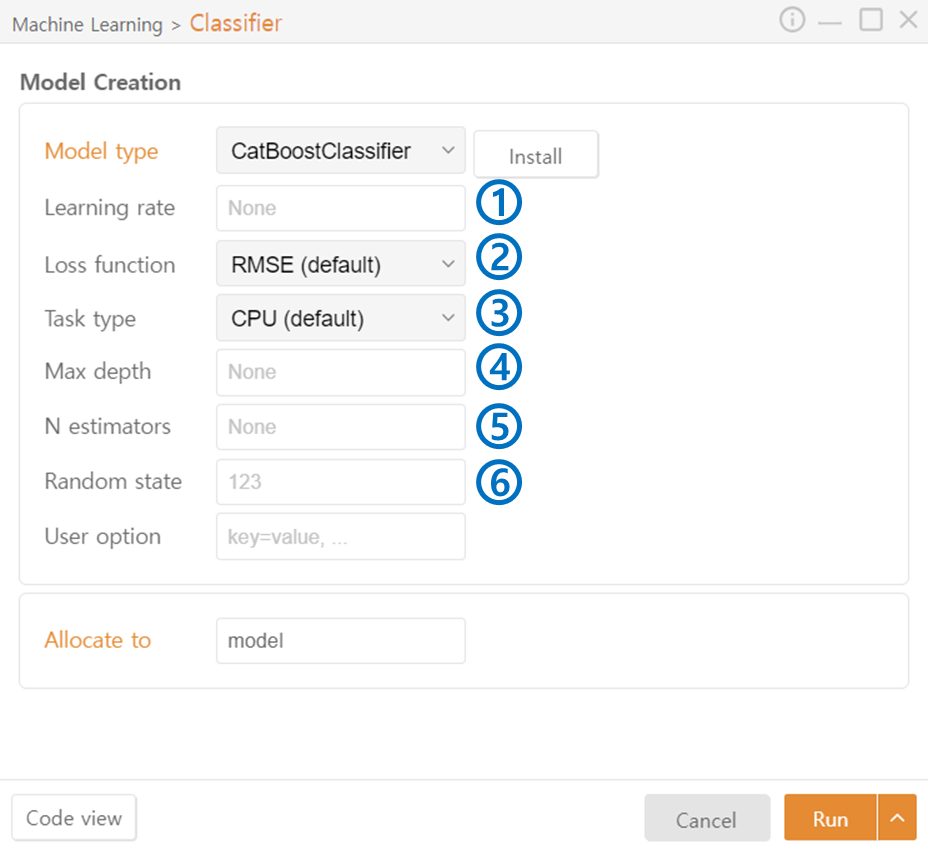
- Learning rate: Adjust the contribution of each tree and the degree to which the errors of previous trees are corrected.
- Loss function: Specify the loss function to be used. (RMSE / absolute_error / huber / quantile)
- Task type: Specify the hardware used for data processing. (CPU / GPU)
- Max depth: Specify the maximum depth of the trees.
- N estimators: Specify the number of trees to include in the ensemble.
- Random state: Set the seed value for the random number generator.


