GV

GeezerVison

The World Wide Web, restored to 800 pixels of glory.

Home|About|Gaming cabinet|Archives|How it works|Starter sites

On this site

  • Sign in
  • ActionsCI/CD and automation
  • CodespacesCloud development environments
  • All Features
  • Documentation
  • Training
  • Certifications
  • Build with Copilot
  • Customize Copilot
  • Integrations
  • Trending repos
  • GitHub Sponsors
  • Developer articles
  • Enterprises

This view

  • Original page
  • New address

GeezerVison is showing github.com — deploy-code-server/guides/railway.md at main · winsoldgit/deploy-code-server

Expand file tree

/

railway.md

Copy path
More file actions
More file actions

Latest commit


History

History
History
50 lines (29 loc) · 2.42 KB
/

railway.md

Copy path

File metadata and controls

50 lines (29 loc) · 2.42 KB
Raw
Copy raw file
Download raw file
Outline
Edit and raw actions

Guide: Launching code-server on railway.app

Railway is a new cloud development platform! ☁️

Use Railway + code-server to get a dev environment that you can access from any device.

code-server and railway.app

Step 1: Click button to deploy

Deploy on Railway

Step 2: Configure & launch your environment

You'll need to make a new repository which will contain your code-server configuration. If you push changes to this repo (to install NodeJS, for example), it will re-deploy code-server.

Connected git repo

You also need to specity a PASSWORD and a GIT_REPO to clone in your environment :)

Step 3: Modify your environment to add additional tools

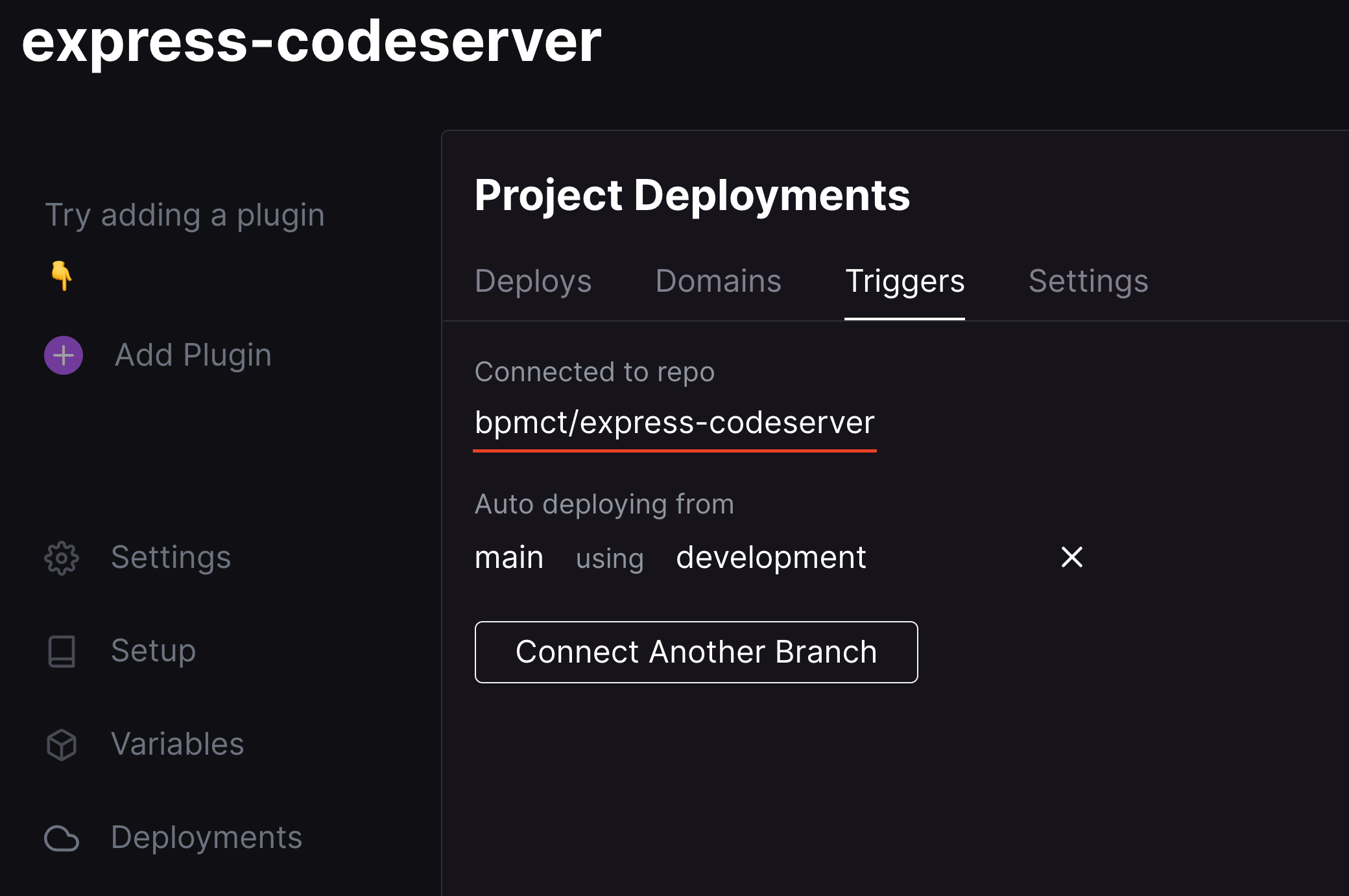
  1. In Railway, go to Deployments -> Triggers to see your source repo.

    Connected git repo
  2. Open the source repo in GitHub and edit the Dockerfile

  3. Add some custom tools (like NodeJS) and push to the main branch:

    # You can add custom software and dependencies for your environment here. Some examples:
    
    # RUN code-server --install-extension esbenp.prettier-vscode
    # RUN sudo apt-get install -y build-essential
    # RUN COPY myTool /home/coder/myTool
    
    # Install NodeJS
    RUN sudo curl -fsSL https://deb.nodesource.com/setup_15.x | sudo bash -
    RUN sudo apt-get install -y nodejs
  4. Head back to Railway and notice a new deployment was created. After it has completed, you can use these tools in your environment.

  5. (Optional): Configure rclone so that you can save your VS Code config and files without commiting

See the deploy-container README for other config vars for your environment.


To update your code-server version, modify the version number on line 2 in your Dockerfile. See the list of tags for the latest version.

You are visitor 01402520 — GeezerVison does not store the pages you look up.
Best viewed with Netscape Navigator 4.7 or Internet Explorer 6 at 800×600. No cookies required.