GeezerVisonThe World Wide Web, restored to 800 pixels of glory. |
| Home|About|Gaming cabinet|Archives|How it works|Starter sites |
GeezerVison is showing gitlab-org.gitlab.io — Caproni Caproni CaproniCaproni is a general purpose command-line tool that orchestrates local Kubernetes development environments. It provides a simple interface for running cloud-native Helm deployments locally, with first-class support for hot-reload development workflows. Getting startedUsing Caproni for GitLab application development? Check out the Caproni for GitLab guide. Using Caproni for another application? Read more in the general getting started walkthrough. NamingCaproni is named after Giovanni Caproni: an engineer who built Cloud Native things – aeroplanes. Caproni is also featured as a character in Studio Ghibli’s film, The Wind Rises. 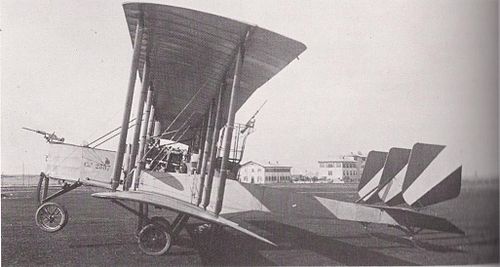 Command line usageSee the
command list for full command line usage of the DesignThe original design document describing this initiative is available at
For comprehensive architectural guidelines, patterns, and principles for developers and AI agents working on Caproni, see the architecture page. Configuration OverviewCaproni uses a v2 configuration format that separates three key concerns: RepositoriesGit repositories containing source code. Caproni clones and manages these repositories when needed by deployers or reloaders with DeployersDeploy applications to the Kubernetes cluster. Supported types:
ReloadersRun local development processes with hot-reload capabilities:
See example configurations:
See also the Edit Mode Workflow Guide for concepts and configuration reference. Hacking on caproniDevelopment tasksWe use mise tasks ( Running TestsUnit tests (fast, no external dependencies): Colima integration tests (requires colima to be installed): k3d integration tests (requires k3d to be installed): The task and the All integration tests (requires both colima and k3d to be installed): All tests (unit + integration): Preparing your Environment
ContributingContributions are welcome; see
Last updated on |
| You are visitor 01402775 — GeezerVison does not store the pages you look up. Best viewed with Netscape Navigator 4.7 or Internet Explorer 6 at 800×600. No cookies required. |