GeezerVison is showing hackr.io — Top 40 Python Projects for Programmers (Beginner to Advanced)
The best way to learn Python? Build real projects.
When you code hands-on, you retain more, stay motivated, and develop skills that matter. Instead of passively memorizing syntax, you apply what you learn right away.
The only problem, finding the right project ideas.
That’s why we put together 40+ real-world, portfolio-worthy Python projects, from beginner-friendly builds to professional-level applications. Many include step-by-step tutorials and video walkthroughs.
Let’s start coding.
How to Choose Your Next Python Project
Building a portfolio: pick a project that shows data flow, APIs, automation, or a deployable app, like the real estate pipeline and Streamlit dashboard.
Building confidence fast: pick a small tool that solves a real problem in 30 to 90 minutes, like a file organizer, unit converter, or QR generator.
Preparing for interviews: pair one deployable app with one classic algorithms section, then write clear READMEs and tests.
Difficulty: Intermediate | Estimated time: 1 to 2 hours | Skills: web scraping, automation fundamentals
This is Part 1 of a four-part series on building a Python automated real estate data pipeline. In this stage, we focus on web scraping real estate listings using Selenium to extract key property details like prices, addresses, beds, baths, and geolocation data. The collected data is stored in a structured format, setting the foundation for analysis in the next phase.
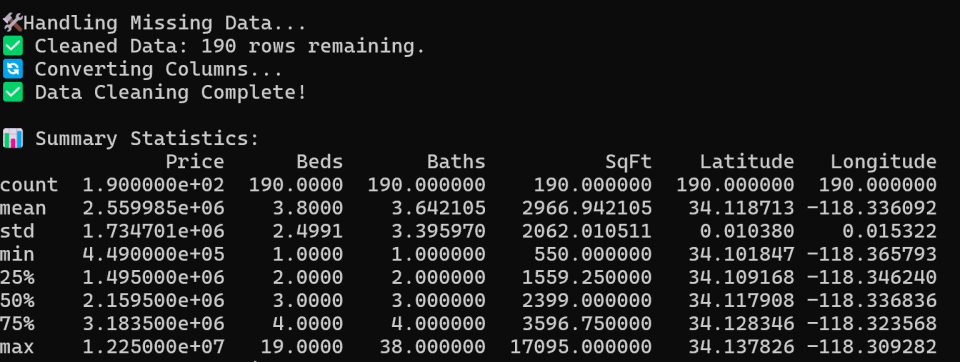
Difficulty: Intermediate | Estimated time: 1 to 2 hours | Skills: Pandas, NumPy, data cleaning, analysis
This is Part 2 of a four-part series. In this stage, we focus on cleaning and analyzing the scraped real estate data to prepare it for visualization and deeper insights.
Using Pandas, NumPy, Matplotlib, and Seaborn, we handle missing values, format numerical data, and explore trends in property prices, sizes, and features. This step ensures our dataset is structured, reliable, and ready for interactive visualization in Part 3.
This is Part 3 of a four-part series. In this stage, we focus on building an interactive dashboard using Streamlit to visualize real estate trends dynamically.
With Streamlit, Folium, Matplotlib, and Seaborn, we create a user-friendly interface where users can filter listings by price, bedrooms, bathrooms, and square footage, explore interactive maps, and analyze price distributions and market trends.
Difficulty: Intermediate to advanced | Estimated time: 1 to 2 hours | Skills: scheduling, historical tracking, automation
This is Part 4, the final installment of our four-part series. In this stage, we implement automation and historical tracking, allowing our scraper to run on a schedule and accumulate data over time.
With APScheduler, we automate scraping and analysis, store timestamped datasets, track price trends, and integrate historical filtering into our Streamlit dashboard for deeper insights.
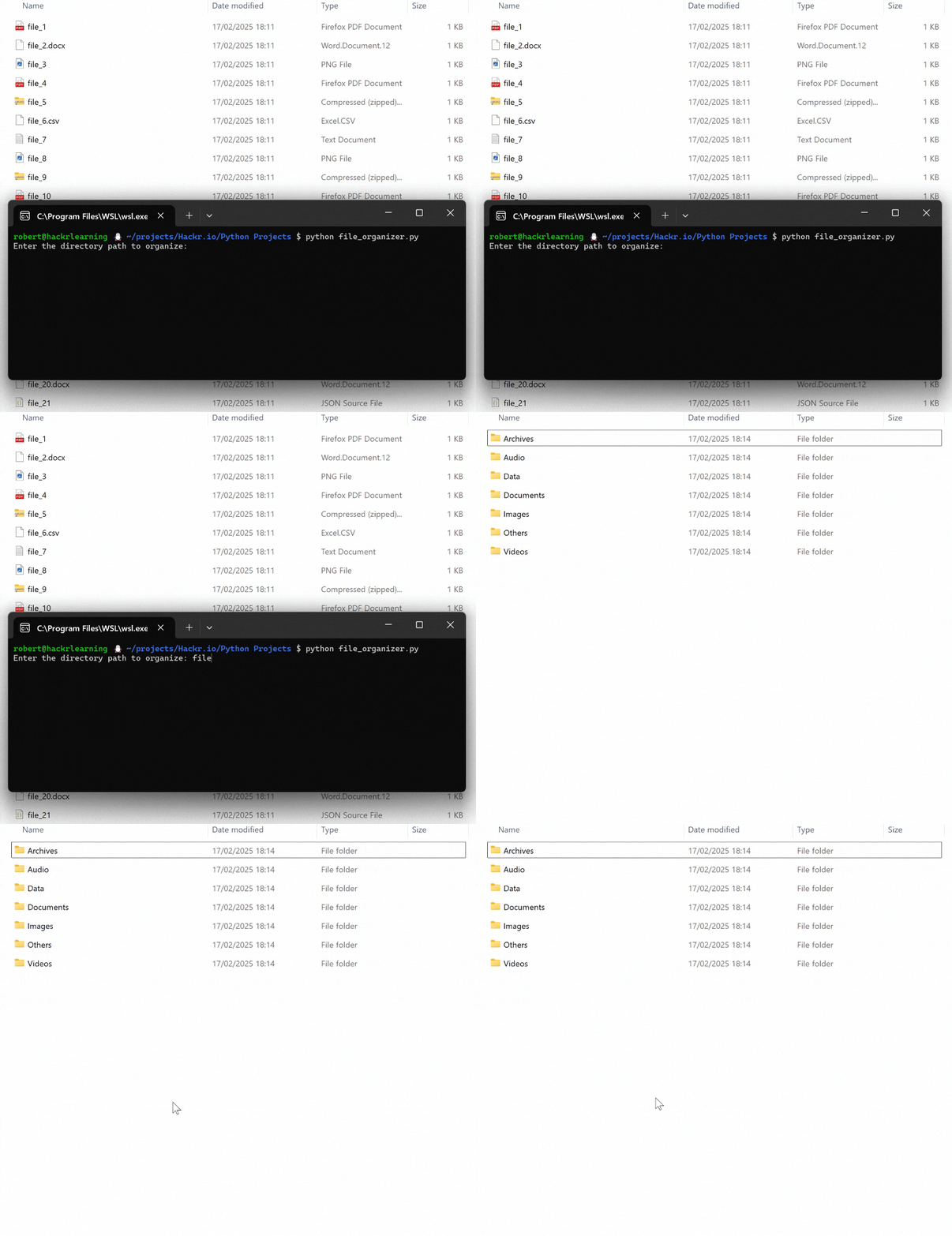
Tired of a cluttered downloads folder? A Python file organizer is a perfect project to simplify your life while leveling up your coding skills. Using Python’s os and shutil modules, you’ll automate file sorting into categories like Images, Videos, and Documents.
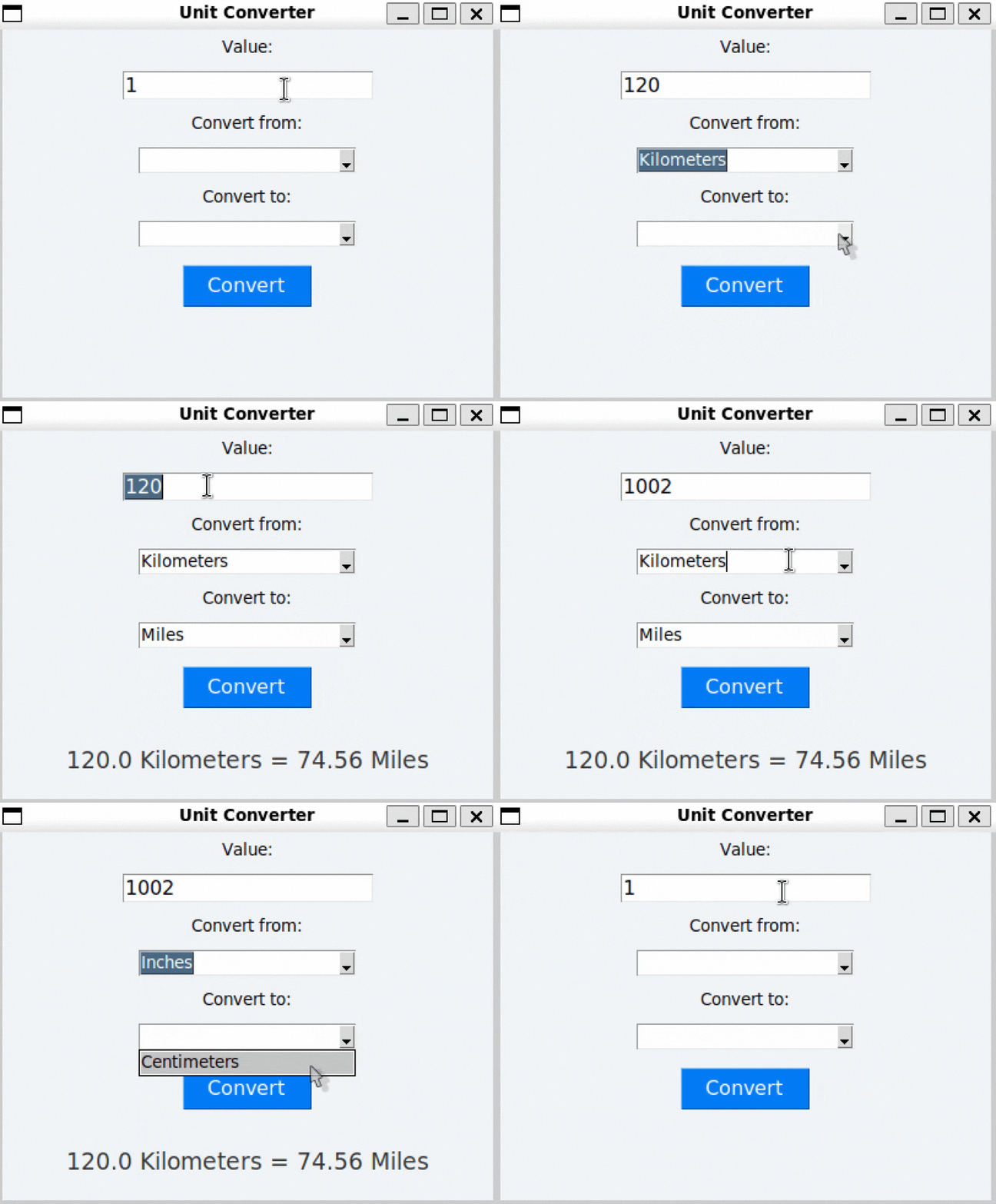
A Python unit converter app is an excellent project to learn GUI programming with Tkinter and practical Python skills. You’ll create a user-friendly tool to convert units like miles to kilometers or Fahrenheit to Celsius.
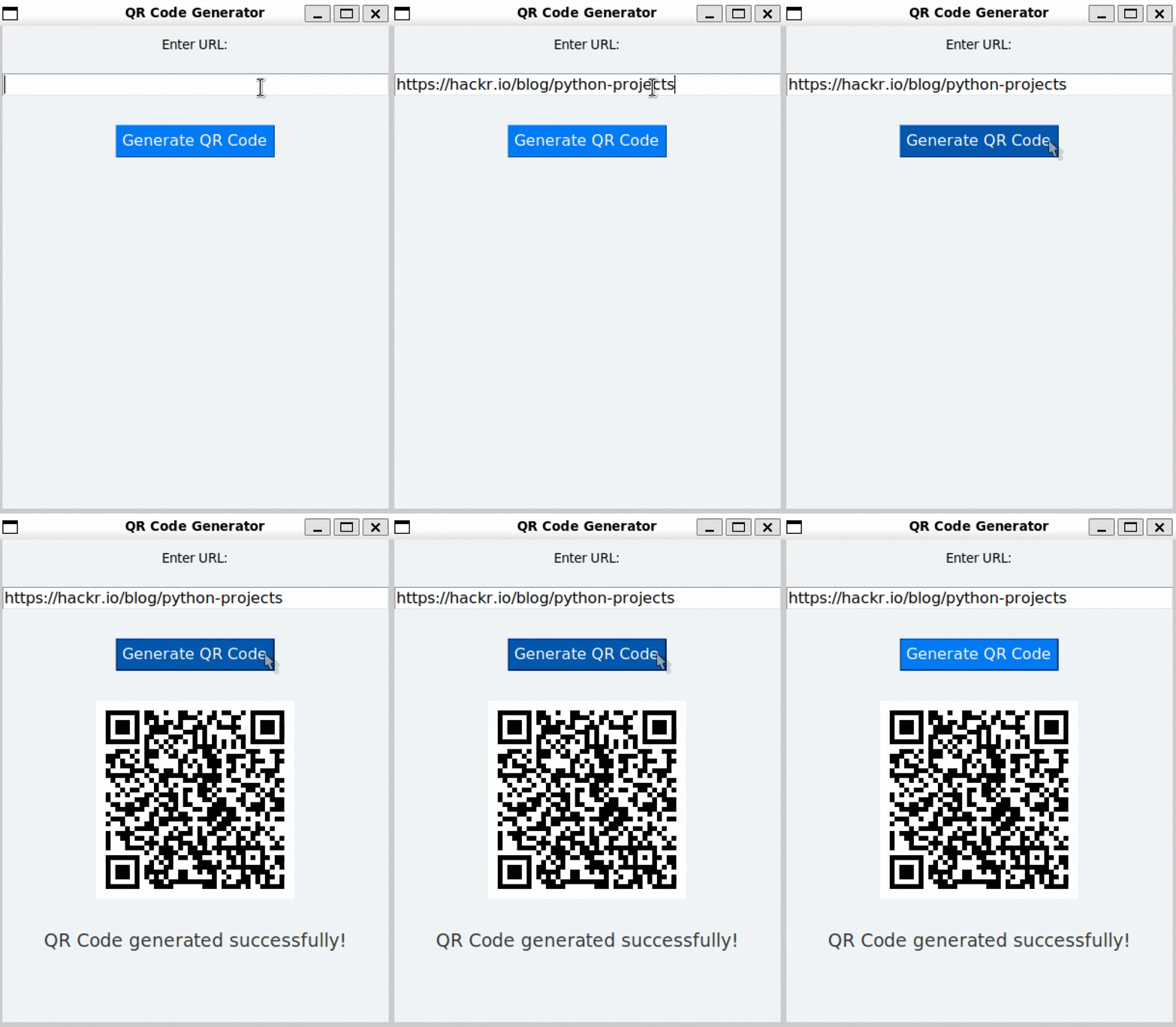
A Python QR code generator is a fun, practical project that builds your skills in GUI development and image processing. Using libraries like qrcode, Tkinter, and Pillow, you’ll create an app to generate QR codes in a few clicks.
Difficulty: Beginner to intermediate | Estimated time: 1 to 2 hours | Skills: Pillow, GUI workflows
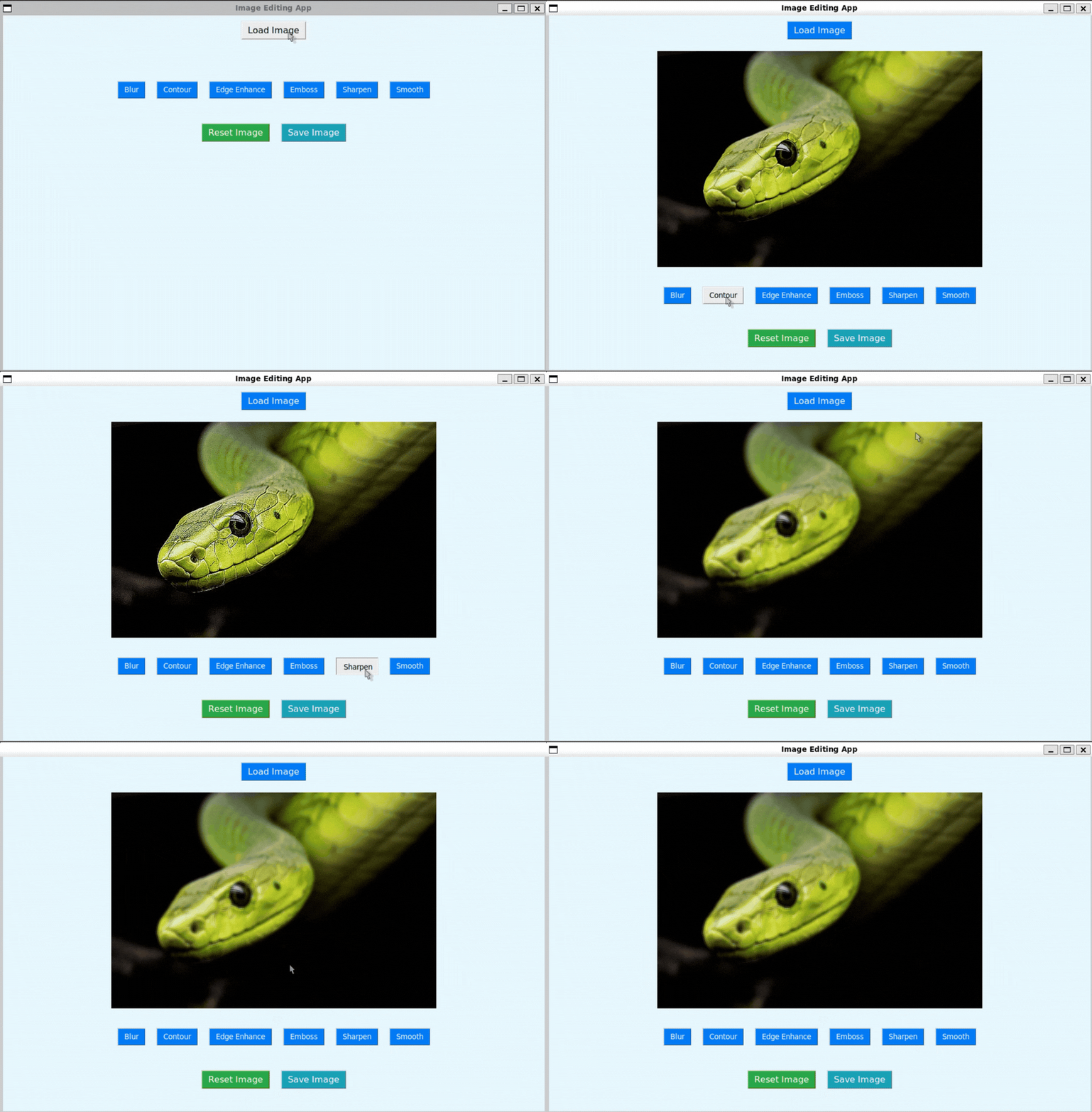
A Python image editor is a practical, creative project. Using Pillow for image processing and Tkinter for GUI development, you’ll build an app that can load, edit, and save images with filters like blur and sharpen.
Difficulty: Beginner to intermediate | Estimated time: 1 to 2 hours | Skills: PDF tooling, OOP, GUI
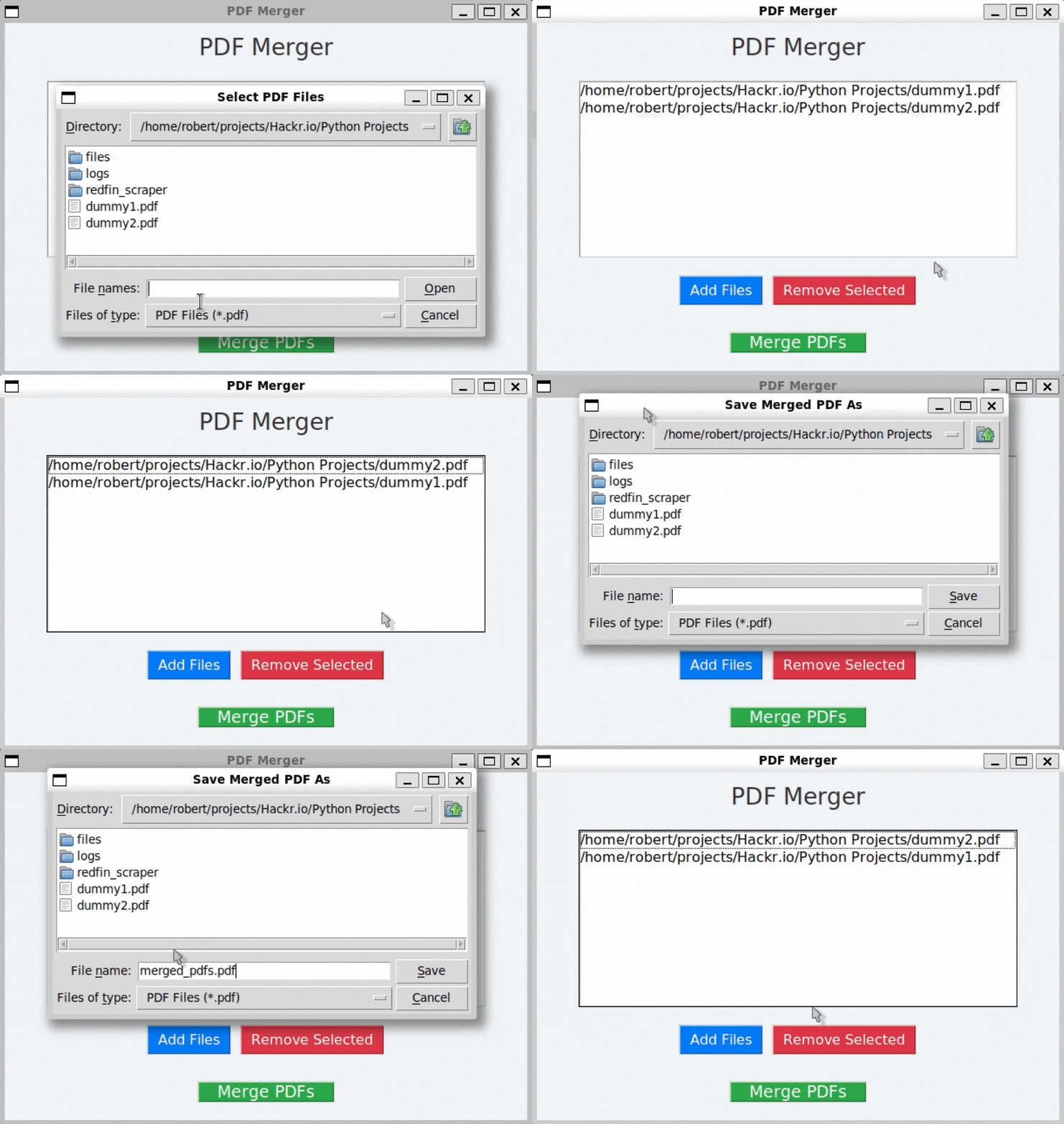
A Python PDF merger app is a practical project that combines PyPDF2 for PDF manipulation with GUI development. With an object-oriented approach, you’ll build a tool to select, manage, and merge PDFs.
Difficulty: Beginner to intermediate | Estimated time: 1 to 2 hours | Skills: PyQt, APIs, UX polish
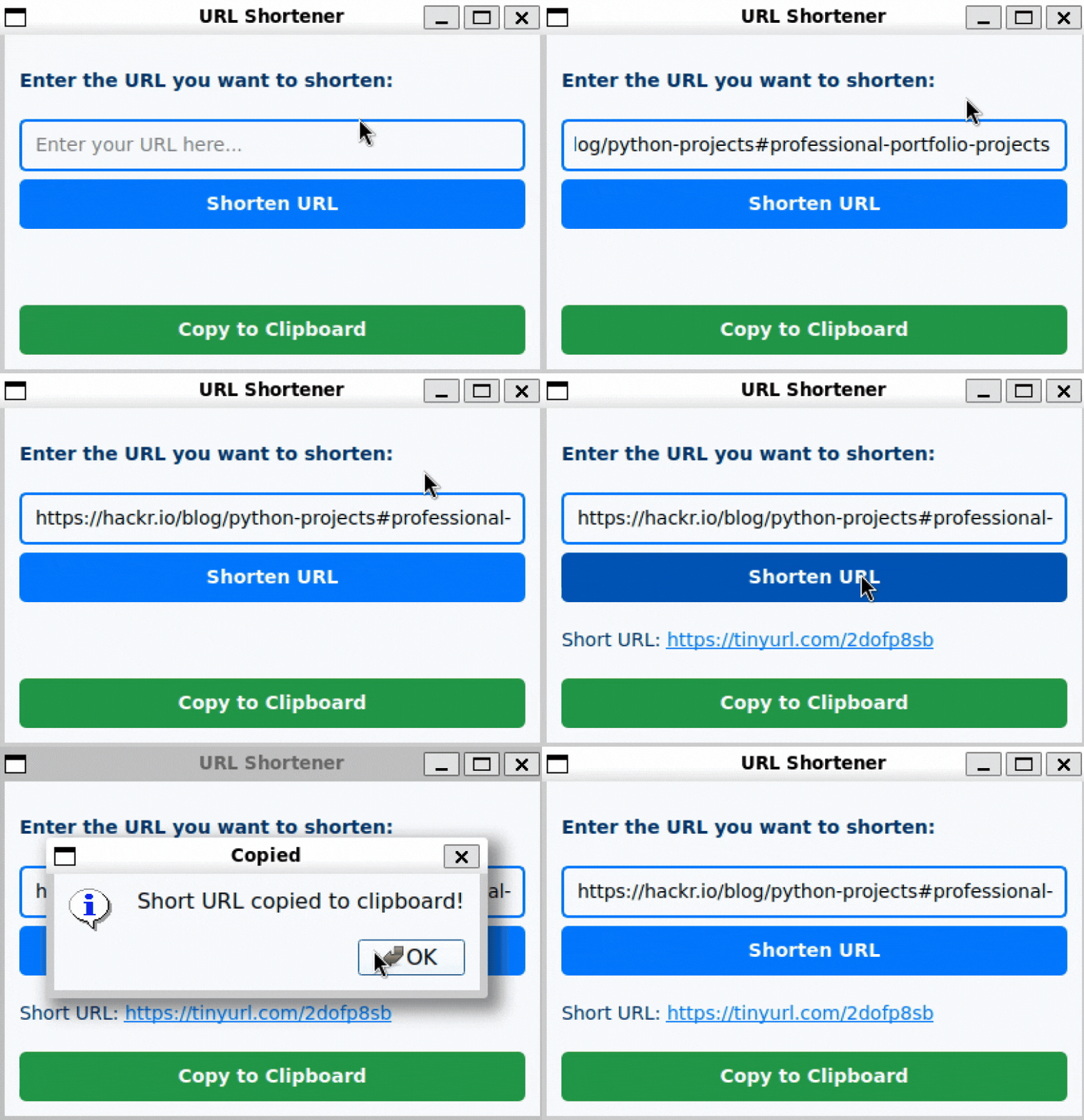
A Python URL shortener project combines functionality with a polished GUI. Using PyQt5 for the interface and pyshorteners for URL generation, you’ll create an app that shortens long URLs and copies them to the clipboard.
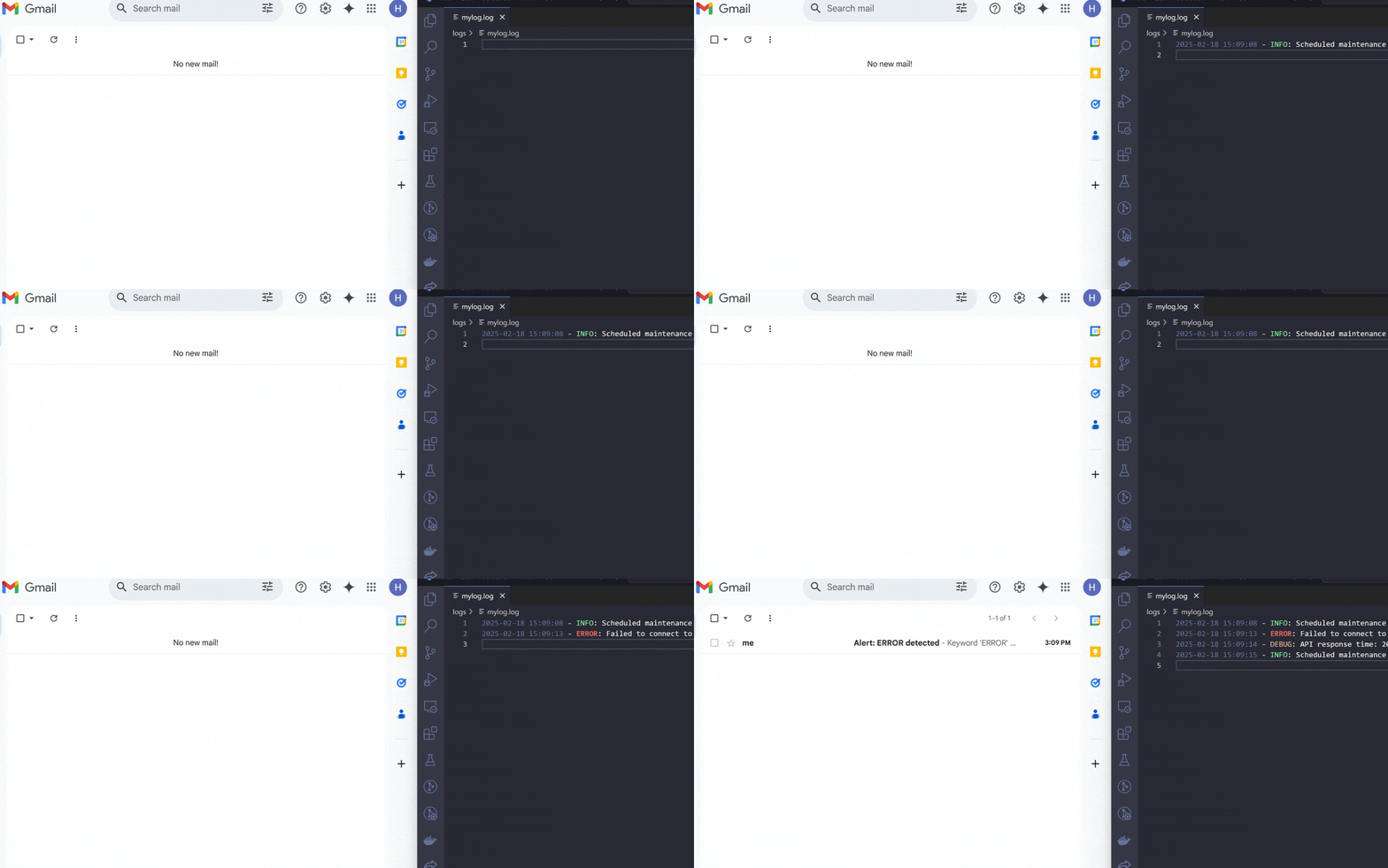
A Python log monitoring system automates real-time file monitoring and notifications. Using watchdog for file changes and smtplib for email alerts, you’ll build a tool that detects events in logs and notifies you.
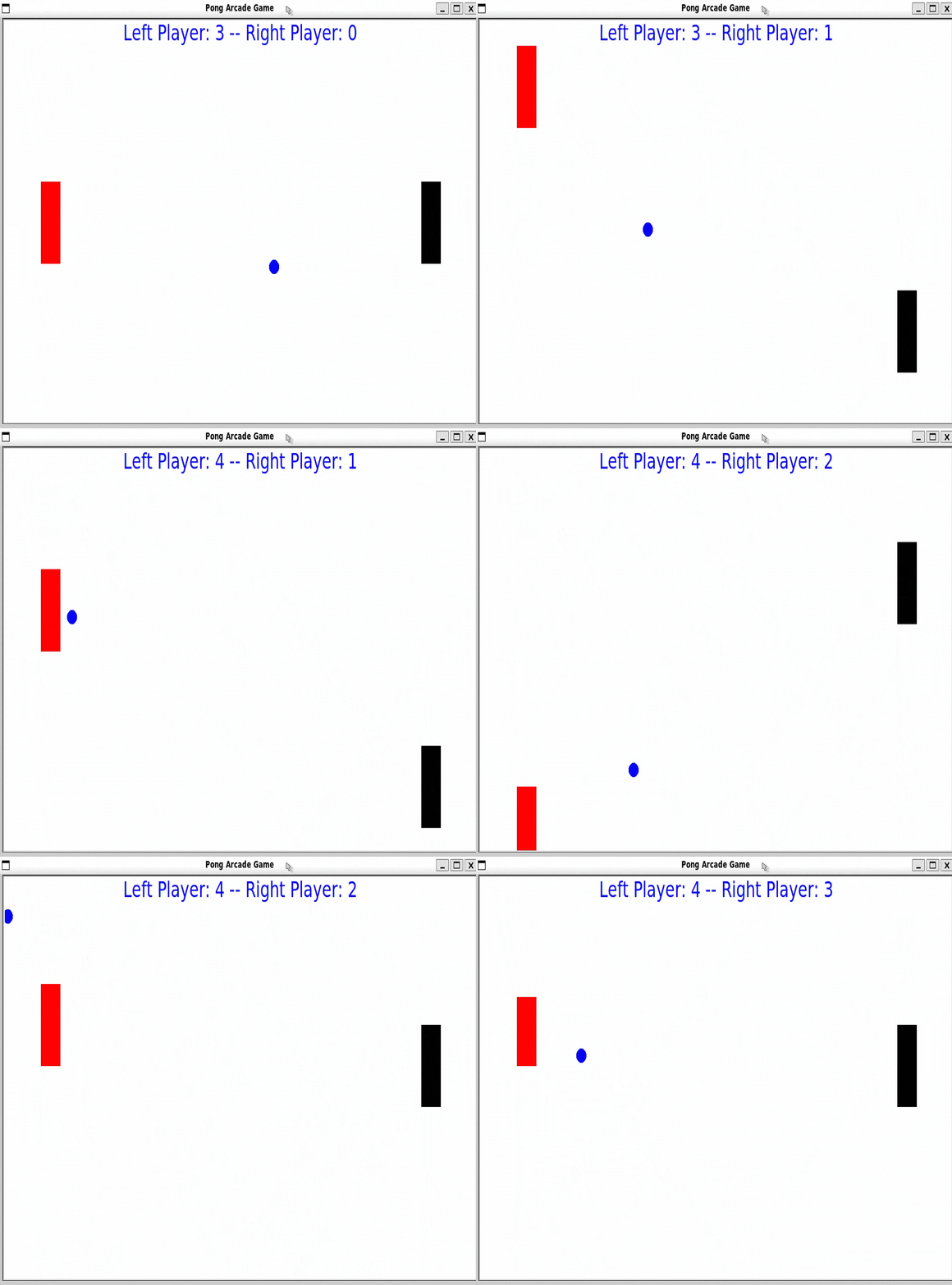
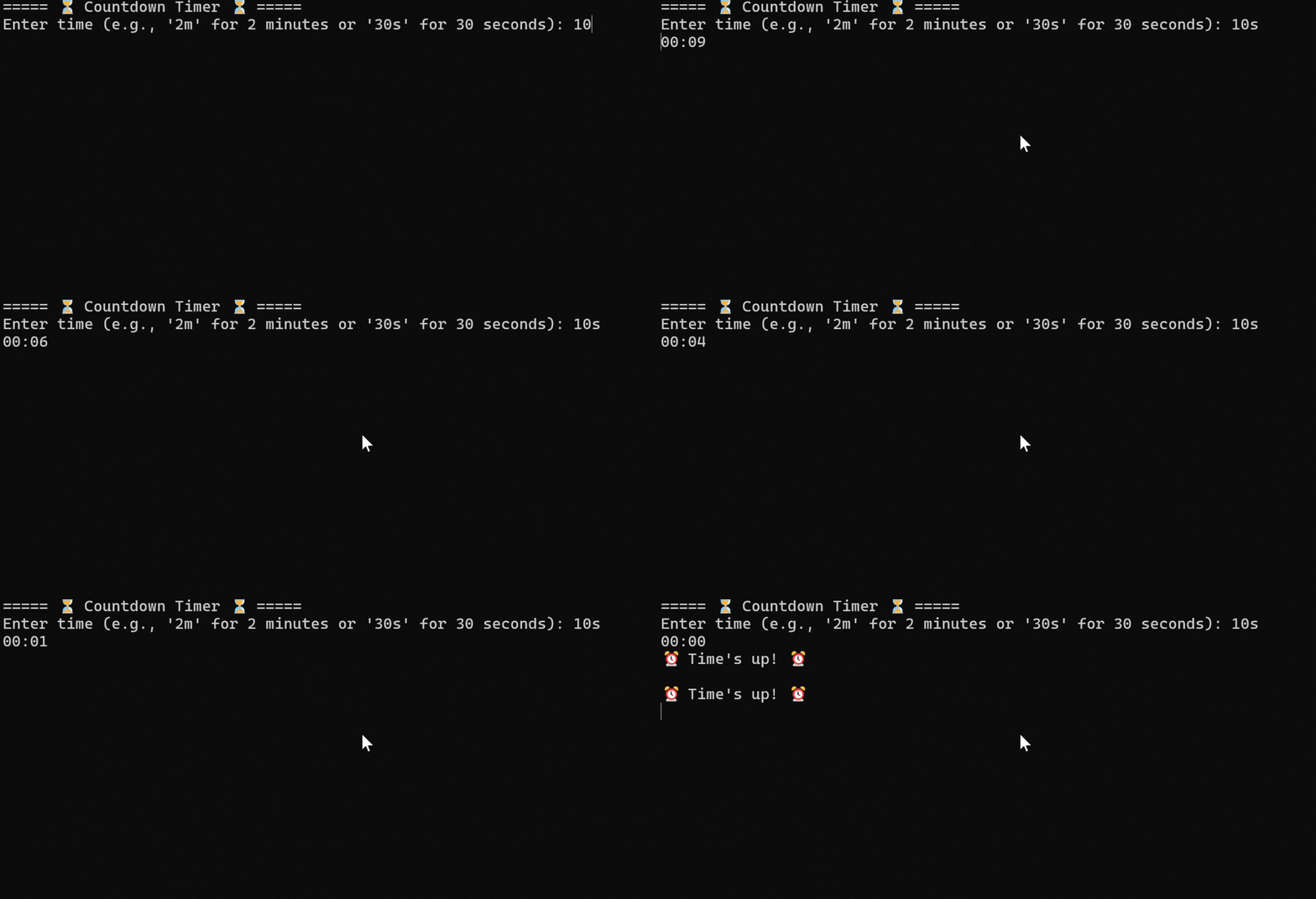
We designed each of these interactive game projects as step-by-step tutorials, so it feels like taking a free Python course while building real skills. If you want more structured learning, our Python course roundup can help you choose the right path.
Difficulty: Beginner | Estimated time: 1 to 2 hours | Skills: Tkinter, OOP, game logic
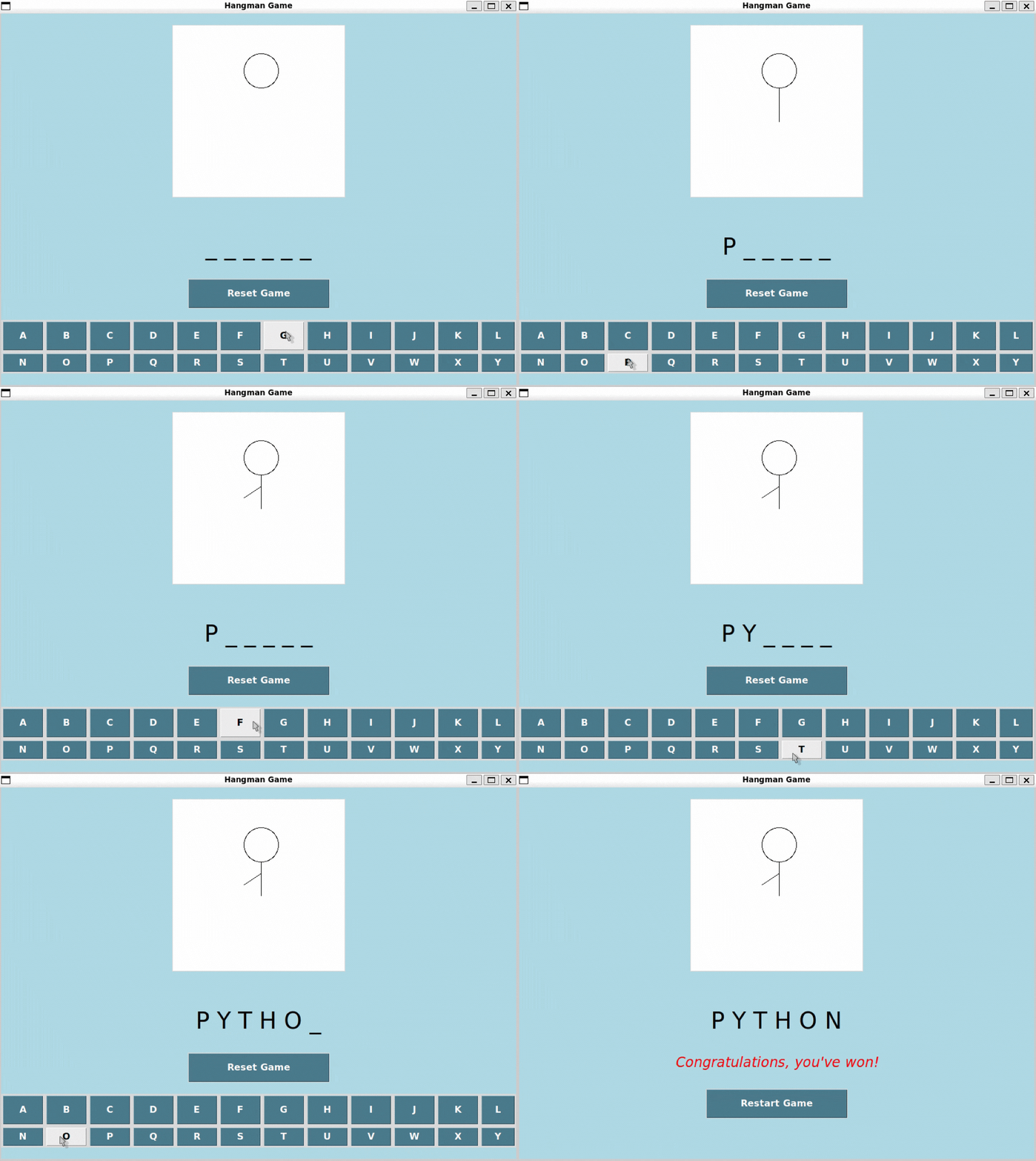
A Python Hangman game is a fun way to learn GUI basics and structure with object-oriented programming. You can keep it simple or expand it with difficulty levels and word lists.
Difficulty: Beginner to intermediate | Estimated time: 2 to 4 hours | Skills: OOP, UI, state management
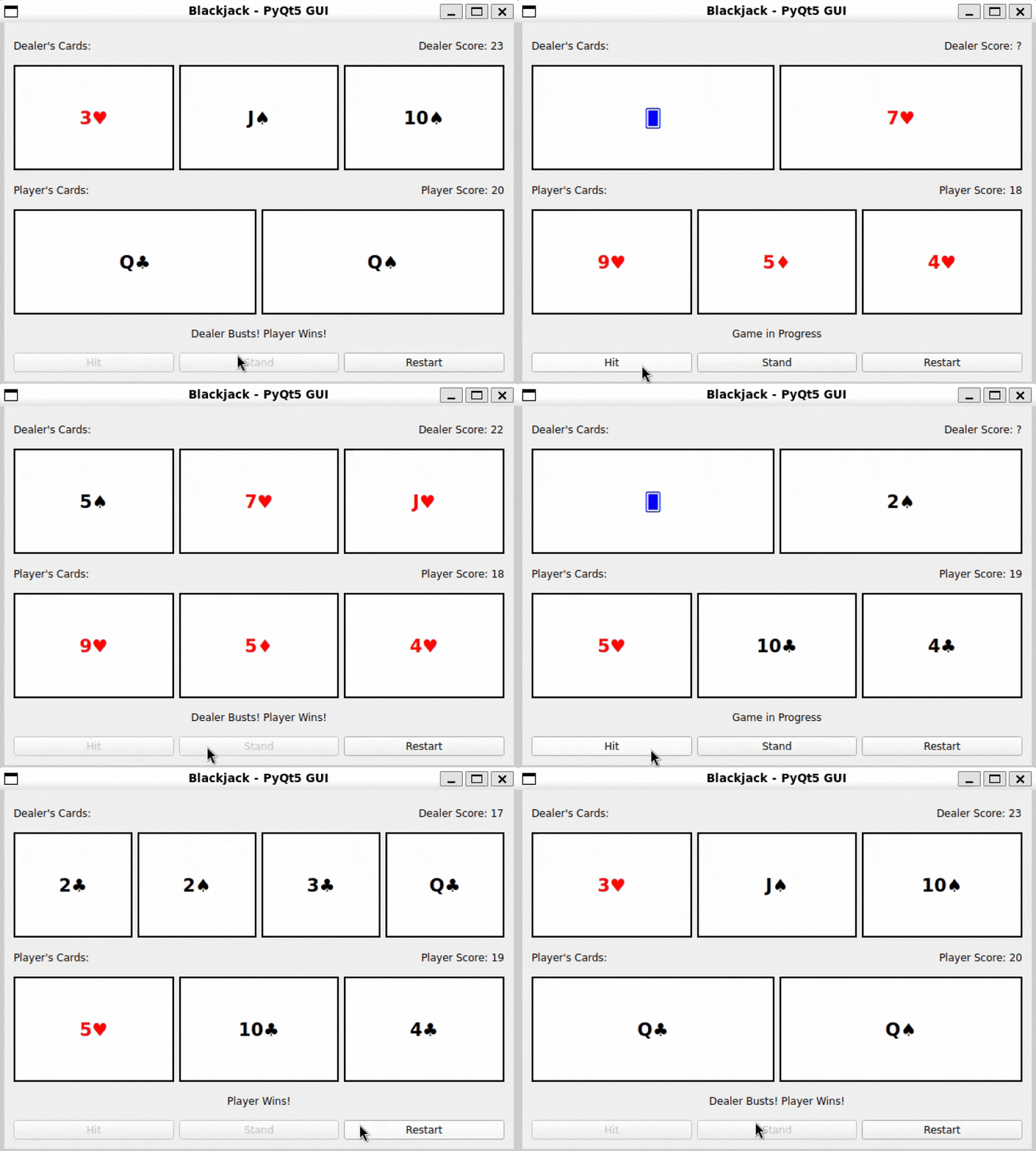
A Blackjack game combines game logic, object modeling, and UI development. It’s a solid portfolio piece because it demonstrates structure, edge cases, and UX.
If you’re learning Python, these projects are designed as step-by-step tutorials to help you learn fundamental concepts of Python programming. If you want a guided curriculum, our Python with Dr. Johns course takes a more academic approach.
Difficulty: Beginner | Estimated time: 30 to 60 minutes | Skills: strings, loops, user input
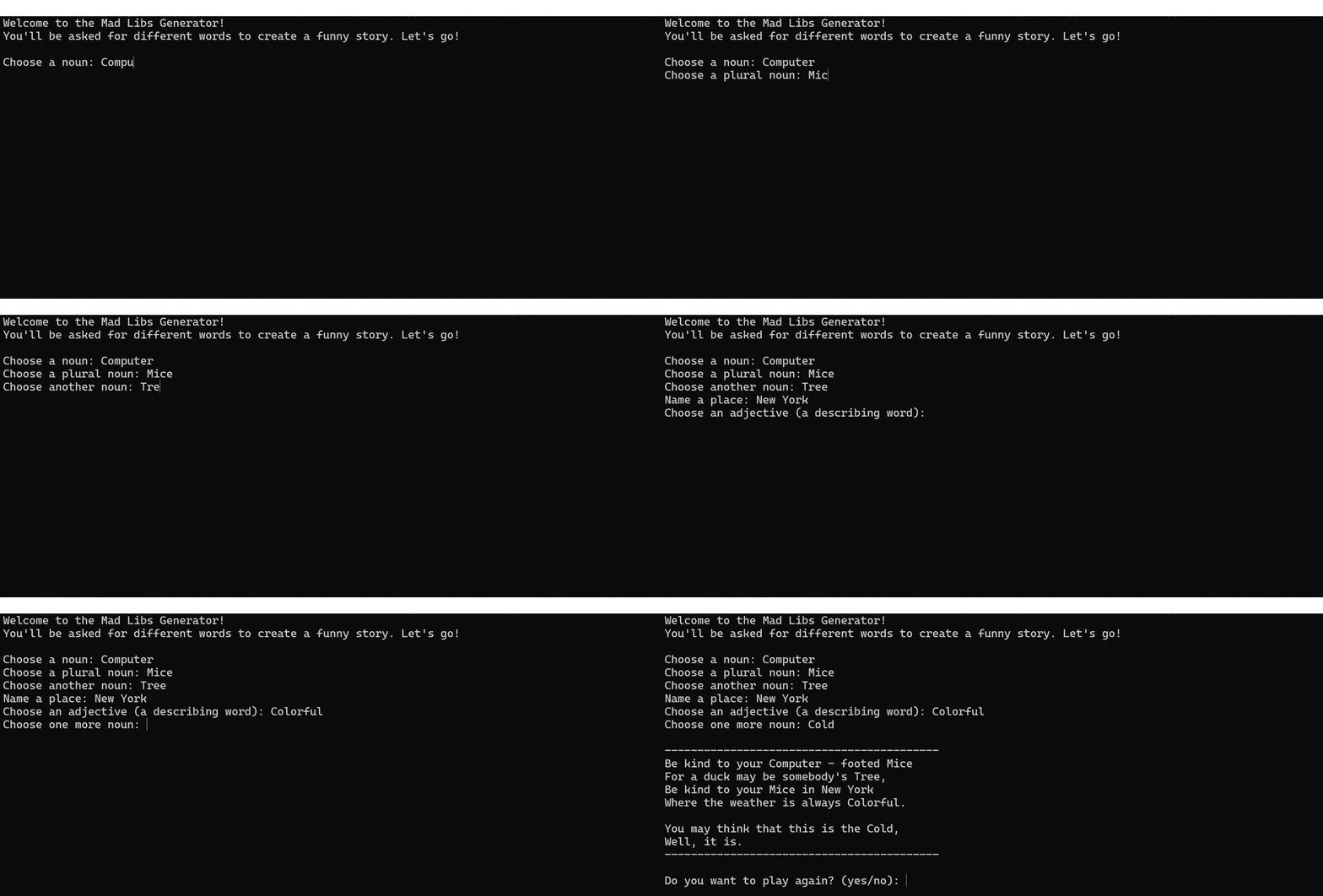
A Mad Libs generator is a fun way to practice user input, string manipulation, and loops. Users enter words that fill a story template for surprising results.
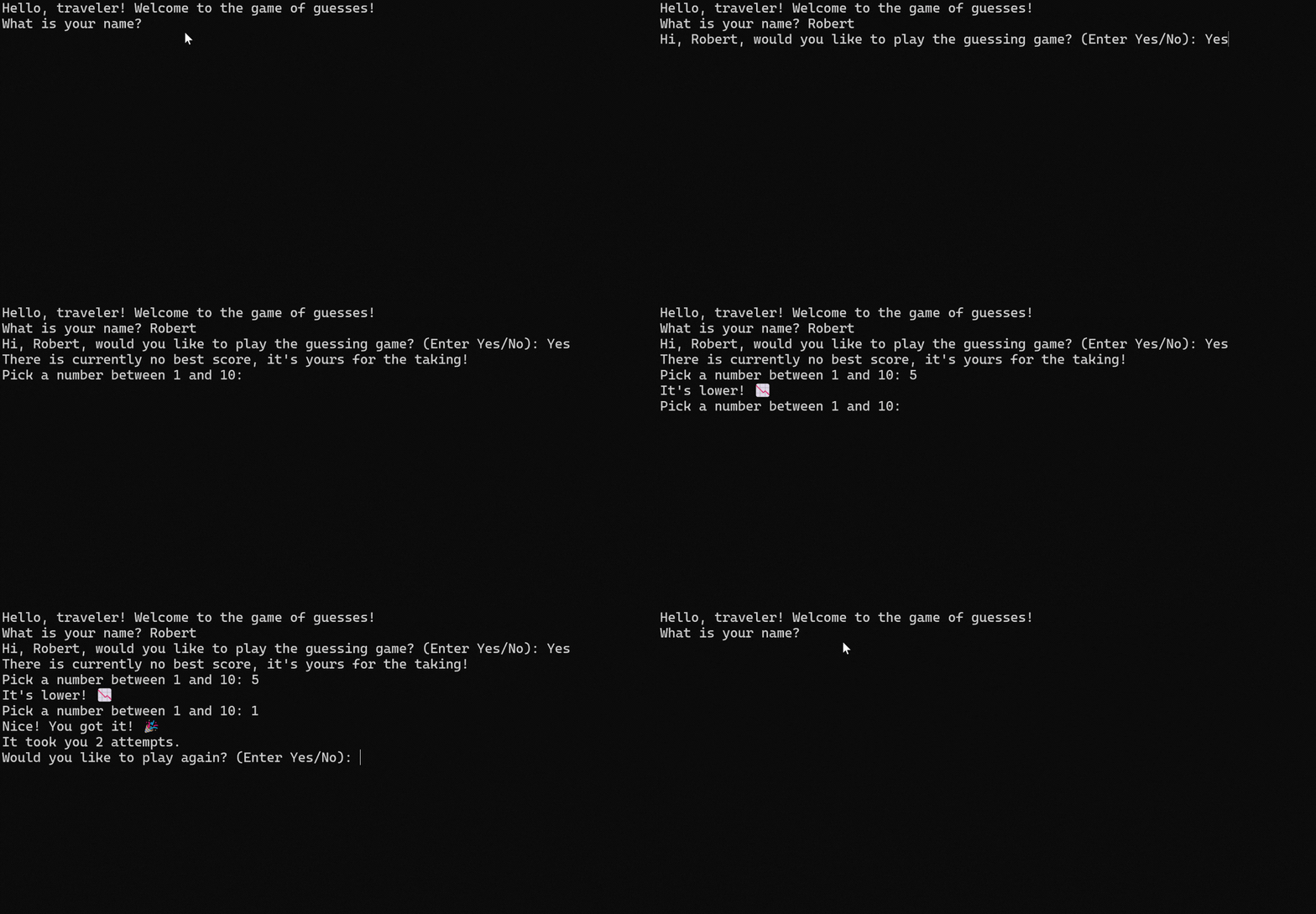
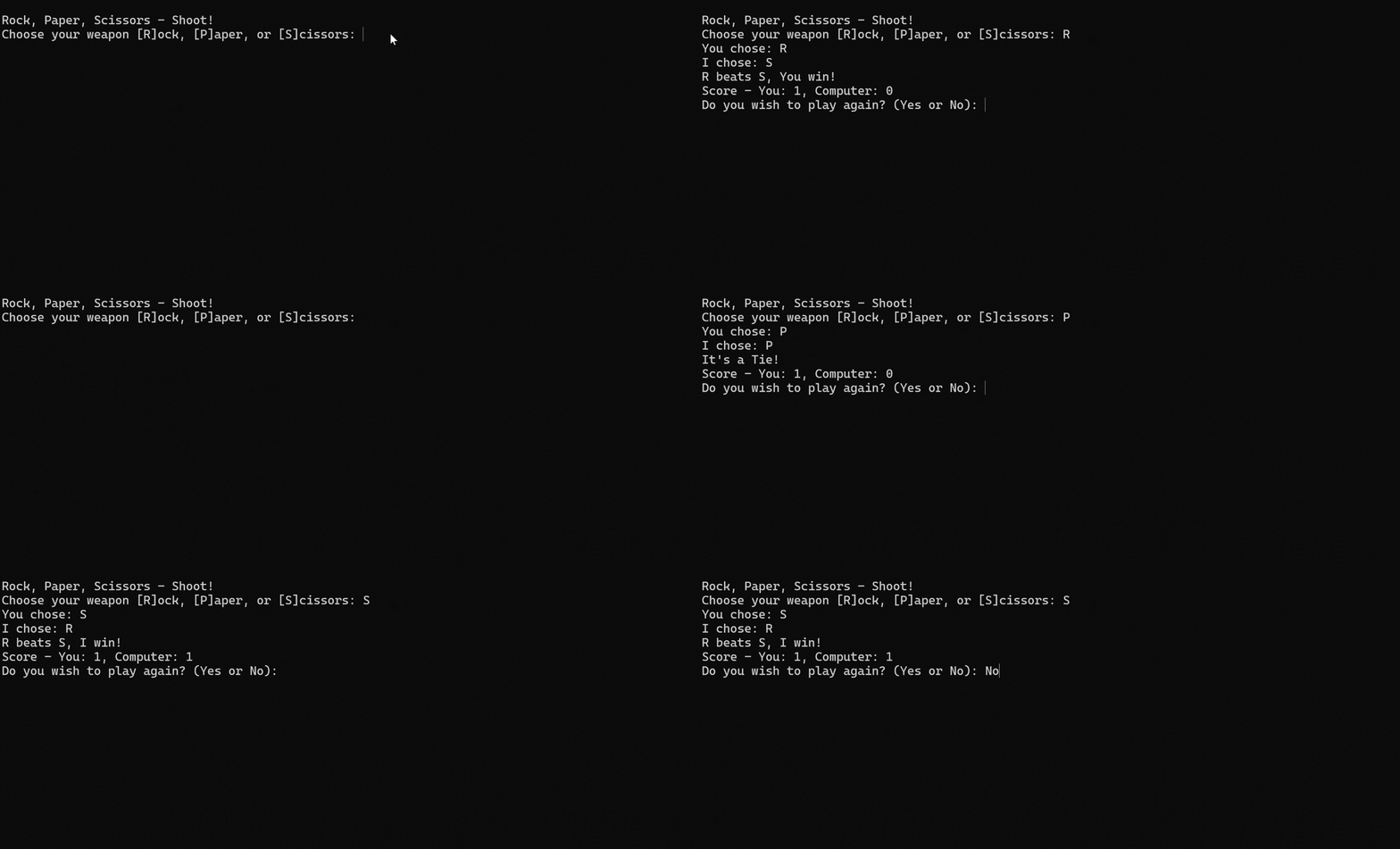
A Rock Paper Scissors game reinforces user input handling, randomization, and game logic. Add scorekeeping and best-of rounds to make it portfolio-friendly.
Difficulty: Beginner to intermediate | Estimated time: 60 to 120 minutes | Skills: security basics, entropy, validation
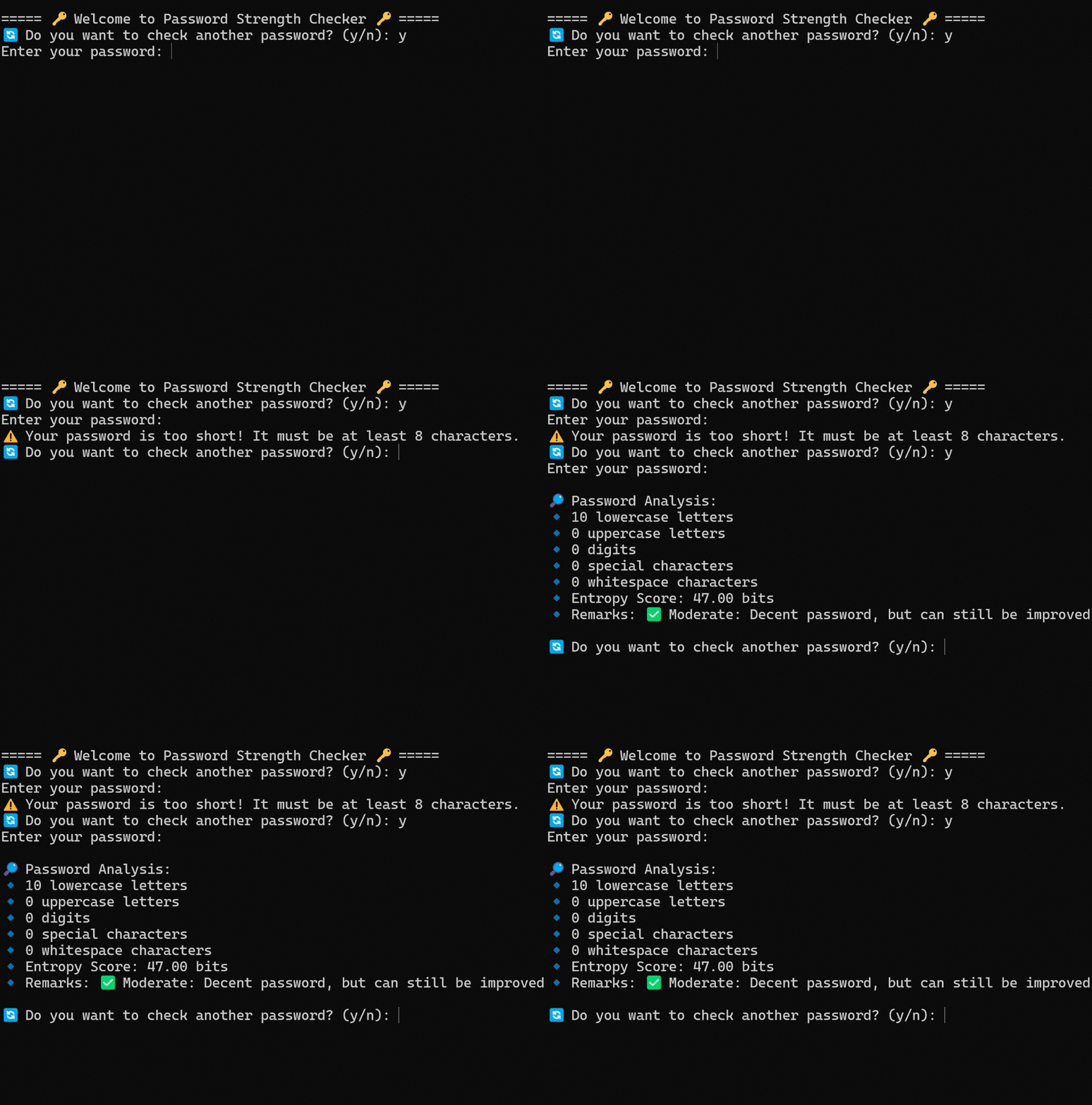
A password strength checker evaluates passwords based on entropy, length, and character diversity. It’s a useful project for anyone interested in security fundamentals.
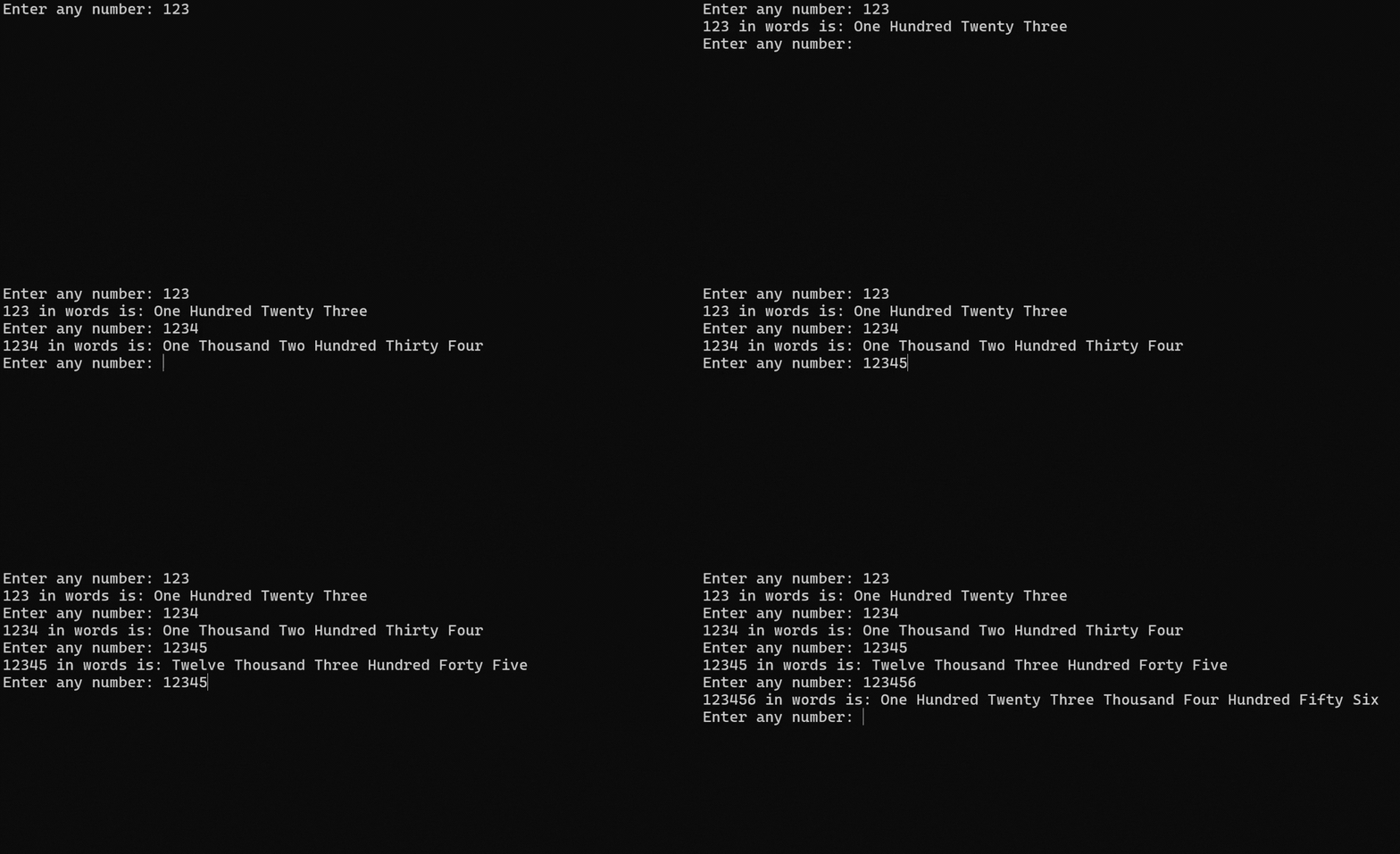
A numbers-to-words converter transforms numeric values into written English equivalents. It’s a great way to practice structured function design and logic.
We built this after a reader request. The goal is simple: parse dates safely, calculate age correctly, and handle edge cases. If you want a quick win that still teaches real-world input handling, this is a strong choice.
A Gmail SMTP email sender lets you send emails programmatically, which is useful for notifications, reports, and alerts. For 2026 best practices, store credentials in environment variables and use OAuth or app passwords where applicable.
Difficulty: Beginner to intermediate | Estimated time: 60 to 120 minutes | Skills: randomness, entropy, UX
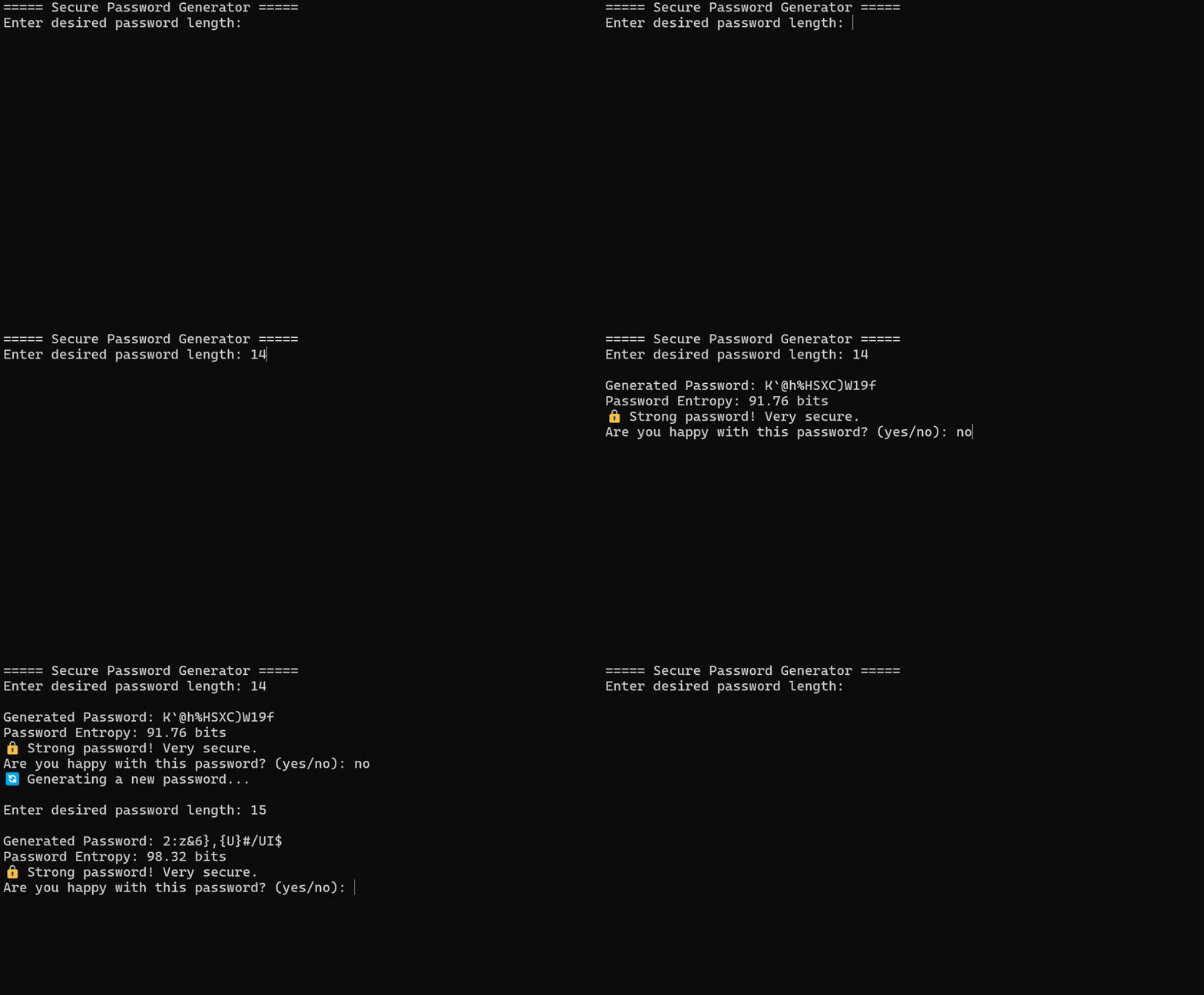
A password generator creates strong random passwords and can evaluate their strength. It’s a useful project for learning secure randomness and user-friendly output.
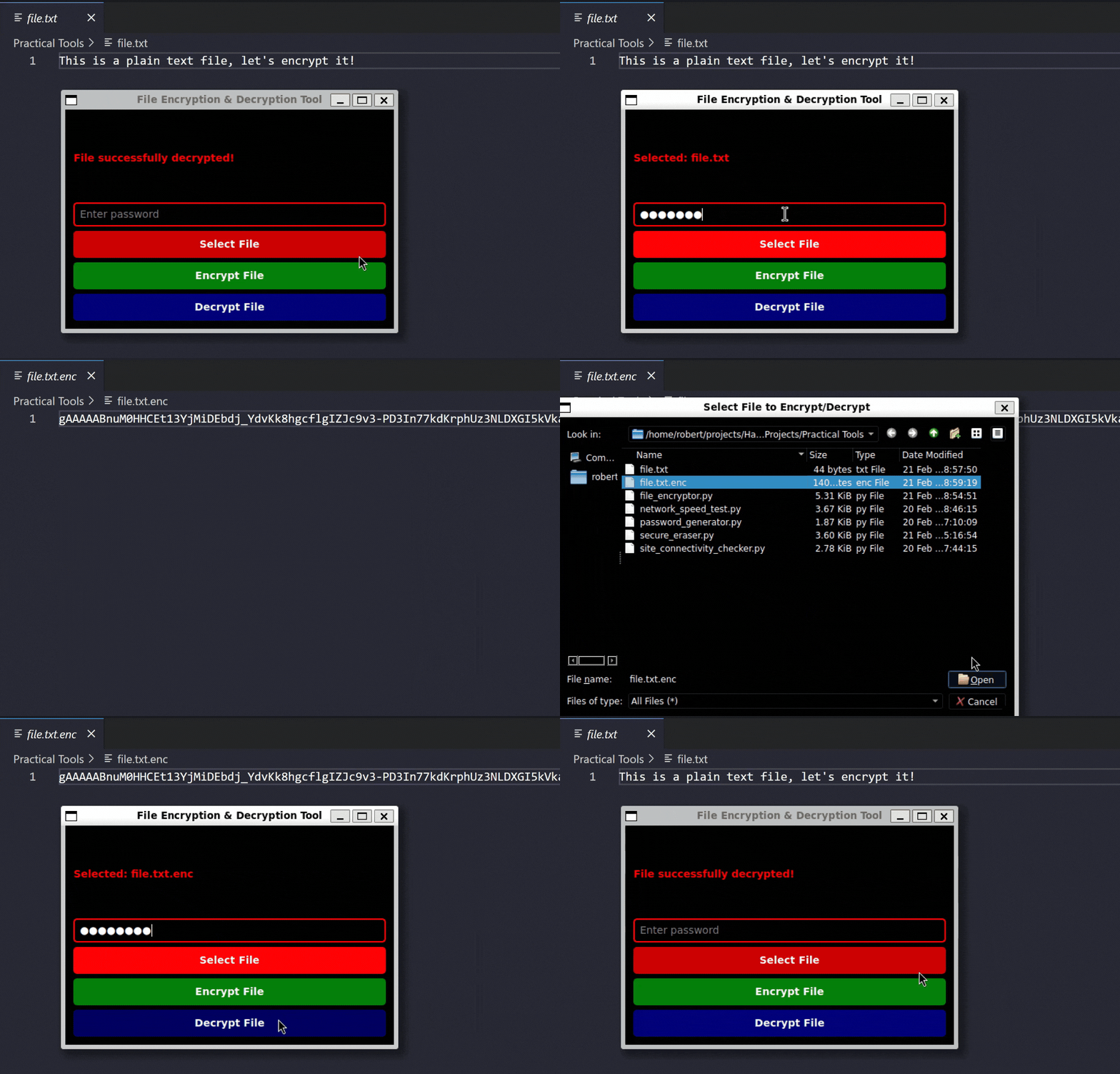
A file encryption tool helps you learn encryption basics and safe handling of sensitive files. Treat key management as part of the project, not an afterthought.
This project uses the requests library and a third-party API to convert currencies. This doesn’t ship with the Python standard library, so install it with pip.
For 2026 best practices, store API keys in environment variables rather than hard-coding them.
Source Code:
'''
Currency Converter
-------------------------------------------------------------
pip install requests

Recommended:
export FIXER_API_KEY="your_key_here"
'''

import os
import requests

def convert_currency():
    init_currency = input('Enter an initial currency: ').strip().upper()
    target_currency = input('Enter a target currency: ').strip().upper()

    while True:
        try:
            amount = float(input('Enter the amount: '))
        except ValueError:
            print('The amount must be a numeric value.')
            continue

        if amount <= 0:
            print('The amount must be greater than 0.')
            continue
        break

    url = (
        'https://api.apilayer.com/fixer/convert?to='
        + target_currency + '&from=' + init_currency +
        '&amount=' + str(amount)
    )

    api_key = os.getenv('FIXER_API_KEY', 'YOUR_API_KEY')
    headers = {'apikey': api_key}

    response = requests.get(url, headers=headers, timeout=30)
    if response.status_code != 200:
        print('There was a problem. Please try again later.')
        raise SystemExit(1)

    result = response.json()
    print('Conversion result: ' + str(result.get('result')))

if __name__ == '__main__':
    convert_currency()
Automatic Birthday Mail Sending
This project reads birthdays from an Excel file and sends an email on the correct date. Use environment variables for credentials and prefer OAuth or app passwords when available.
Source Code:
'''
Birthday Email Sender
-------------------------------------------------------------
pip install pandas openpyxl

Excel cols:
Name, Email, Birthday (MM/DD/YYYY), Last Sent (YYYY)

Recommended environment variables:
GMAIL_ID="your_email"
GMAIL_APP_PASSWORD="your_app_password"
'''

import os
import pandas as pd
from datetime import datetime
import smtplib
from email.message import EmailMessage

GMAIL_ID = os.getenv('GMAIL_ID', '')
GMAIL_APP_PASSWORD = os.getenv('GMAIL_APP_PASSWORD', '')

def send_email(recipient, subject, msg):
    if not GMAIL_ID or not GMAIL_APP_PASSWORD:
        raise RuntimeError('Missing email credentials. Set environment variables.')

    email = EmailMessage()
    email['Subject'] = subject
    email['From'] = GMAIL_ID
    email['To'] = recipient
    email.set_content(msg)

    with smtplib.SMTP_SSL('smtp.gmail.com', 465) as gmail_obj:
        gmail_obj.login(GMAIL_ID, GMAIL_APP_PASSWORD)
        gmail_obj.send_message(email)

def send_bday_emails(bday_file):
    bdays_df = pd.read_excel(bday_file)
    today = datetime.now().strftime('%m-%d')
    year_now = datetime.now().strftime('%Y')
    sent_index = []

    for idx, item in bdays_df.iterrows():
        bday = item['Birthday'].to_pydatetime().strftime('%m-%d')
        if (today == bday) and year_now not in str(item.get('Last Sent', '')):
            msg = 'Happy Birthday ' + str(item['Name']) + '!!'
            send_email(item['Email'], 'Happy Birthday', msg)
            sent_index.append(idx)

    for idx in sent_index:
        bdays_df.loc[bdays_df.index[idx], 'Last Sent'] = str(year_now)

    bdays_df.to_excel(bday_file, index=False)

if __name__ == '__main__':
    send_bday_emails(bday_file='your_bdays_list.xlsx')
Language Detector
This project uses langdetect to identify the language of user input and displays the result in a simple Tkinter GUI.
Source Code:
'''
Language Detector
-------------------------------------------------------------
pip install langdetect
'''

from langdetect import detect
import tkinter as tk

def detect_lang():
    window = tk.Tk()
    window.geometry('600x400')
    head = tk.Label(window, text='Language Detector', font=('Calibri 15'))
    head.pack(pady=20)

    def check_language():
        new_text = text.get()
        lang = detect(str(new_text))
        tk.Label(window, text=lang, font=('Calibri 15')).place(x=260, y=200)

    text = tk.StringVar()
    tk.Entry(window, textvariable=text).place(x=200, y=80, height=30, width=280)
    tk.Button(window, text='Check Language', command=check_language).place(x=285, y=150)
    window.mainloop()

if __name__ == '__main__':
    detect_lang()
Text to Speech
This project converts an article URL into an mp3 file using nltk, newspaper3k, and gtts.
Source Code:
'''
Text To Speech
-------------------------------------------------------------
pip install nltk newspaper3k gtts
'''

import nltk
from newspaper import Article
from gtts import gTTS

def text_to_speech(url):
    article = Article(url)
    article.download()
    article.parse()
    nltk.download('punkt')
    article.nlp()
    article_text = article.text
    language = 'en'
    my_obj = gTTS(text=article_text, lang=language, slow=False)
    my_obj.save("read_article.mp3")

if __name__ == '__main__':
    text_to_speech(
        url='https://hackr.io/blog/top-tech-companies-hiring-python-developers'
    )
Text Editor
This project creates a basic text editor GUI with open and save functionality.
Source Code:
'''
Text Editor
-------------------------------------------------------------
'''

import tkinter as tk
from tkinter.filedialog import askopenfilename, asksaveasfilename

def text_editor():
    def open_file():
        filepath = askopenfilename(
            filetypes=[('Text Files', '*.txt'), ('All Files', '*.*')]
        )
        if not filepath:
            return

        txt_edit.delete(1.0, tk.END)
        with open(filepath, 'r') as input_file:
            text = input_file.read()
            txt_edit.insert(tk.END, text)
        window.title(f'TextEditor - {filepath}')

    def save_file():
        filepath = asksaveasfilename(
            defaultextension='txt',
            filetypes=[('Text Files', '*.txt'), ('All Files', '*.*')],
        )
        if not filepath:
            return

        with open(filepath, 'w') as output_file:
            text = txt_edit.get(1.0, tk.END)
            output_file.write(text)
        window.title(f'Text Editor - {filepath}')

    window = tk.Tk()
    window.title('Text Editor')
    window.rowconfigure(0, minsize=800, weight=1)
    window.columnconfigure(1, minsize=800, weight=1)

    txt_edit = tk.Text(window)
    fr_buttons = tk.Frame(window, relief=tk.RAISED, bd=2)
    btn_open = tk.Button(fr_buttons, text='Open', command=open_file)
    btn_save = tk.Button(fr_buttons, text='Save As...', command=save_file)

    btn_open.grid(row=0, column=0, sticky='ew', padx=5, pady=5)
    btn_save.grid(row=1, column=0, sticky='ew', padx=5)

    fr_buttons.grid(row=0, column=0, sticky='ns')
    txt_edit.grid(row=0, column=1, sticky='nsew')

    window.mainloop()

if __name__ == '__main__':
    text_editor()
Python Data Structures and Algorithms
Binary Search Algorithm
Binary search is a rite of passage for many Python learners. It’s also a great way to build confidence with time complexity and problem decomposition.
Source Code:
'''
Binary Search
-------------------------------------------------------------
'''

def binary_search(a_list, an_item):
    first = 0
    last = len(a_list) - 1

    while first <= last:
        mid_point = (first + last) // 2
        if a_list[mid_point] == an_item:
            return True
        if an_item < a_list[mid_point]:
            last = mid_point - 1
        else:
            first = mid_point + 1
    return False

def binary_search_rec(a_list, first, last, an_item):
    if len(a_list) == 0:
        return False

    mid_point = (first + last) // 2
    if a_list[mid_point] == an_item:
        return True

    if an_item < a_list[mid_point]:
        return binary_search_rec(a_list, first, mid_point - 1, an_item)
    return binary_search_rec(a_list, mid_point + 1, last, an_item)

if __name__ == '__main__':
    a_list = [1, 4, 7, 10, 14, 19, 102, 2575, 10000]
    print('Binary Search:', binary_search(a_list, 4))
    print('Binary Search Recursive:', binary_search_rec(a_list, 0, len(a_list) - 1, 4))
Merge Sort Algorithm
Merge sort is a classic divide-and-conquer algorithm that demonstrates recursion and the idea of combining sorted results.
Source Code:
'''
Merge Sort
-------------------------------------------------------------
'''

def merge_sort(a_list):
    if len(a_list) <= 1:
        return a_list

    mid_point = len(a_list) // 2
    left_half = merge_sort(a_list[:mid_point])
    right_half = merge_sort(a_list[mid_point:])

    merged = []
    i = 0
    j = 0

    while i < len(left_half) and j < len(right_half):
        if left_half[i] <= right_half[j]:
            merged.append(left_half[i])
            i += 1
        else:
            merged.append(right_half[j])
            j += 1

    merged.extend(left_half[i:])
    merged.extend(right_half[j:])
    return merged

if __name__ == '__main__':
    a_list = [45, 7, 85, 24, 60, 25, 38, 63, 1]
    print(merge_sort(a_list))
Queue
A queue is a common data structure when you need First-In-First-Out behavior, like message queues or task pipelines.
This project builds a GUI sudoku solver using backtracking. It’s a great way to learn recursion, state, and UI updates.
Source Code:
'''
Sudoku Solver
-------------------------------------------------------------
pip install pygame
image link:
https://www.pngitem.com/pimgs/m/210-2106648_empty-sudoku-grid-grid-6x6-png-transparent-png.png
'''

import pygame

pygame.font.init()
screen = pygame.display.set_mode((600, 600))
pygame.display.set_caption('SUDOKU SOLVER USING BACKTRACKING')
img = pygame.image.load('icon.png')
pygame.display.set_icon(img)
font1 = pygame.font.SysFont('comicsans', 40)
font2 = pygame.font.SysFont('comicsans', 20)
x = 0
y = 0
dif = 500 / 9
val = 0

grid = [
    [7, 8, 0, 4, 0, 0, 1, 2, 0],
    [6, 0, 0, 0, 7, 5, 0, 0, 9],
    [0, 0, 0, 6, 0, 1, 0, 7, 8],
    [0, 0, 7, 0, 4, 0, 2, 6, 0],
    [0, 0, 1, 0, 5, 0, 9, 3, 0],
    [9, 0, 4, 0, 6, 0, 0, 0, 5],
    [0, 7, 0, 3, 0, 0, 0, 1, 2],
    [1, 2, 0, 0, 0, 7, 4, 0, 0],
    [0, 4, 9, 2, 0, 6, 0, 0, 7]
]

def get_coord(pos):
    global x, y
    x = pos[0] // dif
    y = pos[1] // dif

def draw_box():
    for i in range(2):
        pygame.draw.line(screen, (255, 0, 0), (x * dif - 3, (y + i) * dif), (x * dif + dif + 3, (y + i) * dif), 7)
        pygame.draw.line(screen, (255, 0, 0), ((x + i) * dif, y * dif), ((x + i) * dif, y * dif + dif), 7)

def draw():
    for i in range(9):
        for j in range(9):
            if grid[i][j] != 0:
                pygame.draw.rect(screen, (0, 153, 153), (i * dif, j * dif, dif + 1, dif + 1))
                text1 = font1.render(str(grid[i][j]), 1, (0, 0, 0))
                screen.blit(text1, (i * dif + 15, j * dif + 15))

    for i in range(10):
        thick = 7 if i % 3 == 0 else 1
        pygame.draw.line(screen, (0, 0, 0), (0, i * dif), (500, i * dif), thick)
        pygame.draw.line(screen, (0, 0, 0), (i * dif, 0), (i * dif, 500), thick)

def draw_val(val):
    text1 = font1.render(str(val), 1, (0, 0, 0))
    screen.blit(text1, (x * dif + 15, y * dif + 15))

def raise_error_1():
    text1 = font1.render('WRONG !!!', 1, (0, 0, 0))
    screen.blit(text1, (20, 570))

def raise_error_2():
    text1 = font1.render('Wrong !!! Not a valid Key', 1, (0, 0, 0))
    screen.blit(text1, (20, 570))

def valid(m, i, j, val):
    for it in range(9):
        if m[i][it] == val:
            return False
        if m[it][j] == val:
            return False

    it = i // 3
    jt = j // 3

    for a in range(it * 3, it * 3 + 3):
        for b in range(jt * 3, jt * 3 + 3):
            if m[a][b] == val:
                return False
    return True

def solve(grid, i, j):
    while grid[i][j] != 0:
        if i < 8:
            i += 1
        elif i == 8 and j < 8:
            i = 0
            j += 1
        else:
            return True

    pygame.event.pump()
    for it in range(1, 10):
        if valid(grid, i, j, it):
            grid[i][j] = it
            screen.fill((255, 255, 255))
            draw()
            draw_box()
            pygame.display.update()
            pygame.time.delay(20)

            if solve(grid, i, j):
                return True

            grid[i][j] = 0
            screen.fill((255, 255, 255))
            draw()
            draw_box()
            pygame.display.update()
            pygame.time.delay(50)
    return False

def instruction():
    text1 = font2.render('PRESS D TO RESET TO DEFAULT / R TO EMPTY', 1, (0, 0, 0))
    text2 = font2.render('ENTER VALUES AND PRESS ENTER TO VISUALIZE', 1, (0, 0, 0))
    screen.blit(text1, (20, 520))
    screen.blit(text2, (20, 540))

def result():
    text1 = font1.render('FINISHED PRESS R or D', 1, (0, 0, 0))
    screen.blit(text1, (20, 570))

run = True
flag_1 = 0
flag_2 = 0
rs = 0
error = 0
val = 0

while run:
    screen.fill((255, 255, 255))
    for event in pygame.event.get():
        if event.type == pygame.QUIT:
            run = False

        if event.type == pygame.MOUSEBUTTONDOWN:
            flag_1 = 1
            pos = pygame.mouse.get_pos()
            get_coord(pos)

        if event.type == pygame.KEYDOWN:
            if event.key == pygame.K_LEFT:
                x -= 1
                flag_1 = 1
            if event.key == pygame.K_RIGHT:
                x += 1
                flag_1 = 1
            if event.key == pygame.K_UP:
                y -= 1
                flag_1 = 1
            if event.key == pygame.K_DOWN:
                y += 1
                flag_1 = 1

            if event.key in (pygame.K_1, pygame.K_2, pygame.K_3, pygame.K_4, pygame.K_5, pygame.K_6, pygame.K_7, pygame.K_8, pygame.K_9):
                val = int(event.unicode)

            if event.key == pygame.K_RETURN:
                flag_2 = 1

            if event.key == pygame.K_r:
                rs = 0
                error = 0
                flag_2 = 0
                grid = [[0] * 9 for _ in range(9)]

            if event.key == pygame.K_d:
                rs = 0
                error = 0
                flag_2 = 0
                grid = [
                    [7, 8, 0, 4, 0, 0, 1, 2, 0],
                    [6, 0, 0, 0, 7, 5, 0, 0, 9],
                    [0, 0, 0, 6, 0, 1, 0, 7, 8],
                    [0, 0, 7, 0, 4, 0, 2, 6, 0],
                    [0, 0, 1, 0, 5, 0, 9, 3, 0],
                    [9, 0, 4, 0, 6, 0, 0, 0, 5],
                    [0, 7, 0, 3, 0, 0, 0, 1, 2],
                    [1, 2, 0, 0, 0, 7, 4, 0, 0],
                    [0, 4, 9, 2, 0, 6, 0, 0, 7]
                ]

    if flag_2 == 1:
        if not solve(grid, 0, 0):
            error = 1
        else:
            rs = 1
        flag_2 = 0

    if val != 0:
        draw_val(val)
        if valid(grid, int(x), int(y), val):
            grid[int(x)][int(y)] = val
            flag_1 = 0
        else:
            grid[int(x)][int(y)] = 0
            raise_error_2()
        val = 0

    if error == 1:
        raise_error_1()
    if rs == 1:
        result()

    draw()
    if flag_1 == 1:
        draw_box()
    instruction()
    pygame.display.update()
Python Bot Projects
Reddit Bot
This project creates an automated Reddit bot using praw and pyenchant. Use it responsibly, respect subreddit rules, and add rate limiting to avoid spammy behavior.
Important note: You’ll need to follow these instructions to get a client_id, client_secret, username, password, and user_agent.
Source Code:
'''
Reddit Reply Bot
-------------------------------------------------------------
pip install praw pyenchant
'''

import praw
import enchant

def reddit_bot(sub, trigger_phrase):
    reddit = praw.Reddit(
        client_id='your_client_id',
        client_secret='your_client_secret',
        username='your_username',
        password='your_pw',
        user_agent='your_user_agent'
    )

    subreddit = reddit.subreddit(sub)
    dict_suggest = enchant.Dict('en_US')

    for comment in subreddit.stream.comments():
        if trigger_phrase in comment.body.lower():
            word = comment.body.replace(trigger_phrase, '')
            reply_text = ''
            similar_words = dict_suggest.suggest(word)
            for similar in similar_words:
                reply_text += (similar + ' ')
            comment.reply(reply_text)

if __name__ == '__main__':
    reddit_bot(sub='Python', trigger_phrase='useful bot')
Chatbot (Legacy Project)
This chatbot example uses the chatterbot library. It has seen limited maintenance for years, so treat it as a learning exercise rather than a modern production pattern.
If you want a more current chatbot build, we recommend a rules-and-intents chatbot, or an LLM-based chatbot with rate limiting and safety checks.
This project uses object-oriented programming to simulate a library management system. It’s a great base for expanding into databases, unique IDs, due dates, and simple GUIs.
Source Code:
'''
Library
-------------------------------------------------------------
'''

class Library:
    def __init__(self, books):
        self.books = books

    def show_avail_books(self):
        print('Our Library Can Offer You The Following Books:')
        print('================================================')
        for book, borrower in self.books.items():
            if borrower == 'Free':
                print(book)

    def lend_book(self, requested_book, name):
        if self.books[requested_book] == 'Free':
            print(f'{requested_book} has been marked as Borrowed by: {name}')
            self.books[requested_book] = name
            return True
        print(f'Sorry, the {requested_book} is currently on loan to: {self.books[requested_book]}')
        return False

    def return_book(self, returned_book):
        self.books[returned_book] = 'Free'
        print(f'Thanks for returning {returned_book}')

class Student:
    def __init__(self, name, library):
        self.name = name
        self.books = []
        self.library = library

    def view_borrowed(self):
        if not self.books:
            print('You have not borrowed any books')
        else:
            for book in self.books:
                print(book)

    def request_book(self):
        book = input('Enter the name of the book you would like to borrow >> ')
        if self.library.lend_book(book, self.name):
            self.books.append(book)

    def return_book(self):
        book = input('Enter the name of the book you would like to return >> ')
        if book in self.books:
            self.library.return_book(book)
        else:
            print('You have not borrowed that book, try another.')

def create_lib():
    books = {
        'The Last Battle': 'Free',
        'The Hunger Games': 'Free',
        'Cracking the Coding Interview': 'Free'
    }
    library = Library(books)
    student_example = Student('Your Name', library)

    while True:
        print('''
==========LIBRARY MENU===========
1. Display Available Books
2. Borrow a Book
3. Return a Book
4. View Your Books
5. Exit
''')
        choice = int(input('Enter Choice: '))
        if choice == 1:
            library.show_avail_books()
        elif choice == 2:
            student_example.request_book()
        elif choice == 3:
            student_example.return_book()
        elif choice == 4:
            student_example.view_borrowed()
        elif choice == 5:
            print('Goodbye')
            raise SystemExit(0)

if __name__ == '__main__':
    create_lib()
Netflix Recommendation System
This project builds a simple recommendation engine using a Netflix dataset. The example below fixes a common column-name mismatch and keeps the overall approach intact. For a stronger 2026 portfolio version, swap in a newer dataset and add evaluation, caching, and a clean UI layer.
Source Code:
'''
Netflix Recommendation Engine
-------------------------------------------------------------
pip install pandas numpy nltk
'''

from nltk.tokenize import word_tokenize
import numpy as np
import pandas as pd
import re
import nltk
import tkinter as tk
from nltk.corpus import stopwords

nltk.download('stopwords')

data = pd.read_csv('netflixData.csv')
data = data.dropna(subset=['Cast', 'Production Country', 'Rating'])

movies = data[data['Content Type'] == 'Movie'].reset_index()
movies = movies.drop(['index', 'Show Id', 'Content Type', 'Date Added',
                      'Release Date', 'Duration', 'Description'], axis=1)

tv = data[data['Content Type'] == 'TV Show'].reset_index()
tv = tv.drop(['index', 'Show Id', 'Content Type', 'Date Added',
              'Release Date', 'Duration', 'Description'], axis=1)

# Note: feature engineering code omitted here for brevity, keep your existing blocks above.
# Ensure the final feature matrices are named `binary` for movies and `binary_2` for TV.

window = tk.Tk()
window.geometry('600x600')
head = tk.Label(window, text='Enter a Netflix Movie or TV Show for Recommendations', font=('Calibri 15'))
head.pack(pady=20)

def netflix_recommender(search):
    cs_list = []
    binary_list = []

    if search in movies['Title'].values:
        idx = movies[movies['Title'] == search].index.item()
        for i in binary.iloc[idx]:
            binary_list.append(i)

        point_1 = np.array(binary_list).reshape(1, -1)
        point_1 = [val for sublist in point_1 for val in sublist]

        for j in range(len(movies)):
            binary_list_2 = []
            for k in binary.iloc[j]:
                binary_list_2.append(k)
            point_2 = np.array(binary_list_2).reshape(1, -1)
            point_2 = [val for sublist in point_2 for val in sublist]

            dot_product = np.dot(point_1, point_2)
            norm_1 = np.linalg.norm(point_1)
            norm_2 = np.linalg.norm(point_2)
            cos_sim = dot_product / (norm_1 * norm_2)
            cs_list.append(cos_sim)

        movies_copy = movies.copy()
        movies_copy['cos_sim'] = cs_list
        results = movies_copy.sort_values('cos_sim', ascending=False)

        results = results[results['Title'] != search]
        return results.head(5)

    if search in tv['Title'].values:
        idx = tv[tv['Title'] == search].index.item()
        for i in binary_2.iloc[idx]:
            binary_list.append(i)

        point_1 = np.array(binary_list).reshape(1, -1)
        point_1 = [val for sublist in point_1 for val in sublist]

        for j in range(len(tv)):
            binary_list_2 = []
            for k in binary_2.iloc[j]:
                binary_list_2.append(k)
            point_2 = np.array(binary_list_2).reshape(1, -1)
            point_2 = [val for sublist in point_2 for val in sublist]

            dot_product = np.dot(point_1, point_2)
            norm_1 = np.linalg.norm(point_1)
            norm_2 = np.linalg.norm(point_2)
            cos_sim = dot_product / (norm_1 * norm_2)
            cs_list.append(cos_sim)

        tv_copy = tv.copy()
        tv_copy['cos_sim'] = cs_list
        results = tv_copy.sort_values('cos_sim', ascending=False)
        results = results[results['Title'] != search]
        return results.head(5)

    return 'Title not in dataset. Please check spelling.'

def call_recommender():
    subject = text.get()
    recommendation = netflix_recommender(subject)
    txt = ''
    if isinstance(recommendation, str):
        txt = recommendation
    else:
        for _, row in recommendation.iterrows():
            txt += 'Title: ' + str(row['Title']) + '\n'
    tk.Label(window, text=txt, font=('Calibri 12'), justify='left').place(x=60, y=180)

text = tk.StringVar()
tk.Entry(window, textvariable=text).place(x=60, y=80, height=30, width=480)
tk.Button(window, text='Find Recommendations', command=call_recommender).place(x=240, y=130)
window.mainloop()
Where To Start With Python
Today, we’re seeing growing adoption of AI, machine learning, and data science across most business sectors. These fields often rely on Python.
When it comes to learning Python in 2026, you have many options. If you prefer an in-depth and interactive learning experience, we also recommend our Python course.
What Should I Build Using Python?
If you’re new to coding in Python, start with something small, then scale. Python supports web development, data work, automation, and tooling, so you can choose projects that match your goals.
That’s why we put this list together, so you can pick a project and start building.
Wrapping Up
Building projects is the fastest way to learn, and now you have a list of real-world, portfolio-worthy ideas to work on.
Pick a project, start coding, and watch your Python skills grow. We keep adding new projects, so bookmark this page and check back for more.
Happy coding.
Enjoyed tackling these Python projects and want to go deeper? Check out:
You are visitor 01402503 — GeezerVison does not store the pages you look up. Best viewed with Netscape Navigator 4.7 or Internet Explorer 6 at 800×600. No cookies required.