GeezerVison is showing hibikicodex.com — Hibiki Codex — a wise codex of what your computer just heard


響
hi · bi · ki — echo, resonance
A wise codex of what your computer just heard
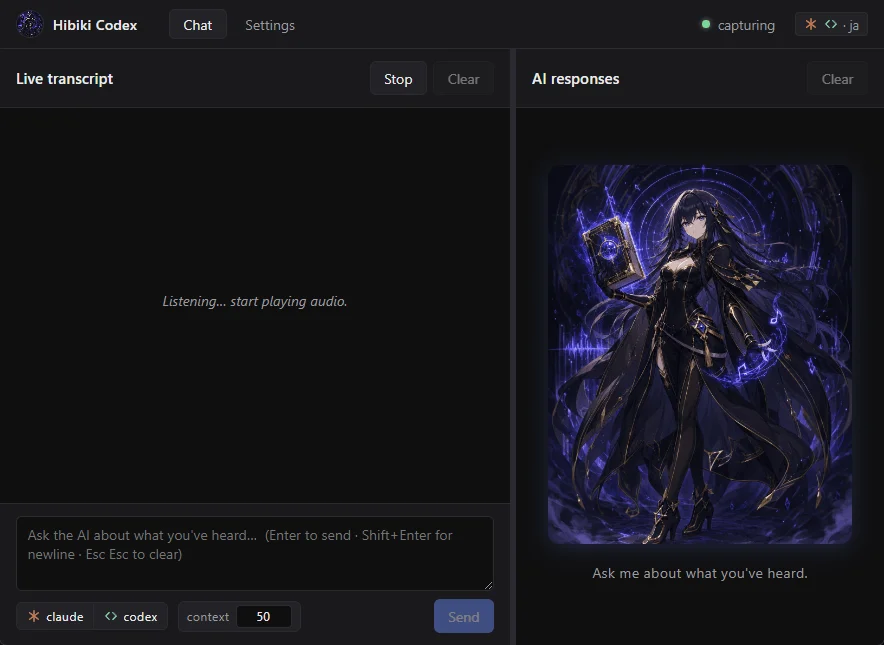
Hibiki Codex captures your system audio, transcribes it locally with
whisper.cpp (auto-detect, Japanese, or English), and lets you ask
Claude or Codex about what you've been hearing — all in one Windows
desktop app. Whisper runtime + model are downloaded in-app on first
launch.
Three steps, one window.
The whole loop runs locally on your machine — only your prompt and
the surrounding transcript are sent to Claude or Codex when you ask.
一
Capture
WASAPI loopback grabs whatever your default playback device is
playing — meetings, lectures, anime, anything.
二
Transcribe
whisper.cpp runs locally with a rolling buffer, streaming
chat-style transcript lines. Auto-detect language, or pin to
Japanese or English.
三
Ask
Send a prompt to Claude, Codex, or both side-by-side. The recent
transcript is attached as context automatically.
What people use it for.
Anything your computer plays, Hibiki can transcribe and pull context
from. Two flows that come up a lot:
Anime · VN · drama
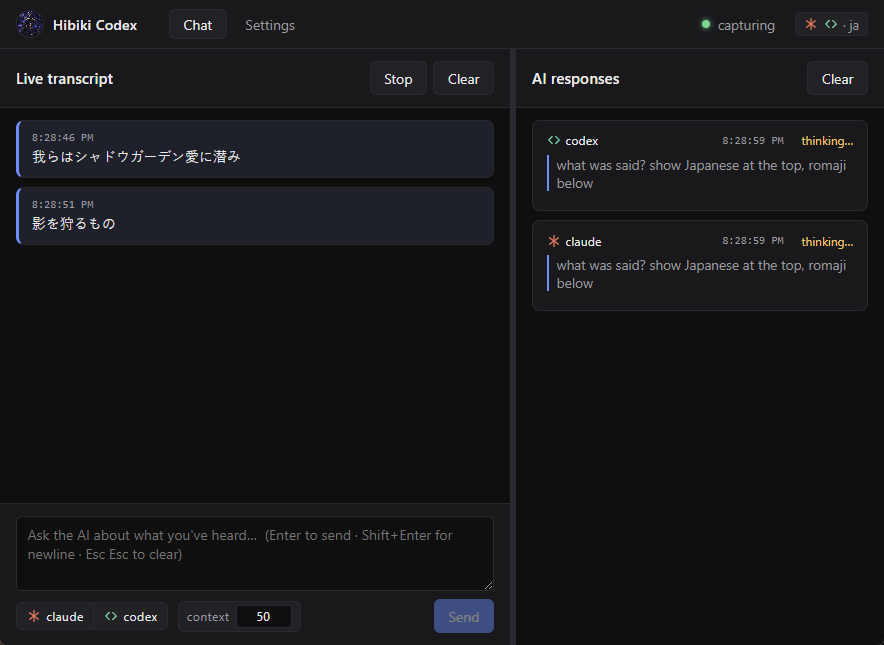
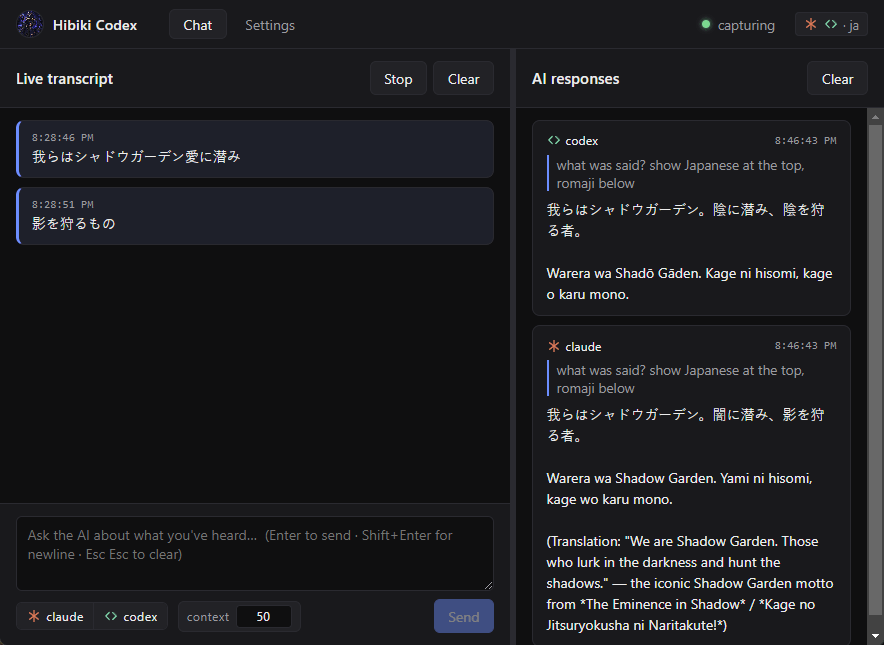
Decode a Japanese line on the fly
Pause a scene, let Hibiki transcribe the line that just played,
then ask Claude or Codex to break it down — kanji reading,
grammar, idiom, cultural context. No browser tab, no copy-paste
across three sites.
Streams · podcasts · news
Fact-check what a streamer just said
Hear a confident claim about a date, a stat, or a feature? Ask
Hibiki — the most recent transcript lines come along as
context, so the AI knows exactly what was said and can call
out whether it holds up.
Standups · 1:1s · client calls
Catch up on a meeting you half-heard
Hibiki captures the call from your default playback device.
Ask "what did we decide about X?" or "list the action items"
and the AI answers from the live transcript — no recording
to scrub through, no separate note-taker.
Conferences · tutorials · lectures
Follow a tech talk without taking notes
When the speaker drops a term you don't know, ask the AI for a
definition or a quick recap of the last few minutes. The
recent transcript travels with the prompt, so the answer
lands in the same context the talk is in.
More than just system loopback.
Pick exactly what whisper hears, and how the chat panel reads it
back. Every option is switchable from the running app — most of
them mid-capture.
Mix in your microphone
A 🎤 toggle next to Start lays your default mic on
top of system audio in real time — useful for calls where
you're a participant, not just a listener. Hard-clipped
16-bit mix, dropped automatically when nothing else is
playing so your voice still reaches whisper.
Capture a single app
Pin the loopback to one process via
AUDIOCLIENT_ACTIVATION_TYPE_PROCESS_LOOPBACK —
transcribe just Discord, just Spotify, anything you can
pick from the running-process list. Include-tree captures
child renderers too. Windows 10 2004+. Beta.
Speaker turns
Optional TinyDiarize model (downloaded from the same
catalog) adds a ⏵ speaker change divider
between bubbles wherever whisper detects a new speaker.
English-only for now — the underlying tdrz technique was
only ever trained on small.en. Beta.
Slash-command prompts
Type / in the composer to summon templates by
name — built-ins for summarize / translate / glossary /
explain, plus anything you save under Settings → General.
Arrow keys to navigate, Enter to insert.
Copy as Markdown
Every AI response card has copy and
copy md buttons. Markdown export bundles
engine, timestamp, prompt and response into a single block,
ready to paste into a doc or chat thread without losing
context.
Auto-update
Packaged builds check this repo's GitHub Releases on
launch and download new versions in the background. A
small banner appears when one's ready — click
Restart & install to apply.
How to configure.
Hibiki ships with no whisper-cli, no model, no AI CLI — every
piece is something you pick. Four steps inside Settings get you
to a working transcript.
一
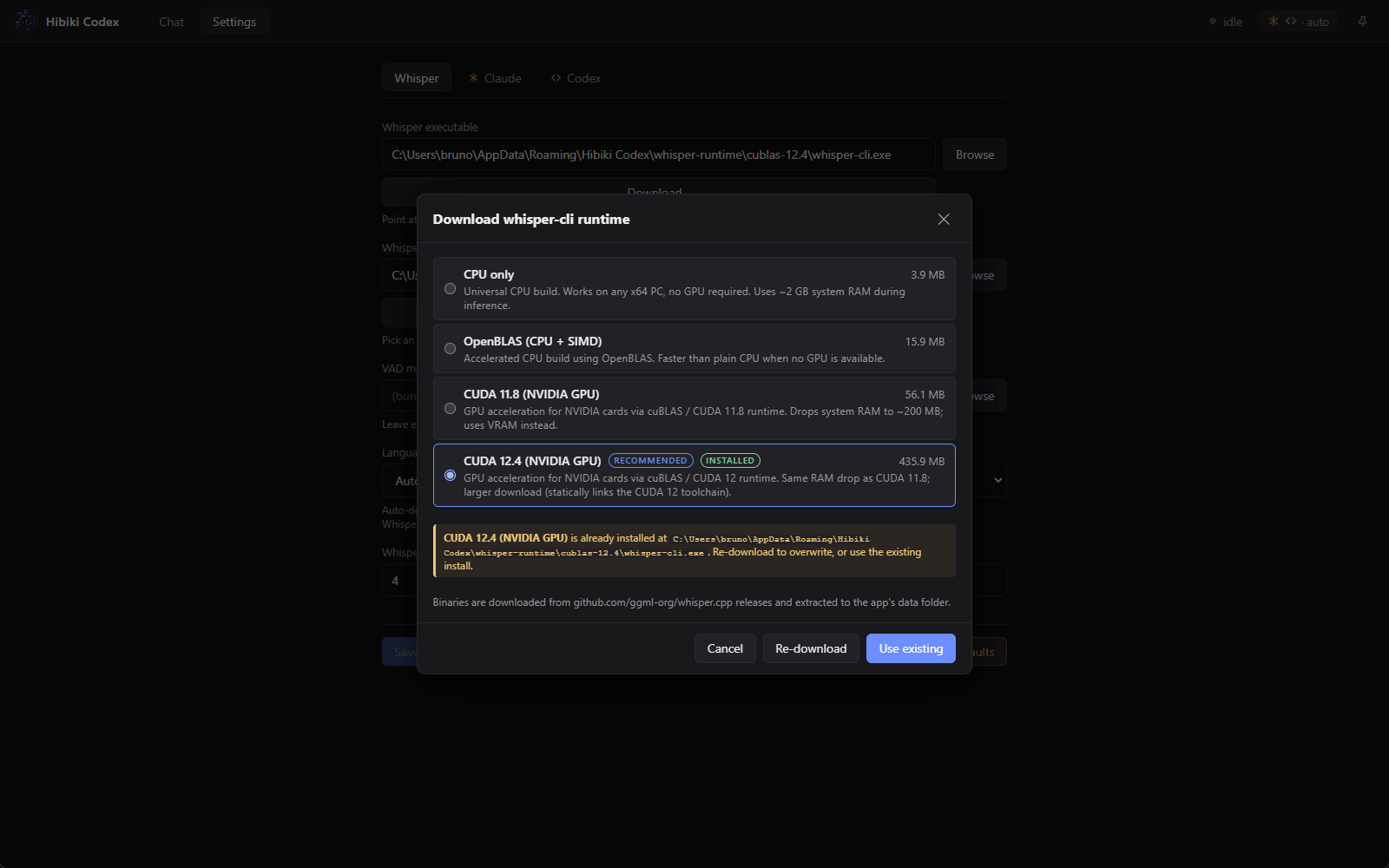
Download whisper-cli
Settings → Whisper → Download… opens a
variant chooser. NVIDIA GPU? Pick CUDA 12.4 (recommended).
Otherwise CPU. Installs into the app's data folder.
二
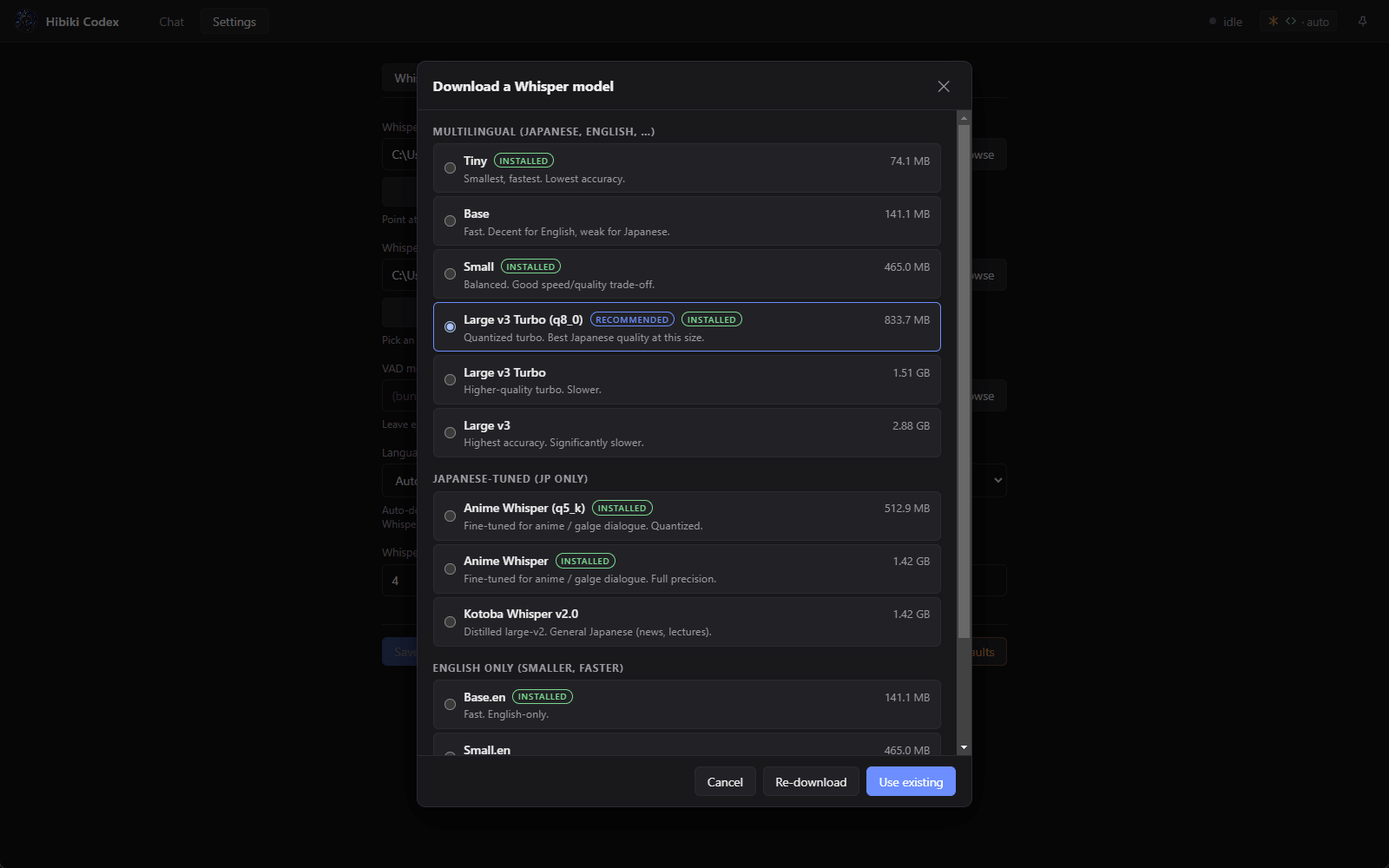
Download a model
Same idea for the GGML model — pick one from the curated
catalog (Large v3 Turbo q8_0 is recommended for Japanese).
Already-installed entries show an "installed" badge so you
can re-use them.
三
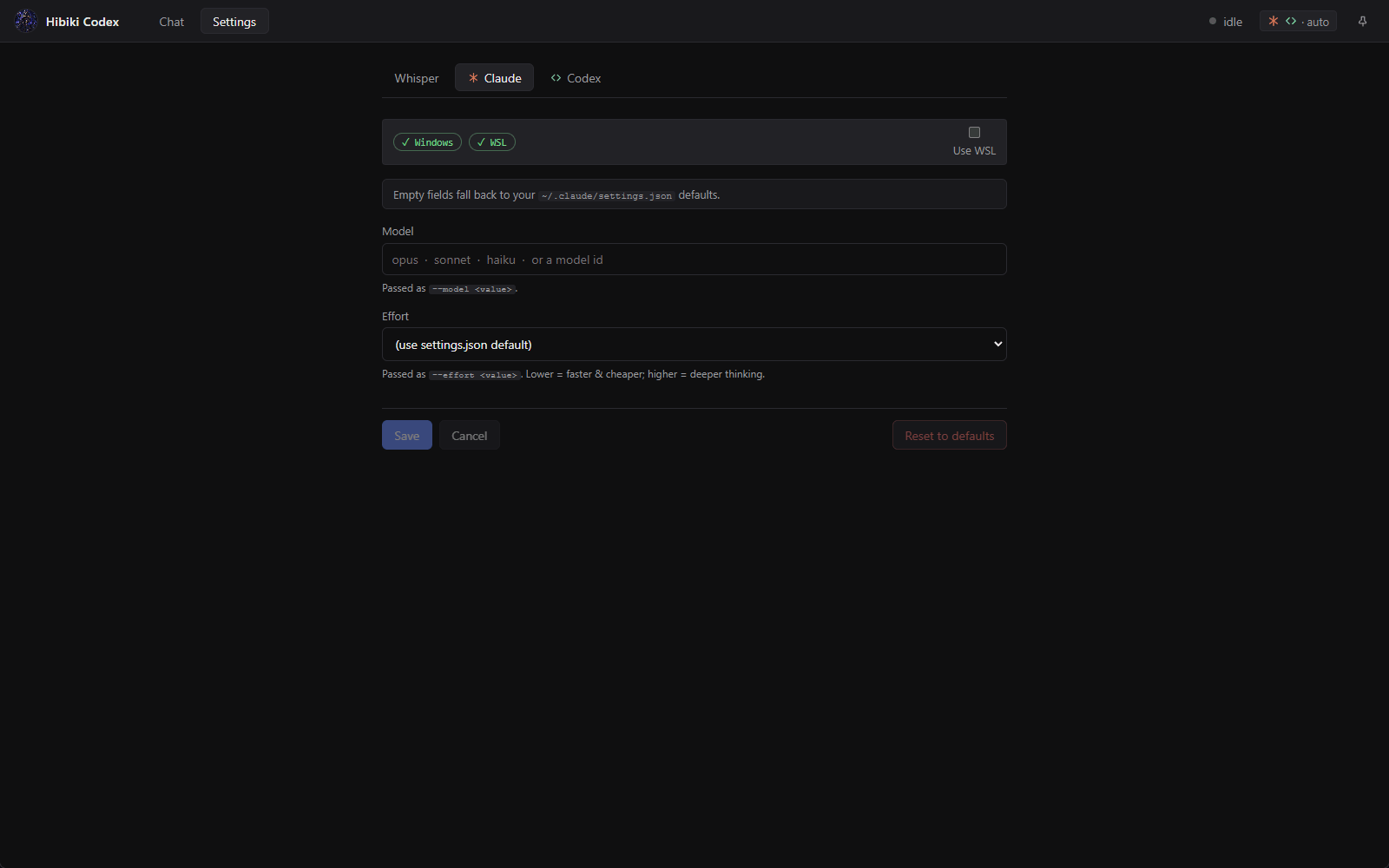
Wire up Claude / Codex
The Claude and Codex tabs auto-detect whether each CLI is on
PATH or in WSL. Missing on Windows? One click runs
winget install Anthropic.ClaudeCode and streams
the log live.
四
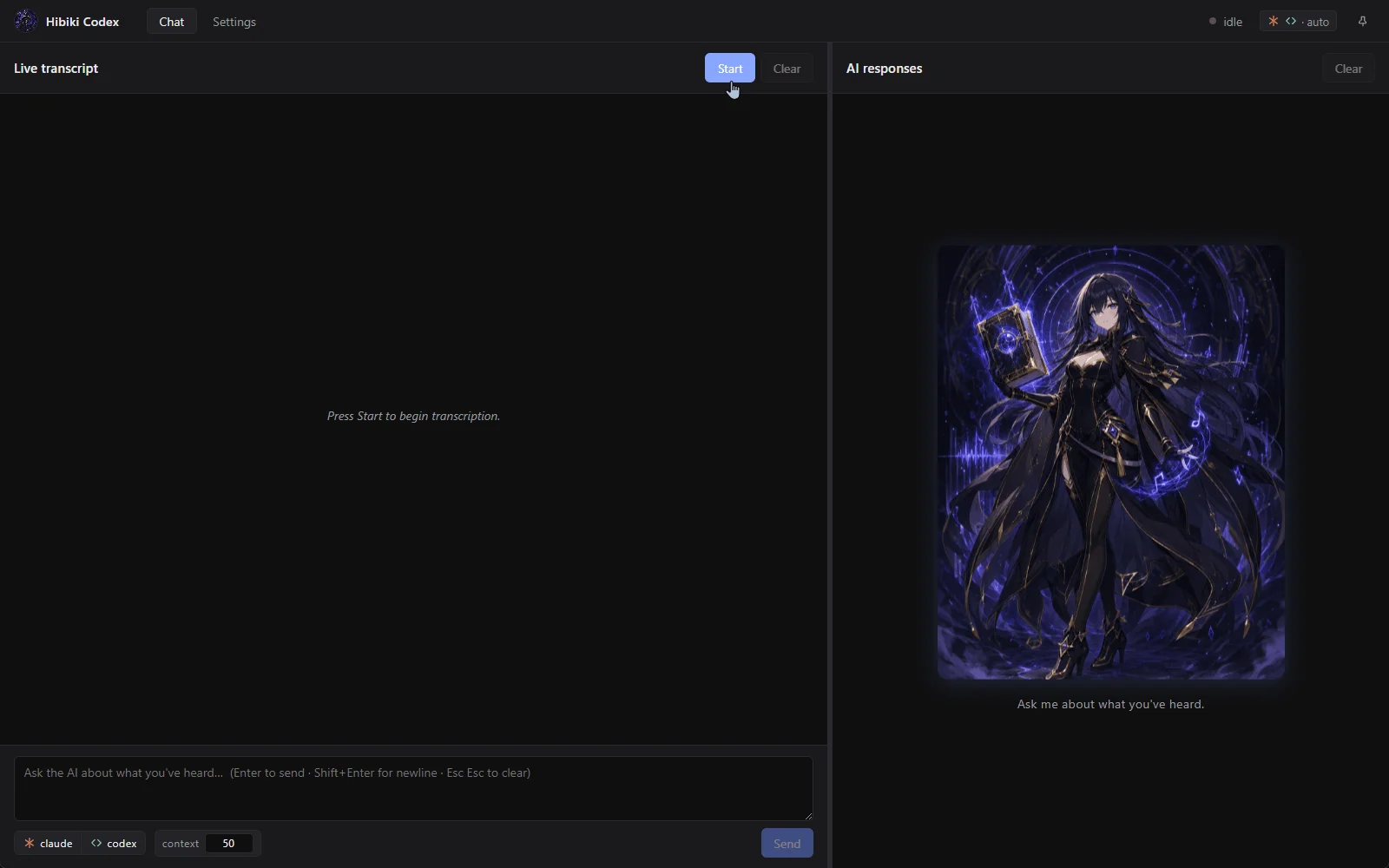
Press Start
Save, head to Chat, hit Start. Play some audio — transcript
lines stream in. Type a prompt, hit Enter, and the recent
transcript rides along to whichever engine(s) you picked.
Built on tools you trust.
A small, sharp stack — React on the surface, Electron and Rust
underneath, whisper.cpp doing the heavy lifting offline.
Electron
React + TypeScript
Rust (napi-rs)
whisper.cpp
WASAPI loopback
PowerShell 7
Bun
mise
Claude · claude
OpenAI Codex · codex exec
Where it runs
Built around Windows-specific audio capture today. Linux and macOS
ports are plausible but unproven — contributions welcome.
Windows
Supported
Built around WASAPI loopback and PowerShell 7+. Tested on
Windows 11.
Linux
Maybe
Audio capture would need to swap WASAPI for PulseAudio or
PipeWire. Everything else should port cleanly.
macOS
Maybe
System-audio loopback needs a driver like BlackHole or Soundflower.
Not yet attempted.
Get started.
Hibiki Codex runs on Windows 11 with PowerShell 7+. Toolchain
versions are pinned in mise.toml, so setup is three
commands.
Requires
At least one AI CLI on your PATH (or inside WSL —
the app detects both and offers a "Use WSL" toggle per engine):
Claude Code
(claude) — install with
winget install Anthropic.ClaudeCode. The Settings
page can run the winget install for you when it isn't detected.
OpenAI Codex CLI
(codex exec) — install with
npm install -g @openai/codex.
whisper-cli + a GGML model: downloaded from
inside the app — Settings → Whisper → Download…. Pick a
runtime variant (CPU / OpenBLAS / CUDA 11.8 / CUDA 12.4) and a
model from the curated catalog.
# 1. Install mise (one-time)
winget install jdx.mise

# 2. Install Bun + Rust at the pinned versions
mise install
mise trust

# 3. Install JS deps and build the Rust native module
bun install
bun install --cwd native
bun run build:rust

# 4. Launch — then open Settings and use the in-app Download buttons
#    to grab a whisper-cli variant (CUDA 12.4 recommended for NVIDIA GPUs)
#    and a GGML model. Press Start on the Chat tab to begin transcribing.
bun run dev
Prefer a one-shot install? Paste the
Setup with AI
prompt from the README into Claude Code or Codex — it installs every
prerequisite and builds the project; the whisper runtime + model are
then downloaded from inside the app on first launch.
|