GV

GeezerVison

The World Wide Web, restored to 800 pixels of glory.

Home|About|Gaming cabinet|Archives|How it works|Starter sites

On this site

  • 6.x.x
  • 5.x.x
  • Blog
  • Pub.dev
  • API Reference
  • 6.x.x
  • 5.x.x
  • Showcase
  • Donate
  • GitHub

This view

  • Original page
  • New address

GeezerVison is showing inappwebview.dev — Home | InAppWebView

All Contributors

flutter_inappwebview versionPub PointsPub PopularityPub LikesAwesome FlutterLicense

Donate to this projectGitHub forksGitHub stars

Supported Platformsflutter_inappwebview_platform_interface versionflutter_inappwebview_android versionflutter_inappwebview_ios versionflutter_inappwebview_macos versionflutter_inappwebview_windows versionflutter_inappwebview_web version

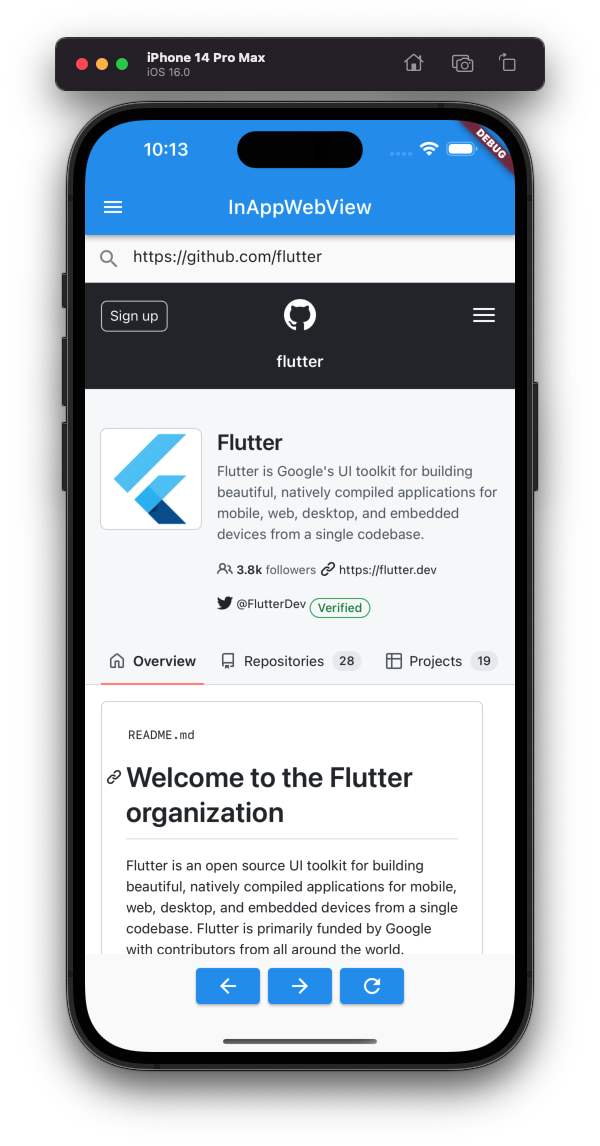
WebView integrated into the widget tree

Adding the InAppWebView widget into your app is very simple. It’s just a widget like any other Flutter widget:

InAppWebView(initialUrlRequest: 
  URLRequest(url: WebUri("https://flutter.dev"))
)

You can listen to a lot of events and use the InAppWebViewController to control your InAppWebView instances!
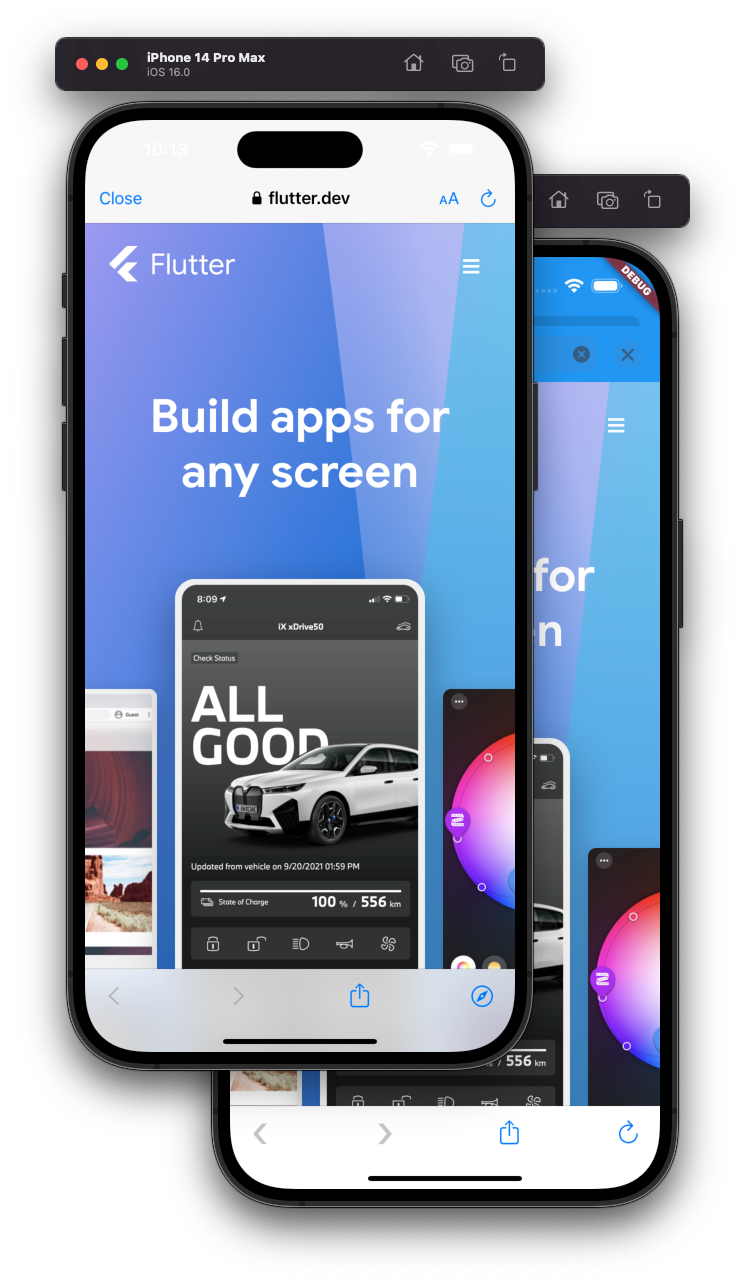
Open An In-App Browser

Use InAppBrowser or ChromeSafariBrowser to open an in-app browser! ChromeSafariBrowser is based on Chrome Custom Tabs on Android and on SFSafariViewController on iOS.

Create a Class that extends the InAppBrowser/ChromeSafariBrowser Class in order to override the callbacks to manage the browser events.

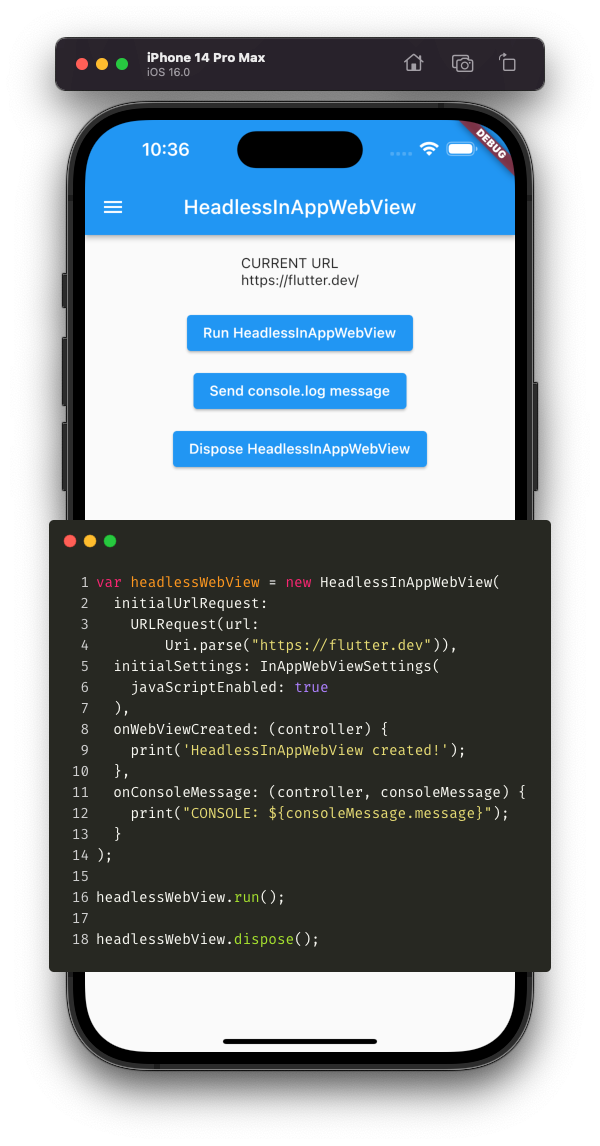
Use Headless WebViews

It can be used to run a WebView in background without attaching an InAppWebView to the widget tree.

As InAppWebView, it has the same options and events. Use InAppWebViewController to control the headless WebView instance.

You are visitor 01402503 — GeezerVison does not store the pages you look up.
Best viewed with Netscape Navigator 4.7 or Internet Explorer 6 at 800×600. No cookies required.