GeezerVisonThe World Wide Web, restored to 800 pixels of glory. |
| Home|About|Gaming cabinet|Archives|How it works|Starter sites |
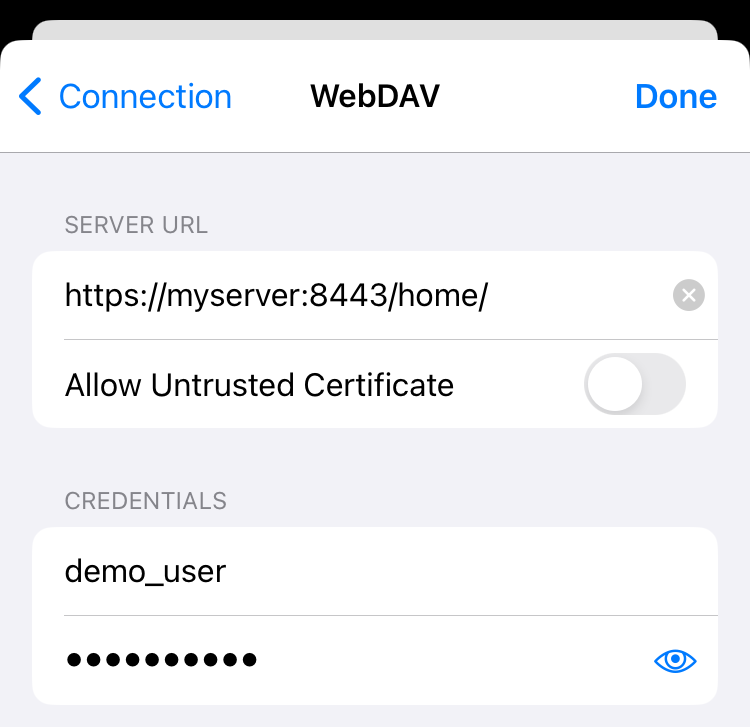
GeezerVison is showing support.keepassium.com — How to sync using WebDAV | KeePassium How to sync using WebDAV WebDAV is a widely used protocol for remote file storage, especially for self-hosted solutions. Compatible products and services include Nextcloud, Synology, QNAP, MagentaCloud, Surfdrive, Yandex.Disk and many more. There are two ways to sync KeePassium with your WebDAV server: Direct WebDAV connection With this approach, KeePassium behaves as a WebDAV client and communicates with your server directly. This way, KeePassium fully controls data transfer and does not depend on other apps. As a result, direct WebDAV connection is more reliable than integration with the Files app. To configure a direct WebDAV connection, follow these steps:
Integration with iOS Files app and third-party apps You can also sync KeePassium with a WebDAV server integrated in the iOS Files app. This way, you can enforce the separation of concerns where KeePassium has only minimal access to a single file on the server. However, third-party apps struggle to work in background, and therefore sometimes suffer from unreliable synchronization.
See also |
| You are visitor 01402792 — GeezerVison does not store the pages you look up. Best viewed with Netscape Navigator 4.7 or Internet Explorer 6 at 800×600. No cookies required. |
 → Connect to Server → WebDAV