PyGadgets — GUI Toys, Just for the Hack of It
|
Welcome to the products page for PyGadgets, a portable toolbox for work and play.
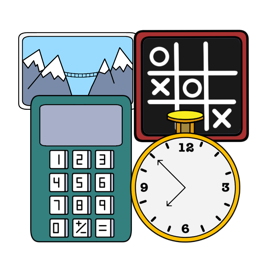
PyGadgets is a set of
four desktop GUIs
coded in Python/Tk and
run from a quick-access toolbar:
- ► PyCalc — a flexible calculator
- ► PyClock — an analog/digital clock
- ► PyPhoto — a portable image viewer
- ► PyToe — an AI-based tic-tac-toe game
|
All four gadgets are originally from the book
PP4E, but have been greatly enhanced, ported to macOS
(f.k.a. Mac OS X)
and Android,
made more easily
customizable,
and bundled as both portable source code and standalone apps and executables for
PC platforms.
PyGadgets opens with a simple
toolbar
that launches the four GUIs on demand.
In source and executable packages, each Gadget can also be run individually.
In all formats, the '?' key opens in-program help in each of the GUIs.
For a quick tour of PyGadgets' utilities, browse
its PC
screenshots,
and its Android
how-to.
Download
PyGadgets runs on macOS, Windows, Linux, and Android. It's available
as a platform-specific macOS app, Windows exe (both 64- and 32-bit),
and Linux executable, plus a complete source-code package
that runs on all four platforms.
Click the download link below to fetch the package you wish to use.
The app, exes, and executable may be easier to install and
run, but source code can be studied, is required on Android
today, and nullifies issues covered by the next section's
pointers.
Usage
For more details on PyGadgets' download packages, as well as their complete install and
usage instructions, see the main
README.txt.
In brief, you'll fetch, unzip, and run either the unzipped app itself (macOS),
a same-named executable inside the unzip (Windows and Linux), or the program's
main script in the unzipped source code (all platforms).
The latest getting-started pointers:
- Source-code users
-
The PyToe widget requires a minor mod for recent Pythons: change both
time.clock() to time.perf_counter() in file
_PyToe/TicTacToe/tictactoe_lists.py of the unzipped
PyGadgets-source package.
This is not required for and does not impact apps or executables, because they
use older Pythons. The was broken by opinionated change in
Python,
and patched in the Android
port.
- macOS users
-
See the tips and fixes for your platform's
first-run warnings.
This applies only to the macOS app, not source code, and the app does not
require app-folder permissions.
The
readme
covers Launchpad on your platform.
Mojave users: see also this
to fix crashes and blank windows caused by macOS dark mode.
Apple M-chip users: the Rosetta 2 emulator is required to run the app package,
but not source code.
Update: per 2023 vetting on macOS Ventura, launching the 2017 app package no longer works,
because the launcher toolbar does not spawn individual widgets; please use the
source-code package on recent macOS versions instead.
- Windows users
-
See the tips and fixes for your platform's
first-run warnings,
executable start-up speed,
and
blurry text on Windows 10+.
The first two of these apply only to Windows executables, not source code.
Update: as of 2023, this program's app and source-code have now been vetted to work well
on Windows 11, in addition to 7, 8, and 10.
- Linux users
-
You can add PyGadgets to your applications launcher by fetching
this file
and installing it per steps 1..4 in
this tip.
See also
this tip
for a possibly useful library fix for the executable.
Update: per this note
in 2020, PyGadgets' Linux executable was broken by recent Linux changes;
please use the source-code package instead.
-
Android users
-
See this doc
for details on running PyGadgets on your platform. In short, you'll fetch and
patch its source-code package, and launch it in an app's IDE.
Android 11+ users: see also
this
for recent changes on Android; these may impact file access in the PyPhoto widget.
Update: in 2023, Pydroid 3's version 6 imposed extra rules for
running this program on Android; see the coverage
here.
Resources
-
For a preview of PyGadgets in action, visit its
screenshots page.
-
For PyGadgets usage and version information, see its
README file.
-
For PyGadgets' full source code online, browse its
unzipped code.
-
For more tips and updates, see the support
page
and older
list.