GeezerVisonThe World Wide Web, restored to 800 pixels of glory. |
| Home|About|Gaming cabinet|Archives|How it works|Starter sites |
GeezerVison is showing lighthouse-php.com — Tutorial | Lighthouse # TutorialThis is an introductory tutorial for building a GraphQL server with Lighthouse. While we try to keep it beginner-friendly, we recommend familiarizing yourself with GraphQL (opens new window) and Laravel (opens new window) first. The source code of the finished project is available at nuwave/lighthouse-tutorial (opens new window). # What is GraphQL?GraphQL is a query language for APIs and a runtime for fulfilling those queries with your existing data. GraphQL provides a complete and understandable description of the data in your API, gives clients the power to ask for exactly what they need and nothing more, makes it easier to evolve APIs over time. Enables powerful developer tools. 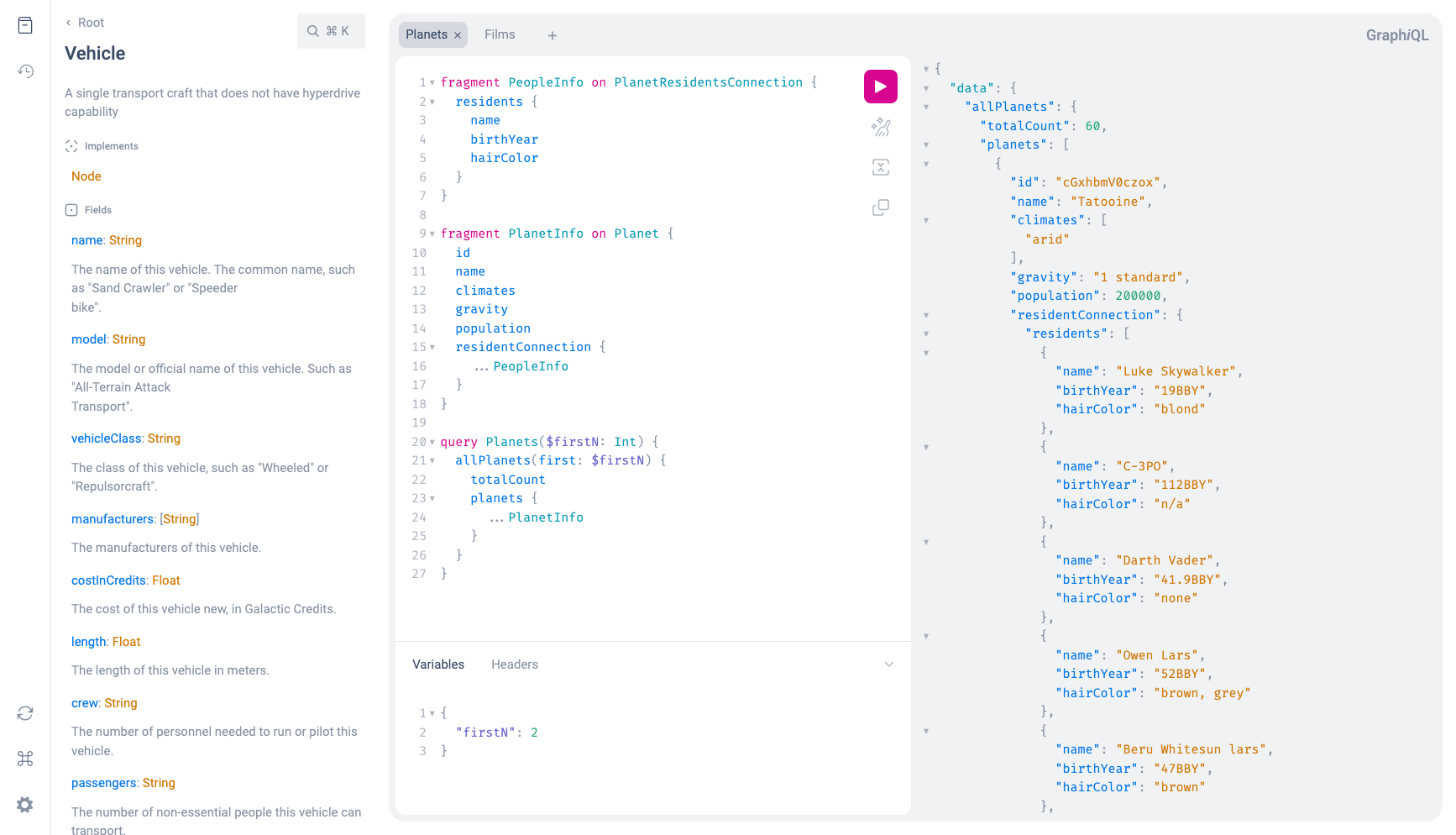 GraphiQL GraphQL has been released only as a specification (opens new window). This means that GraphQL is in fact not more than a long document that describes in detail the behavior of a GraphQL server. GraphQL has its own type system that’s used to define the schema of an API. The syntax for writing schemas is called Schema Definition Language (opens new window) or short SDL. Here is an example how we can use the SDL to define a type called Note that we just created a one-to-many relationship between We also defined the inverse relationship from # What is Lighthouse?Lighthouse integrates with any Laravel project to serve a GraphQL API. The process of building a GraphQL server with Lighthouse can be described in 3 steps:
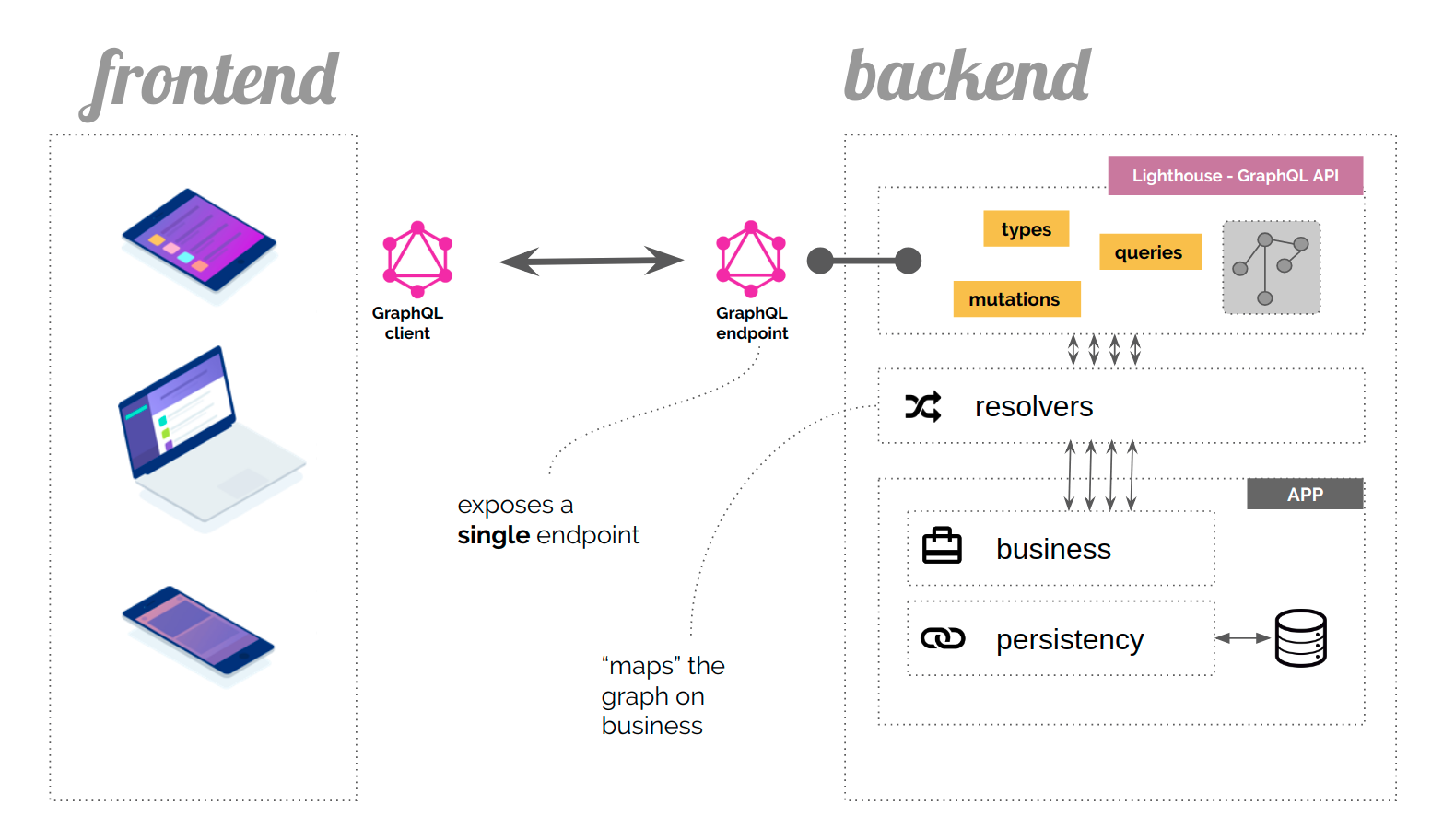 The role of GraphQL in your application # AgendaIn this tutorial we will create a GraphQL API for a simple Blog from scratch with:
You can download the source code for this tutorial at [https://github.com/nuwave/lighthouse-tutorial](https://github.com/nuwave/lighthouse-tutorial) ::: # Installation# Create a new Laravel projectThis tutorial starts with a fresh Laravel project. You can use an existing project and skip ahead to Installing Lighthouse. You may have to adapt a few things to fit your existing app as we go along. ::: Create a new project by following installing Laravel (opens new window). Consult the Laravel docs on database configuration (opens new window) and ensure you have a working database set up. Run database migrations to create the Seed the database with some fake users: # Installing LighthouseUse composer (opens new window) to install Lighthouse: Publish the default schema to We will use GraphiQL (opens new window) to interactively run GraphQL queries: To make sure everything is working, access # The ModelsThis first part will show you how to set up the models and database migrations and does not include any specifics related to GraphQL or Lighthouse. Our blog follows some simples rules:
We can model this in our database schema like this. 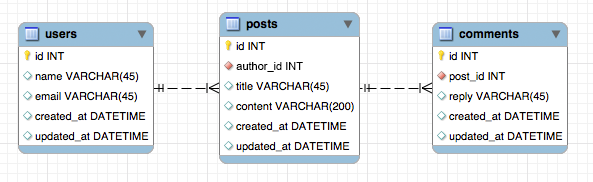 Database relations diagram Lighthouse fills models through mass assignment.
Allow it once in a base model in Begin by defining models and migrations for your posts and comments Replace the newly generated Let's do the same for the Comment model: Remember to run the migrations: Finally, add the # The SchemaLet's edit We add two queries for retrieving posts to the root The way that Lighthouse knows how to resolve the queries is a combination of convention-based naming - the type name
We add additional type definitions that clearly define the shape of our data: Just like in Eloquent, we express the relationship between our types using the @belongsTo and @hasMany directives. # The MutationsTo write data, we add a root
The inputs define which fields clients can send: The field # The ResultCreate a user, for example with Visit Now try the following query: You should get a list of all the posts in your database, together with all of its comments and the name of the author. Change a post with Hopefully, this example could demonstrate the power of GraphQL and how you can serve your own GraphQL API with Lighthouse. # Next StepsThe app you just built might need some more features. Here are a few ideas on what you might add to learn more about Lighthouse. |
| You are visitor 01402503 — GeezerVison does not store the pages you look up. Best viewed with Netscape Navigator 4.7 or Internet Explorer 6 at 800×600. No cookies required. |