GeezerVisonThe World Wide Web, restored to 800 pixels of glory. |
| Home|About|Gaming cabinet|Archives|How it works|Starter sites |
GeezerVison is showing livebook.dev — Elixir integration - Livebook.dev Use Elixir directly in LivebookLivebook has an interactive environment to code in Elixir. You can use it to learn Elixir, explore Elixir packages, prototypes, scripts, and interactive data apps.Reevaluate Evaluated Initial length: 0
Length after adding elements: 3
Introspection with :sys module: %{len: 3, queue: {[6, 5], [4]}} :ok Elixir Code EditorLivebook's Elixir code editor supports autocompletion, inline documentation, code formatting, and more.Evaluate Stale* Amy Jake ƒmap/2 ƒmap/3 ƒmax/2Nx.max(left, right) ƒmean/1 ƒmean/2 ƒmin/2 ƒmultiply/2 {:module, Formulas, <<70, 79, 82, 49, ...>>, {:relu, 1}} Visual Representation of the running systemLivebook can render visual representations of supervision trees and message-passing between Elixir processes. Learn how to do this.Evaluated Interactive UI to visualize, debug and edit Elixir pipelinesLivebook has an interactive widget that lets you see the result of an Elixir pipeline, enable/disable pipeline steps, and re-order them through drag and drop. Learn how to do this.Evaluated dbg:5 Copy new pipeline "Elixir is cool!" String.trim_trailing("!") String.split() List.first() Output: ["Elixir", "is", "cool"] "Elixir" Run a notebook within the context of a Mix projectIt's super easy to run code of a Mix project inside Livebook. This can be useful for interactive development or for experimenting with your project's code.Evaluated :ok Evaluated 1274 Add Hex packages as dependencies of your notebookLivebook makes it easy to use Hex packages inside your notebooks. The integrated package management also makes your notebooks easier to be used and reproduced by others.Search packagesFind external packages for your notebook kino kino 0.19.0 Interactive widgets for Livebook Add kino_vega_lite 0.1.13 Vega-Lite integration with Livebook Add kino_db 0.3.1 Databases integration with Livebook Add kino_maplibre 0.1.13 MapLibre integration with Livebook Add kino_bumblebee 0.5.1 Bumblebee integration with Livebook Add Connect to a running Elixir system directly in LivebookYou can easily connect to a running Elixir node. Useful for production environment diagnostics, remote debugging, and automation.Runtime settingsElixir standalone Attached node Connect the session to an already running node and evaluate code in the context of that node. Make sure to give the node a name and a cookie, for example: iex --name [email protected] --cookie mycookie -S mix Then enter the connection information below: Cookie mycookie Connect Develop on embedded devices with Livebook and NervesNerves Livebook enables you to try out Nerves on real hardware without needing to build anything. You'll be able to run code in Livebook and work through Nerves tutorials from the comfort of your browser.Evaluated Now that we've selected a pin, connect the LED to 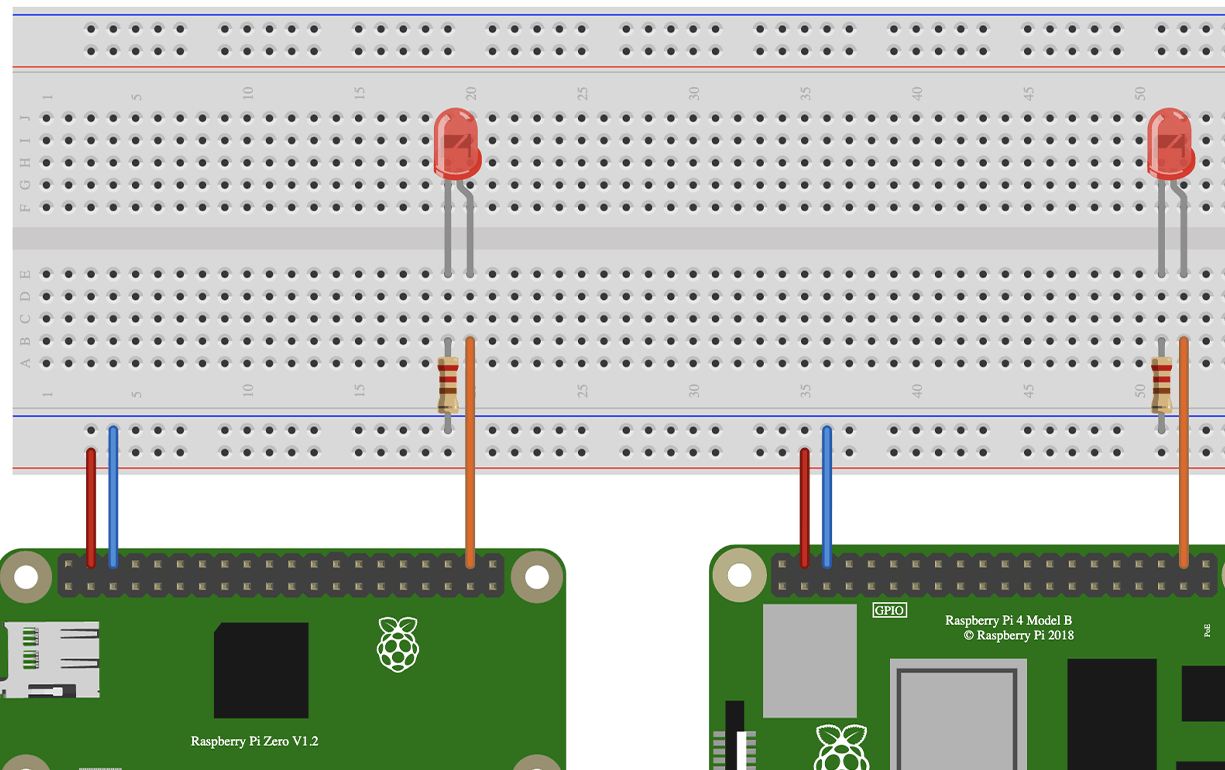 PLATINUM SPONSORS  SPONSORS  |
| You are visitor 01402503 — GeezerVison does not store the pages you look up. Best viewed with Netscape Navigator 4.7 or Internet Explorer 6 at 800×600. No cookies required. |