GV

GeezerVison

The World Wide Web, restored to 800 pixels of glory.

Home|About|Gaming cabinet|Archives|How it works|Starter sites

On this site

  • Installation
  • Documentation
  • Examples
  • Tutorials
  • Contributing

This view

  • Original page
  • New address

GeezerVison is showing matplotlib.org — matplotlib.pyplot.suptitle — Matplotlib 3.1.2 documentation

You are reading an old version of the documentation (v3.1.1). For the latest version see https://matplotlib.org/stable/api/_as_gen/matplotlib.pyplot.suptitle.html
Version 3.1.2
matplotlib
Fork me on GitHub

Navigation

  • index
  • modules |
  • next |
  • previous |
  • home| 
  • contents »
  • API Overview »
  • matplotlib.pyplot »
  • matplotlib.pyplot »

Quick search

Table of Contents

  • matplotlib.pyplot.suptitle
    • Examples using matplotlib.pyplot.suptitle

Related Topics

  • Documentation overview
    • API Overview
      • matplotlib.pyplot
        • matplotlib.pyplot
          • Previous: matplotlib.pyplot.summer
          • Next: matplotlib.pyplot.switch_backend
Show Page Source

matplotlib.pyplot.suptitle

matplotlib.pyplot.suptitle(t, **kwargs)[source]

Add a centered title to the figure.

Parameters:
t : str

The title text.

x : float, default 0.5

The x location of the text in figure coordinates.

y : float, default 0.98

The y location of the text in figure coordinates.

horizontalalignment, ha : {'center', 'left', right'}, default: 'center'

The horizontal alignment of the text relative to (x, y).

verticalalignment, va : {'top', 'center', 'bottom', 'baseline'}, default: 'top'

The vertical alignment of the text relative to (x, y).

fontsize, size : default: rcParams["figure.titlesize"] = 'large'

The font size of the text. See Text.set_size for possible values.

fontweight, weight : default: rcParams["figure.titleweight"] = 'normal'

The font weight of the text. See Text.set_weight for possible values.

Returns:
text

The Text instance of the title.

Other Parameters:
fontproperties : None or dict, optional

A dict of font properties. If fontproperties is given the default values for font size and weight are taken from the FontProperties defaults. rcParams["figure.titlesize"] = 'large' and rcParams["figure.titleweight"] = 'normal' are ignored in this case.

**kwargs

Additional kwargs are matplotlib.text.Text properties.

Examples

>>> fig.suptitle('This is the figure title', fontsize=12)

Examples using matplotlib.pyplot.suptitle

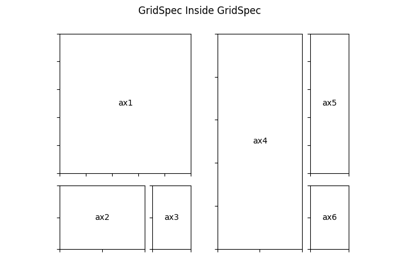
../../_images/sphx_glr_gridspec_nested_thumb.png

Nested Gridspecs

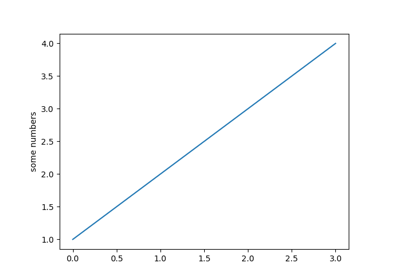
../../_images/sphx_glr_pyplot_thumb.png

Pyplot tutorial

© Copyright 2002 - 2012 John Hunter, Darren Dale, Eric Firing, Michael Droettboom and the Matplotlib development team; 2012 - 2018 The Matplotlib development team.
Last updated on Jan 05, 2020. Created using Sphinx 1.8.5. Doc version v3.1.1-79-g90d53b526.
You are visitor 01402792 — GeezerVison does not store the pages you look up.
Best viewed with Netscape Navigator 4.7 or Internet Explorer 6 at 800×600. No cookies required.