GV

GeezerVison

The World Wide Web, restored to 800 pixels of glory.

Home|About|Gaming cabinet|Archives|How it works|Starter sites

On this site

  • Plot types
  • User guide
  • Tutorials
  • Examples
  • Reference
  • Contribute
  • Releases
  • Gitter
  • Discourse
  • GitHub
  • matplotlib
  • matplotlib.animation
  • matplotlib.animation.Animation
  • matplotlib.animation.FuncAnimation

This view

  • Original page
  • New address

GeezerVison is showing matplotlib.org — matplotlib.pyplot.close — Matplotlib 3.11.2 documentation

matplotlib.pyplot.close#

matplotlib.pyplot.close(fig=None)[source]#

Close a figure window, and unregister it from pyplot.

Parameters:
figNone or int or str or Figure

The figure to close. There are a number of ways to specify this:

  • None: the current figure

  • Figure: the given Figure instance

  • int: a figure number

  • str: a figure name

  • 'all': all figures

Notes

pyplot maintains a reference to figures created with figure(). When work on the figure is completed, it should be closed, i.e. deregistered from pyplot, to free its memory (see also rcParams["figure.max_open_warning"] (default: 20)). Closing a figure window created by show() automatically deregisters the figure. For all other use cases, most prominently savefig() without show(), the figure must be deregistered explicitly using close().

Examples using matplotlib.pyplot.close#

Pong

Pong

Multipage PDF

Multipage PDF

Multiprocessing

Multiprocessing

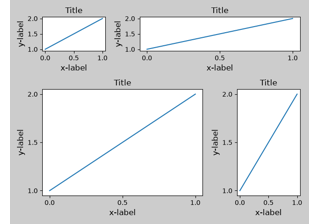
Tight layout guide

Tight layout guide
On this page
You are visitor 01402503 — GeezerVison does not store the pages you look up.
Best viewed with Netscape Navigator 4.7 or Internet Explorer 6 at 800×600. No cookies required.