GV

GeezerVison

The World Wide Web, restored to 800 pixels of glory.

Home|About|Gaming cabinet|Archives|How it works|Starter sites

On this site

  • Plot types
  • User guide
  • Tutorials
  • Examples
  • Reference
  • Contribute
  • Releases
  • Gitter
  • Discourse
  • GitHub
  • matplotlib
  • matplotlib.animation
  • matplotlib.animation.Animation
  • matplotlib.animation.FuncAnimation

This view

  • Original page
  • New address

GeezerVison is showing matplotlib.org — matplotlib.pyplot.pause — Matplotlib 3.11.2 documentation

matplotlib.pyplot.pause#

matplotlib.pyplot.pause(interval)[source]#

Run the GUI event loop for interval seconds.

If there is an active figure, it will be updated and displayed before the pause, and the GUI event loop (if any) will run during the pause.

This can be used for crude animation. For more complex animation use matplotlib.animation.

If there is no active figure, sleep for interval seconds instead.

See also

matplotlib.animation

Proper animations

show

Show all figures and optional block until all figures are closed.
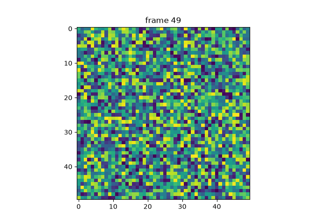
Examples using matplotlib.pyplot.pause#

pyplot animation

pyplot animation

Faster rendering by using blitting

Faster rendering by using blitting
On this page
You are visitor 01402503 — GeezerVison does not store the pages you look up.
Best viewed with Netscape Navigator 4.7 or Internet Explorer 6 at 800×600. No cookies required.