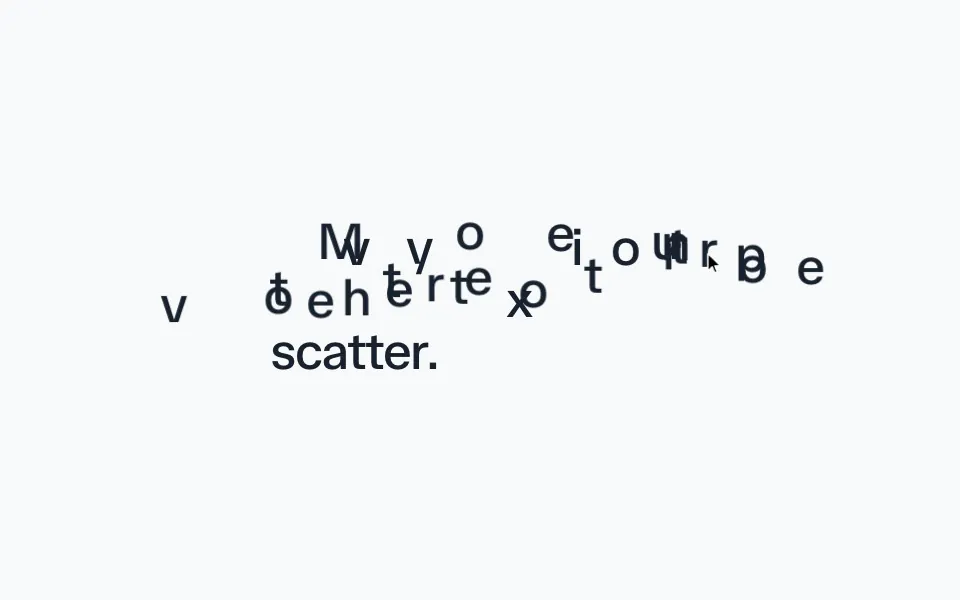
splitText is a small (+2.5kb) utility that makes it simple to create complex, beautiful split text animations with Motion.
Break apart text into individual characters, words, and lines, to create staggered enter or scroll-driven text effects. All with just a few lines of code. For the full list of techniques, from typewriters to tickers, see the text animation guide.
splitText is exclusive to Motion+ members. Motion+ is a one-time payment, lifetime membership that unlocks Motion UI, premium examples and access to a private Discord community.
Features
-
Animate anything: Split text into characters, words and lines to animate each independently.
-
Preserves markup: Links,
<br>and other inline elements stay where they are. -
Respects kerning: Each character stays exactly where the browser rendered it.
-
Every language: Emoji, Arabic, Indic, Chinese, Japanese and Thai text split correctly.
-
Accessible: Screen readers read whole words, and copied text stays the same.
-
Lightweight: Only adds 2.5kb to your project bundle.
-
Flexible: Animate with Motion, CSS, or a library of your choice.
Install
First, install Motion UI in your project. You need to be a Motion+ member to generate an access token.
Once installed, splitText can be imported via motion-plus:
import { splitText } from "motion-plus"Usage
splitText accepts a CSS selector or an HTML Element. It replaces the element's text content with <span> tags that wrap individual characters, words, and (optionally) lines.
It returns an object containing chars, words, and lines as arrays of elements, so they can be animated right away with Motion's animate and stagger functions.
const { chars } = splitText("h1")

animate(
  chars,
  { opacity: [0, 1], y: [10, 0] },
  { duration: 1, delay: stagger(0.05) }
)
The returned arrays are regular elements so you're not limited to animating them with Motion. You could animate them with CSS, or another animation library of your choice. Or, you could attach gesture recognisers to each element individually, for instance with Motion's hover function.
const { words } = splitText("h1")

hover(words, (wordElement) => {
  // Hover logic
})
Enter animations
To perform enter animations, it might be necessary to set the container to visibility: hidden via CSS until we're ready to animate.
.container {
  visibility: hidden;
}document.querySelector(".container").style.visibility = "visible"
const { words } = splitText(".container")
animate(words, { opacity: [0, 1] })Otherwise we might see a flash of visible text until our JS has loaded.
Working with custom fonts
If a custom font downloads after splitText runs, the text can split incorrectly because its size has changed.
First wait for the browser's document.fonts.ready promise:
document.fonts.ready.then(() => {
  const { words } = splitText(element)

  animate(
    words,
    { y: [-10, 10] },
    { delay: stagger(0.04) }
  )
})
To split again whenever a font changes, pass a callback instead. See Handle resize.
Handle resize
To split text, we first have to measure the current layout. Therefore, if the container changes width, or a font changes, the lines will be wrong.
By passing a callback as the second argument, splitText handles this for you. It calls the callback with the new chars, words and lines every time it splits.
splitText("h1", ({ words }) => {
  return animate(
    words,
    { opacity: [0, 1], y: [10, 0] },
    { delay: stagger(0.05) }
  )
})
The callback runs in a scopeMotion scope rooted at the element. Before each new split, everything the callback started is stopped: animations, gestures like hover and press, and inView or scroll listeners. Selectors inside the callback find elements within the split element.
Return the animation and the new animation also continues from the same elapsed time, so a resize mid-animation doesn't restart it.
If splitText itself runs inside a scopeMotion scope, stopping that scope also reverts the split.
Gradient text
Text with background-clip: text usually disappears once its characters are transformed. splitText gives each character its own slice of the background, so the gradient stays continuous while the characters move, and when the text splits again on resize.
Masked reveals
To slide words or lines in, within a clipped box, clip each line with CSS. No extra wrapper is needed. Because each line is clipped on its own, the reveal still works after the text splits again on resize:
.split-line {
  clip-path: inset(0 -0.1em -0.15em);
}splitText("h1", ({ words }) =>
animate(words, { y: ["110%", "0%"] }, { delay: stagger(0.04) })
)The small negative insets leave room for italic overhangs and descenders.
Languages & emoji
Chinese, Japanese, Thai, Lao, Khmer and Myanmar text has no spaces between words. splitText finds the words with the browser's Intl.Segmenter. Emoji made from several parts, such as skin tones, flags and families, stay whole.
Arabic, Indic and other scripts where letters join are split into words but not characters, so their letters keep their shape.
Lines are read from the browser's layout, so vertical writing modes work too. Here, Japanese text set with writing-mode: vertical-rl is revealed word by word:
Targeting with CSS
Each split component will receive split-char, split-word and split-line classes so you can select them with CSS. Each component additionally receives a data-index of its position within the overall character, word or line lists respectively.
.split-char[data-index=3] {
  color: red;
}
The provided classes are configurable with the charClass, wordClass and lineClass options.
splitText(element, { charClass: "my-char-class" })Reverting
splitText returns a revert function that puts the original nodes back.
const { chars, revert } = splitText("h1")

revert()
If you passed a callback, revert also stops splitting on resize, and stops the animation the callback returned.
Cleaning up between splits
Motion gestures and animations started in the callback are cleaned up automatically, so you can attach them to the new elements without returning anything:
splitText("h1", ({ chars }) => {
  hover(chars, (char) => {
    animate(char, { scale: 1.2 })
    return () => animate(char, { scale: 1 })
  })
})
For other work, like your own event listeners, return a function. It runs before the next split and on revert.
splitText("h1", ({ chars }) => {
  const onClick = () => {}
  chars.forEach((char) => char.addEventListener("click", onClick))

  return () => {
    chars.forEach((char) => char.removeEventListener("click", onClick))
  }
})
Accessibility
Some split text implementations break screen readers, which end up reading characters, words or lines separately. splitText ensures that screen readers read copy as it's originally written.