GeezerVisonThe World Wide Web, restored to 800 pixels of glory. |
| Home|About|Gaming cabinet|Archives|How it works|Starter sites |
GeezerVison is showing multiplexterm.dev — Multiplex, the SSH tmux terminal An SSH terminal for Apple Vision Pro, iPad & iPhone Every session, its own window.Multiplex is a spatial SSH terminal for remote tmux — or herdr, chosen per host. See every session live on a wall, then attach it anywhere. 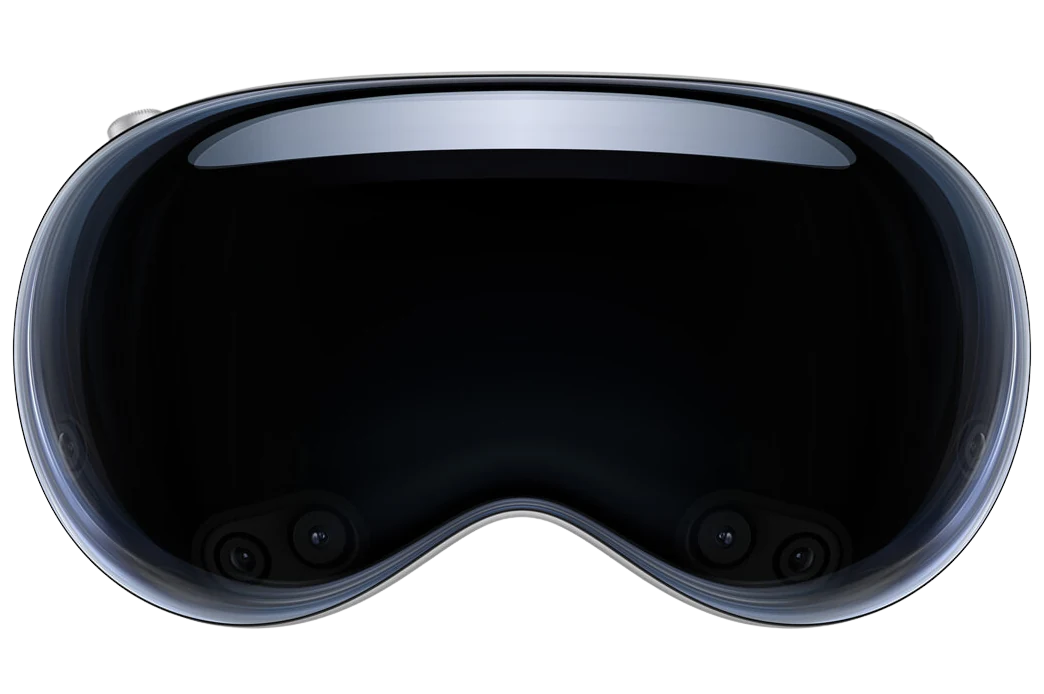 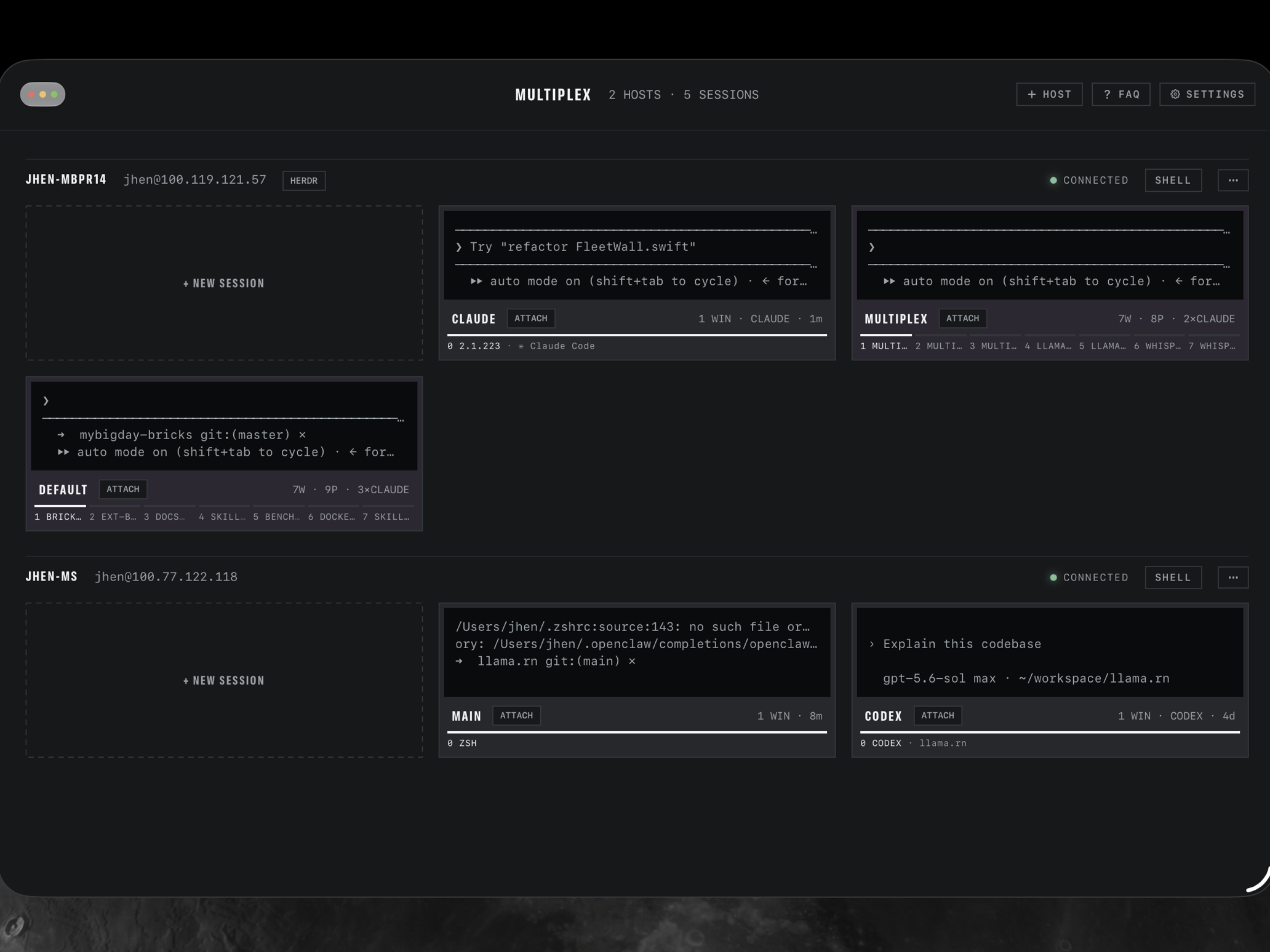 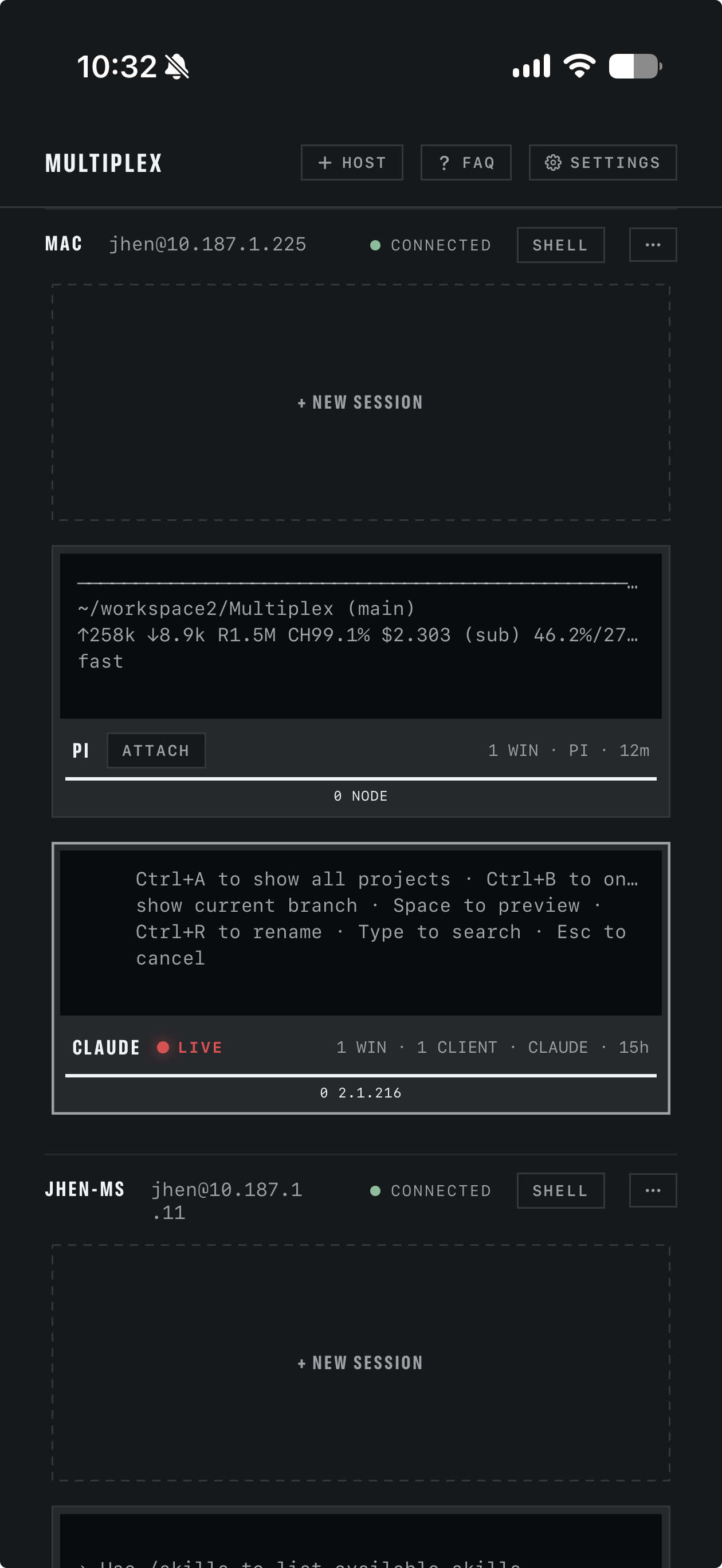 A monitor wall for your fleet.Hosts probe concurrently over SSH and every session appears as a live tile: its actual last lines, one spine segment per window, a red LIVE tally while you are attached. tmux and herdr hosts share the same wall. On Vision Pro, it hangs in your room. 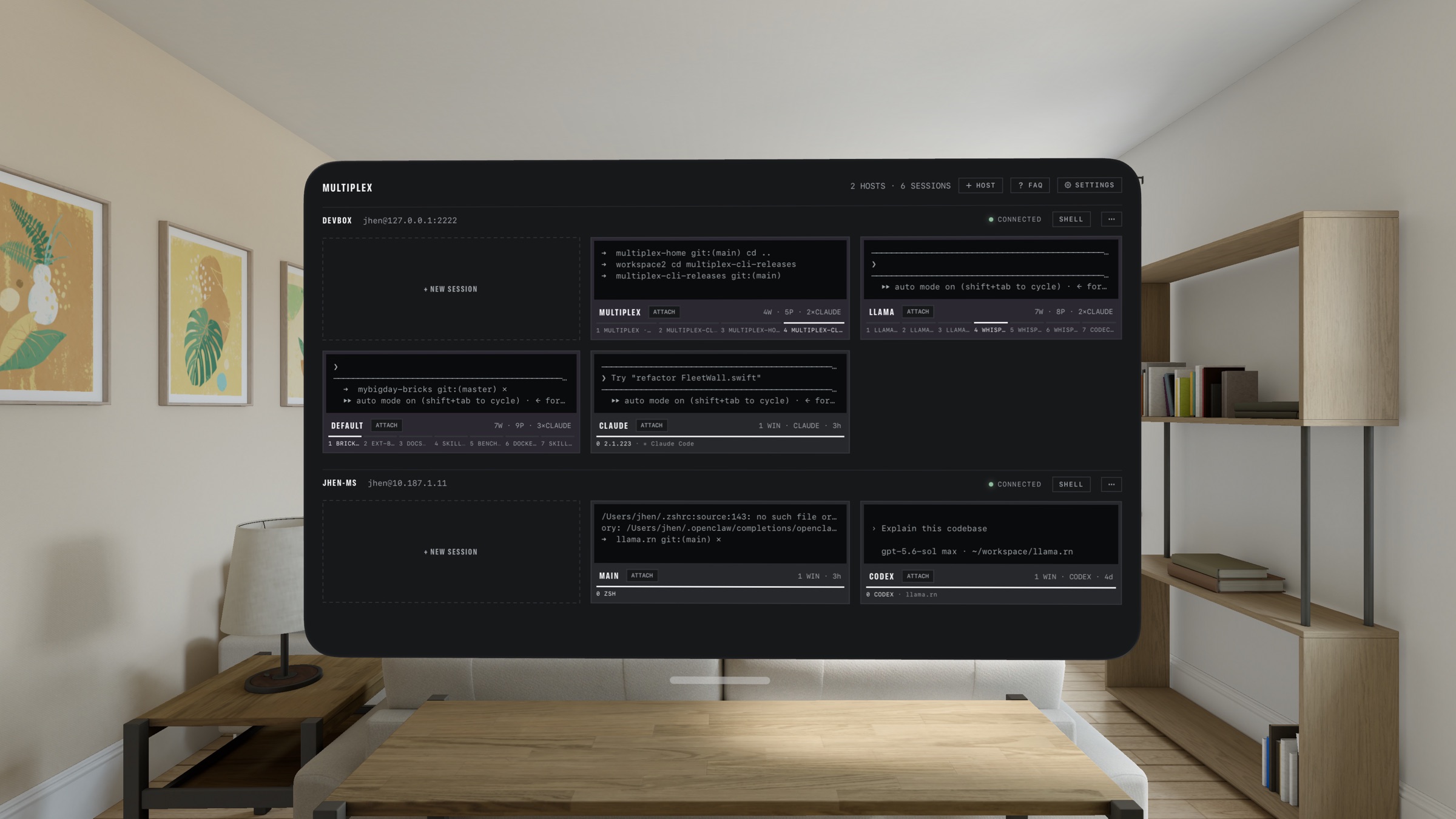 Real multi-window, on iPad and Vision Pro.Every attached session is its own window: floating spatial windows you place around the room on Vision Pro, real scenes in Stage Manager and Split View on iPad. Merge windows into tabs and split them back out; the SSH connection, buffer, and scrollback move with the tab. Detach, and the wall still shows it running. On Vision Pro, an optional Glass appearance smokes the chassis so the room shows through. 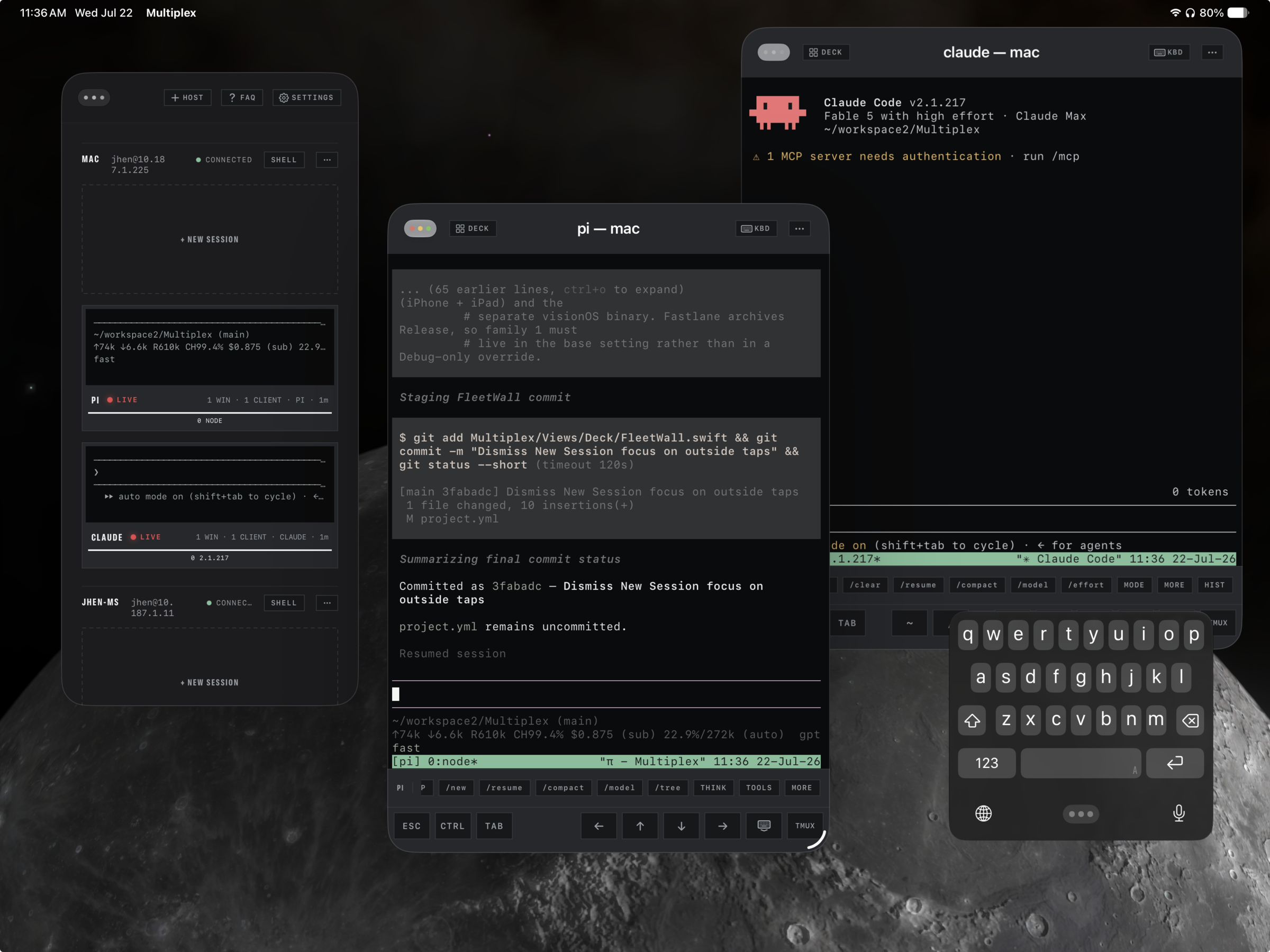 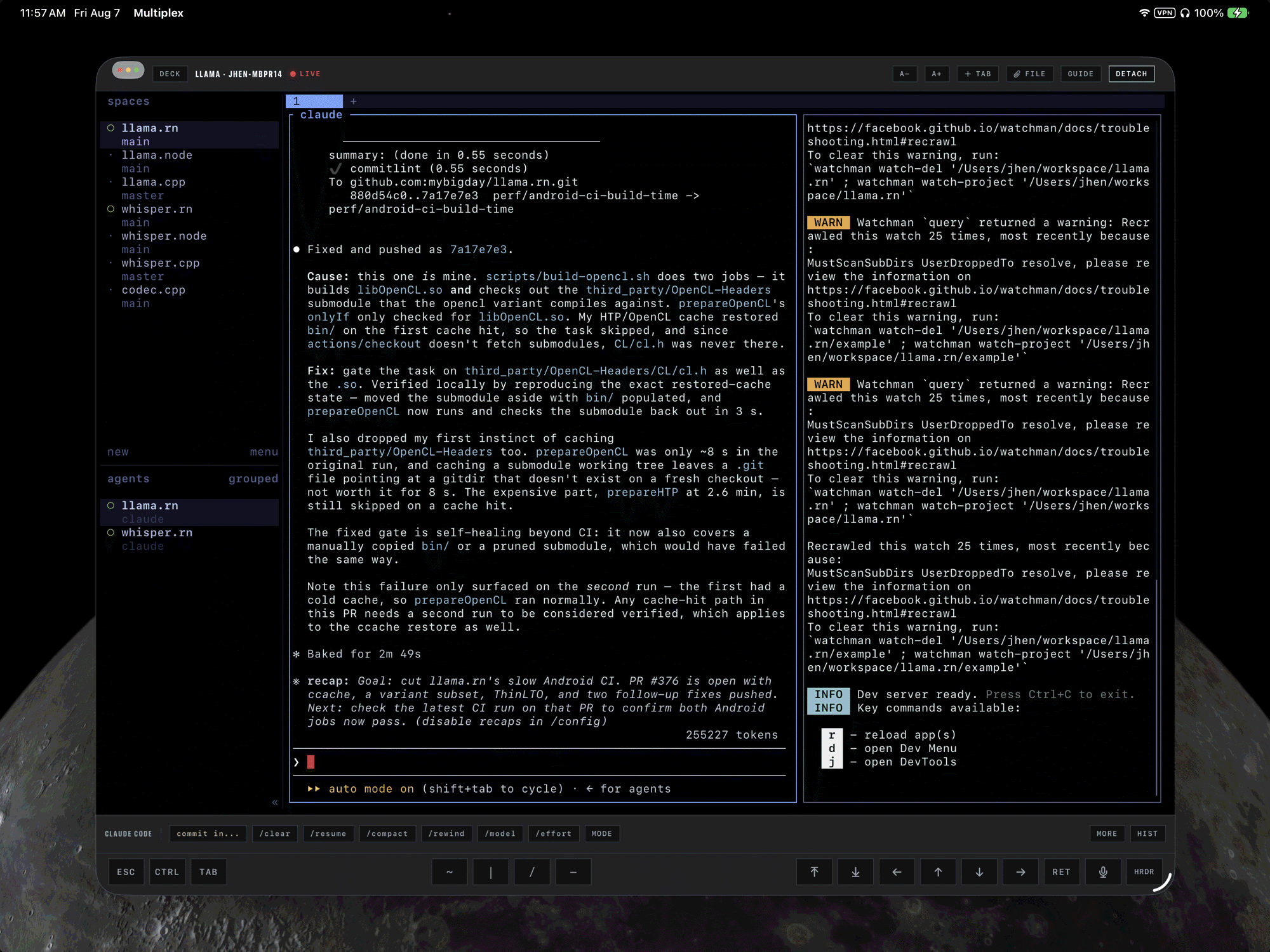 Run herdr? First‑class, per host.tmux is the default, not a requirement. Each host picks its backend — tmux, herdr 0.7.5+, or both at once — and herdr sessions get the whole app: a live tile with workspaces on its spine, attach in its own window, merge and split, file drops, agent chips and history.
Watch over Claude Code, from anywhere.Multiplex spots Claude Code, Codex, and Pi in every pane, right on the wall.
❯ ship the widget timeline fix
● I’ll update the reload gate first… ✱ Waiting on Bash(git push) Allow? (y/n) ✱ Claude Code STOP /clear /compact THINK deploy st… MORE Claude · Devbox Needs you TMUX · PANE 0 $ brew install multiplex-term/tap/mpx $ mpx bind Scan with Multiplex, or approve it over the local network. announcing “devbox” · PIN 214 967 Bind Jhen’s Vision Pro? [Y/n] y ✓ enrolled multiplex:bind:3f2a91c8:vision-pro Devbox · Bind QR + BONJOUR · ED25519 Add a host from its own terminal.Run mpx bind on the machine. It offers itself with a QR code right in the terminal and an announcement on your local network; scan it or type the PIN, the machine confirms on its own screen, and it lands on the wall.
And the parts you will lean on daily.mosh built in PROFlip a host to mosh and the session survives sleep, roaming, and IP changes. A native Swift mosh client, no companion app: made for a headset that suspends and an iPad that hops networks. SSH → mosh-server → UDP 60001 · reconnects itself after standby Drop a file, get a pathIn an SSH-backed tmux tab, drag a file onto the terminal or attach from Files, Photos, or the iPad camera. Multiplex uploads it beside your agent and types the remote path for you. ~/project/.multiplex-drops/spec.pdf ⌗ An inline browser, docked to the sessionConfirm a link your dev server printed and it opens as a browser tab right beside the terminal. A localhost URL in a pane is the host’s loopback, so Multiplex reopens it via the host’s own address — your dev server, viewed from the headset. Viewport tabs merge and split like terminals, live page intact. ▤ Files and git diffs, one tab overLong-press a path in the terminal — or open a file viewer tab — to browse the pane’s directory over SFTP: code with syntax highlighting, Markdown, images, and git diffs that keep updating while your agent edits. File tabs of their own, ◂ ▸ browse history, and a reading size you set once. Review the change without leaving the window. A real SSH terminal
 Widgets & ShortcutsHome Screen widgets show last-known session frames with an honest SEEN stamp. Siri and Shortcuts open a shell on any host, or launch an agent in a chosen working directory, with an optional setup script and first prompt. Private by designHosts and secrets sync through iCloud Keychain, end to end encrypted. NO ACCOUNTNO ANALYTICS NO SERVERS Free download, one in-app purchase Free to start. Pro for the fleet.Free$0 The full spatial experience, two hosts.
Multiplex ProIn-app purchase$19.99 once Everything in Free, unlocked with one purchase. No subscription. Not on sale yet — the purchase opens once App Review clears it.
Multiplex is a free download; Multiplex Pro will be a one-time US $19.99 in-app purchase (pricing varies by storefront) — it is still in App Review, so the features marked PRO are not unlockable yet. You need a host you can reach over SSH, with a password, an OpenSSH ed25519 or RSA key, or a key enrolled by |
| You are visitor 01402503 — GeezerVison does not store the pages you look up. Best viewed with Netscape Navigator 4.7 or Internet Explorer 6 at 800×600. No cookies required. |