GeezerVisonThe World Wide Web, restored to 800 pixels of glory. |
| Home|About|Gaming cabinet|Archives|How it works|Starter sites |
GeezerVison is showing www.pgcli.com — pgcli pgcliWe stand with UkraineUkrainian people are fighting for their country. A lot of civilians, women and children, are suffering. Hundreds were killed and injured, and thousands were displaced. This is an image from my home town, Kharkiv. This place is right in the old city center. 
Picture by @fomenko_ph (Telegram). Please consider donating or volunteering.
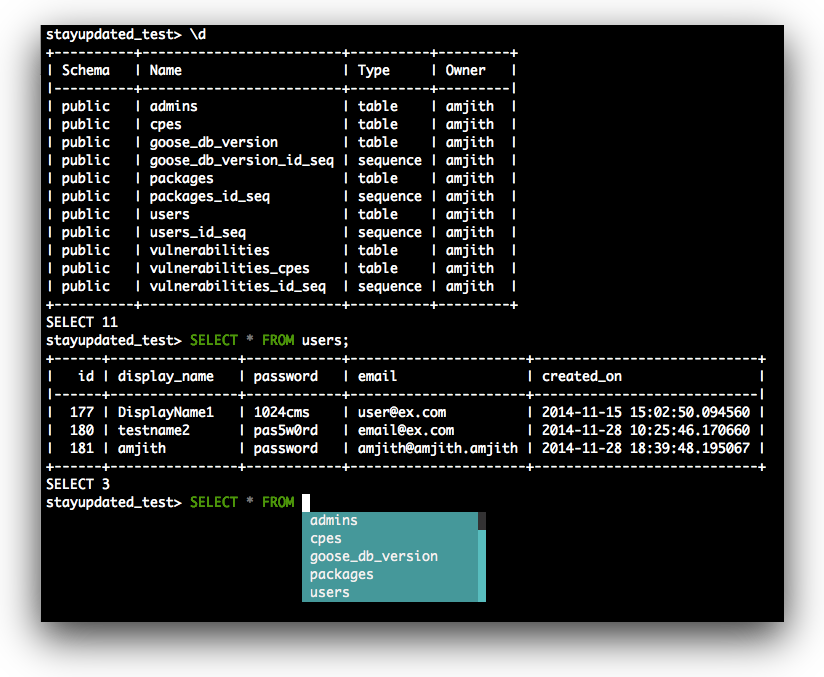
BlackLivesMatterWe value the diversity of our community. We strive to amplify the voices of the oppressed to eradicate racism and xenophobia. We ask our community to stand together in support of the Black community. Pgcli is a command line interface for Postgres with auto-completion and syntax highlighting.
Quick StartIf you already know how to install python packages, then you can simply do: $ pip install pgcli If you're on macOS you can install it via Homebrew. Just be aware that this will install postgresql if you don't already have it. $ brew install pgcli If you're having trouble with the quick start, check the install page for detailed instructions. Usage$ pgcli --help Usage: pgcli [OPTIONS] [DBNAME] [USERNAME] Options: -h, --host TEXT Host address of the postgres database. -p, --port INTEGER Port number at which the postgres instance is listening. -U, --username TEXT Username to connect to the postgres database. -u, --user TEXT Username to connect to the postgres database. -W, --password Force password prompt. -w, --no-password Never prompt for password. --single-connection Do not use a separate connection for completions. -v, --version Version of pgcli. -d, --dbname TEXT database name to connect to. --pgclirc PATH Location of pgclirc file. -D, --dsn TEXT Use DSN configured into the [alias_dsn] section of pgclirc file. --list-dsn list of DSN configured into the [alias_dsn] section of pgclirc file. --row-limit INTEGER Set threshold for row limit prompt. Use 0 to disable prompt. --less-chatty Skip intro on startup and goodbye on exit. --prompt TEXT Prompt format (Default: "\u@\h:\d> "). --prompt-dsn TEXT Prompt format for connections using DSN aliases (Default: "\u@\h:\d> "). -l, --list list available databases, then exit. --auto-vertical-output Automatically switch to vertical output mode if the result is wider than the terminal width. --warn / --no-warn Warn before running a destructive query. --help Show this message and exit. pgcli also supports many of the same environment variables as psql for login options (e.g. PGHOST, PGPORT, PGUSER, PGPASSWORD, PGDATABASE). Examples$ pgcli local_database $ pgcli postgres://amjith:[email protected]:5432/app_db $ pgcli -h localhost -p 5432 -U amjith app_db note: While using @ or special symbol in password, do encode and quote it. $ pgcli 'postgresql://amjith:%40postgres@localhost:5432/app_db' $ pgcli -h localhost -U amjith -W '@postgres' -d app_db RequestIf you know how to debian package or RPM package for Python applications please get in touch. |
| You are visitor 01402503 — GeezerVison does not store the pages you look up. Best viewed with Netscape Navigator 4.7 or Internet Explorer 6 at 800×600. No cookies required. |