GeezerVisonThe World Wide Web, restored to 800 pixels of glory. |
| Home|About|Gaming cabinet|Archives|How it works|Starter sites |
GeezerVison is showing python-course.eu — 3. Generators and Iterators | Advanced | python-course.eu 3. Generators and IteratorsBy Bernd Klein. Last modified: 20 Mar 2024. On this page ➤ IntroductionWhat is an iterator? Iterators are objects that can be iterated over like we do in a for loop. We can also say that an iterator is an object, which returns data, one element at a time. That is, they do not do any work until we explicitly ask for their next item. They work on a principle, which is known in computer science as lazy evaluation. Lazy evaluation is an evaluation strategy which delays the evaluation of an expression until its value is really needed. Due to the laziness of Python iterators, they are a great way to deal with infinity, i.e. iterables which can iterate for ever. You can hardly find Python programs that are not teaming with iterators. Iterators are a fundamental concept of Python. You already learned in your first Python programs that you can iterate over container objects such as lists and strings. To do this, Python creates an iterator version of the list or string. In this case, an iterator can be seen as a pointer to a container, which enables us to iterate over all the elements of this container. An iterator is an abstraction, which enables the programmer to access all the elements of an iterable object (a set, a string, a list etc.) without any deeper knowledge of the data structure of this object. Generators are a special kind of function, which enable us to implement or generate iterators. Mostly, iterators are implicitly used, like in the for-loop of Python. We demonstrate this in the following example. We are iterating over a list, but you shouldn't be mistaken: A list is not an iterator, but it can be used like an iterator: cities = ["Paris", "Berlin", "Hamburg", "Frankfurt", "London", "Vienna", "Amsterdam", "Den Haag"] for location in cities: print("location: " + location) OUTPUT:location: Paris location: Berlin location: Hamburg location: Frankfurt location: London location: Vienna location: Amsterdam location: Den Haag What is really going on when a for loop is executed? The function 'iter' is applied to the object following the 'in' keyword, e.g. for i in o:. Two cases are possible: o is either iterable or not. If o is not iterable, an exception will be raised, saying that the type of the object is not iterable. On the other hand, if o is iterable the call iter(o) will return an iterator, let us call it iterator_obj The for loop uses this iterator to iterate over the object o by using the next method. The for loop stops when next(iterator_obj) is exhausted, which means it returns a StopIteration exception. We demonstrate this behaviour in the following code example: expertises = ["Python Beginner", "Python Intermediate", "Python Proficient", "Python Advanced"] expertises_iterator = iter(expertises) print("Calling 'next' for the first time: ", next(expertises_iterator)) print("Calling 'next' for the second time: ", next(expertises_iterator)) OUTPUT:Calling 'next' for the first time: Python Beginner Calling 'next' for the second time: Python Intermediate We could have called We can simulate this iteration behavior of the for loop in a while loop: You might have noticed that there is something missing in our program: We have to catch the "Stop Iteration" exception: other_cities = ["Strasbourg", "Freiburg", "Stuttgart", "Vienna / Wien", "Hannover", "Berlin", "Zurich"] city_iterator = iter(other_cities) while city_iterator: try: city = next(city_iterator) print(city) except StopIteration: break OUTPUT:Strasbourg Freiburg Stuttgart Vienna / Wien Hannover Berlin Zurich The sequential base types as well as the majority of the classes of the standard library of Python support iteration. The dictionary data type dict supports iterators as well. In this case the iteration runs over the keys of the dictionary: capitals = { "France":"Paris", "Netherlands":"Amsterdam", "Germany":"Berlin", "Switzerland":"Bern", "Austria":"Vienna"} for country in capitals: print("The capital city of " + country + " is " + capitals[country]) OUTPUT:The capital city of France is Paris The capital city of Netherlands is Amsterdam The capital city of Germany is Berlin The capital city of Switzerland is Bern The capital city of Austria is Vienna Off-topic: Some readers may be confused to learn from our example that the capital of the Netherlands is not Den Haag (The Hague) but Amsterdam. Amsterdam is the capital of the Netherlands according to the constitution, even though the Dutch parliament and the Dutch government are situated in The Hague, as well as the Supreme Court and the Council of State. Live Python training 
Enjoying this page? We offer live Python training courses covering the content of this site. See our Python training courses Implementing an Iterator as a ClassOne way to create iterators in Python is defining a class which implements the methods class Cycle(object): def __init__(self, iterable): self.iterable = iterable self.iter_obj = iter(iterable) def __iter__(self): return self def __next__(self): while True: try: next_obj = next(self.iter_obj) return next_obj except StopIteration: self.iter_obj = iter(self.iterable) x = Cycle("abc") for i in range(10): print(next(x), end=", ") OUTPUT:a, b, c, a, b, c, a, b, c, a, Even though the object-oriented approach to creating an iterator may be very interesting, this is not the pythonic method. The usual and easiest way to create an iterator in Python consists in using a generator function. You will learn this in the following chapter. GeneratorsOn the surface, generators in Python look like functions, but there is both a syntactic and a semantic difference. One distinguishing characteristic is the yield statements. The yield statement turns a functions into a generator. A generator is a function which returns a generator object. This generator object can be seen like a function which produces a sequence of results instead of a single object. This sequence of values is produced by iterating over it, e.g. with a for loop. The values, on which can be iterated, are created by using the yield statement. The value created by the yield statement is the value following the yield keyword. The execution of the code stops when a yield statement is reached. The value behind the yield will be returned. The execution of the generator is interrupted now. As soon as "next" is called again on the generator object, the generator function will resume execution right after the yield statement in the code, where the last call is made. The execution will continue in the state in which the generator was left after the last yield. In other words, all the local variables still exist, because they are automatically saved between calls. This is a fundamental difference to functions: functions always start their execution at the beginning of the function body, regardless of where they had left in previous calls. They don't have any static or persistent values. There may be more than one yield statement in the code of a generator or the yield statement might be inside the body of a loop. If there is a return statement in the code of a generator, the execution will stop with a StopIteration exception error when this code is executed by the Python interpreter. The word "generator" is sometimes ambiguously used to mean both the generator function itself and the objects which are generated by a generator. Everything which can be done with a generator can also be implemented with a class based iterator as well. However,
the crucial advantage of generators consists in automatically creating the methods The following is a simple example of a generator, which is capable of producing various city names. It's possible to create a generator object with this generator, which generates all the city names, one after the other. def city_generator(): yield "Hamburg" yield "Konstanz" yield "Berlin" yield "Zurich" yield "Schaffhausen" yield "Stuttgart" We created an iterator by calling city_generator(): city = city_generator() print(next(city)) OUTPUT:Hamburg print(next(city)) OUTPUT:Konstanz print(next(city)) OUTPUT:Berlin print(next(city)) OUTPUT:Zurich print(next(city)) OUTPUT:Schaffhausen print(next(city)) OUTPUT:Stuttgart print(next(city)) OUTPUT:--------------------------------------------------------------------------- StopIteration Traceback (most recent call last) Cell In[14], line 1 ----> 1 print(next(city)) StopIteration: As we can see, we have generated an iterator Live Python training
Enjoying this page? We offer live Python training courses covering the content of this site. Upcoming online Courses See our Python training courses Method of OperationAs we have elaborated in the introduction of this chapter, the generators offer a comfortable method to generate iterators, and that's why they are called generators. Method of working:
We will illustrate this behaviour in the following example. The generator count creates an iterator which creates a sequence of values by counting from the start value 'firstval' and using 'step' as the increment for counting: def count(firstval=0, step=1): x = firstval while True: yield x x += step counter = count() # count will start with 0 for i in range(10): print(next(counter), end=", ") start_value = 2.1 stop_value = 0.3 print("\nNew counter:") counter = count(start_value, stop_value) for i in range(10): new_value = next(counter) print(f"{new_value:2.2f}", end=", ") OUTPUT:0, 1, 2, 3, 4, 5, 6, 7, 8, 9, New counter: 2.10, 2.40, 2.70, 3.00, 3.30, 3.60, 3.90, 4.20, 4.50, 4.80, Fibonacci as a Generator: The Fibonacci sequence is named after Leonardo of Pisa, who was known as Fibonacci (a contraction of filius Bonacci, "son of Bonaccio"). In his textbook Liber Abaci, which appeared in the year 1202) he had an exercise about the rabbits and their breeding: It starts with a newly-born pair of rabbits, i.e. a male and a female. It takes one month until they can mate. At the end of the second month the female gives birth to a new pair of rabbits. Now let's suppose that every female rabbit will bring forth another pair of rabbits every month after the end of the first month. We have to mention that Fibonacci's rabbits never die. They question is how large the population will be after a certain period of time. This produces a sequence of numbers: 0, 1, 1, 2, 3, 5, 8, 13 This sequence can be defined in mathematical terms like this: $F_n = F_{n - 1} + F_{n - 2}$ with the seed values: $F_0 = 0$ and $F_1 = 1$ def fibonacci(n): """ A generator for creating the Fibonacci numbers """ a, b, counter = 0, 1, 0 while True: if (counter > n): return yield a a, b = b, a + b counter += 1 f = fibonacci(5) for x in f: print(x, " ", end="") # print() OUTPUT:0 1 1 2 3 5 The generator above can be used to create the first n Fibonacci numbers separated by blanks, or better (n+1) numbers because the 0th number is also included. In the next example we present a version which is capable of returning an endless iterator. We have to take care when we use this iterator that a termination criterion is used: def fibonacci(): """Generates an infinite sequence of Fibonacci numbers on demand""" a, b = 0, 1 while True: yield a a, b = b, a + b f = fibonacci() counter = 0 for x in f: print(x, " ", end="") counter += 1 if (counter > 10): break print() OUTPUT:0 1 1 2 3 5 8 13 21 34 55 Using a 'return' in a GeneratorSince Python 3.3, generators can also use return statements, but a generator still needs at least one yield statement to be a generator! A return statement inside of a generator is equivalent to raise StopIteration() Let's have a look at a generator in which we raise StopIteration: def gen(): yield 1 raise StopIteration(42) yield 2 g = gen() next(g) OUTPUT:1 next(g) OUTPUT:--------------------------------------------------------------------------- StopIteration Traceback (most recent call last) Cell In[18], line 3, in gen() 2 yield 1 ----> 3 raise StopIteration(42) 4 yield 2 StopIteration: 42 The above exception was the direct cause of the following exception: RuntimeError Traceback (most recent call last) Cell In[21], line 1 ----> 1 next(g) RuntimeError: generator raised StopIteration We demonstrate now that def gen(): yield 1 return 42 yield 2 g = gen() next(g) OUTPUT:1 next(g) OUTPUT:--------------------------------------------------------------------------- StopIteration Traceback (most recent call last) Cell In[24], line 1 ----> 1 next(g) StopIteration: 42 Live Python training
Enjoying this page? We offer live Python training courses covering the content of this site. See our Python training courses send Method /CoroutinesGenerators can not only send objects but also receive objects. Sending a message, i.e. an object, into the generator can be achieved by applying the send method to the generator object. Be aware of the fact that send both sends a value to the generator and returns the value yielded by the generator. We will demonstrate this behavior in the following simple example of a coroutine: def simple_coroutine(): print("coroutine has been started!") while True: x = yield "foo" print("coroutine received: ", x) cr = simple_coroutine() cr OUTPUT:<generator object simple_coroutine at 0x7fb6682006c0> next(cr) OUTPUT:coroutine has been started! 'foo' ret_value = cr.send("Hi") print("'send' returned: ", ret_value) OUTPUT:coroutine received: Hi 'send' returned: foo We had to call next on the generator first, because the generator needed to be started. Using send to a generator which hasn't been started leads to an exception. To use the send method, the generator must wait for a yield statement so that the data sent can be processed or assigned to the variable on the left. What we haven't said so far: A next call also sends and receives. It always sends a None object. The values sent by "next" and "send" are assigned to a variable within the generator: this variable is called The following example modifies the generator 'count' from the previous subchapter by adding a def count(firstval=0, step=1): counter = firstval while True: new_counter_val = yield counter if new_counter_val is None: counter += step else: counter = new_counter_val start_value = 2.1 stop_value = 0.3 counter = count(start_value, stop_value) for i in range(10): new_value = next(counter) print(f"{new_value:2.2f}", end=", ") print("set current count value to another value:") counter.send(100.5) for i in range(10): new_value = next(counter) print(f"{new_value:2.2f}", end=", ") OUTPUT:2.10, 2.40, 2.70, 3.00, 3.30, 3.60, 3.90, 4.20, 4.50, 4.80, set current count value to another value: 100.80, 101.10, 101.40, 101.70, 102.00, 102.30, 102.60, 102.90, 103.20, 103.50, Radio Station as an Example
from random import choice

def song_generator(song_list):
    new_song = None
    while True:
        if new_song != None:
            if new_song not in song_list:
                song_list.append(new_song)
            new_song = yield new_song
        else:
            new_song = yield choice(song_list)

songs = ["Her Şeyi Yak - Sezen Aksu",
         "Bluesette - Toots Thielemans",
         "Six Marimbas - Steve Reich",
         "Riverside - Agnes Obel",
         "Not for Radio - Nas",
         "What's going on - Taste",
         "On Stream - Nils Petter Molvær",
         "La' Inta Habibi - Fayrouz",
         "Ik Leef Niet Meer Voor Jou - Marco Borsato",
         "Δέκα λεπτά - Αθηνά Ανδρεάδη"]
radio_program = song_generator(songs) next(radio_program) OUTPUT:"What's going on - Taste" for i in range(3): print(next(radio_program)) OUTPUT:Riverside - Agnes Obel Riverside - Agnes Obel Riverside - Agnes Obel radio_program.send("Distorted Angels - Archive") OUTPUT:'Distorted Angels - Archive' songs
OUTPUT:['Her Şeyi Yak - Sezen Aksu', 'Bluesette - Toots Thielemans', 'Six Marimbas - Steve Reich', 'Riverside - Agnes Obel', 'Not for Radio - Nas', "What's going on - Taste", 'On Stream - Nils Petter Molvær', "La' Inta Habibi - Fayrouz", 'Ik Leef Niet Meer Voor Jou - Marco Borsato', 'Δέκα λεπτά - Αθηνά Ανδρεάδη', 'Distorted Angels - Archive'] So far, we could change the behavior of the song interator by sending a new song, i.e. a title plus the performer. We will extend the generator now. We make it possible to send a new song list. We have to send a tuple to the new iterator, either a tuple: ( ("-songlist-", from random import choice def song_generator(song_list): new_song = None while True: if new_song != None: if new_song[0] == "-songlist-": song_list = new_song[1] new_song = yield choice(song_list) else: title, performer = new_song new_song = title + " - " + performer if new_song not in song_list: song_list.append(new_song) new_song = yield new_song else: new_song = yield choice(song_list) songs1 = ["Après un Rêve - Gabriel Fauré" "On Stream - Nils Petter Molvær", "Der Wanderer Michael - Michael Wollny", "Les barricades mystérieuses - Barbara Thompson", "Monday - Ludovico Einaudi"] songs2 = ["Dünyadan Uzak - Pinhani", "Again - Archive", "If I had a Hear - Fever Ray" "Every you, every me - Placebo", "Familiar - Angnes Obel"] radio_prog = song_generator(songs1) for i in range(5): print(next(radio_prog)) OUTPUT:Après un Rêve - Gabriel FauréOn Stream - Nils Petter Molvær Après un Rêve - Gabriel FauréOn Stream - Nils Petter Molvær Der Wanderer Michael - Michael Wollny Monday - Ludovico Einaudi Les barricades mystérieuses - Barbara Thompson We change the radio program now by exchanging the song list: radio_prog.send(("-songlist-", songs2)) OUTPUT:'Dünyadan Uzak - Pinhani' for i in range(5): print(next(radio_prog)) OUTPUT:If I had a Hear - Fever RayEvery you, every me - Placebo Again - Archive Again - Archive Again - Archive If I had a Hear - Fever RayEvery you, every me - Placebo The throw MethodThe throw() method raises an exception at the point where the generator was paused, and returns the next value yielded by the generator. It raises StopIteration if the generator exits without yielding another value. The generator has to catch the passed-in exception, otherwise the exception will be propagated to the caller. The infinite loop of our def count(firstval=0, step=1): counter = firstval while True: try: new_counter_val = yield counter if new_counter_val is None: counter += step else: counter = new_counter_val except Exception: yield (firstval, step, counter) In the following code block, we will show how to use this generator: c = count() for i in range(6): print(next(c)) print("Let us see what the state of the iterator is:") state_of_count = c.throw(Exception) print(state_of_count) print("now, we can continue:") for i in range(3): print(next(c)) OUTPUT:0 1 2 3 4 5 Let us see what the state of the iterator is: (0, 1, 5) now, we can continue: 5 6 7 We can improve the previous example by defining our own exception class StateOfGenerator: class StateOfGenerator(Exception): def __init__(self, message=None): self.message = message def count(firstval=0, step=1): counter = firstval while True: try: new_counter_val = yield counter if new_counter_val is None: counter += step else: counter = new_counter_val except StateOfGenerator: yield (firstval, step, counter) We can use the previous generator like this: c = count() for i in range(3): print(next(c)) print("Let us see what the state of the iterator is:") i = c.throw(StateOfGenerator) print(i) print("now, we can continue:") for i in range(3): print(next(c)) OUTPUT:0 1 2 Let us see what the state of the iterator is: (0, 1, 2) now, we can continue: 2 3 4 Live Python training
Enjoying this page? We offer live Python training courses covering the content of this site. See our Python training courses yield from"yield from" is available since Python 3.3!
The We can learn from the following example by looking at the two generators 'gen1' and 'gen2' that the def gen1(): for char in "Python": yield char for i in range(5): yield i def gen2(): yield from "Python" yield from range(5) g1 = gen1() g2 = gen2() print("g1: ", end=", ") for x in g1: print(x, end=", ") print("\ng2: ", end=", ") for x in g2: print(x, end=", ") print() OUTPUT:g1: , P, y, t, h, o, n, 0, 1, 2, 3, 4, g2: , P, y, t, h, o, n, 0, 1, 2, 3, 4, We can see from the output that both generators are the same. The benefit of a yield from statement can be seen as a way to split a generator into multiple generators. That's what we have done in our previous example and we will demonstrate this more explicitely in the following example: def cities(): for city in ["Berlin", "Hamburg", "Munich", "Freiburg"]: yield city def squares(): for number in range(10): yield number ** 2 def generator_all_in_one(): for city in cities(): yield city for number in squares(): yield number def generator_splitted(): yield from cities() yield from squares() lst1 = [el for el in generator_all_in_one()] lst2 = [el for el in generator_splitted()] print(lst1 == lst2) OUTPUT:True The previous code returns True because the generators def subgenerator(): yield 1 return 42 def delegating_generator(): x = yield from subgenerator() print(x) for x in delegating_generator(): print(x) OUTPUT:1 42 The full semantics of the yield from expression is described in six points in "PEP 380 -- Syntax for Delegating to a Subgenerator" in terms of the generator protocol:
Recursive GeneratorsThe following example is a generator to create all the permutations of a given list of items. For those who don't know what permutations are, we have a short introduction: Formal Definition: The term "permutation" stems from the latin verb "permutare" which means A permutation is a rearrangement of the elements of an ordered list. In other words: Every arrangement of n elements is called a permutation. In the following lines we show you all the permutations of the letter a, b and c: a b c
The number of permutations on a set of n elements is given by n! n! = n(n-1)(n-2) ... 2 * 1 n! is called the factorial of n. The permutation generator can be called with an arbitrary list of objects. The iterator returned by this generator generates all the possible permutations: def permutations(items): n = len(items) if n==0: yield [] else: for i in range(len(items)): for cc in permutations(items[:i]+items[i+1:]): yield [items[i]]+cc for p in permutations(['r','e','d']): print(''.join(p)) for p in permutations(list("game")): print(''.join(p) + ", ", end="") OUTPUT:red rde erd edr dre der game, gaem, gmae, gmea, geam, gema, agme, agem, amge, ameg, aegm, aemg, mgae, mgea, mage, maeg, mega, meag, egam, egma, eagm, eamg, emga, emag, The previous example can be hard to understand for newbies. Like always, Python offers a convenient solution. We need the module itertools for this purpose. Itertools is a very handy tool to create and operate on iterators. Creating permutations with itertools: import itertools perms = itertools.permutations(['r','e','d']) list(perms) OUTPUT:[('r', 'e', 'd'),
('r', 'd', 'e'),
('e', 'r', 'd'),
('e', 'd', 'r'),
('d', 'r', 'e'),
('d', 'e', 'r')]
The term "permutations" can sometimes be used in a weaker meaning. Permutations can denote in this weaker meaning a sequence of elements, where each element occurs just once, but without the requirement to contain all the elements of a given set. So in this sense (1,3,5,2) is a permutation of the set of digits {1,2,3,4,5,6}. We can build, for example, all the sequences of a fixed length k of elements taken from a given set of size n with k ≤ n. These are are all the 3-permutations of the set {"a","b","c","d"}. These atypical permutations are also known as sequences without repetition. By using this term we can avoid confusion with the term "permutation". The number of such k-permutations of n is denoted by $P_{n,k}$ and its value is calculated by the product: $n · (n - 1) · … (n - k + 1)$ By using the factorial notation, the above mentioned expression can be written as: $P_{n,k} = n! / (n - k)!$ A generator for the creation of k-permuations of n objects looks very similar to our previous permutations generator: def k_permutations(items, n): if n==0: yield [] else: for item in items: for kp in k_permutations(items, n-1): if item not in kp: yield [item] + kp for kp in k_permutations("abcd", 3): print(kp) OUTPUT:['a', 'b', 'c'] ['a', 'b', 'd'] ['a', 'c', 'b'] ['a', 'c', 'd'] ['a', 'd', 'b'] ['a', 'd', 'c'] ['b', 'a', 'c'] ['b', 'a', 'd'] ['b', 'c', 'a'] ['b', 'c', 'd'] ['b', 'd', 'a'] ['b', 'd', 'c'] ['c', 'a', 'b'] ['c', 'a', 'd'] ['c', 'b', 'a'] ['c', 'b', 'd'] ['c', 'd', 'a'] ['c', 'd', 'b'] ['d', 'a', 'b'] ['d', 'a', 'c'] ['d', 'b', 'a'] ['d', 'b', 'c'] ['d', 'c', 'a'] ['d', 'c', 'b'] Live Python training
Enjoying this page? We offer live Python training courses covering the content of this site. See our Python training courses A Generator of GeneratorsThe second generator of our Fibonacci sequence example generates an iterator, which can theoretically produce all the Fibonacci numbers, i.e. an infinite number. But you shouldn't try to produce all these numbers in a list with the following line. list(fibonacci()) This will show you very fast the limits of your computer.
In most practical applications, we only need the first def firstn(generator, n): g = generator() for i in range(n): yield next(g) The following script returns the first 10 elements of the Fibonacci sequence: def fibonacci(): """ A Fibonacci number generator """ a, b = 0, 1 while True: yield a a, b = b, a + b print(list(firstn(fibonacci, 10))) OUTPUT:[0, 1, 1, 2, 3, 5, 8, 13, 21, 34] ExercisesExercise 1Write a generator which computes the running average. Exercise 2Write a generator Exercise 3
Exercise 4Write a version "rtrange" of the previous generator, which can receive messages to reset the start value. Exercise 5Write a program, using the newly written generator "trange", to create a file "times_and_temperatures.txt". The lines of this file contain a time in the format
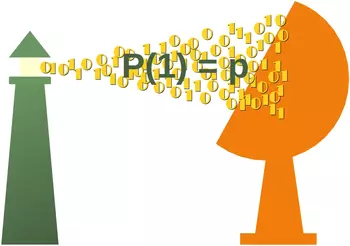
Exercise 6Write a generator with the name "random_ones_and_zeroes", which returns a bitstream, i.e. a zero or a one in every iteration. The probability p for returning a 1 is defined in a variable p. The generator will initialize this value to 0.5. In other words, zeroes and ones will be returned with the same probability. Exercise 7We wrote a class Exercise 8Write a generator function which implements the $\pi$-series: $\frac{\pi}{4} = \sum_{n=1}^{\infty} \frac{(-1)^{n+1}}{n}$ or $\frac{\pi}{4} = 1 - \frac{1}{2} + \frac{1}{3} - \frac{1}{4} + \ldots$ Live Python training
Enjoying this page? We offer live Python training courses covering the content of this site. See our Python training courses Solutions to our ExercisesSolution to Exercise 1def running_average(): total = 0.0 counter = 0 average = None while True: term = yield average total += term counter += 1 average = total / counter ra = running_average() # initialize the coroutine next(ra) # we have to start the coroutine for value in [7, 13, 17, 231, 12, 8, 3]: out_str = "sent: {val:3d}, new average: {avg:6.2f}" print(out_str.format(val=value, avg=ra.send(value))) OUTPUT:sent: 7, new average: 7.00 sent: 13, new average: 10.00 sent: 17, new average: 12.33 sent: 231, new average: 67.00 sent: 12, new average: 56.00 sent: 8, new average: 48.00 sent: 3, new average: 41.57 Solution to Exercise 2def frange(*args): """ dfgdg """ startval = 0 stepsize = 1 if len(args) == 1: endval = args[0] elif len(args) == 2: startval, endval = args elif len(args) == 3: startval, endval, stepsize = args else: txt = "range expected at most 3 arguments, got " + len(args) raise TypeError(txt) value = startval factor = -1 if stepsize < 0 else 1 while (value - endval) * (factor) < 0: yield value value += stepsize Using for i in frange(5.6): print(i, end=", ") print() for i in frange(0.3, 5.6): print(i, end=", ") print() for i in frange(0.3, 5.6, 0.8): print(i, end=", ") print() OUTPUT:0, 1, 2, 3, 4, 5, 0.3, 1.3, 2.3, 3.3, 4.3, 5.3, 0.3, 1.1, 1.9000000000000001, 2.7, 3.5, 4.3, 5.1, Solution to Exercise 3%%writefile timerange.py def trange(start, stop, step): """ trange(stop) -> time as a 3-tuple (hours, minutes, seconds) trange(start, stop[, step]) -> time tuple start: time tuple (hours, minutes, seconds) stop: time tuple step: time tuple returns a sequence of time tuples from start to stop incremented by step """ current = list(start) while current < list(stop): yield tuple(current) seconds = step[2] + current[2] min_borrow = 0 hours_borrow = 0 if seconds < 60: current[2] = seconds else: current[2] = seconds - 60 min_borrow = 1 minutes = step[1] + current[1] + min_borrow if minutes < 60: current[1] = minutes else: current[1] = minutes - 60 hours_borrow = 1 hours = step[0] + current[0] + hours_borrow if hours < 24: current[0] = hours else: current[0] = hours - 24 OUTPUT:Writing timerange.py from timerange import trange for time in trange((10, 10, 10), (19, 53, 15), (1, 24, 12) ): print(time) OUTPUT:(10, 10, 10) (11, 34, 22) (12, 58, 34) (14, 22, 46) (15, 46, 58) (17, 11, 10) (18, 35, 22) Solution to Exercise 4%%writefile rtimerange.py def rtrange(start, stop, step): """ trange(stop) -> time as a 3-tuple (hours, minutes, seconds) trange(start, stop[, step]) -> time tuple start: time tuple (hours, minutes, seconds) stop: time tuple step: time tuple returns a sequence of time tuples from start to stop incremented by step The generator can be reset by sending a new "start" value. """ current = list(start) while current < list(stop): new_start = yield tuple(current) if new_start != None: current = list(new_start) continue seconds = step[2] + current[2] min_borrow = 0 hours_borrow = 0 if seconds < 60: current[2] = seconds else: current[2] = seconds - 60 min_borrow = 1 minutes = step[1] + current[1] + min_borrow if minutes < 60: current[1] = minutes else: current[1] = minutes - 60 hours_borrow = 1 hours = step[0] + current[0] + hours_borrow if hours < 24: current[0] = hours else: current[0] = hours -24 OUTPUT:Writing rtimerange.py from rtimerange import rtrange ts = rtrange((10, 10, 10), (17, 50, 15), (1, 15, 12) ) for _ in range(3): print(next(ts)) print(ts.send((8, 5, 50))) for _ in range(3): print(next(ts)) OUTPUT:(10, 10, 10) (11, 25, 22) (12, 40, 34) (8, 5, 50) (9, 21, 2) (10, 36, 14) (11, 51, 26) Solution to Exercise 5from timerange import trange import random fh = open("times_and_temperatures.txt", "w") for time in trange((6, 0, 0), (23, 0, 0), (0, 1, 30) ): random_number = random.randint(100, 250) / 10 lst = time + (random_number,) output = "{:02d}:{:02d}:{:02d} {:4.1f}\n".format(*lst) fh.write(output) You can find further details and the mathematical background about this exercise in our chapter on Weighted Probabilities Solution to Exercise 6import random def random_ones_and_zeros(): p = 0.5 while True: x = random.random() message = yield 1 if x < p else 0 if message != None: p = message x = random_ones_and_zeros() next(x) # we are not interested in the return value for p in [0.2, 0.8]: print("\nWe change the probability to : " + str(p)) x.send(p) for i in range(20): print(next(x), end=" ") print() OUTPUT:We change the probability to : 0.2 0 0 0 0 0 1 0 1 1 1 0 0 0 1 0 1 0 0 0 0 We change the probability to : 0.8 1 1 1 1 1 1 1 0 1 1 1 1 1 1 1 1 1 1 1 1 Solution to Exercise 7The "cycle" generator is part of the module 'itertools'. The following code is the implementation in itertools: def cycle(iterable): # cycle('ABCD') --> A B C D A B C D A B C D ... saved = [] for element in iterable: yield element saved.append(element) while saved: for element in saved: yield element countries = ["Germany", "Switzerland", "Austria"] country_iterator = cycle(countries) for i in range(7): print(next(country_iterator)) OUTPUT:Germany Switzerland Austria Germany Switzerland Austria Germany Solution to Exercise 8def pi_series(): sum, i, j = 0, 1, 1 while True: sum += j/i yield 4*sum i += 2 j *= -1 Let's look at the first 20 values stop_value = 20 counter = 0 for p in pi_series(): print(p) if counter == stop_value: break counter += 1 OUTPUT:4.0 2.666666666666667 3.466666666666667 2.8952380952380956 3.3396825396825403 2.9760461760461765 3.2837384837384844 3.017071817071818 3.2523659347188767 3.0418396189294032 3.232315809405594 3.058402765927333 3.2184027659273333 3.0702546177791854 3.208185652261944 3.079153394197428 3.200365515409549 3.0860798011238346 3.1941879092319425 3.09162380666784 3.189184782277596 The following generator function iterates over the elements generated by the provided generator function def iterate_eps(generator, eps): counter = 0 previous = 0 for p in generator(): yield p if abs(previous - p) < eps: break previous = p counter += 1 for el in iterate(pi_series, eps=0.1): print(el) OUTPUT:4.0 2.666666666666667 3.466666666666667 2.8952380952380956 3.3396825396825403 2.9760461760461765 3.2837384837384844 3.017071817071818 3.2523659347188767 3.0418396189294032 3.232315809405594 3.058402765927333 3.2184027659273333 3.0702546177791854 3.208185652261944 3.079153394197428 3.200365515409549 3.0860798011238346 3.1941879092319425 3.09162380666784 3.189184782277596 Live Python training
Enjoying this page? We offer live Python training courses covering the content of this site. Upcoming online Courses See our Python training courses |
| You are visitor 01402503 — GeezerVison does not store the pages you look up. Best viewed with Netscape Navigator 4.7 or Internet Explorer 6 at 800×600. No cookies required. |