GeezerVisonThe World Wide Web, restored to 800 pixels of glory. |
| Home|About|Gaming cabinet|Archives|How it works|Starter sites |
GeezerVison is showing pythonprogramming.net — Python Programming Tutorials Packaging and Deployment (PyInstaller, Buildozer) - Kivy with Python TutorialsAlright, now comes the moment of truth: Packaging! Packaging is what turned me off to Kivy many years ago. Let's see how it is today. Kivy provides instructions for packaging your Kivy app by OS, but I have found that often more steps are needed and it can be hard to debug! As I learn more about solving for issues with Kivy packaging, I will update this page. WindowsTo start, Let's do Windows. Should be easy, right? Just use PyInstaller. Do a
...assuming At least for me, I got an error about making a window with Python 3.7.
So then I downgraded to 3.6, installed Kivy there and PyInstaller, tried again. This time getting: Fatal Python error: initfsencoding: unable to load the file system codec ModuleNotFoundError: No module named 'encodings' So then I did a Hey it worked! Woo. To use your app, head into the Having trouble? Tell us about it on discord.gg/sentdex LinuxAlright, how about.... Linux? Add the kivy repo, install kivy, run the app, that works. Let's try to package! Oh, there's none. Guess you'll just have to use a shell script or something to install the things then run. Oh well....but you'll need it for Android! 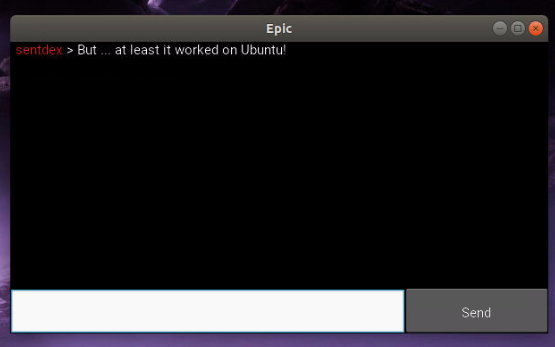
AndroidOkay, fine. The one I really care about anyways: Android! First, you need to setup Kivy for Linux: Next, we need buildozer.
Next, grab buildozer dependencies. Even after these dependencies, I got the following errors: sh.ErrorReturnCode_127: RAN: /home/h/Desktop/convert_me/.buildozer/android/platform/build/build/other_builds/libffi/armeabi-v7a__ndk_target_21/libffi/autogen.sh STDOUT: /home/h/Desktop/convert_me/.buildozer/android/platform/build/build/other_builds/libffi/armeabi-v7a__ndk_target_21/libffi/autogen.sh: 2: exec: autoreconf: not found STDERR: # Command failed: /usr/bin/python3 -m pythonforandroid.toolchain create --dist_name=myapp --bootstrap=sdl2 --requirements=python3,kivy --arch armeabi-v7a --copy-libs --color=always --storage-dir="/home/h/Desktop/convert_me/.buildozer/android/platform/build" --ndk-api=21 So then I grabbed 3 more dependencies: sudo apt-get install automake autoconf libltdl-dev Then you can run
...and rather than an error, it was an agreement that we needed to choose yes for. So that worked after that, and I finally got the app on my phone. But then, after filling out the login on my phone, the app would crash and restart. I couldn't figure out what exactly was going wrong because there's no error output that I could find so then we needed to figure out how to debug. One way to debug Kivy on Android is to save whole console output to a text file and read this file in case of application crash or other issues: import sys
sys.stderr = open('output.txt', 'w')
sys.stdout = sys.stderr
from kivy.logger import LoggerHistory
print('\n'.join([str(l) for l in LoggerHistory.history]))
First part of the code above sets handle to a file as standard error output and standard output, when second logs there current console output of Kivy (the one you normally see on the console/terminal when you start your application). Additionally you can add print statements inside your application to be able to see their output later in this file as well - all output is going to be logged to a file. To be able to read this file, you need to know domain and name of your application. By default those are accordingly Last required thing is ability to run When you deploy your application to your smart phone and it crash, or you simply want to see an output, do not disconnect your phone. Run terminal and execute below commands to run shell, change directory to your application directory, and list files: ~/.buildozer/android/platform/android-sdk/platform-tools/adb shell run-as org.test.myapp cd files/app ls -l Remember to replace Now you can read output file using: After doing this, we discovered it was a permissions issue, our app didn't have " android.permissions = INTERNET After this, GREAT! it finally worked on mobile! Woohoo! Having trouble? Tell us about it on discord.gg/sentdex
|
| You are visitor 01402503 — GeezerVison does not store the pages you look up. Best viewed with Netscape Navigator 4.7 or Internet Explorer 6 at 800×600. No cookies required. |