
QAPlug - Quality Assurance Plugin
QAPlug seamlessly integrates leading static analysis tools – PMD, Checkstyle, FindBugs, and Hammurapi – directly into your JetBrains IDE for real-time code inspection and complete quality management.
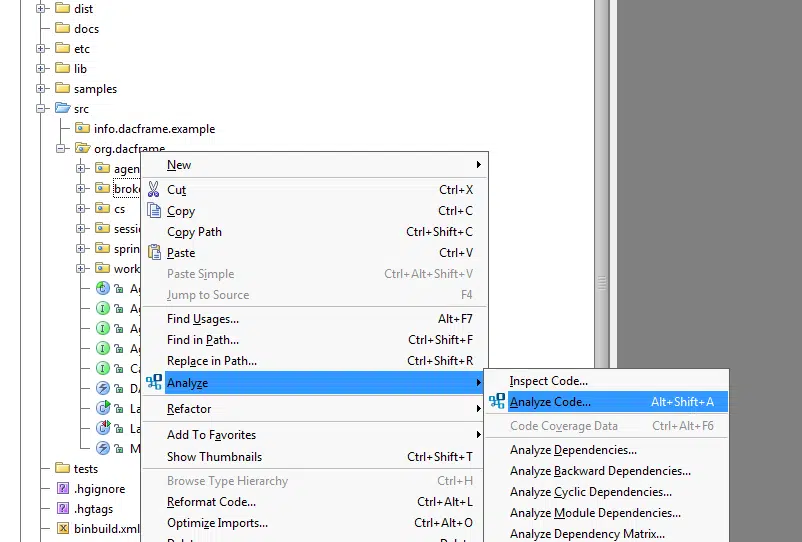
Core features
One Plugin. Complete Code Inspection.
Seamless IntelliJ IDEA Integration
Native integration with JetBrains IntelliJ IDEA. Install directly from the official plugin repository and start analyzing without leaving your IDE.
Multi-Engine Analysis
No need to manage multiple plugins. QAPlug bundles top-tier static code analysis tools, like PMD, Checkstyle, and FindBugs, into a unified, user-friendly interface.
Real-Time On-the-Fly Checks
Identify code smells, potential bugs, and formatting violations immediately while typing. Fix issues before pushing code to repository.
Custom Profile Import & Export
Import existing Checkstyle, PMD, or FindBugs XML configuration files. Export customized profiles across your entire team to enforce company-wide standards.
Extended Quality Reports & Metrics
Access deep insights including total files, source lines of code (SLOC), classes, and method counts alongside granular issue classifications and time statistics.
Automated Update Notifications
Stay up-to-date effortlessly with integrated version checking that alerts you whenever new enhancements or module updates are available so that you never miss them.
Analysis Scopes & VCS Integration
Run checks across an entire project, specific modules, selected directories, uncommitted Version Control (VCS) changes, or single open files to streamline code reviews.
Multi-Format Report Export
Share and archive code quality assessments across your team. Export inspection summaries, metrics, and problem lists to standard HTML or XML files for documentation and auditing.
tools we integrated
Supported Static Analysis Engines

Finds common flaws like unused variables, empty catch blocks, unnecessary object creation, and suboptimal expressions.

Enforces coding style guidelines, formatting rules, and naming conventions to ensure consistency across developer teams.

Uses static analysis to look for performance issues, concurrency bugs, and null pointer dereferences in Java bytecode.

Provides additional structural checks and compliance standards tailored to enterprise Java applications.
Our Solution
How to Install QAPlug
You can install QAPlug using IntelliJ IDEA Plugin Manager without leaving IntelliJ IDEA. Follow the steps below. For more instructions check this tutorial.
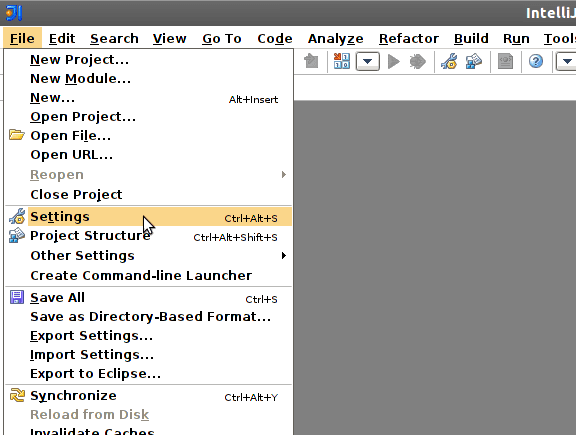
1. Open IntelliJ IDEA and go to ‘File’ → ‘Settings’.
2. Go to ‘Plugins’ and search for QAPlug.
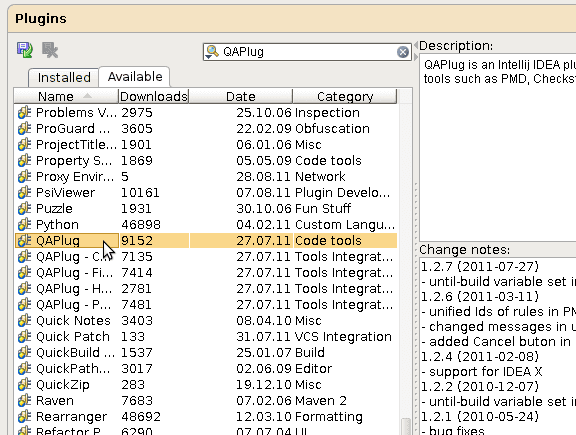
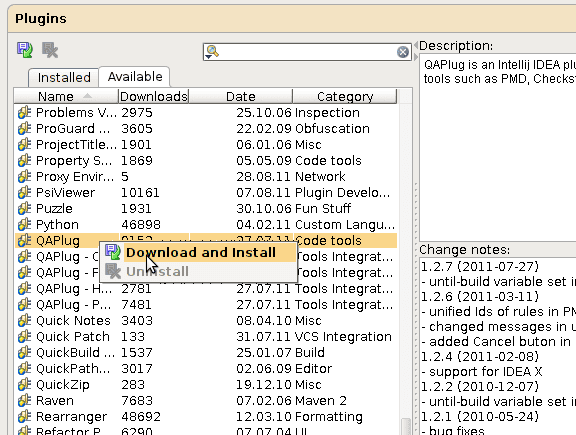
3. Right-click on ‘QAPlug’ and select ‘Download and Install’. Confirm the plugin installation.
Our Solution
How to Install QAPlug
You can install QAPlug using IntelliJ IDEA Plugin Manager without leaving IntelliJ IDEA. Follow the steps below. For more instructions check this tutorial.
1. Open IntelliJ IDEA and go to ‘File’ → ‘Settings’.
2. Go to ‘Plugins’ and search for QAPlug.