GeezerVisonThe World Wide Web, restored to 800 pixels of glory. | |||||||||||||||||||||||||||||||||||||||||||||||||||||||||||||||||||||||||||||||||||||
| Home|About|Gaming cabinet|Archives|How it works|Starter sites | |||||||||||||||||||||||||||||||||||||||||||||||||||||||||||||||||||||||||||||||||||||
GeezerVison is showing reelyactive.github.io — reelyActive Minew S1 Sensor Configuration Guide Configure a Minew S1 SensorOur step-by-step guide to configure the temperature & humidity sensor with the BeaconSET+ app. 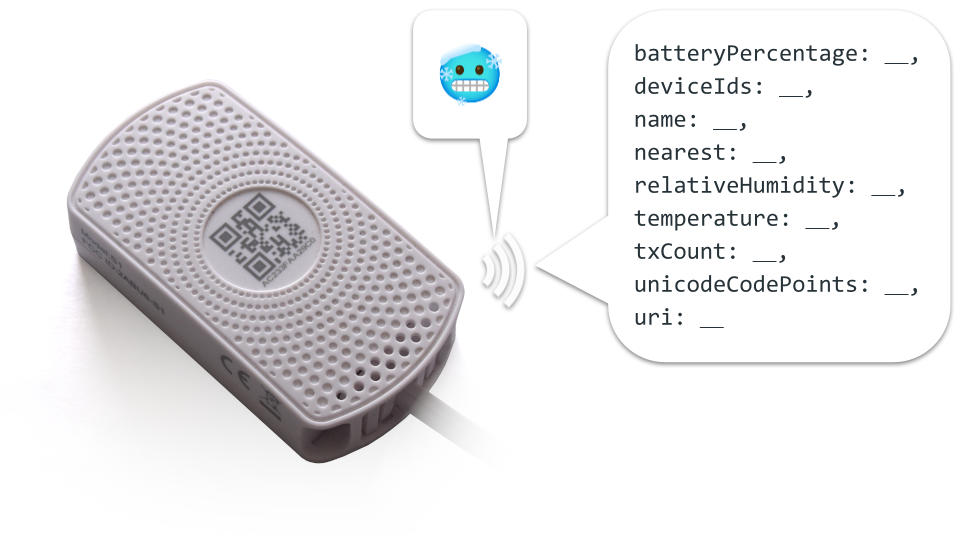
The TL;DR (Too Long; Didn't Read)Learn how we at reelyActive configure the S1 for real-time sensing and location
PrerequisitesA Minew S1 sensor beacon and the BeaconSET+ mobile app. 

Detect and connect Step 1 of 3Identify and connect to the S1 in the BeaconSET+ mobile app.

Physically prepare and identify the S1 Part 1The S1 must be powered on in order to be detected by the BeaconSET+ mobile app. 
Check that the S1 is powered on by observing a periodic blue LED blink through the top of the enclosure. If no blink is observed, power on the S1 by holding down the power button until the blue LED is observed. If the S1 cannot be powered on, first change the batteries. Note the 48-bit (16 character) identifier on the enclosure (ex: AC233FA12345). This uniquely identifies the S1 in the BeaconSET+ mobile app (and in Pareto Anywhere too). 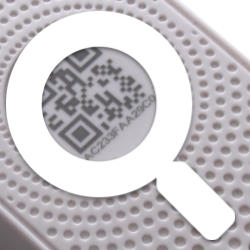
Identify and connect in BeaconSET+ Part 2The BeaconSET+ mobile app requires Bluetooth and Location to be enabled on the mobile device. 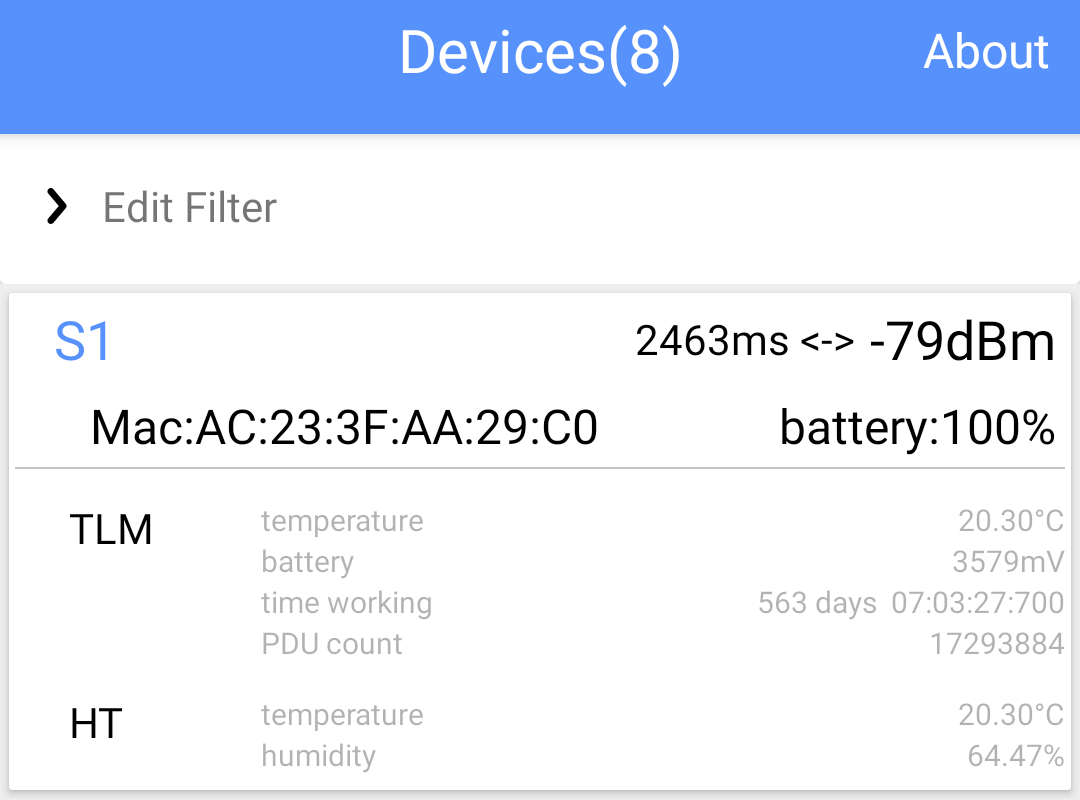
Too many devices detected? Select Edit Filter in the app and reduce the RSSI threshold to display only devices in close proximity. Configure the transmission SLOTs Step 2 of 3Configure the S1 to periodically transmit temperature and humidity readings.

Determine what to transmit Part 1The Minew S1 can transmit any of the following packets periodically, or spontaneously given any of the following triggers: Packets
Triggers
Countless combinations are possible. In Part 2 next, we'll provide the configuration details for one specific combination with the following behaviour:
Configure each SLOT Part 2From the BeaconSET+ app, individually configure each of the six SLOTs as follows: EmptySet the Frame Type to Empty and Save to maximise battery life. UID
UID
EmptySet the Frame Type to Empty and Save to maximise battery life. INFODo not modify this SLOT: the BeaconSet+ app requires the INFO packet to connect! HT
Observe data in Pareto Anywhere Step 3 of 3Optionally observe the transmitted data in your web browser.

Install Pareto Anywhere (OPTIONAL) Part 1Follow one of our tutorials to install Pareto Anywhere on your platform of choice:
Observe the /context API (OPTIONAL) Part 2Browse to the /context API of the Pareto Anywhere instance, specifying the S1's identifier in the route as follows: http://pareto.local/context/device/ac233fa12345/2 Change pareto.local to the IP address and port (ex: 127.0.0.1:3001) as required, and the identifier of the device (ex: ac233fa000000) to that of your S1.* The /2 at the end specifies that the identifier is an EUI-48. *alternatively, browse to …/context and select your S1 from the list of detected devices. 
Enjoy the data (OPTIONAL) Part 3Our cheatsheet details the raddec and dynamb JSON output from the Pareto Anywhere open source middleware.
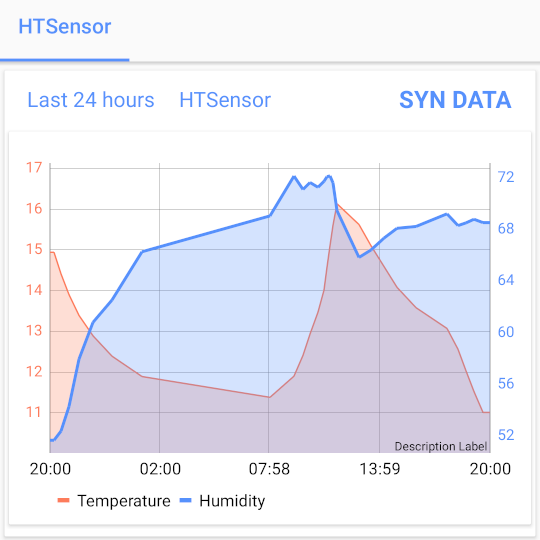
Retrieve history in BeaconSet+ (OPTIONAL) Part 4The previous 24 hours of temperature and humidity data can also be retrieved and displayed in the BeaconSet+ app, when connected. Connect to the S1 as in Step 1 Part 2, then select the Sensor field in the General tab, and finally select SYN DATA to retrieve and display the historical readings. 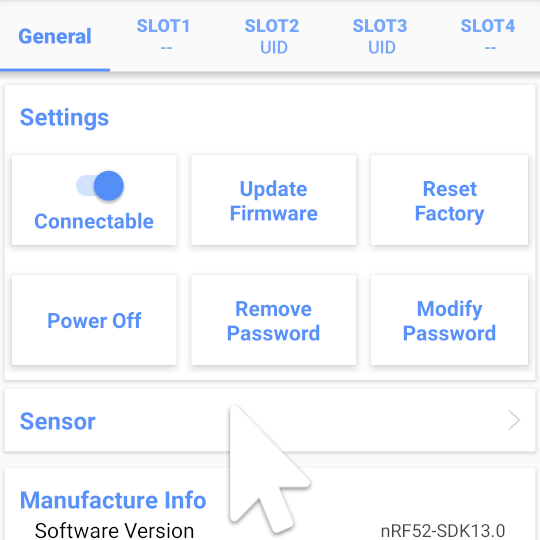

Tutorial prepared with ♥ by jeffyactive. You can reelyActive's open source efforts directly by contributing code & docs, collectively by sharing across your network, and commercially through our packages.Where to next?Continue exploring our open architecture and all its applications.
| |||||||||||||||||||||||||||||||||||||||||||||||||||||||||||||||||||||||||||||||||||||
| You are visitor 01402792 — GeezerVison does not store the pages you look up. Best viewed with Netscape Navigator 4.7 or Internet Explorer 6 at 800×600. No cookies required. |


