GeezerVisonThe World Wide Web, restored to 800 pixels of glory. |
| Home|About|Gaming cabinet|Archives|How it works|Starter sites |
GeezerVison is showing rstudio.github.io — Publishing on shinyapps.io  Publishing on shinyapps.ioAngela LiSource:vignettes/shinyapps-publishing.Rmd
shinyapps-publishing.RmdYou may be interested in deploying your learnr tutorial on shinyapps.io so that students can access them from the web browser. However, you will need to know how to optimize your application settings so that your tutorials are able to handle a large number of users at once (for example, a 60-person class logging onto the same tutorial to complete interactive exercises during a statistics lecture). In order to publish your tutorials on Alternative options for hosting learnr tutorialsNote that there are other options for hosting tutorials besides
Both of these require some configuration and setup, and may be beyond
what either you or your students wish to undertake at the time (i.e. if
you are running a short-term course). This leads to a third option that
costs money, but may save you valuable time on system administration:
deploying your learnr tutorial on Note: Currently, the free Optimal settings for shinyapps.ioAs an educator, we assume you have a few concerns:
Balancing these two things will be a part of figuring out your optimal configuration settings. Optimizing for classroom settingsOnce you have published your tutorials to
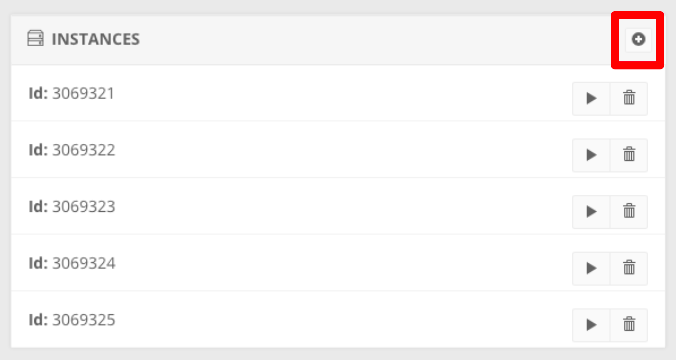
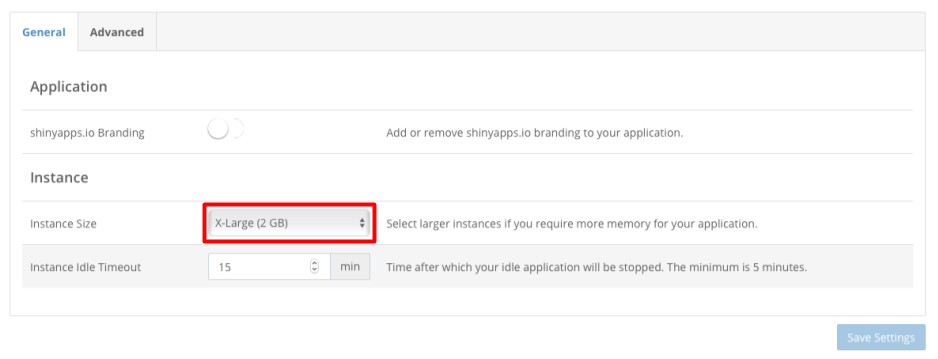
Then go to
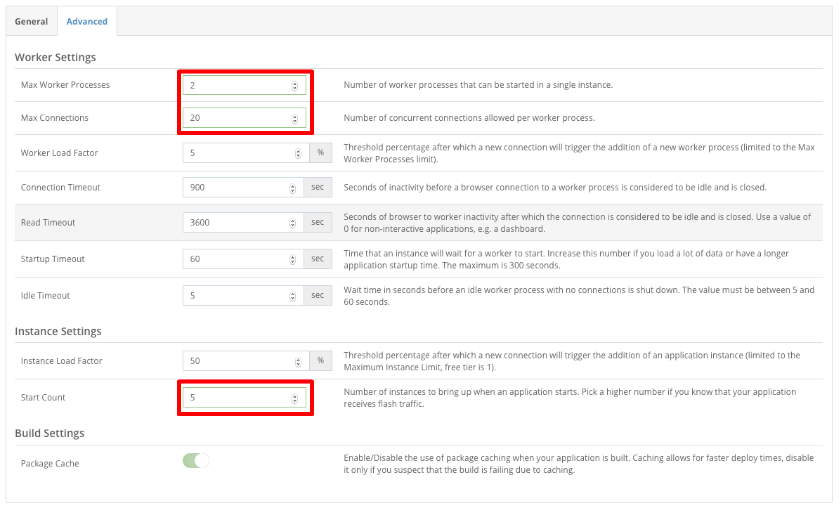
Finally, go to the Settings > Advanced page and configure the following:
(Instance Size) / (Worker Processes * Max Connections) = Amount of memory available for each new student accessing your tutorial.
We recommend you set the Start Count and Instance Size to the maximum, monitor hours used, and adjust settings from there. Reducing costBecause you are paying for the active hours of use per month, you will want to minimize this to stay within your subscription limits. To do this, you can adjust any of the following:
A good workflow is to change only one setting, observe usage metrics, and modify as needed. Example use caseContextSuppose you are teaching a statistical programming seminar over 5 weeks for several class sections of 60 people each. The course is short and students have just been introduced to R and RStudio, so it may not be worth setting up a full server for hosting the seminar tutorials or asking students to configure their own R package. A browser-based interface is also friendly to those who may have trouble understanding or navigating the RStudio interface during their first weeks of classes. A few sections are back-to-back, so ideally, the settings on learnr tutorials are robust enough to allow the next section’s students to access them. Initial settingsFor my situation, I had my department purchase the Standard
For each tutorial I deployed, I set up:
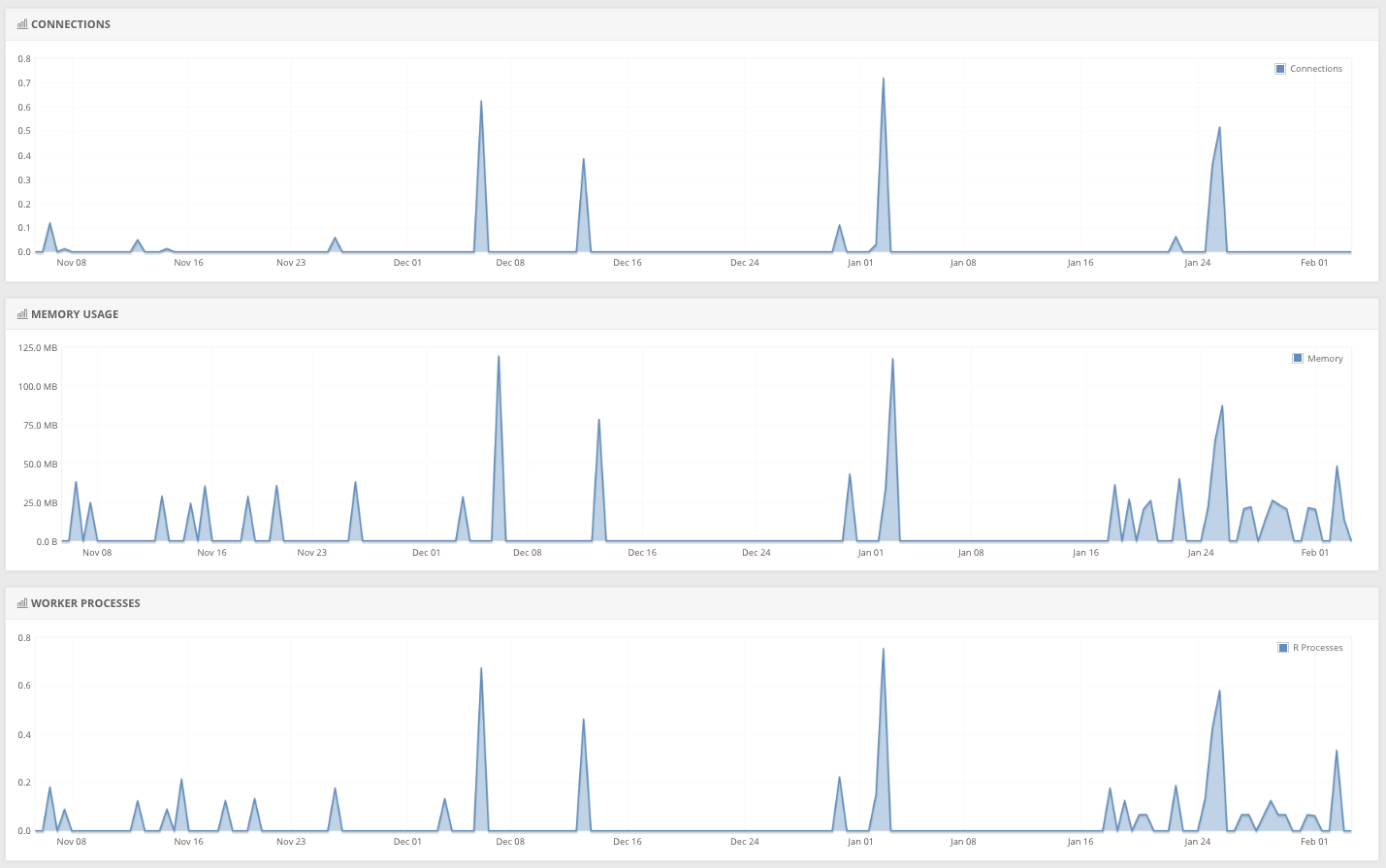
Adjusting based on usage metricsI then observed my usage metrics in the
After the 5-week course was done, I:
This enabled students to return to the tutorial after the workshop was done, without being optimized for mass numbers of students accessing the tutorial at once. We used around 1000 Active Hours in our first month, and around 300 in our second month of the course, so next year, I will likely purchase the Standard subscription (<= 2000 hours / month) for one month, and reduce to the Basic level (<= 500 hours / month) in the second month. Example of the usage metrics dashboard below:
Troubleshooting beyond settingsFor consecutive classes, we still had some issues with lingering open
server connections from the previous class getting in the way. I
published an identical learnr tutorial with a different name
(i.e. |
| You are visitor 01402792 — GeezerVison does not store the pages you look up. Best viewed with Netscape Navigator 4.7 or Internet Explorer 6 at 800×600. No cookies required. |