GeezerVisonThe World Wide Web, restored to 800 pixels of glory. | ||||||||||||||||||||
| Home|About|Gaming cabinet|Archives|How it works|Starter sites | ||||||||||||||||||||
GeezerVison is showing stackabuse.com — A SQLite Tutorial with Python HomeArticles A SQLite Tutorial with PythonIntroductionThis tutorial will cover using SQLite in combination with Python's sqlite3 interface. SQLite is a single file relational database bundled with most standard Python installs. SQLite is often the technology of choice for small applications, particularly those of embedded systems and devices like phones and tablets, smart appliances, and instruments. However, it is not uncommon to hear it being used for small to medium web and desktop applications. Creating a Database and Making a ConnectionCreating a new SQLite database is as simple as creating a connection using the sqlite3 module in the Python standard library. To establish a connection all you need to do is pass a file path to the You will find that in everyday database programming you will be constantly creating connections to your database, so it is a good idea to wrap this simple connection statement into a reusable generalized function. Creating TablesIn order to create database tables you need to have an idea of the structure of the data you are interested in storing. There are many design considerations that go into defining the tables of a relational database, which entire books have been written about. I will not be going into the details of this practice and will instead leave it up to the reader to further investigate. However, to aid in our discussion of SQLite database programming with Python I will be working off the premise that a database needs to be created for a fictitious book store that has the below data already collected on book sales.
Upon inspecting this data it is evident that it contains information about customers, products, and orders. A common pattern in database design for transactional systems of this type are to break the orders into two additional tables, orders and line items (sometimes referred to as order details) to achieve greater normalization. In a Python interpreter, in the same directory as the db_utils.py module defined previously, enter the SQL for creating the customers and products tables follows: The above code creates a connection object then uses it to instantiate a cursor object. The cursor object is used to execute SQL statements on the SQLite database. With the cursor created I then wrote the SQL to create the customers table, giving it a primary key along with a first and last name text field and assigning it to a variable called You can query the To see all the tables in the currently connected database, query the To get a look at the schema of the tables, query the The next table to define will be the orders table which associates customers to orders via a foreign key and the date of their purchase. Since SQLite does not support an actual date/time data type (or data class to be consistent with the SQLite vernacular) all dates will be represented as text values. The final table to define will be the line items table which gives a detailed accounting of the products in each order. Loading the DataIn this section I will be demonstrating how to INSERT our sample data into the tables just created. A natural starting place would be to populate the products table first because without products we cannot have a sale and thus would not have the foreign keys to relate to the line items and orders. Looking at the sample data I see that there are four products:
The workflow for executing INSERT statements is simply:
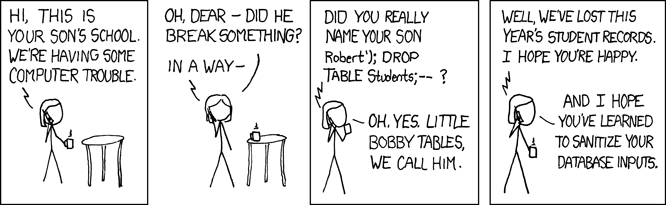
Given this general outline let us write some more code. The above code probably seems pretty obvious, but let me discuss it a bit as there are some important things going on here. The insert statement follows the standard SQL syntax except for the Free eBook: Git Essentials Check out our hands-on, practical guide to learning Git, with best-practices, industry-accepted standards, and included cheat sheet. Stop Googling Git commands and actually learn it! Parameterized queries are an important feature of essentially all database interfaces to modern high level programming languages such as the sqlite3 module in Python. This type of query serves to improve the efficiency of queries that are repeated several times. Perhaps more important, they also sanitize inputs that take the place of the
To populate the remaining tables we are going to follow a slightly different pattern to change things up a bit. The workflow for each order, identified by a combination of customer first and last name and the purchase date, will be:
To make things simpler on ourselves let us do a quick look up of all our products. For now do not worry too much about the mechanics of the SELECT SQL statement as we will devote a section to it shortly. The first order was placed on Feb 22, 1944 by Alan Turing who purchased Introduction to Combinatorics for $7.99. Start by making a new customer record for Mr. Turing then determine his primary key id by accessing the We can now create an order entry, collect the new order id value and associate it to a line item entry along with the product Mr. Turing ordered. The remaining records are loaded exactly the same except for the order made to Donald Knuth, which will receive two line item entries. However, the repetitive nature of such a task is crying out the need to wrap these functionalities into reusable functions. In the db_utils.py module add the following code: Awwh, now we can work with some efficiency! You will need to I feel compelled to give one additional piece of advice as a student of software craftsmanship. When you find yourself doing multiple database manipulations (INSERTs in this case) in order to accomplish what is actually one cumulative task (ie, creating an order) it is best to wrap the subtasks (creating customer, order, then line items) into a single database transaction so you can either commit on success or rollback if an error occurs along the way. This would look something like this: I want to finish this section with a quick demonstration of how to UPDATE an existing record in the database. Let's update the Guide to Writing Short Stories' price to 10.99 (going on sale). Querying the DatabaseGenerally the most common action performed on a database is a retrieval of some of the data stored in it via a SELECT statement. For this section I will be demonstrating how to use the sqlite3 interface to perform simple SELECT queries. To perform a basic multi-row query of the customers table you pass a SELECT statement to the Let's say you would like to instead just retrieve one record from the database. You can do this by writing a more specific query, say for Donald Knuth's id of 2, and following that up by calling the See how the individual row of each result is in the form of a tuple? Well while tuples are a very useful Pythonic data structure for some programming use cases many people find them a bit hindering when it comes to the task of data retrieval. It just so happens that there is a way to represent the data in a way that is perhaps more flexible to some. All you need to do is set the ConclusionIn this article I gave a brief demonstration of what I feel are the most important features and functionalities of the sqlite3 Python interface to the lightweight single file SQLite database that comes pre bundled with most Python installs. I also tried to give a few bits of advice regarding best practices when it comes to database programming, but I do caution the new-comer that the intricacies of database programming is generally one of the most prone to security holes at the enterprise level and further knowledge is necessary before such an undertaking. As always I thank you for reading and welcome comments and criticisms below. Follow to keep up with AI and the future of software Practical takes on AI, tooling, and where development is headed. Last Updated: July 17th, 2023 You might also like...Adam McQuistanAuthor I am both passionate and inquisitive about all things software. My background is mostly in Python, Java, and JavaScript in the areas of science but, have also worked on large ecommerce and ERP apps. In this article | ||||||||||||||||||||
| You are visitor 01402520 — GeezerVison does not store the pages you look up. Best viewed with Netscape Navigator 4.7 or Internet Explorer 6 at 800×600. No cookies required. |