Designer
schemes and C#
GeezerVisonThe World Wide Web, restored to 800 pixels of glory. |
| Home|About|Gaming cabinet|Archives|How it works|Starter sites |
GeezerVison is showing stocksharp.com — API - a free algorithmic trading API — StockSharp APIby StockSharp API is a free algorithmic trading library for C# and Python. It works in two ways: as code inside Designer — a cube with a script, your own indicator or a scheme element — and as an SDK for your own p...
181.1K
Downloads
⭐⭐⭐⭐⭐
Rating
4
Reviews
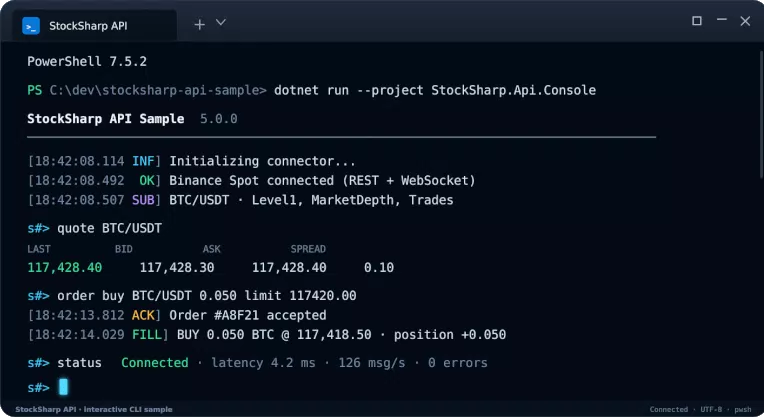
API is a free algorithmic trading library for C# and Python. It works in two ways: as code inside Designer — a cube with a script, your own indicator or a scheme element — and as an SDK for your own programs, from a console robot to a trading terminal. All of our programs are built on it: Designer, Terminal, Hydra, Shell, Runner and connectors such as MatLab. 389 connectors 166 indicators Free price A robot is written in Visual Studio. From connection to order it takes three steps. 1. Connect to a venue 2. Subscribe to candles 3. Register an order Switching venues means switching the adapter in the first step. The rest of the code stays the same: subscriptions, orders and positions work identically for an exchange, a broker and a crypto exchange. Designerschemes and C# Terminaltrading from the chart Hydradata and storage Shellrobot skeleton Runnerrunning on a server Your own programthe same SDK API one library underneath every program 389 connectors: exchanges, brokers, crypto, forex One code base for every marketThe robot is not tied to a broker's API: moving from Quik to Transaq, or from forex to a stock exchange, does not rewrite the strategy. SpeedOrder handling inside the library takes microseconds; hundreds of strategies across different instruments run at the same time. Honest testingTesting runs on ticks and order books, with slippage and the order queue — not on candle closing prices. Script or programThe same code can stay a cube inside Designer, or be built into a separate application — the API is the same. User ReviewsLogin to write a review 
⭐⭐⭐⭐⭐
5 years ago
test....
⭐⭐⭐⭐⭐
5 years ago
test
⭐⭐⭐⭐⭐
5 years ago
test
⭐⭐⭐⭐⭐
5 years ago
test
Assistant
I answer from what this page says. For anything else I will point you to the documentation. |
| You are visitor 01402792 — GeezerVison does not store the pages you look up. Best viewed with Netscape Navigator 4.7 or Internet Explorer 6 at 800×600. No cookies required. |