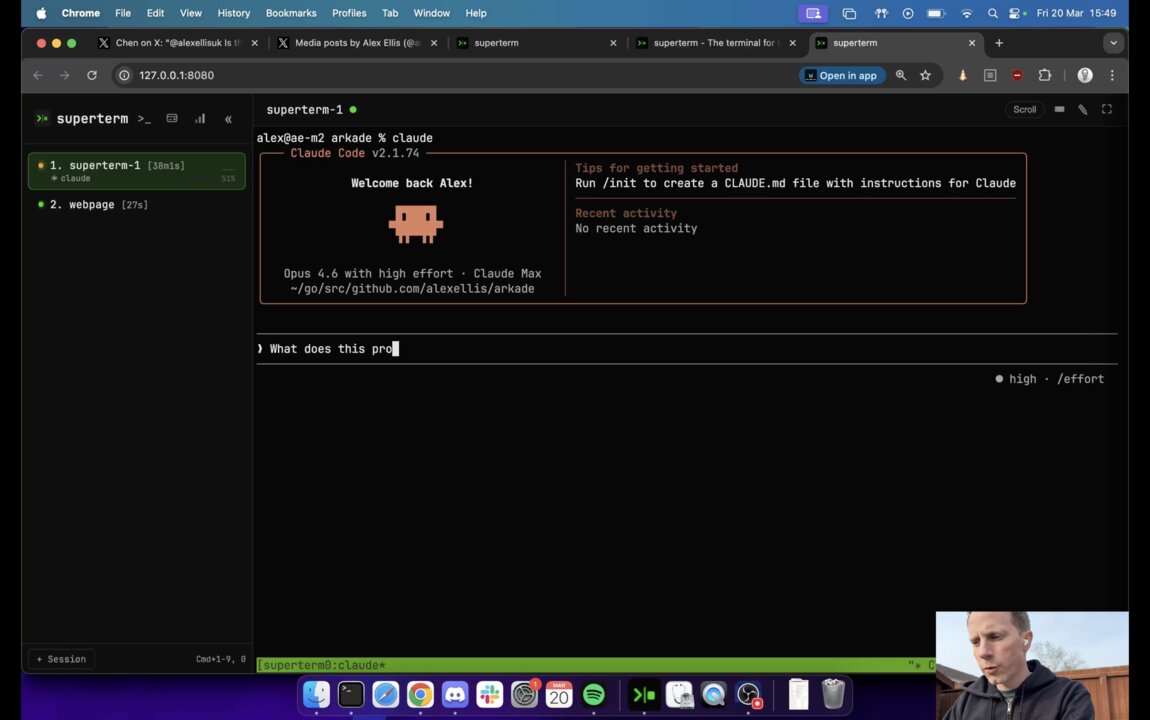
GeezerVison is showing superterm.dev — superterm — The terminal built for the agentic era The terminal for
the agentic era.Everything your agents are doing, on one screen.
Unblock agents from your phone. Stay fresh. Focus only where you're needed. ╭─── Claude Code v2.1.69 ──────────────────────────────────╮
│ Welcome back Alex! Sonnet 4.6 · Claude Max │
╰──────────────────────────────────────────────────────────╯ ❯ Install superterm to your local PATH ● Searched for 1 pattern, read 1 file (ctrl+o to expand) ● Update(cmd/oci/install.go) ⎿ Added 2 lines 85 case "slicer": imageName = "ghcr.io/openfaasltd/slicer" 87 + case "superterm": 88 + imageName = "ghcr.io/openfaasltd/superterm" ● Done. superterm is now ready to run from /usr/local/bin. ❯ $superterm status SESSIONCPUATTENTIONACTIVITY claude18%high▁▂▃▅▇▆▅▄▃▂ payments2%wait▁▁▁▂▁▁▁▁▁▁ neovim0%idle▁▁▁▁▁▁▁▁▁▁ buildkite6%low▁▁▂▁▁▃▂▁▁▁ agent-sync0%idle▁▁▁▁▁▁▁▁▁▁ docs-bot3%low▁▂▁▁▂▁▁▃▁▁ [superterm] 2:bash 3:codex* 4:claude "minipc" 18:56 05-Mar-26 Built for the day-to-day.The native TUI, spell check that keeps up with you, and agents that ask each other before they ask you. One TUI for every sessionsuperterm-tui attaches over your server: sessions ranked by who needs you, palette, search, and voice dictation — from any terminal, on any machine. Spell check, in flow^G w checks a word as you type against a built-in dictionary, in under a millisecond. Press 1–5 to accept a suggestion; Enter drops it into your session. Agents mail each otherDurable mail with verified senders and doorbells that tell the recipient exactly what to run. Here one agent asks a second model for a design review. You kicked off 8 agents before lunch.
One hit a permission wall 40 minutes ago.
Two are waiting for input. One died silently.
Three have been burning tokens in a loop.
And you've lost track of what half of them were supposed to do. You only find out when you ssh back in. Agentic Attention Deficit DisorderYou're not managing agents — they're managing you. Maker vs. manager is dead. There's only split-attention now. Claude Code auth-refactor needs permission Codex payments-api tests errored 12m ago Gemini CLI onboarding-flow docs finished silently Aider postgres to sqlite waiting for input superterm gives you focus for agentic multitasking. One glance. Every agent. Any tool. Stop tab-cycling. Start shipping. One glance. Every agent.Sparklines, status orbs, bell detection, and a private weekly heatmap across every session. Instantly see which agent finished, errored, or is waiting for you, and when you usually do your best work.All of it is computed locally from your own sessions. Nothing is uploaded or shared.Run superterm agent-setup for native hooks with Claude Code, Codex, Amp, and OpenCode — no manual config. Works with whatever you already run: Claude Code, Codex, Gemini CLI, Amp, OpenCode, Aider, or plain shell scripts.Shell scripts can integrate via superterm notify. Unlike macOS-only tools, superterm runs in any browser. Unblock an agent waiting on permission, send a follow-up, or check progress — from your phone, tablet, or any machine.A built-in browser keyboard puts Ctrl, Shift, and other modifier keys on screen — keys that native mobile keyboards don't have. Feels native, runs in the browserInstall as a PWA — dock icon, no browser chrome, full keyboard shortcuts. Restart or update superterm without losing a session; tmux runs independently. A clipboard that actually worksSwitched machine or agent? Copy/paste is broken again. Superterm is a browser. Select text, copy, paste. Every machine. Every time.Pause the screen and scroll back through any agent's output using tmux's copy mode. An input box built for agentsComposing a real prompt in a terminal is painful. superterm gives you a proper input box: multi-line entry with Shift+Enter, and paste or upload images straight to your agent — screenshots, mockups, error dialogs.Copy and paste cleanly in and out of TUIs like opencode and amp, even where they normally fight your terminal.Part of Professional. Logbook Your agents have context.
Do you?Logbook anchors goals to each session — Now, This Week, Horizon — so you never lose the thread when switching across agents. - Notes keep your intent visible while the agent works
- Timeline shows what happened while you were away
- Prompts saves reusable instructions per session
NotesTimelinePrompts Now [x]Review PR comments from Sarah [ ]Write auth integration tests This week [ ]Ship JWT middleware refactor [ ]Migrate legacy token validation [ ]Load test the new auth endpoints Horizon [ ]Deprecate v1 auth API [ ]Add SSO support (Okta) Updated 6m ago Dictationvoice 4.2s Build a small MCP server that adds web search to Qwen, then deploy it to my box with arkade and open a tunnel using inlets-pro. Cancel AddSend Dictation Talk to your agents.
Faster than typing.Speak a prompt and superterm streams it to a session, transcribed live with a preview you can edit before it sends. Ideal on mobile, or any time a thought is quicker said than typed. - Live preview updates as you talk — edit, then send
- Knows your tools — MCP, arkade, Qwen and more come out right
- Private by default — runs on a model you host, your audio never leaves it
Part of Professional. Managing agents in 30 seconds.1 mkdir -p ~/.superterm && nano ~/.superterm/LICENSE Paste your license key. Free for personal use — get a key. 2 curl -sLS https://superterm.dev/get.sh | sudo bash Uses sudo to install the binary. View source 3 superterm agent-setup Optional. Installs native hooks for supported coding agents. 4 superterm up Click on the link printed out, and start working.For additional options see superterm up --help or superterm service install --help. Run agents on an always-on machine.Keep long-lived agent sessions running anywhere — then check progress and unblock them from your phone. ⚡€35/mo+ Hetzner bare-metal · AMD Ryzen · 64 GB RAM ☁️$5/mo+ Cloud VM · any provider · always available 💻$0 Old MacBook in clamshell mode · already on your desk 🖥️$300–$600 Mini PC or Mac Mini · silent · runs 24/7 Built to last.From the founder of OpenFaaS. superterm is commercially supported, actively developed, and designed for the long term. The IDE for agents IDEs were built for humans typing code. Agents don't need that. superterm is how you leave the IDE behind and fully embrace AI-driven development. Real support Our team has a track record of shipping fixes, answering questions, and maintaining infrastructure tools for years. Crafted and refined It's easy to vibe-code some slop and release it on GitHub. What's hard is handling edge cases across browsers, devices, and terminal quirks — and then standing behind it. Free for personal use.Commercial use from $20/mo, with a 14-day trial. See pricingFAQHow does superterm integrate with my agents?Run superterm agent-setup to configure native hooks for Claude Code, Codex, Amp, and OpenCode automatically. For anything else, use superterm notify from any script or hook. Notifications 🖐️Claude needs your attention auth-refactor · waiting for approval Trigger from any script or agent hook: superterm notify agent-1 --title "Claude needs your attention" Is the license per machine?It's per person, not per machine. Professional covers all your devices — workstation, laptop, home server, wherever you work. Community Edition is free for personal, non-commercial use and limited to a single device. A paid license is required for professional, commercial, or ongoing internal team use — start with a 14-day trial that converts to a paid subscription unless you cancel. What's the difference between Community Edition and Professional?Community Edition is a pared-back build for hobbyists tinkering on a single device in their spare time: two themes, basic token login, community-only support, and no warranty. It's a great way to get a feel for superterm. Professional is the real product. Install on every device you own, 15 themes and 10 fonts, queued send, multi-line input, image paste, copy/paste from TUIs like opencode and amp, GitHub and OIDC login, and direct email support. If you reach for an agent more than the odd weekend, you'll outgrow Community Edition quickly — Professional is built for all-day use, and your subscription is what keeps superterm being developed. Isn't this just tmux?tmux helps you run sessions. superterm helps you stay on top of them. Attention system: quickly see what needs you now. Logbook: keep goals and task lists per session so context stays clear. Why not just use Ghostty, Kitty, or Alacritty?superterm integrates with tmux directly. It can launch the sessions, or you can start them from your preferred terminal emulator — be that a VS Code tab, Zed, or Ghostty. superterm means you can connect to those sessions from the web or your mobile device. What can I actually do on my phone or tablet?Mobile is designed for three specific jobs: - ✅ Unblock an agent waiting on a permission prompt
- ✅ Send a follow-up message to keep it moving
- ✅ Check progress across all your sessions at a glance
It's not a replacement for an actual keyboard. Scrollback, text selection, and editing are laptop territory. Trying to use it that way on a phone will frustrate you. Think of it like checking Slack on your phone while your build runs on your workstation. Can I paste images to my agent?Yes — paste or upload images straight to your agent in Professional. Handy for screenshots, mockups, and error dialogs. Community Edition is text-only. How does it compare to multi-agent orchestrators?superterm doesn't orchestrate agents — it monitors them. Use whatever orchestrator or framework you want. superterm sits outside, watches your tmux sessions, and tells you which ones need attention. No vendor lock-in, no SDK, no ToS issues. Can I use this with Claude Max / Pro plans?Yes. superterm reads terminal output the same way you would by looking at your screen. Unlike tools that integrate with Claude's Agent SDK, there's no API coupling, no wrappers, and no ToS exposure. How do I access superterm remotely?Superterm runs on your machine. Expose it over HTTPS using any tunnel: inletsctl create --letsencrypt-domain sm.example.com --provider digitalocean --region nyc1 inlets-pro http client --upstream=http://127.0.0.1:8080 inlets-pro option for private self-hosted tunneling. Automated inlets setup guide. Authentication is on by default. Login with GitHub, OIDC, a generated token, or an OTP code. How private is it?Completely. superterm is self-hosted. Your terminal data stays on your machine. Nothing is sent to any cloud service. The binary runs locally, the sessions are local, and the tunnel is yours. That includes the stats panel and heatmap: they're generated locally from your own session activity. How do the stats and heatmap work?Built from your own local session history, stored in SQLite on your machine. Nothing is uploaded, shared, or compared against other users — the heatmap just shows your prime time through the week. What does the attention system do?It watches for bell characters, output bursts, and idle periods across all sessions. Each one gets a sparkline and status orb so you can see at a glance which agents finished, errored, or need input. It also builds a private weekly heatmap so you can spot your prime time through the week. Claude Code integrates via native hooks, opencode via a plugin, and any other agent or script can use AGENTS.md instructions or superterm notify directly. What about privacy / mask mode?One click hides sensitive content across all sessions. Screen sharing, screenshots, streaming — share your workflow without leaking API keys or credentials. What platforms are supported?Daemon: Linux, macOS, Windows (WSL2). Single binary, no dependencies on Linux. On macOS: brew install tmux. Client: any browser. Install as a PWA for a near-native feel — opens like an app, full keyboard shortcuts work as expected (Ctrl+W deletes a word, not your tab). |