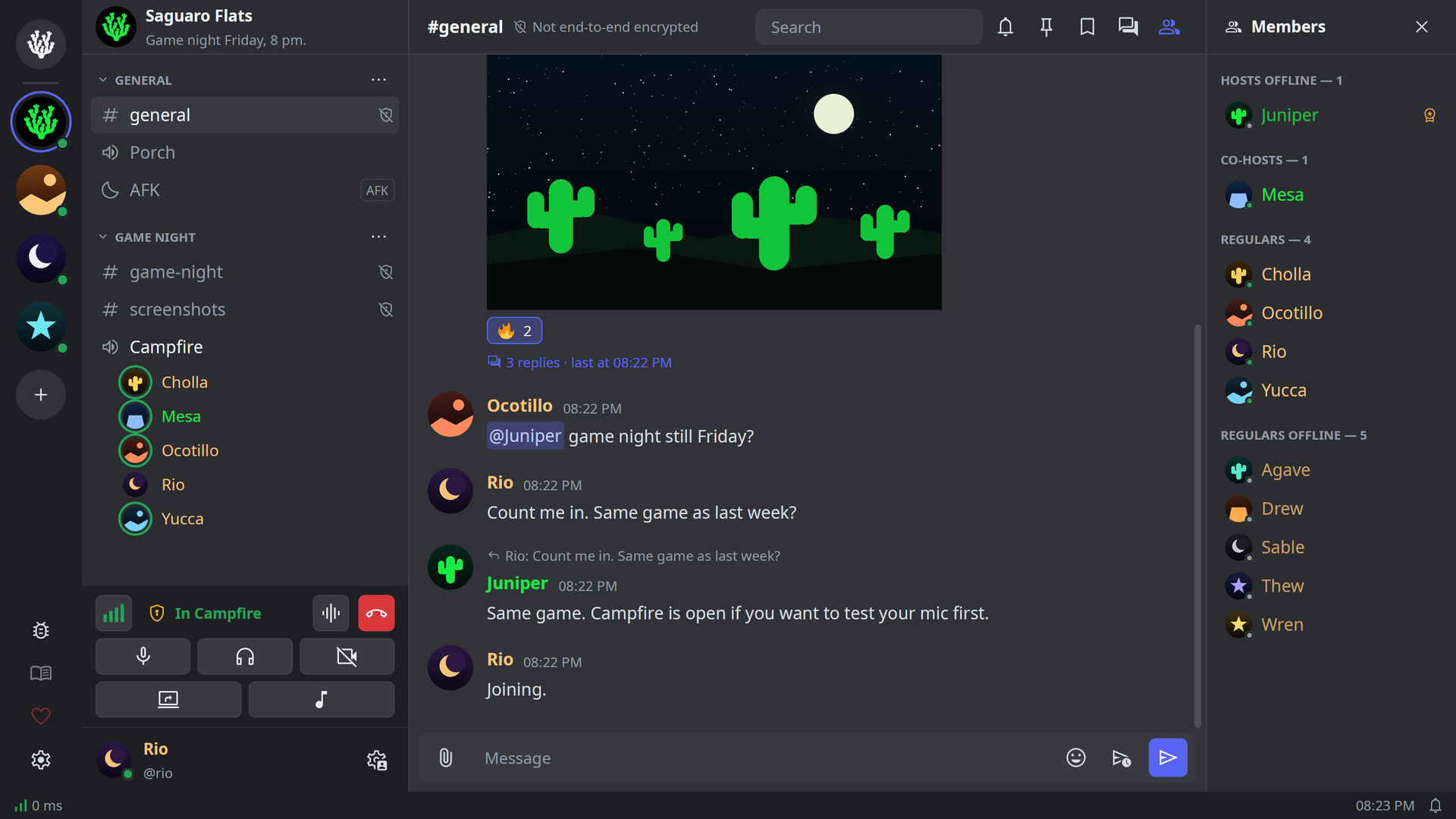
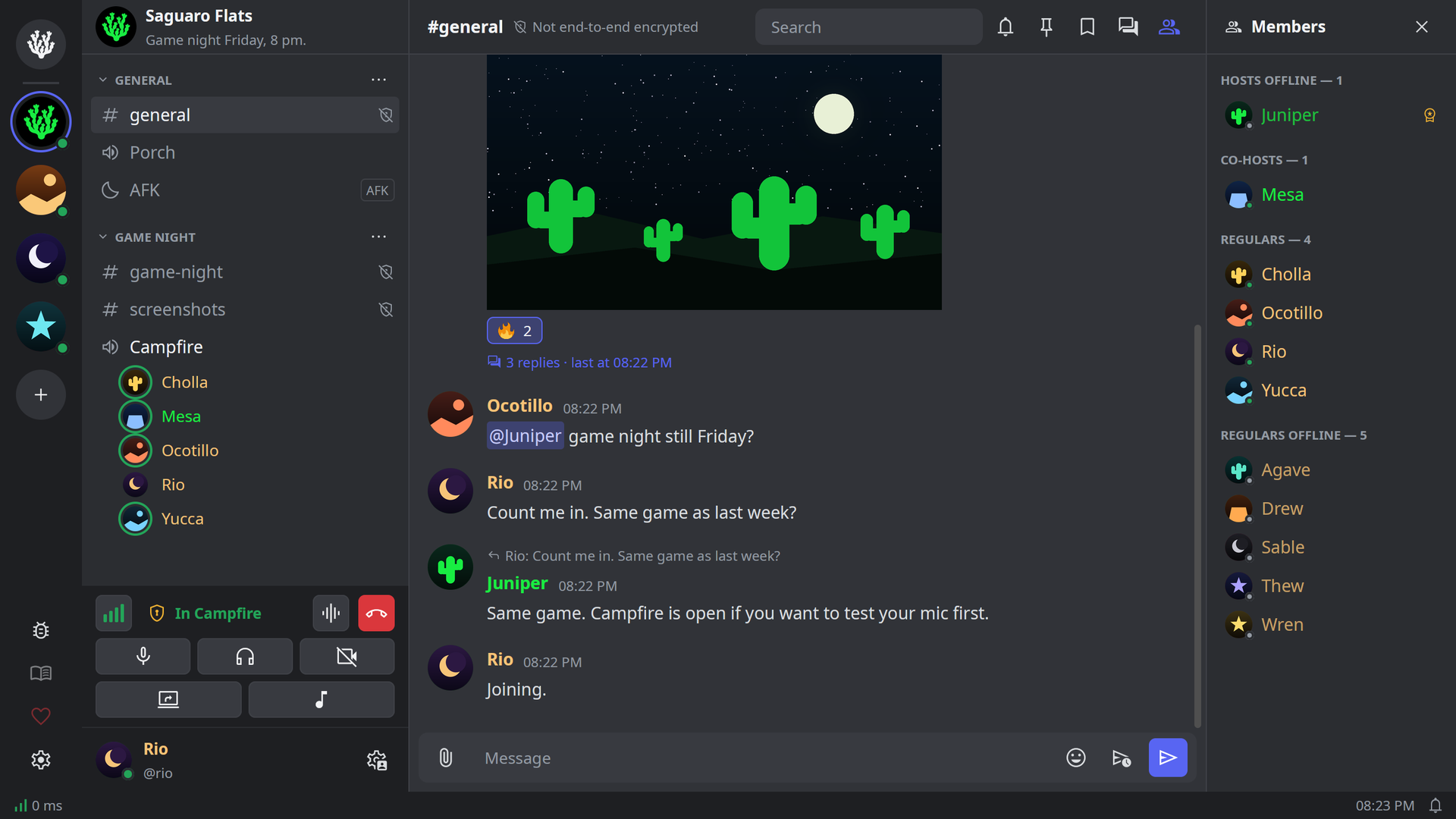
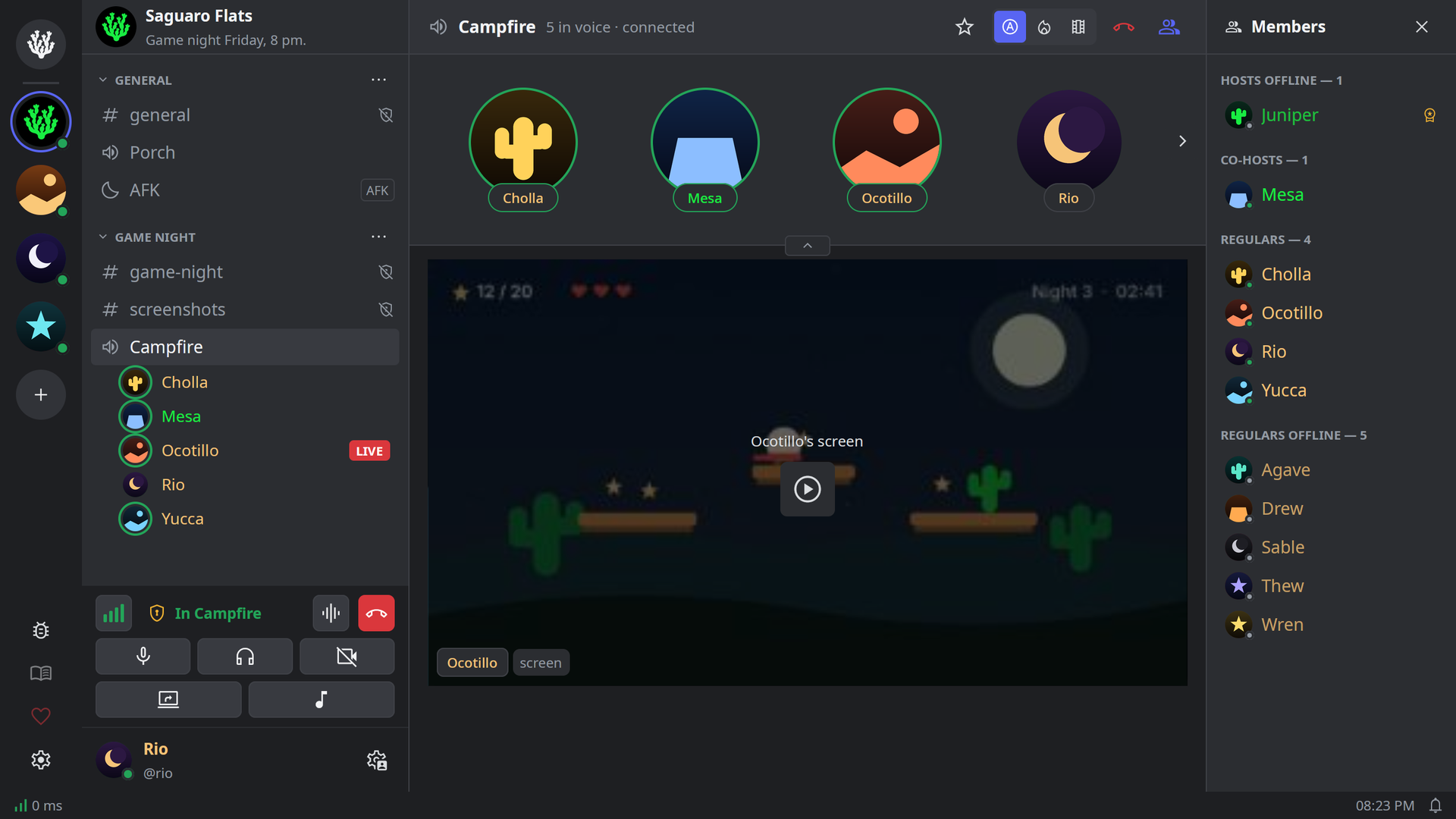
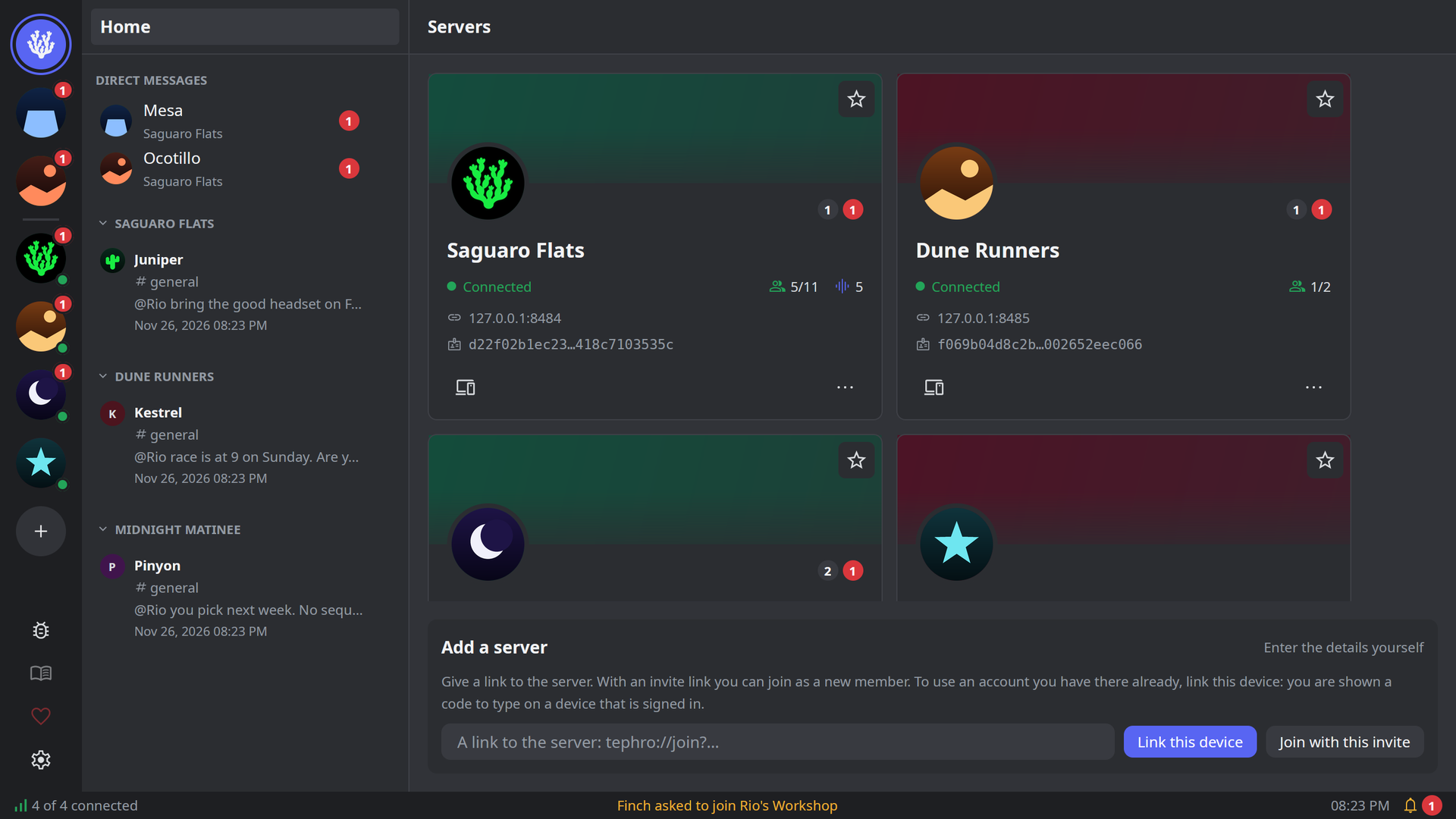
GeezerVison is showing tephro.chat — Tephro
Features
One binary. Nothing else to run.
Chat, voice, video and TLS in one file. One folder to write to, one config file.
tephro-server
├─ chat gateway
├─ REST API
├─ database SQLite, inside
├─ media server forwards, never re-encodes
├─ TCP fallback, TURN
└─ TLS self-signed or Let's Encrypt
not needed
├─ a database server
├─ Redis
├─ coturn
└─ a reverse proxy
Linux, Windows, macOS · container image built FROM scratch · sized for 20–50 people in calls at once
The host can't hear your calls or read your DMs.
Who can see what
| What | Members | Host |
|---|
| Your voice, camera, screen | Those in the call | Sealedforwards what it cannot open |
|---|
| Direct messages and their files | The two of you | Sealedkept only until delivered |
|---|
| A link you post in a DM | The other person | Sealedyour app makes the preview |
|---|
| Your IP address | Hiddencalls go through the server | Sees |
|---|
| Who talked to whom, and when | — | Sees |
|---|
| Account password | — | Nonekeys sign you in |
|---|
| Text channel messages | Members of the channel | Readssealed text channels coming soon |
|---|
No clear fallback · device keys pinned, 30-digit codes to compare
Keys, not passwords
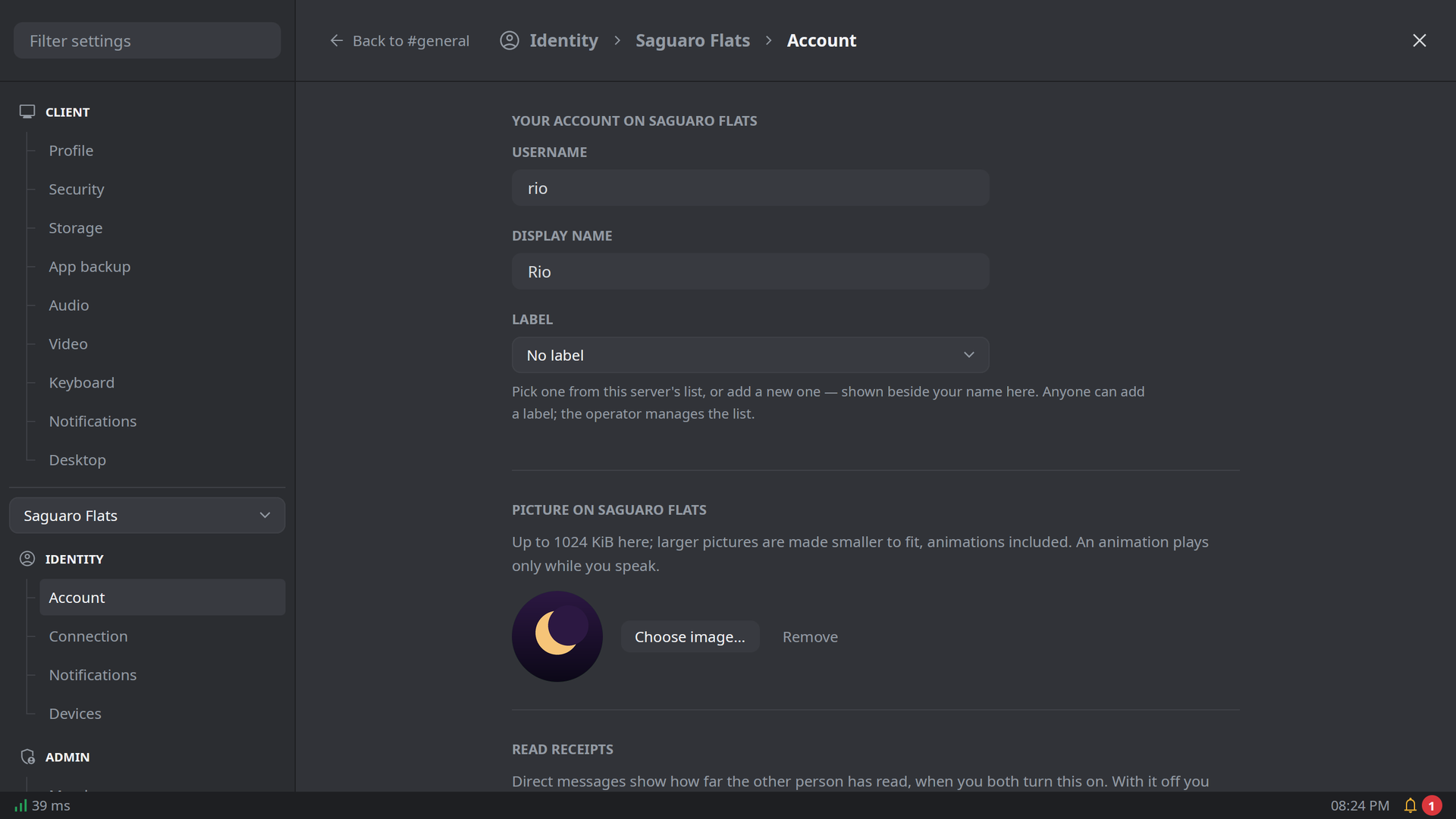
A key per server, made on your machine. No email, no phone number. Your account on one server shares nothing with another.
Works on a bare IP
No domain, no certificate authority. The invite link carries the server's fingerprint, so the first connection is verified.
443
One port for everything, TCP and UDP. Calls fall back to TCP on the same port.
No central service
No directory, no telemetry, no push relay. Update checks off until you turn them on.
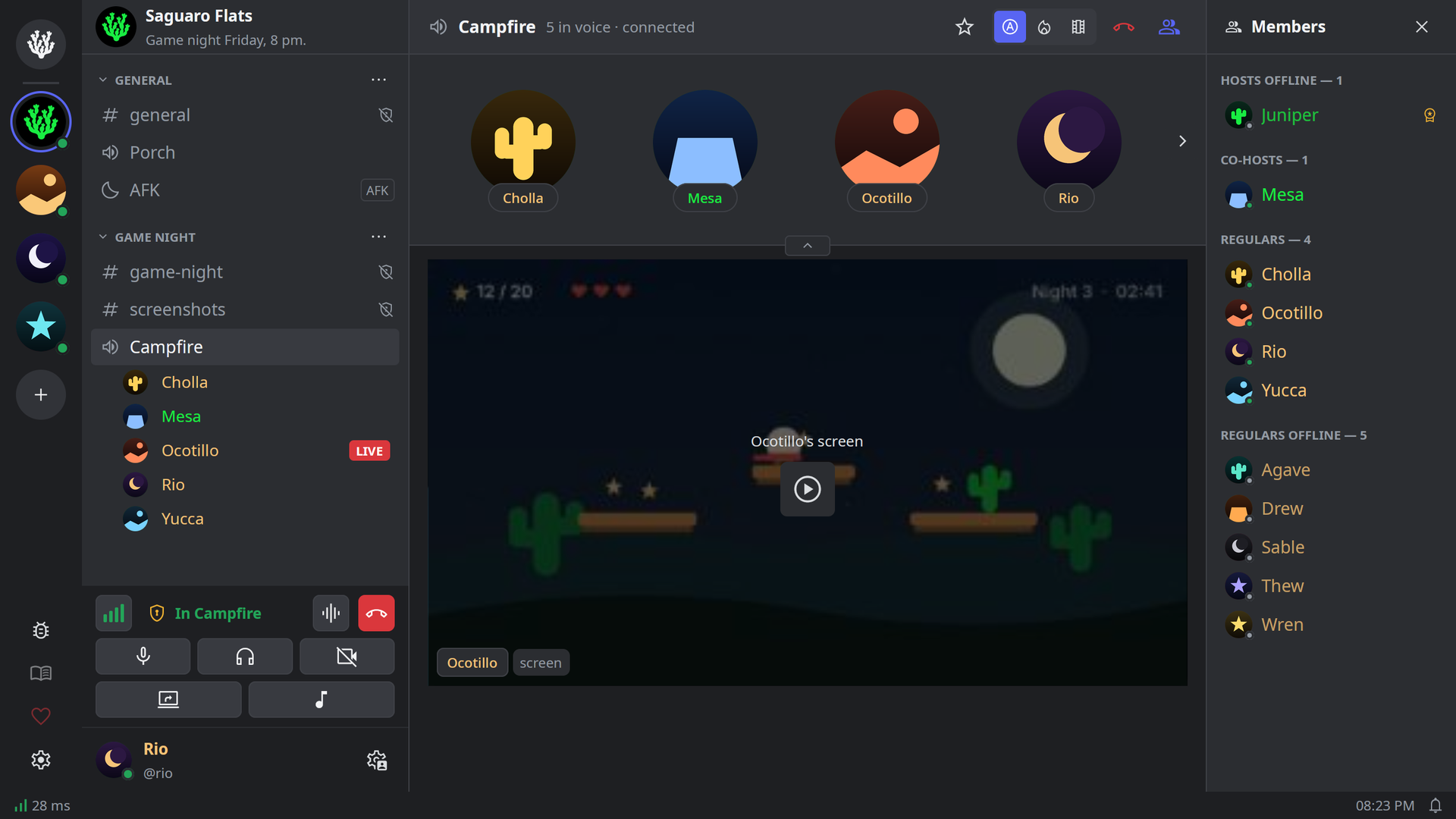
Screen sharing, with the sound you pick
A screen or one window, up to 2160p. The sound of the apps you tick, never the call. Nothing goes out until you press Stream.
Voice that stays
Channels you drop into. Echo cancellation, noise suppression (GTCRN or RNNoise), push-to-talk, a volume per person up to 200 %.
Calls come back by themselves after a network or VPN change.
Video in layers
Each viewer picks a size. The sender encodes only what someone watches; nothing streams to you until you open it.
Text
Channels, threads, replies, reactions, search, pins, bookmarks. Markdown with tables and spoilers. Files of any size, resumed after a dropped connection. Custom emoji, stickers and GIFs you keep across servers.
60fps
Screen shares at 30 or 60 frames a second, the sharer's pick.
Previews without your address
In a channel the server fetches link previews, not your computer. Video embeds load nothing until you click.
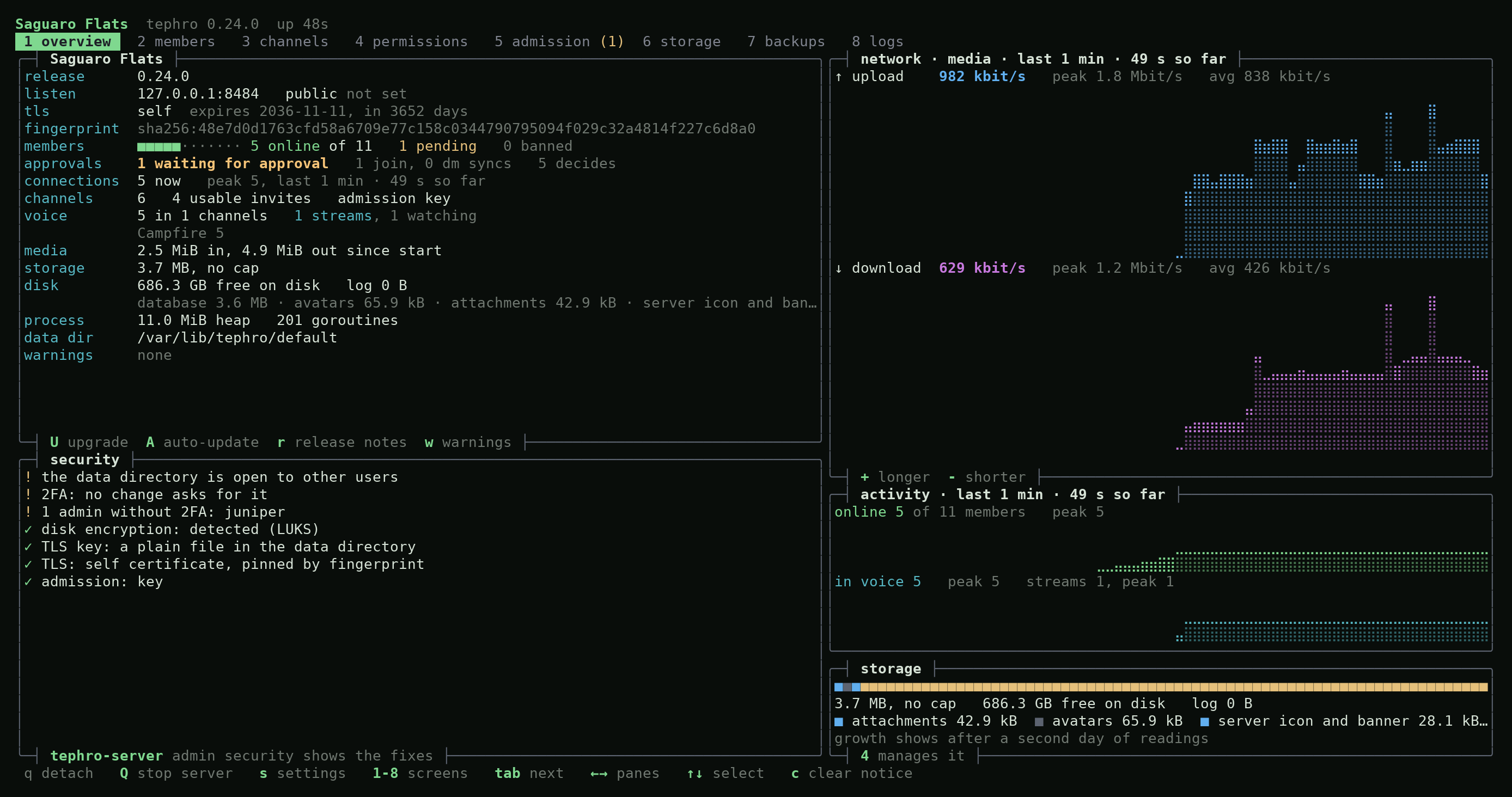
Run it from the app, the shell or a terminal view
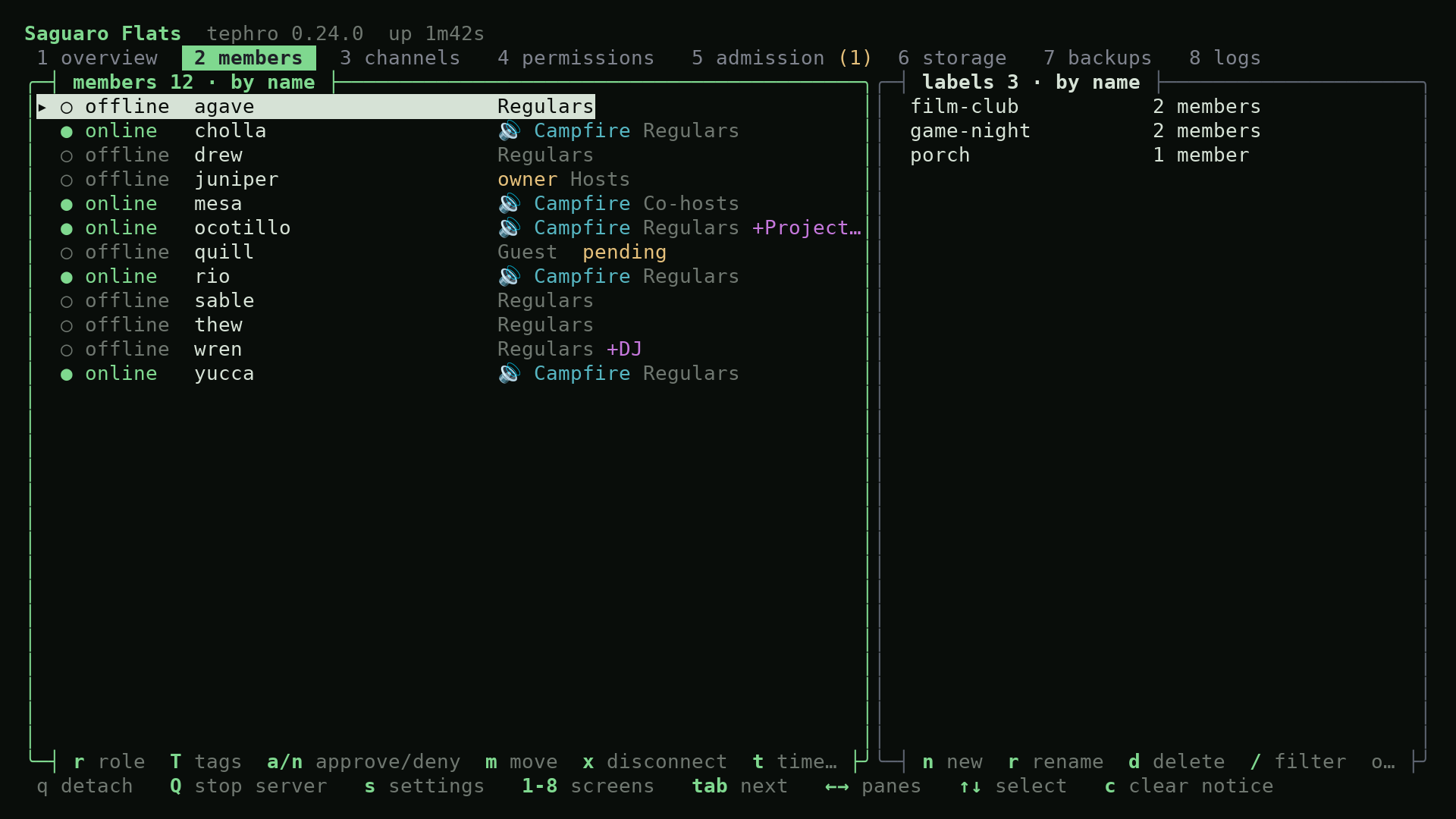
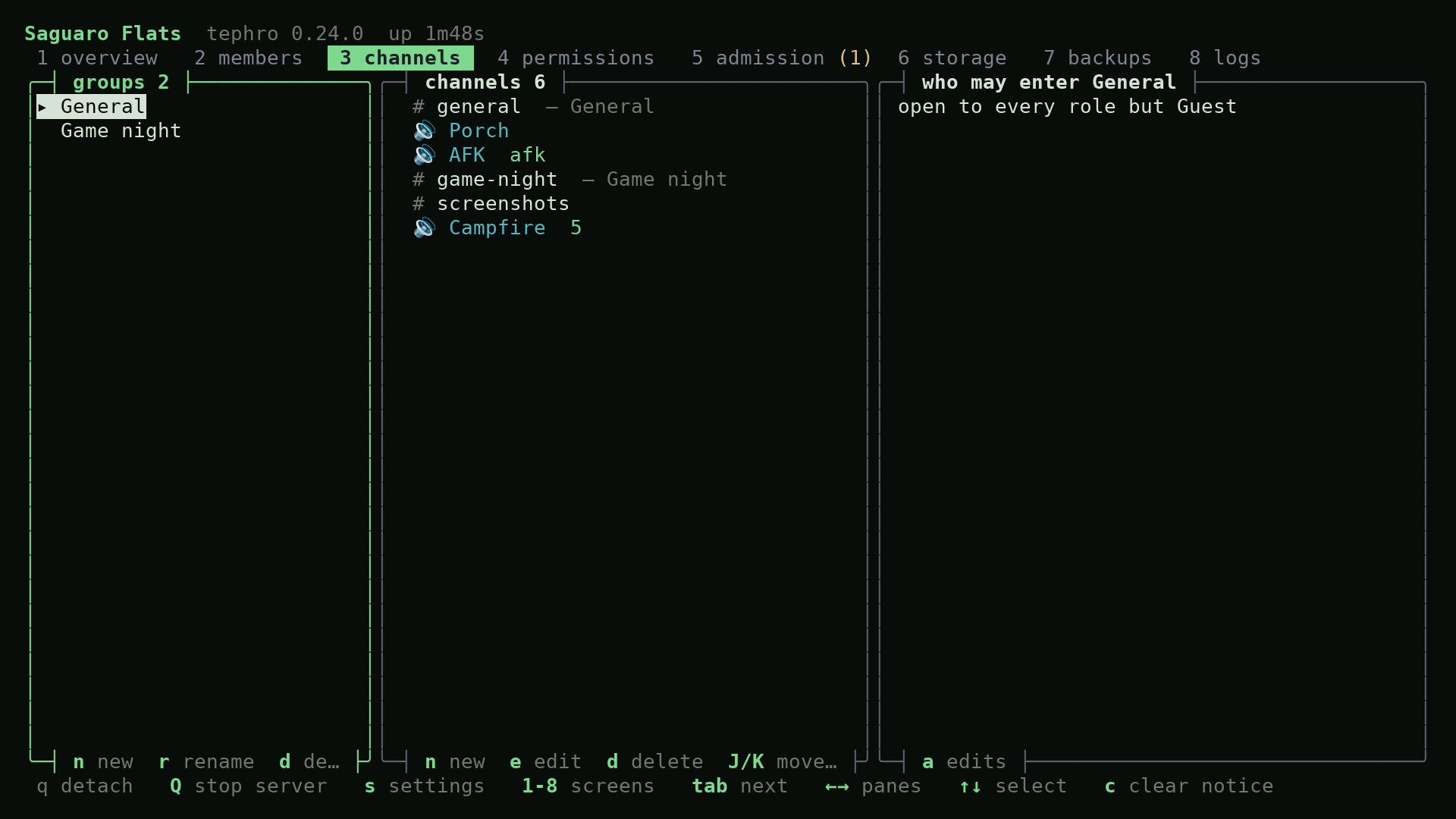
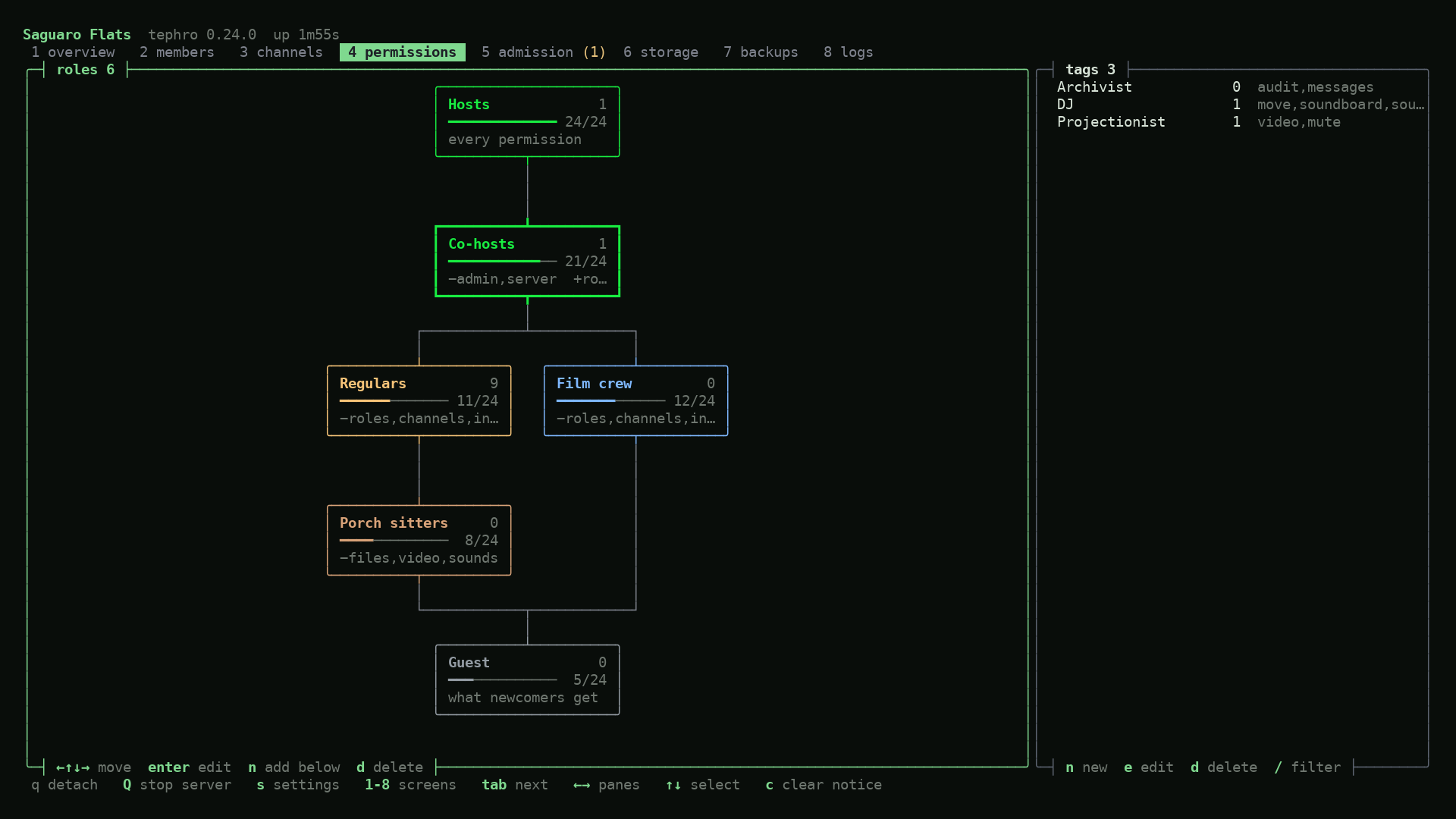
Admin pages in the app, a full CLI, and a live status view that attaches to the running server from any terminal: tephro-server tui.
Roles and moderation
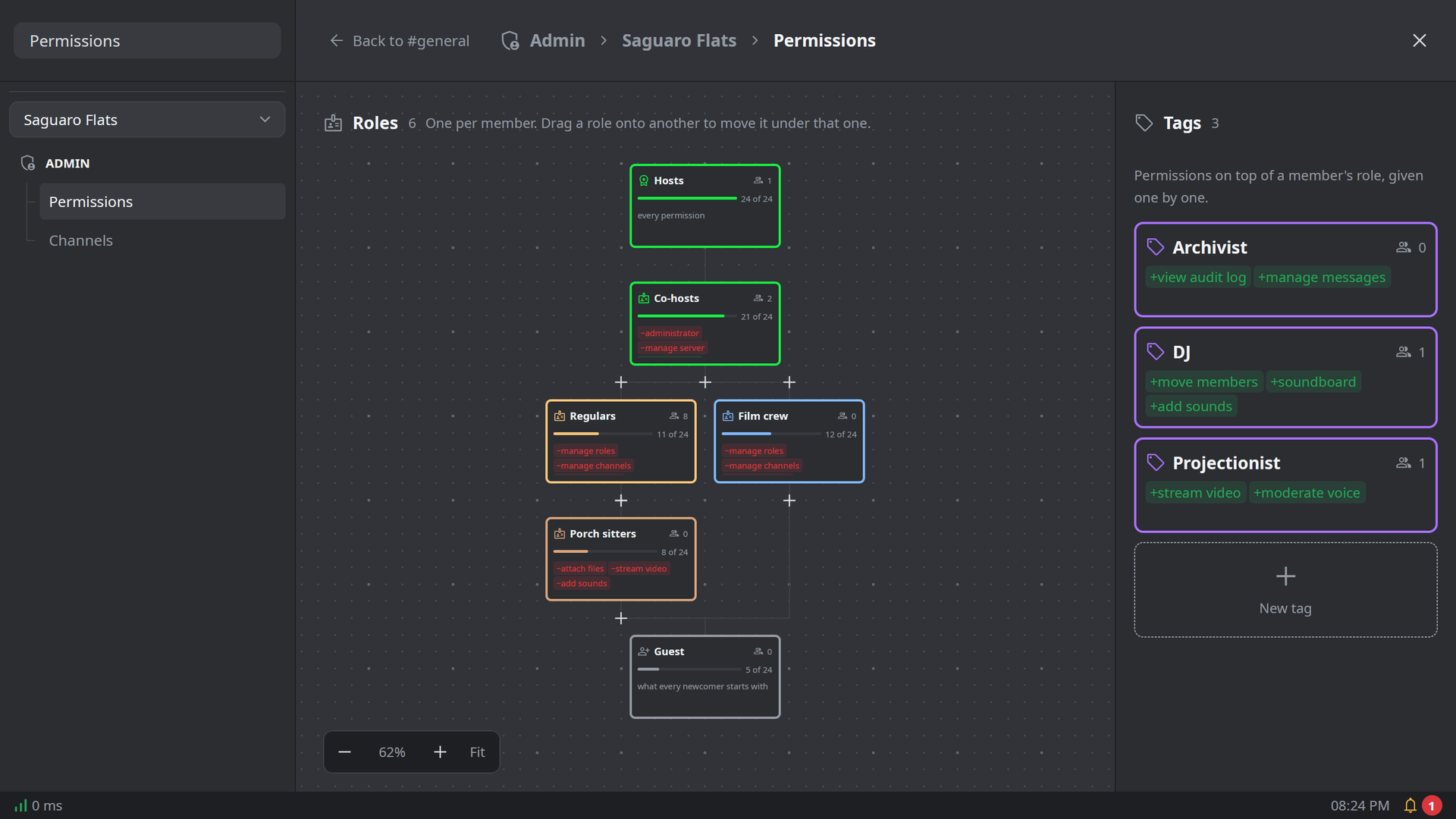
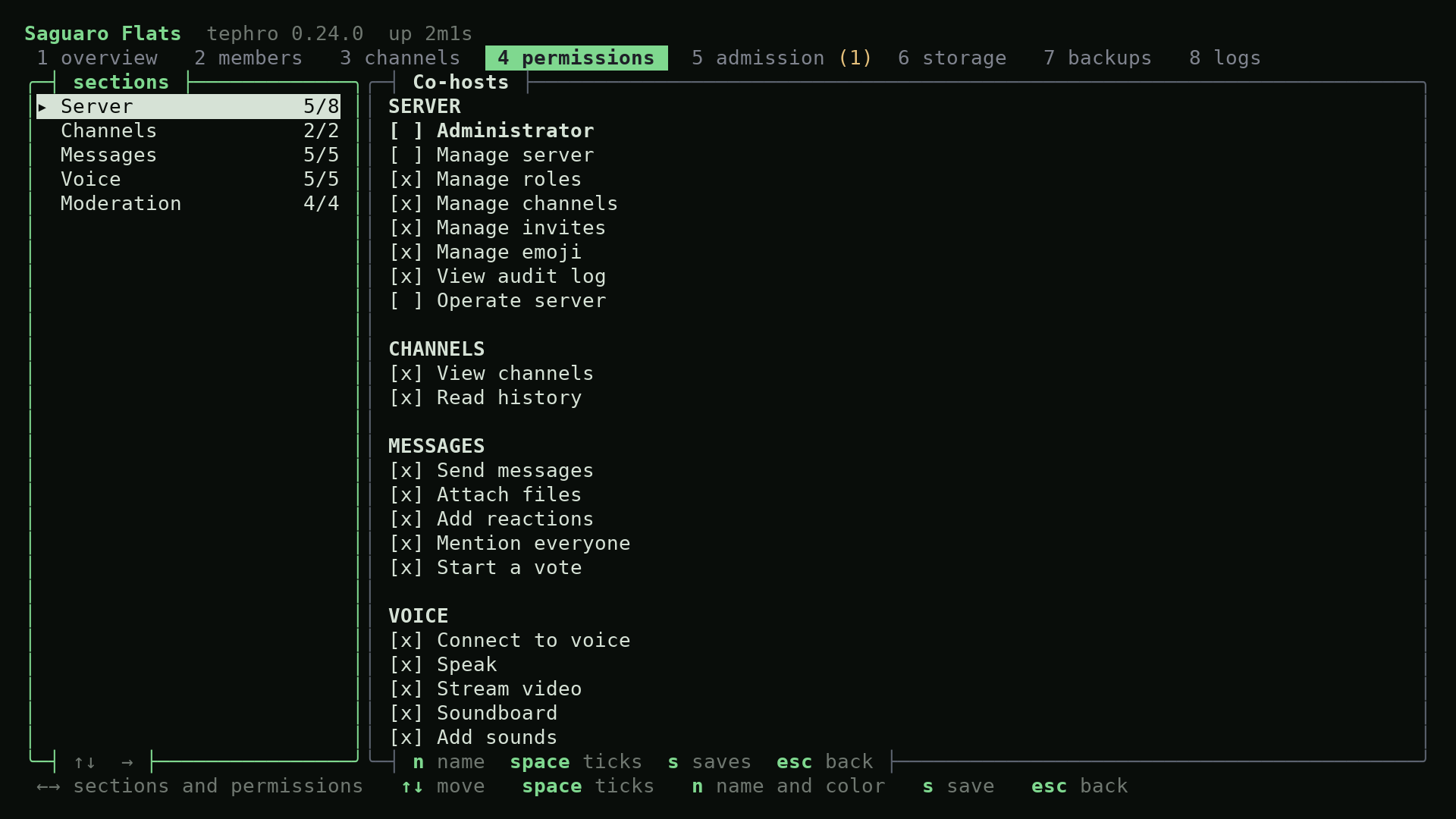
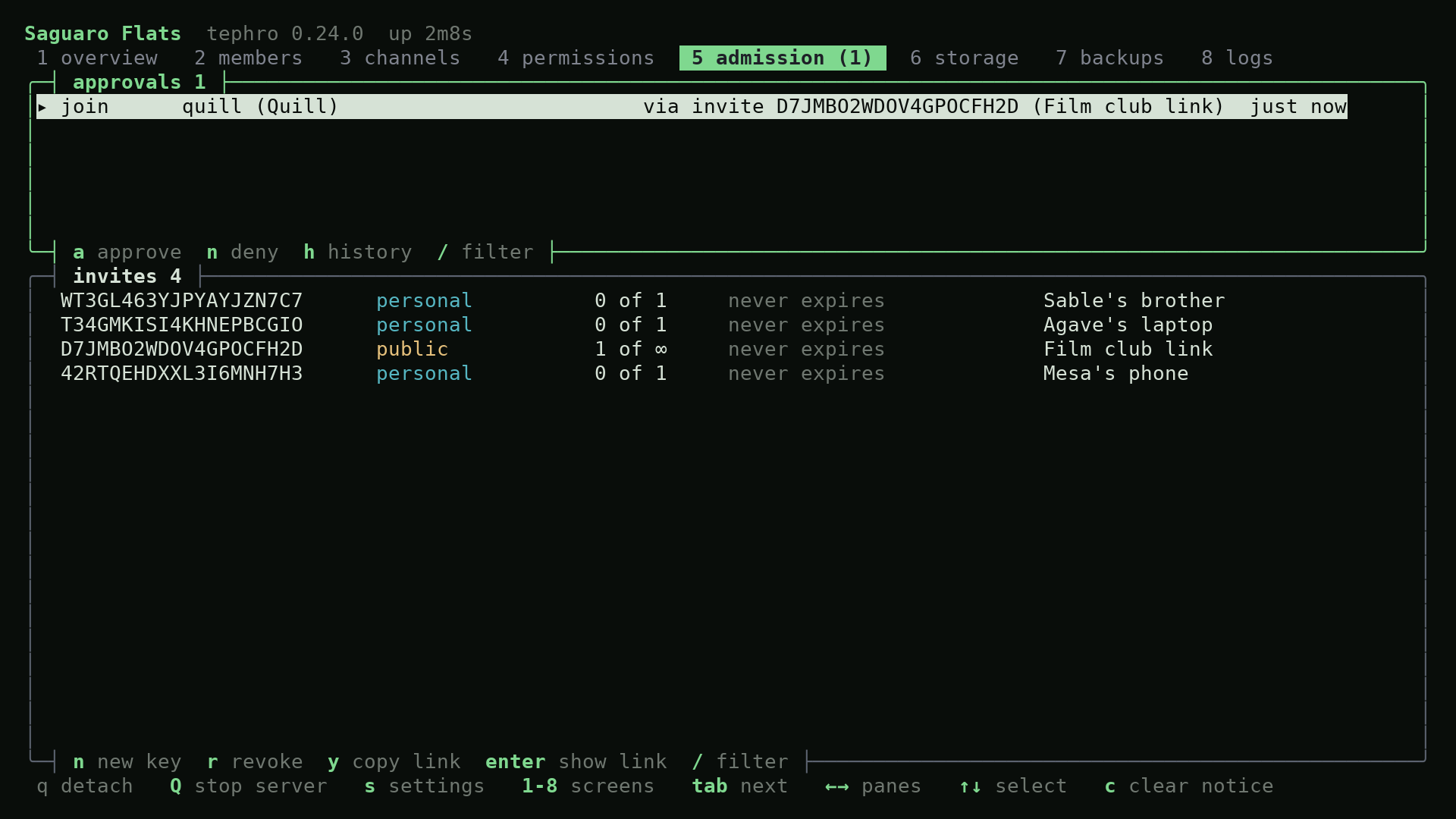
A role tree, tags on top, who may enter each channel. Kick, ban, timeouts, server mute, an audit log. Invites per person, or public links that queue for approval.
Short IP bans, and a flag for VPN addresses: yours to weigh, never a block.
Backups built in
The whole server, encrypted, on a schedule. Restore from the app or the CLI. A snapshot before every database upgrade.
One storage cap
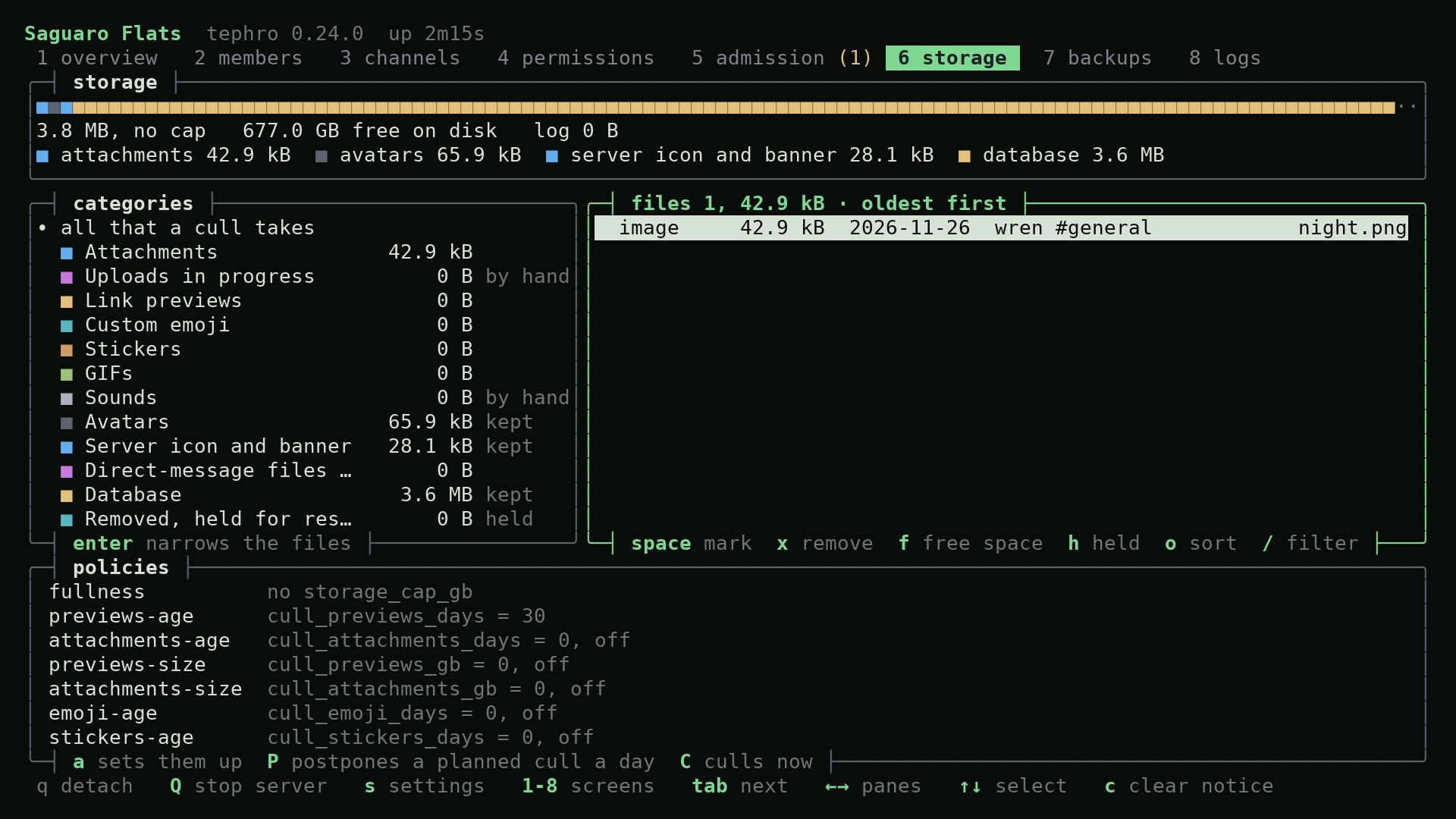
Everything the server keeps under one limit. Cull rules show what they would remove before you save them; a cull is announced a day ahead and can be undone for 7 days.
Signed releases
Every file in a SHA256SUMS signed on a hardware key, checked before an update installs. Server updates on a schedule, opt-in.
Where it runs
Desktop app: Linux (AppImage, .deb, .rpm, Arch, Gentoo, Nix) and Windows. Server: Linux, Windows, macOS, a container.
AGPL-3.0. Fork it.
I personally encourage forks. I want Tephro to be open to everyone: take it, change it, run it, make it yours.
— Nicolas Ramirez-Diaz
What the AGPL asks: host a modified version for others, and share your changes. Source code
Coming soon
Phones
Coming soon
macOS app
Coming soon
In a browser
An option each server turns on.
Coming soon
Signed Windows builds
Coming soon
Encrypted text channels and group DMs
Calls are already sealed. Today a text channel's messages are readable by the server's host.
Everything, line by line
Text
- Channels in groups, threads, replies, forwards, reactions
- Search, accents ignored; in DMs it runs on your computer
- Pins; bookmarks kept on your computer
- Markdown: headings, lists, quotes, code, tables, spoilers
- Files of any size, resumed after a dropped connection
- Custom emoji, stickers, GIFs: your own collection, every server
- Messages that disappear, 5 minutes to 4 weeks
- Link previews fetched by the server; embeds load on click
- A draft kept per conversation
- Notifications per channel, group, server, everywhere
Voice
- Voice channels you drop into, seated around a campfire
- Noise suppression: GTCRN or RNNoise; echo cancellation
- Push-to-talk, global; on Wayland through
tephroctl
- A volume per person up to 200 %, a mic boost to 300 %
- A soundboard, starting quiet
- Calls come back by themselves after a network or VPN change
- Tray menu: mute, deafen, leave, status
Video and sharing
- Cameras and screens in layers, a size per viewer
- Shares up to 2160p at 60 fps
- The sound of the apps you pick, Linux and Windows
- AV1, VP9, VP8, H.264; the graphics card's encoder when it has one
- Only watched sizes encoded; nothing streams until you open it
- Pop-out window; a small box keeps playing while you read
- Live numbers on every tile: size, fps, bitrate, codec
Privacy and security
- Calls and DMs end-to-end encrypted, no clear fallback
- Device keys pinned; 30-digit codes to compare
- A key per server; no email, no phone, no password
- Optional 2FA: a password, an authenticator app, or both
- A server may ask for 2FA again before chosen changes
- Keys sealed with the system keychain; a passphrase on top
- Members never see each other's addresses
- No telemetry; update checks off until you turn them on
- Logs hold no messages, keys or names
- Read receipts in DMs, off unless both turn them on
- Encrypted text channels and group DMs: coming soon
Hosting
- One binary, TCP and UDP 443, works on a bare IP
- Self-signed with a pinned fingerprint, or Let's Encrypt
- A setup wizard; headless boots on defaults
- Admin pages, a full CLI, a live terminal status view
- Server updates from the app or the CLI, scheduled opt-in
- Says whether its disk is encrypted; can seal its key to the machine
- More than one instance on a machine
- A cap on video sent out, to protect your upload
Moderation and roles
- A role tree; tags that add to a role
- Who may enter each channel and group
- Personal invite keys; public links that queue for approval
- Kick, ban, timeout, voice timeout, server mute, AFK move
- Short IP bans; a flag for VPN addresses, never a block
- An audit log
Data and backups
- Whole-server backups, encrypted, scheduled; restore from the app
- A snapshot before every database upgrade
- One storage cap; cull rules previewed, announced, held 7 days
- DM history on your devices, copied to a new one on request
- An encrypted app backup of your keys and settings
Platforms
- Desktop app: Linux (AppImage, .deb, .rpm, Arch, Gentoo, Nix), Windows
- Server: Linux, Windows, macOS; .deb, .rpm, AUR, Gentoo, Nix
- Container image, signed
- apt and rpm repositories at tephro.chat
- Phones: coming soon
- macOS app: coming soon
- Browser, per server: coming soon
- Signed Windows builds: coming soon
Setup — Pick your system
Windows
macOS
Arch
Debian/Ubuntu
Fedora/RHEL
openSUSE
Gentoo
NixOS
Other Linux
Docker
Proxmox
Client
Updates itself.
Download
Tephro-Setup-0.26.0.exe
Windows may warn: not code signed yet.
Then
- Open your invite link.
- Pick a name and register.
Server
Download
tephro-0.24.0-windows-amd64.exe
Then
ren tephro-0.24.0-windows-amd64.exe tephro-server.exe
.\tephro-server.exe
- The first run prints your owner link.
- Open TCP and UDP 443.
Server
AUR, with yay or paru
yay -S tephro-server-bin
paru -S tephro-server-bin
Then
sudo systemctl enable --now tephro-server
sudo -u tephro tephro-server admin invite --owner --data-dir /var/lib/tephro/default
- Open TCP and UDP 443.
Client
Also: Mint
Repository (recommended)
sudo curl -fsSL --create-dirs -o /etc/apt/keyrings/tephro.asc https://tephro.chat/repo/tephro.asc
sudo curl -fsSL -o /etc/apt/sources.list.d/tephro.sources https://tephro.chat/repo/tephro.sources
sudo apt update && sudo apt install tephro-client
What this meansYour system checks tephro.chat for new versions when it checks for updates, and installs them as root. These checks carry nothing from your Tephro account; the host sees your IP address, as with any download. Nothing changes unless you add it. Download (No auto-update)
tephro-client_0.26.0_amd64.deb
Then
- Open your invite link.
- Pick a name and register.
Server
Also: Mint, Raspberry Pi OS (64-bit)
Repository (recommended)
sudo curl -fsSL --create-dirs -o /etc/apt/keyrings/tephro.asc https://tephro.chat/repo/tephro.asc
sudo curl -fsSL -o /etc/apt/sources.list.d/tephro.sources https://tephro.chat/repo/tephro.sources
sudo apt update && sudo apt install tephro-server
What this meansYour system checks tephro.chat for new versions when it checks for updates, and installs them as root. These checks carry nothing from your Tephro account; the host sees your IP address, as with any download. Nothing changes unless you add it. Download (No auto-update)
tephro-server_0.24.0_amd64.deb
tephro-server_0.24.0_arm64.deb
Then
sudo systemctl enable --now tephro-server
sudo -u tephro tephro-server admin invite --owner --data-dir /var/lib/tephro/default
- Open TCP and UDP 443.
Client
Also: Rocky, Alma
Repository (recommended)
sudo curl -fsSL -o /etc/yum.repos.d/tephro.repo https://tephro.chat/repo/tephro.repo
sudo dnf install tephro-client
What this meansYour system checks tephro.chat for new versions when it checks for updates, and installs them as root. These checks carry nothing from your Tephro account; the host sees your IP address, as with any download. Nothing changes unless you add it. Download (No auto-update)
tephro-client-0.26.0.x86_64.rpm
Then
- Open your invite link.
- Pick a name and register.
Server
Also: Rocky, Alma
Repository (recommended)
sudo curl -fsSL -o /etc/yum.repos.d/tephro.repo https://tephro.chat/repo/tephro.repo
sudo dnf install tephro-server
What this meansYour system checks tephro.chat for new versions when it checks for updates, and installs them as root. These checks carry nothing from your Tephro account; the host sees your IP address, as with any download. Nothing changes unless you add it. Download (No auto-update)
tephro-server-0.24.0.x86_64.rpm
tephro-server-0.24.0.aarch64.rpm
Then
sudo systemctl enable --now tephro-server
sudo -u tephro tephro-server admin invite --owner --data-dir /var/lib/tephro/default
- Open TCP and UDP 443.
Client
Also: Leap, Tumbleweed
Repository (recommended)
sudo zypper addrepo https://tephro.chat/repo/tephro.repo
sudo zypper install tephro-client
What this meansYour system checks tephro.chat for new versions when it checks for updates, and installs them as root. These checks carry nothing from your Tephro account; the host sees your IP address, as with any download. Nothing changes unless you add it. Download (No auto-update)
tephro-client-0.26.0.x86_64.rpm
Then
- Open your invite link.
- Pick a name and register.
Server
Also: Leap, Tumbleweed
Repository (recommended)
sudo zypper addrepo https://tephro.chat/repo/tephro.repo
sudo zypper install tephro-server
What this meansYour system checks tephro.chat for new versions when it checks for updates, and installs them as root. These checks carry nothing from your Tephro account; the host sees your IP address, as with any download. Nothing changes unless you add it. Download (No auto-update)
tephro-server-0.24.0.x86_64.rpm
tephro-server-0.24.0.aarch64.rpm
Then
sudo systemctl enable --now tephro-server
sudo -u tephro tephro-server admin invite --owner --data-dir /var/lib/tephro/default
- Open TCP and UDP 443.
Client
Overlay
sudo eselect repository add tephro git https://gitlab.com/encenillo/tephro-overlay.git
sudo emaint sync -r tephro
sudo emerge -a net-im/tephro-client-bin
Then
- Open your invite link.
- Pick a name and register.
Server
Overlay
sudo eselect repository add tephro git https://gitlab.com/encenillo/tephro-overlay.git
sudo emaint sync -r tephro
sudo emerge -a net-im/tephro-server-bin
Then
sudo rc-service tephro-server start   # systemd: sudo systemctl enable --now tephro-server
sudo rc-update add tephro-server default
sudo -u tephro tephro-server admin invite --owner --data-dir /var/lib/tephro/default
- Open TCP and UDP 443.
Client
Flake
nix run gitlab:encenillo/tephro-nix#client             # try it
nix profile install gitlab:encenillo/tephro-nix#client # install it
Then
- Open your invite link.
- Pick a name and register.
Server
System flake
inputs.tephro.url = "gitlab:encenillo/tephro-nix";

modules = [
  inputs.tephro.nixosModules.default
  { services.tephro-server = { enable = true; openFirewall = true; }; }
];
Then
sudo nixos-rebuild switch
sudo -u tephro tephro-server admin invite --owner --data-dir /var/lib/tephro/default
Client
Runs on any distribution. Updates itself.
Download
Tephro-0.26.0.AppImage
Then
chmod +x Tephro-0.26.0.AppImage
./Tephro-0.26.0.AppImage
- Open your invite link.
- Pick a name and register.
Server
Image
docker run -d --name tephro -p 443:443 -p 443:443/udp \
  -v tephro-data:/data tephrochat/tephro-server
Then
docker exec tephro /tephro-server admin invite --owner
- Open TCP and UDP 443.
Server
On the host
pveam update
pveam available --section system | grep debian-13
pveam download local debian-13-standard_<version>_amd64.tar.zst
pct create 120 local:vztmpl/debian-13-standard_<version>_amd64.tar.zst \
  --hostname tephro --unprivileged 1 --features nesting=1 \
  --cores 2 --memory 2048 --rootfs local-lvm:16 \
  --net0 name=eth0,bridge=vmbr0,ip=dhcp --onboot 1
pct start 120 && pct enter 120
In the container
apt update && apt install -y curl ca-certificates
curl -fsSL --create-dirs -o /etc/apt/keyrings/tephro.asc https://tephro.chat/repo/tephro.asc
curl -fsSL -o /etc/apt/sources.list.d/tephro.sources https://tephro.chat/repo/tephro.sources
apt update && apt install -y tephro-server
systemctl enable --now tephro-server
runuser -u tephro -- tephro-server admin invite --owner --data-dir /var/lib/tephro/default
- Forward TCP and UDP 443 to the container.
|