GeezerVisonThe World Wide Web, restored to 800 pixels of glory. |
| Home|About|Gaming cabinet|Archives|How it works|Starter sites |
GeezerVison is showing visualstudio.microsoft.com — Python Development and Tools for Apps - Visual Studio IDE
Python Tools for Visual Studio2026-10-29T05:59:15-07:00
Develop Python applications PythonEditing, debugging, interactive development for Python apps, using familiar frameworks including Django and Flask 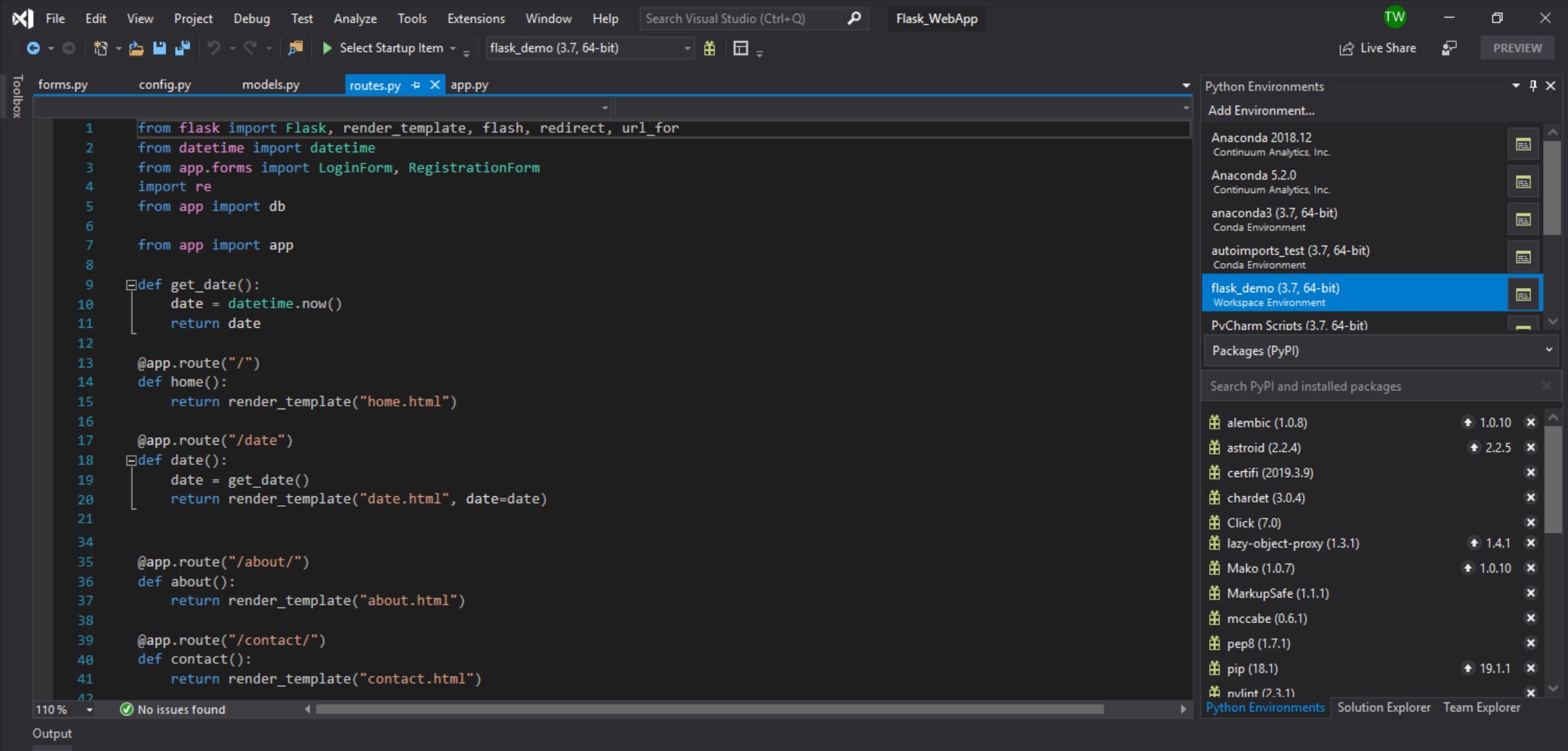  Visual Studio installationThe default installation of Visual Studio offers the ability to add elements necessary to develop in Python and other languages Python Data science & analytical applicationsGitHub CopilotUsing GitHub Copilot to code with Python you’ll be able to accelerate the pace of software development with code completion, chat assistance, and code explanations. 
EditingAn editor that knows your codeLet Visual Studio think about your code and tell you which types go where. Tooltips, completions and code snippets make you more productive. LibrariesFind and install the libraries you needThird-party libraries are the fastest way to solve your problems. Use our pip, PyPI and virtual environment support to manage your projects and dependencies.
DebuggingInteractively diagnose issues with your code on Windows and LinuxNone of us write perfect code all the time, but when it goes wrong Visual Studio can help. Visually step through your code, view or modify state, and interact with your program regardless of the operating system. Version Control integrationCollaborate on code with GitUse Git as the default source control experience in Visual Studio right out of the box. From the new Git menu, you can create or clone repositories from GitHub or Azure DevOps. Use the integrated Git tool windows to commit and push changes to your code, manage branches, sync with your remote repositories, and resolve merge conflicts.
Unit testsValidate your changes in the editorMake sure your code is working correctly without leaving Visual Studio. View, edit, run, and debug unit test-style tests from the Test Window. Open sourceFork us on GitHubPython Tools for Visual Studio is a completely free extension, developed and supported by Microsoft with contributions from the community. Visit our GitHub page to see or participate in PTVS development.
Visual Studio CommunityFree, fully-featured IDE for students, open-source and individual developers. Visual Studio ProfessionalPowerful developer tools, services, and subscription benefits for efficient small-team collaboration. Visual Studio EnterpriseAdvanced debugging, enterprise security, AI-assisted development—plus Azure Credits and Dev/Test pricing for the cloud. |
| You are visitor 01402503 — GeezerVison does not store the pages you look up. Best viewed with Netscape Navigator 4.7 or Internet Explorer 6 at 800×600. No cookies required. |