When you want one Python file to use a function or class from another, you can import its definitions instead of copying them. A Python module is a file whose names can be made available to other code with an import statement.
I’ll explain what a module is and show how to import code from sibling files and package folders.
TL;DR
Put related Python files in an importable project folder, then use the file’s module name without the .py suffix.
- Use import greeting to access names as greeting.make_greeting().
- Use from greeting import make_greeting to bind one function directly.
- For a package folder, use dotted names such as from helpers.text import clean.
- Keep script-only work under a main guard.
What Is a Python Module?
A file such as greeting.py defines a Python module with its own namespace, and standard import syntax refers to it by basename without .py. This matters because Python loads the source as a module object in the running interpreter.
How to Import Other Python Files Step by Step
The example begins with two sibling files and then extends into a package folder.
Step 1: Create a module beside the main file
This example keeps greeting.py beside main.py. Keep filenames simple because spaces or punctuation make direct imports awkward. Avoid names such as json.py, which can shadow Python’s standard-library module.
def make_greeting(name):
    return f"Hello, {name}!"
The definition creates the name make_greeting. The function body runs when a caller invokes it.
Step 2: Import the function and run the main file
The main file imports make_greeting and calls it inside main().
from greeting import make_greeting


def main():
    print(make_greeting("Python"))


if __name__ == "__main__":
    main()
The guard calls main() during direct execution but skips it when another module imports these definitions. Other top-level statements still run on the first import, so keep them limited to definitions and lightweight setup. From the directory containing both files, run:
python3 main.py
The captured run returned this output:
Hello, Python!
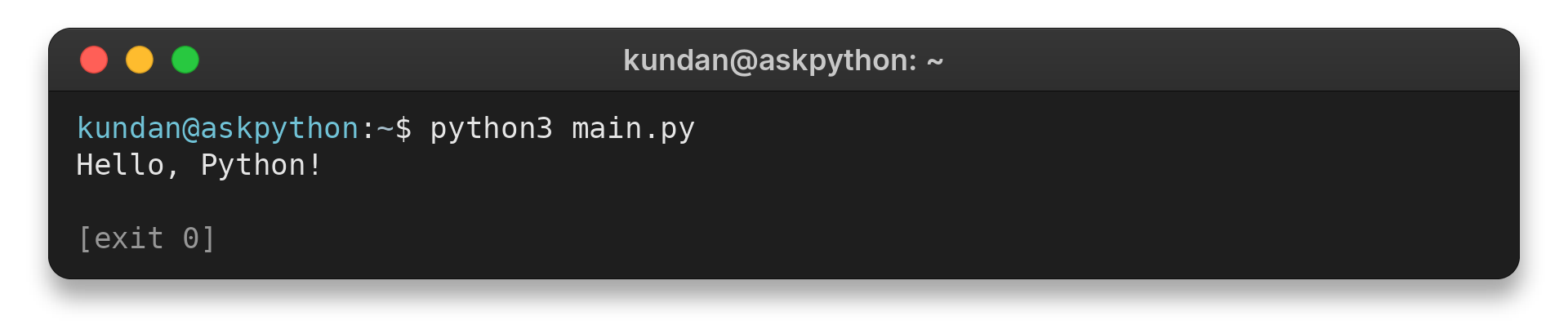
The terminal capture shows main.py importing the sibling module and printing Hello, Python! I ran python3 main.py, and the receipt records exit code 0.
Step 3: Pick the import form that fits the caller
These snippets show module, direct-name and alias forms.
import greeting

module_result = greeting.make_greeting("Ada")

from greeting import make_greeting as greet
alias_result = greet("Lin")
| Form | What becomes available | Use it when |
|---|---|---|
| import greeting | The greeting module | You want calls to show the source module |
| from greeting import make_greeting | The named function | The caller uses a small set of known names |
| import greeting as greet | The module under an alias | A shorter module name improves repeated references |
A from import binds the function object or its alias to a local name without copying source text or renaming the definition in its module.
For a class in formatter.py, use from formatter import Formatter or import formatter and refer to formatter.Formatter. Define classes at module level so an import statement can find them.
Step 4: Import a file from a package folder
Use this regular-package layout for the example. Its directory names show the path the caller will use.
package_example/
    main.py
    helpers/
        __init__.py
        text.py
The text module defines the clean function used below.
For a regular package, Python runs __init__.py before its submodules, so keep setup lightweight and avoid launching application work there. Namespace packages can omit the file and combine portions from multiple directories, as the official import reference explains.
A package initializer can expose selected names directly to callers.
As a project grows, put related code in focused modules such as text.py and dates.py.
# helpers/text.py
def clean(value):
    return value.strip()
Python loads text from helpers when the project root is on its import search path.
# package_example/main.py
import helpers.text
from helpers.text import clean

module_result = helpers.text.clean("  hello  ")
print(clean("  hello  "))
From the project directory, run:
python3 package_example/main.py
The captured output is:
hello
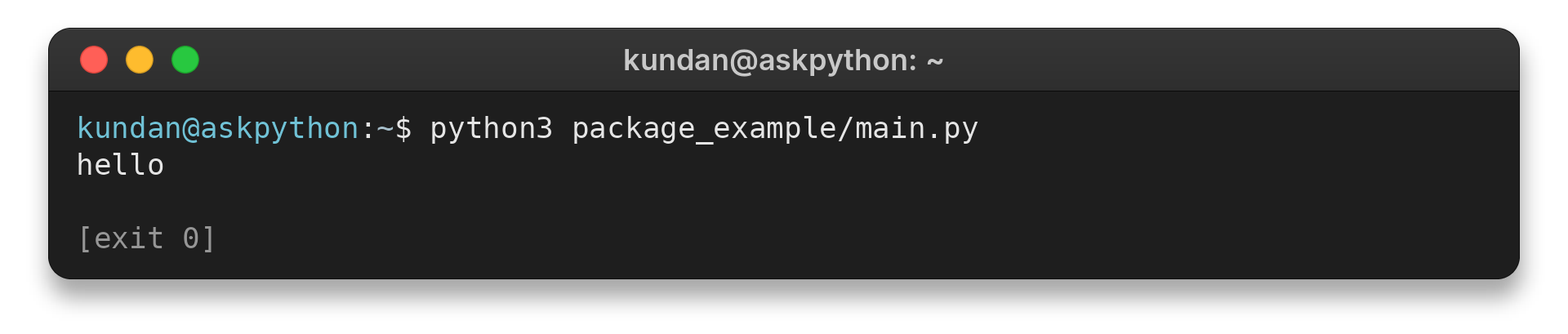
I ran the command above. The terminal receipt records hello and exit code 0.
Fix Common Python Import Errors
Read the final exception line first because it distinguishes ModuleNotFoundError, where Python cannot find a module, from ImportError: cannot import name, where a module loaded but lacks the requested name.
Check the interpreter and import path
For third-party libraries, compare the interpreter in your editor or terminal with the environment where you installed the package. Package installation names can differ from import names, and each virtual environment has its own packages, so check the library’s documentation and select the intended environment.
| Symptom | Possible cause | Check |
|---|---|---|
| A third-party package is missing | The IDE and shell use different interpreters | Run the program and inspect installed packages with the same interpreter |
| A local module is missing | The file is outside the active search locations | Compare the project root with sys.path and choose the correct launch directory |
| An unexpected module is imported | A same-named file appears earlier on the search path | Rename the local file or import through its package name |
Check the actual filename, including its extension and capitalization, because file managers can hide .txt and case-sensitive systems distinguish Greeting.py from greeting.py.
Relative import-path entries depend on the process working directory, while PYTHONPATH affects each process that inherits it.
If an import succeeds but selects the wrong code, inspect the module’s __file__ in a debugger to see which file Python loaded. Namespace packages can combine multiple directories, so inspect __path__ when one file location does not explain the imported package.
Match the launch mode to the package
Launching package/module.py directly omits its parent package name, so relative imports cannot resolve. An absolute import starts from a top-level package name, while a relative import starts from the current package and uses a leading dot.
Relative imports suit modules within the same package, but require Python to load the file in package context. From the directory above it, python3 -m package.module executes the file as __main__ while preserving that context, so the main guard still runs. The Python -m option documents this launch mode.
| Launch form | Import context | Use for |
|---|---|---|
| python3 script.py | Script directory is on the search path | Standalone file with sibling modules |
| python3 -m package.module | Package context stays available, and file executes as __main__ | Package code that uses relative imports |
| Absolute import | Starts at a top-level package name | A dependency readers should identify by its full path |
A package can expose one command-line entry point through __main__.py. Running the package executes that file, while running a named module selects that module instead. A package entry point lets users run the application without depending on its internal module layout.
The script directory and current working directory are different settings. Direct execution adds the script directory to the import path, while relative data-file paths are resolved from the current working directory. Start from the project root or set cwd deliberately so an IDE and terminal do not behave differently.
Check names, initialization and cycles
Python caches a module before its initialization finishes, and later imports reuse it, as the modules tutorial explains. Editing the file does not replace its loaded objects in a live process, so restart a REPL or test process to check changes. In a circular import, one module can see another before its names exist, which you can fix by moving shared definitions to a third module or redesigning the dependency direction.
| Symptom | Cause | Next check |
|---|---|---|
| Unexpected standard-library behavior | A local file shadows a module such as json.py | Rename the local file and restart the interpreter |
| Cannot import a named function or class | The file is found but does not define that name | Check the definition and spelling in the source |
| Exception reported at the import line | Initialization failed inside the imported module | Follow the traceback into that file |
| Partially initialized module or missing name | Circular imports run before definitions finish | Move shared definitions to a third module or delay an import until a function runs |
A traceback may point to main.py even when a dependency imported inside helpers/text.py lacks the requested name. Follow the frames into that module before changing the top-level path.
Validate the name before loading a runtime-selected plugin with importlib.import_module(name). Map allowed choices to known modules and check that they expose the expected entry point, while a regular import suits developer-selected dependencies. Use subprocess.run() for a separate program, and read this ModuleNotFoundError example for a dependency-error walkthrough.
Conclusion: Keep Imports Inside a Package
Use ordinary imports for known project code, a package structure for related directories, and the module launch mode that matches relative imports. For supported syntax and package behavior, read the Python tutorial’s modules and packages chapter and the reference on Python’s import system. For another module example, see how to configure logging in Python.
FAQ
These short answers cover the common file and package import questions.
How do I import a function from another Python file?
Use from module import function with the .py suffix omitted. The other file must be on Python’s import search path. This binds the function name; it does not paste the file into the caller.
Can Python import a file from another folder?
Yes. Put the file in an importable package and use a dotted module name. Launch from the project root or use python -m when its imports need package context.
Why does importing my file run its code?
Top-level statements execute on the first import. Put script-only startup work inside a main guard so other modules can import the definitions without starting the application.
How do I import a class from another Python file?
Use from module import ClassName, or import the module and refer to module.ClassName. The class file must be available through the same search path as any other module.
Is importing another file the same as running it?
No. Importing makes a module’s definitions available in the current process and runs its top-level statements on first import. Use subprocess.run() when you need a separate program.
Does every Python package need __init__.py?
Regular packages use __init__.py, which runs when the package is imported. Namespace packages can omit it, though a regular package is a clear default for a small project.
Why does an import work in my terminal but fail in my IDE?
The IDE may use a different interpreter, working directory or launch mode. Select the same environment and configure the IDE to run from the intended project root.
How do I import a file from a nested folder?
Make the folder importable as a package and use its dotted module name, such as helpers.text. Start from the directory that exposes the package; use python -m when relative imports need package context.