GeezerVisonThe World Wide Web, restored to 800 pixels of glory. |
| Home|About|Gaming cabinet|Archives|How it works|Starter sites |
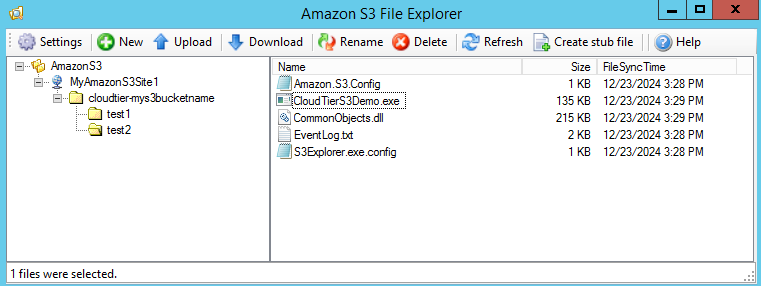
GeezerVison is showing www.easefilter.com — C# Amazon S3 Browser Demo C# Amazon S3 Explorer DemoStart Building Your S3 Explorer PoC TodayGet the full-featured 30-day trial SDK for free. Includes pre-built C# templates using the AWS SDK to test parallel uploads, downloads, and S3 file management instantly. Amazon S3 Explorer is a c# example to browse the files in S3, allows you to upload and download the files in S3. The S3 Browser demo provide an intuitive interface to manage the files in S3, you can seamlessly view and manage your files in S3, it provides an C# example how to upload and download the files in S3 with the C# AWS SDK.
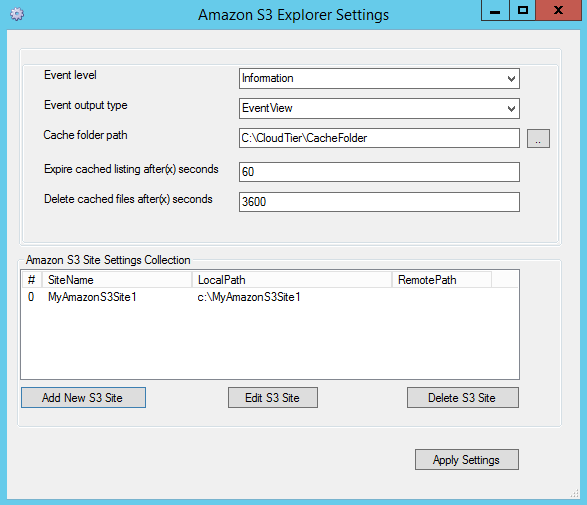
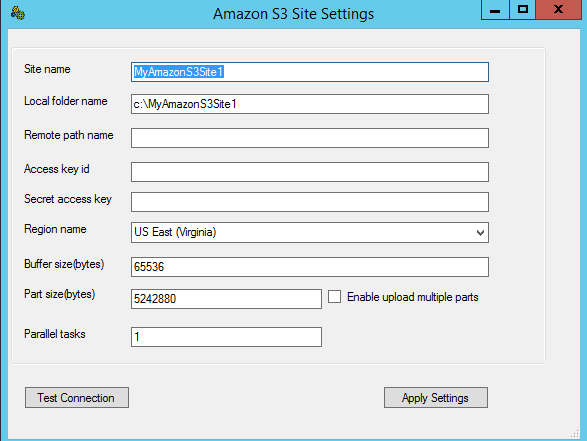
Congfigure S3 Site SettingsYou can configure multiple S3 sites in the explorer, setup the cache folder to store the cache file when you download the files from the S3 storage. You can add, edit or delete a S3 site settings by clicking the associated button.
Configure a S3 site settings:
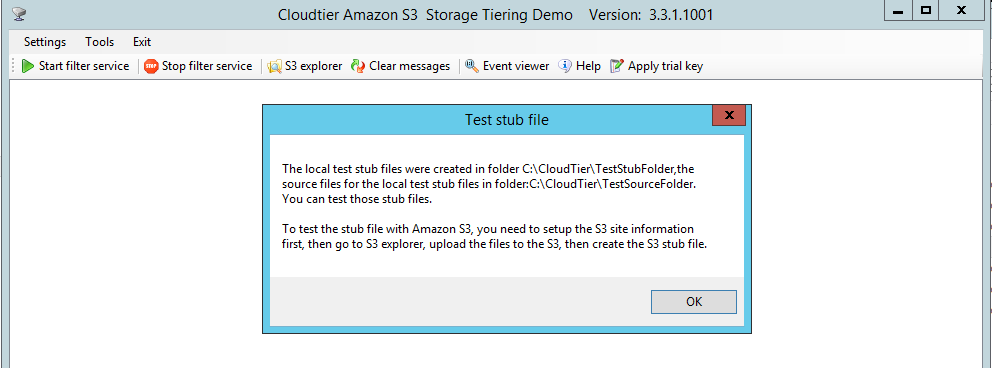
The CloudTier S3 Intelligent-Tiering Storage ExampleThe CloudTier SDK integrates S3 Intelligent-Tiering cloud storage with on-premise storage systems seamlessly, creating a hybrid storage environment. So it allows on-premise applications to access S3 file objects transparently, just as they would access on-premise regular files. There is no interruption to move or restore your on-premise files to/from the cloud storage, so you don’t need to change your existing applications and infrastructure to be compatible with the cloud environment. The CloudTier S3 demo is a C# demo project, it demonstrates how to connect the S3 storage from your on-premise storage, and how to generate the test files in on-premise storage and S3 storage. It demonstrates how to browse and read the S3 files as a local regular files.
ABOUT USWe specialize in file system filter driver development. We architect, implement and test file system filter drivers for a wide range of functionalities. We can offer several levels of assistance to meet your specific needs. QUICK LINKSSUBSCRIBECONTACT US
COPYRIGHT EASEFILTER, ALL RIGHT RESERVED. |
| You are visitor 01402792 — GeezerVison does not store the pages you look up. Best viewed with Netscape Navigator 4.7 or Internet Explorer 6 at 800×600. No cookies required. |