✓ Current release is free✓ Runs locally✓ No account required
Log Parser Lizard · animated feature tour
See the complete workflowFrom SQL query to grid, charts, dashboards and export
Since 2006continuously developed and refined
Hundreds of thousandsof downloads worldwide
27 sourcesand readers in one interface
SQL poweredfamiliar from the first query
Microsoft Log Parser, made visual
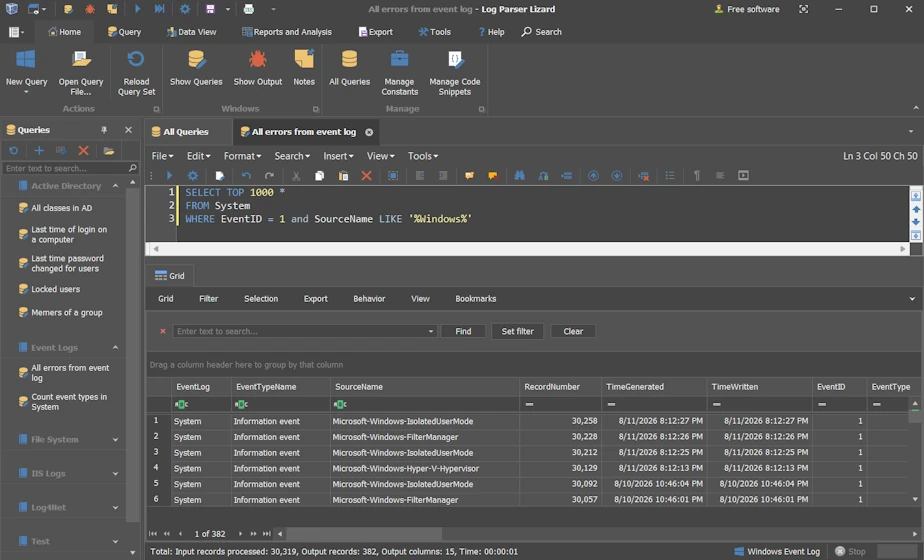
An advanced GUI for Microsoft Log Parser 2.2.
Log Parser Lizard began as a graphical interface for Microsoft Log Parser 2.2—the mature Microsoft query engine that exposes Windows Event Logs, IIS/W3C logs, the registry, Active Directory, file-system metadata and other system data sources as SQL-queryable tables.
Microsoft Log Parser is an older utility, but its broad provider model remains practical and uniquely useful. Log Parser Lizard adds an intelligent editor, query management, advanced grids, charts, dashboards and exports, while also supporting newer SQLite-based workflows.
SELECT cs_uri_stem, sc_status, COUNT(*) AS Requests
FROM 'C:\inetpub\logs\*.log'
WHERE sc_status >= 500
GROUP BY cs_uri_stem, sc_status
ORDER BY Requests DESC;
SQLite / ULP
Search a folder for a reference
Point Log Parser Lizard at the file or folder and use familiar SQL to reduce it to useful evidence.
SELECT Department, COUNT(*) AS Records, SUM(Amount) AS Total
FROM 'C:\Reports\2026-*.csv'
GROUP BY Department
ORDER BY Total DESC;
One idea, the right interface for each job
Investigate visually. Automate repeatable work.
Start in Log Parser Lizard when the work needs context, comparison and human judgment. Move a trusted query to Universal Log Parser when the same task should run consistently in automation.
Flagship Windows desktop application
Log Parser Lizard
A rich desktop workspace for the part of analysis that cannot be reduced to a single command: exploring results, spotting patterns, changing the question and explaining the evidence.
Investigate incidents, application failures and security evidence
Analyze large file collections, API output and operational exports
Refine SQL with an intelligent editor and reusable query library
Turn results into grids, charts, pivots and dashboards
Keep sensitive data local while applying human judgment
Query, inspect, refine and visualize in one Windows desktop workspace.
The command-line companion for repeatable work. Query logs and structured text with SQLite, produce machine-readable output and connect the same data workflow to agents, CI/CD jobs and DevOps pipelines.
Do more than retrieve rows. Understand what they mean.
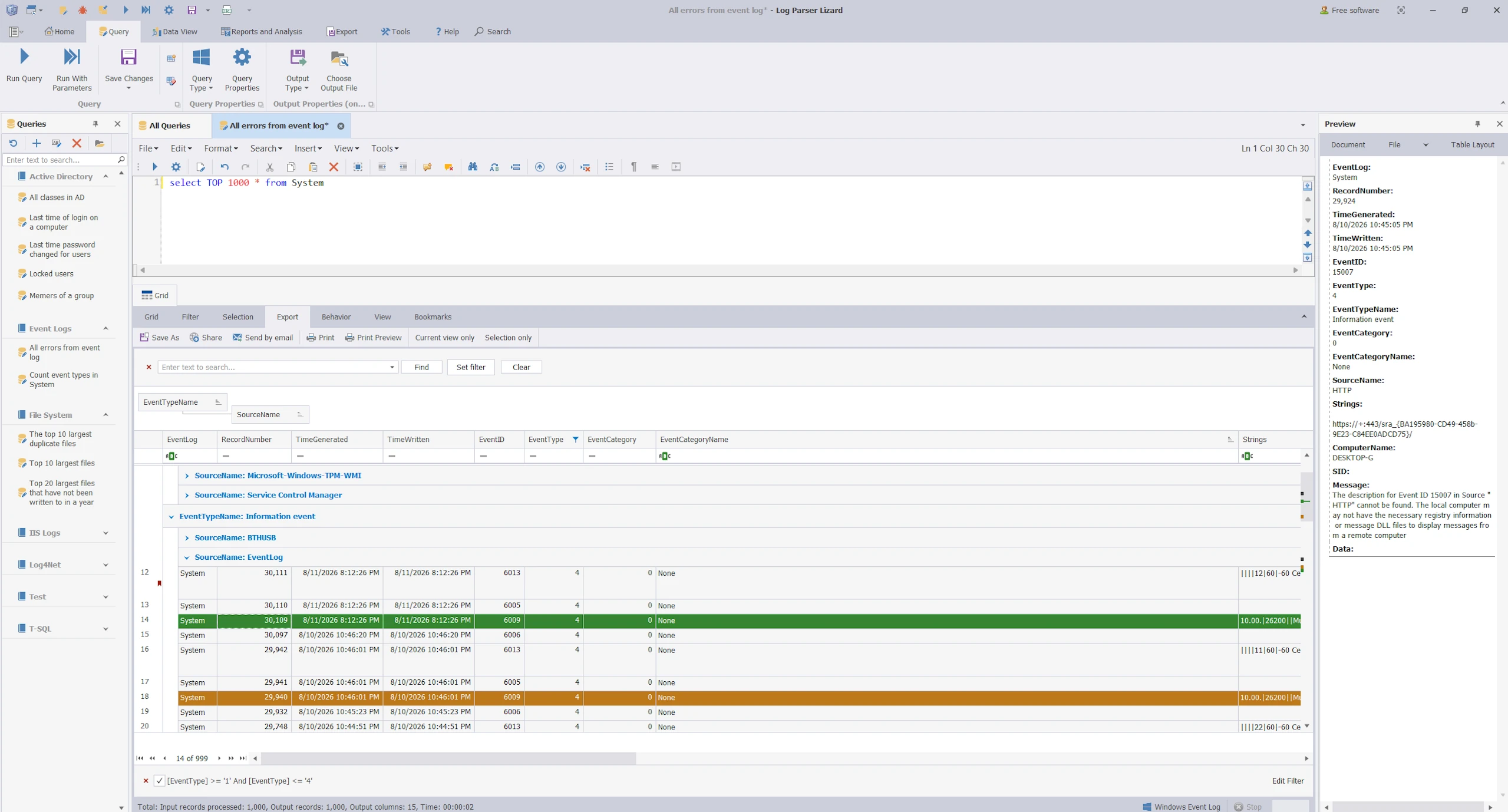
An intelligent editor, organized query library, serious result grid and reusable visual analysis keep the whole investigation in one desktop workspace.
Inspect and shape query results without exporting first.
Core feature 01
Advanced Data Grid
Query results become a working surface, not a static table.
Group, sort and filter large result sets
Calculated fields and conditional formatting
Bookmarks, preview and notes
Copy, print and export workflows
Core feature 02
Dashboards and Visual Analysis
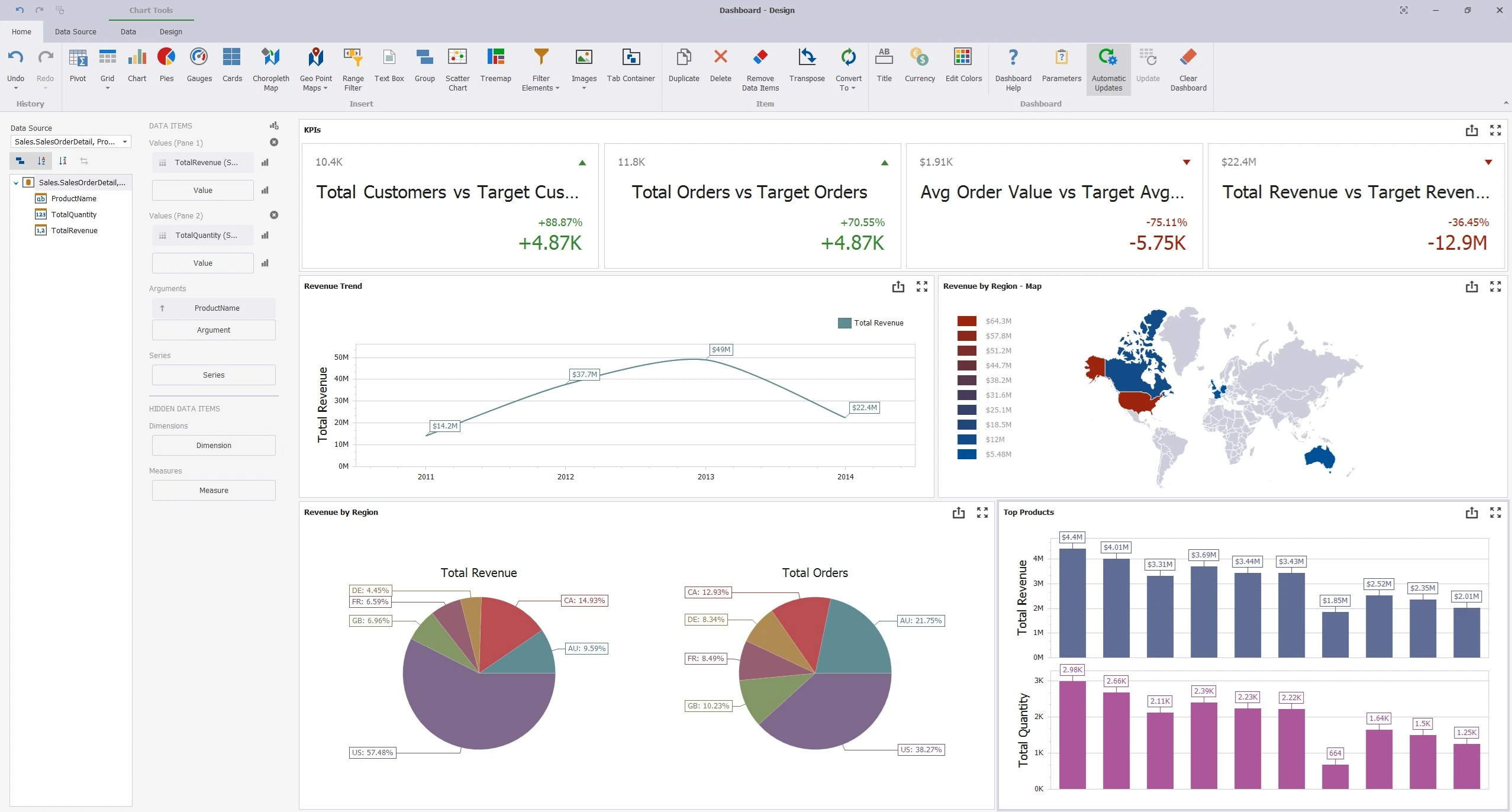
Turn current results into an interactive visual workspace for patterns, trends and communication.
Charts, pies and treemaps
Pivot tables, grids and cards
Maps, gauges and interactive filters
Reusable dashboard layouts
Build reusable visuals directly from query output.
SELECT EventID, COUNT(*) AS total
FROM System
WHERE EventType = 'Error'
GROUP BY EventID;
Core feature 03
Query Management and Syntax Editor
Build a reusable knowledge base instead of rewriting useful analysis from memory.
Organize saved queries into groups and libraries
Syntax highlighting for supported SQL workflows
IntelliSense-style completion and helpful tooltips
Reusable snippets, constants and query samples
Keep investigation patterns ready for the next incident
Referenced in technical books, respected blogs, professional training and security talks—and recommended by practitioners who rely on real operational evidence.
“I can’t say how much faster this tool made me once I had figured out LogParser.”
Log Parser Lizard has appeared in specialist books, respected engineering and security blogs, professional training, and conference material—including a Pluralsight Log Parser course and an RSA Conference session.
Log files and query results are processed locally. Their contents are not gathered, uploaded or used unless you intentionally submit information—for example, by email.
Yes. The current release is free to download and use. Future editions, features or pricing may change, but no payment is required for the current release.
Does my data leave the computer?
Supported files and query results are processed on the Windows computer running the application. Log contents are not uploaded to a hosted analysis service.
Is it only for log files?
No. It was built for log analysis, but providers also cover CSV, TSV, JSON, XML, text files, file-system data, Windows sources, databases and API output.
You are visitor 01402503 — GeezerVison does not store the pages you look up. Best viewed with Netscape Navigator 4.7 or Internet Explorer 6 at 800×600. No cookies required.