

PRIVACY
Privacy by default

Known trackers are blocked automatically so they don’t follow you around the web.
GeezerVisonThe World Wide Web, restored to 800 pixels of glory. |
| Home|About|Gaming cabinet|Archives|How it works|Starter sites |
GeezerVison is showing www.firefox.com — Firefox: The fast, private browser that keeps you safe The independent browser Built to protect you, not track youGet the browsing experience you expect with protection, control and choice built in. Firefox is no longer supported on Windows 8.1 and below. Please download Firefox ESR (Extended Support Release) to use Firefox. Firefox is no longer supported on macOS 10.14 and below. Please download Firefox ESR (Extended Support Release) to use Firefox. 

Scroll to see more
PRIVACY Privacy by default
Known trackers are blocked automatically so they don’t follow you around the web. CONTROL AI on your terms
AI features aren’t forced on you—they’re your choice. Turn them on, or don’t. FOCUS Features to stay focused
Tab groups and ad-blocking extensions help you minimize distractions. Independence On your side
Independent and nonprofit-backed, we don't sell your personal data. Fast to switch. Easy to settle in.When switching to Firefox, your bookmarks, passwords, and history come with you automatically, so you can get back to browsing right away. Firefox is no longer supported on Windows 8.1 and below. Please download Firefox ESR (Extended Support Release) to use Firefox. Firefox is no longer supported on macOS 10.14 and below. Please download Firefox ESR (Extended Support Release) to use Firefox.


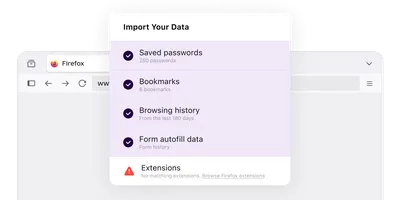
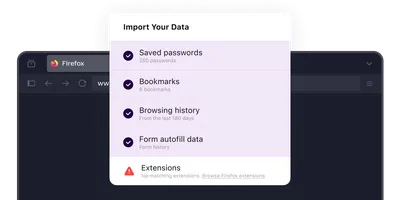
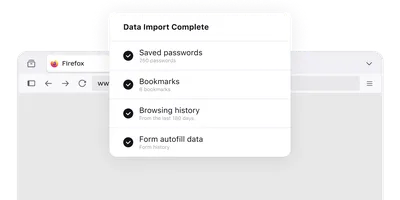
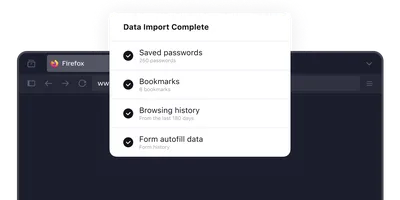
Fast to switch. Easy to settle in.When switching to Firefox, your bookmarks, passwords, and history come with you automatically, so you can get back to browsing right away. Firefox is no longer supported on Windows 8.1 and below. Please download Firefox ESR (Extended Support Release) to use Firefox. Firefox is no longer supported on macOS 10.14 and below. Please download Firefox ESR (Extended Support Release) to use Firefox.
Privacy without the work


Firefox protects your privacy automatically, with built-in tracker blocking from the start. You stay protected by default, without extra steps. All your stuff on desktop, mobile, and tablet


Take your tabs, history, and passwords wherever you go.Firefox works across platforms, so your data isn’t tied to one platform and stays encrypted by default. Built to benefit billions, not billionaires
Stay focused without distractionsFirefox is designed to work with your attention, not compete for it. Reader mode clears distractions from articles, picture-in-picture keeps video out of your way, and pinned tabs keep what matters close without clutter. 
Your workspace, your rules


AI, if and when you want itFirefox approaches AI with intention, not obligation. AI features are optional by design and will remain that way. Firefox protects your dataFirefox is built around clear privacy principles. We’re upfront about what data we collect, what we don’t, and how we use it. 
Keep up with all things FirefoxGet how-tos, advice and news to make your Firefox experience work best for you.
|
| You are visitor 01402792 — GeezerVison does not store the pages you look up. Best viewed with Netscape Navigator 4.7 or Internet Explorer 6 at 800×600. No cookies required. |