GeezerVisonThe World Wide Web, restored to 800 pixels of glory. |
| Home|About|Gaming cabinet|Archives|How it works|Starter sites |
GeezerVison is showing visualstudio.microsoft.com — Node.js Development Tools and Workflows - Visual Studio IDE
Node.js Developer Tools | Visual Studio2026-06-18T13:08:35-07:00
Node.js toolsTurn Visual Studio into a powerful Node.js development environment 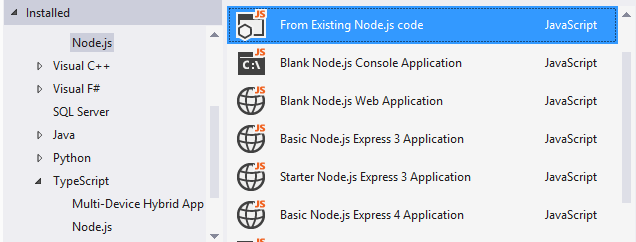
Project templatesGet up and running quicklyGet started building Node.js apps in Visual Studio using built-in project templates. Alternatively, use the command-line scaffolding tools you are already familiar with to generate your project, and import it into Visual Studio with just a few clicks. IntelliSenseUnderstand your codeExperience useful and syntactically-correct completions with the powerful IntelliSense engine that statically analyzes your Node.js code and any packages you are using. 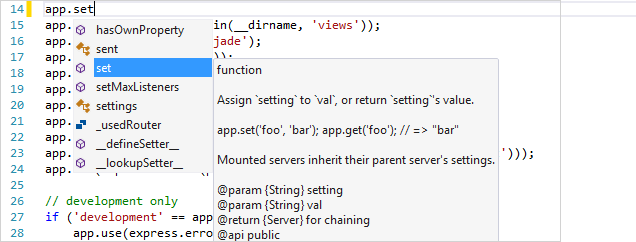
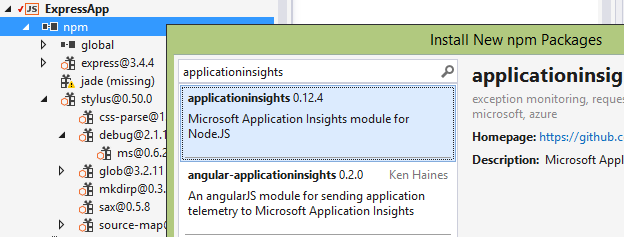
npm integrationnpm everywhere, just like it should beWhether you prefer to interact with npm through a rich user interface, a command-line, or both… we’ve got you covered. Quickly search and install packages from a rich user interface, explore packages and their dependencies in the npm tree view, and see warnings when one of your dependencies is missing. Interactive WindowIterate fasterEnter Node.js code and see the results immediately in the Node.js Interactive Window (also known as a REPL window). You can use the same built-in modules, syntax, and variables you’d use in a Node.js script. And of course, you’ll get full syntax highlighting and IntelliSense on your code, just like you do in the editor. 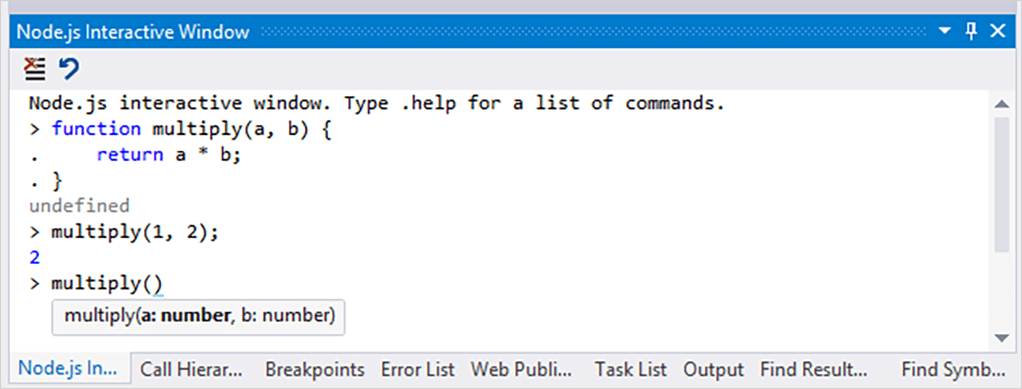
Advanced debuggingLocal and remote to any OSEnjoy stepping through your code with breakpoints and automatic exception notifications in Visual Studio’s interactive debugger. Advanced features include conditional breakpoints, tracepoints, hit counts, edit-and-continue, and cross-OS (Linux/macOS/Windows) remote debugging. 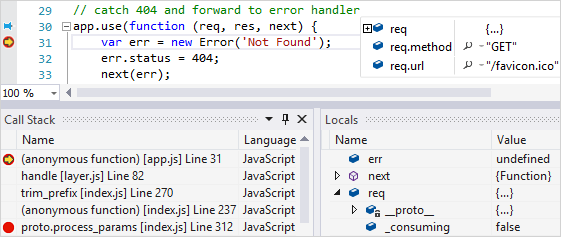
ProfilingTrack down performance issuesProfiling reports provide views on the different levels of your application structure from source code lines to processes, and program execution data from the calling and called functions of a specific function to the call tree of the entire application. 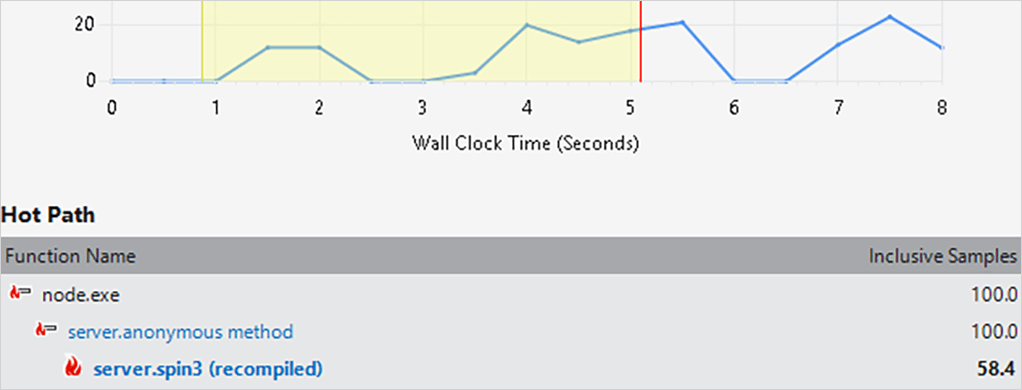
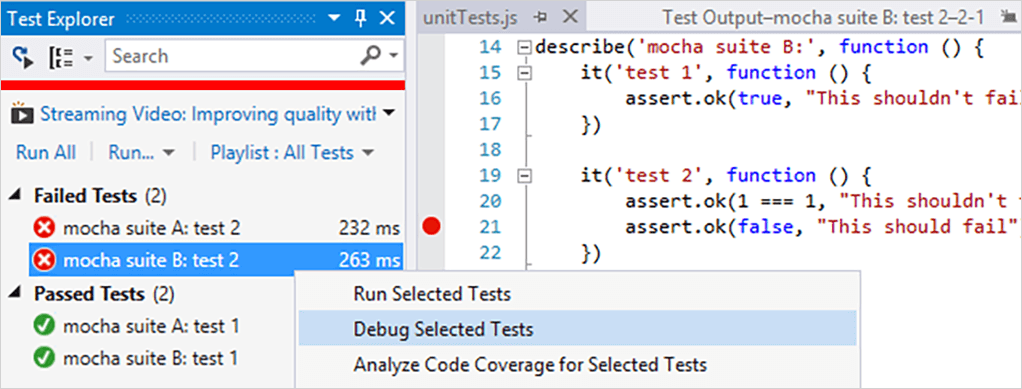
Unit testingBring your own test frameworkTypeScript integrationBuild robust applicationsTypeScript is a superset of JavaScript that compiles to clean JavaScript output. It adds optional types, classes, and modules, which enable you to write more maintainable code and take advantage of more powerful tooling. Node.js Tools for Visual Studio provides full end-to-end support (from IntelliSense to unit testing) for working with TypeScript in your Node.js apps. 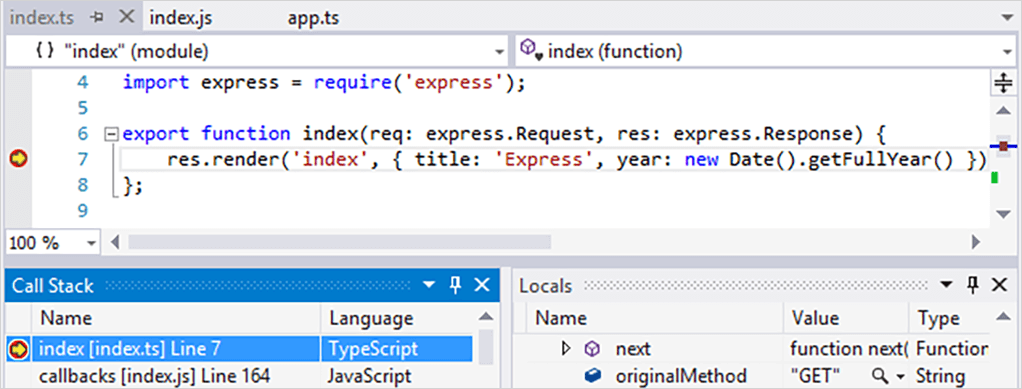
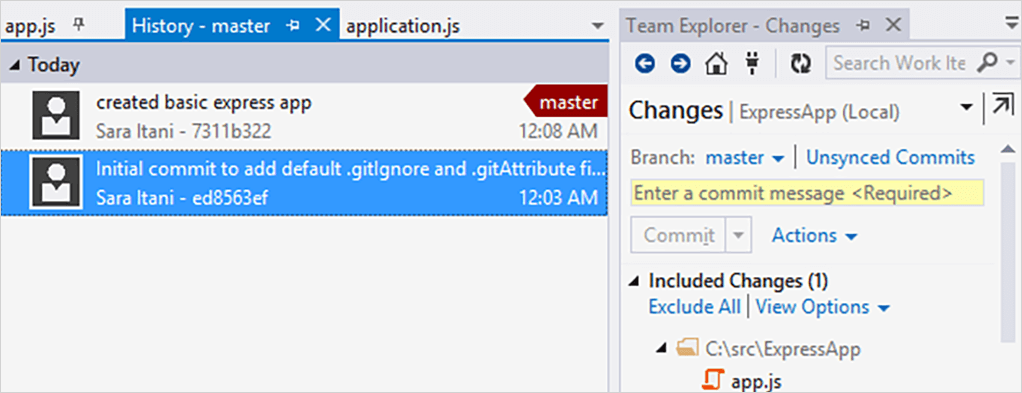
Source controlCommand-line not requiredManage your Git/TFS projects, pending changes, and branches with ease using the Team Explorer. Alternatively check out one of the many source control extensions available for Visual Studio. Cloud integrationCreate and deploy in <5 minutesCreate, test, and deploy web applications written with Node.js, and debug them from your desk while they run on your Linux or Windows-based server. Additionally, take advantage of tight Visual Studio integration with cross-platform Azure services for Node.js– even if you are not deploying to Azure (e.g. monitor performance and usage of your live application with Application Insights.) 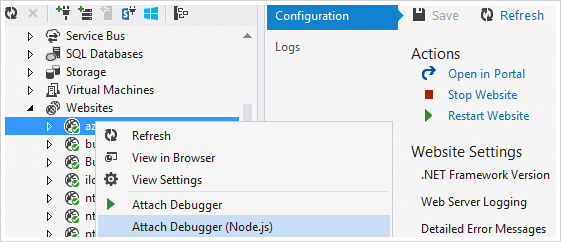
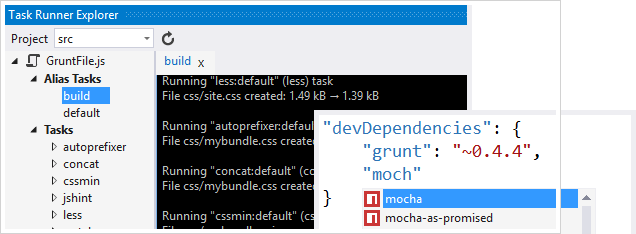
Customize your toolsExtensions for grunt, gulp, and more!Complement your experience with the many JavaScript and Node.js extensions available in the Visual Studio Gallery. Popular extensions include:
Free and open sourceJoin the GitHub communityNode.js Tools for Visual Studio is a free and open source Visual Studio extension supported by Microsoft and the community. We are constantly working to improve the Node.js experience in Visual Studio, and look forward to hearing any feedback or ideas you have (especially those that come in the form of pull requests). 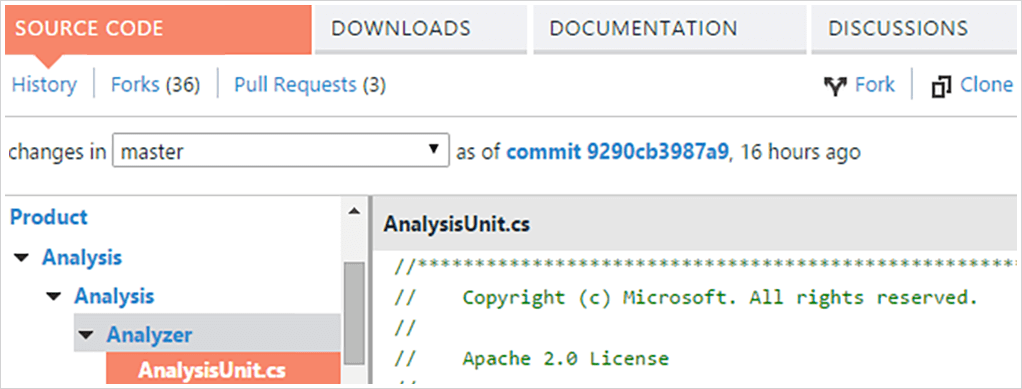
Visual Studio CommunityFree, fully-featured IDE for students, open-source and individual developers. Visual Studio ProfessionalPowerful developer tools, services, and subscription benefits for efficient small-team collaboration. Visual Studio EnterpriseAdvanced debugging, enterprise security, AI-assisted development—plus Azure Credits and Dev/Test pricing for the cloud. |
| You are visitor 01402792 — GeezerVison does not store the pages you look up. Best viewed with Netscape Navigator 4.7 or Internet Explorer 6 at 800×600. No cookies required. |